
1. Introduction
This manual provides essential information for the safe and effective use of your EASWEL AC/DC Power Adapter Charger. This adapter is designed to provide power to compatible devices, specifically the Remington VPG6530 Vacuum Trimmer. Please read this manual thoroughly before using the product and retain it for future reference.
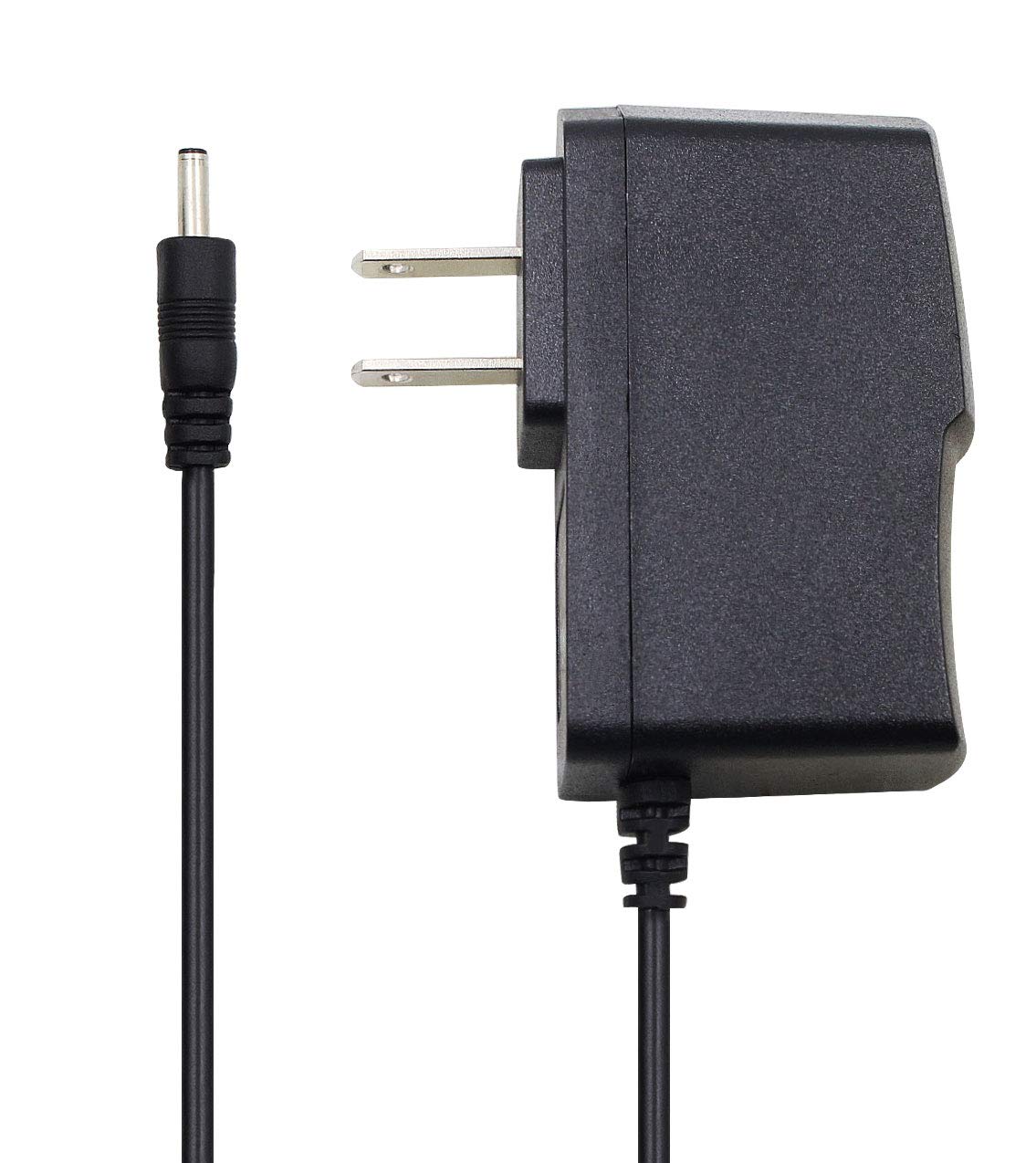
Image 1.1: The EASWEL AC/DC Power Adapter Charger, showing the main adapter unit with a two-prong US plug and the attached power cord ending in a barrel connector.
2. Safety Information
To ensure safe operation and prevent damage, please observe the following safety precautions:
- Use the adapter only with devices that require the specified voltage and current. Using it with incompatible devices may cause damage.
- Do not expose the adapter to water, moisture, or extreme temperatures.
- Avoid dropping or subjecting the adapter to strong impacts.
- Do not attempt to open, modify, or repair the adapter. Refer servicing to qualified personnel.
- Ensure the power outlet is easily accessible and unplug the adapter during lightning storms or when unused for extended periods.
- Keep out of reach of children.
- The adapter features Short Circuit Protection and Overload Protection to enhance safety.
3. Package Contents
The package includes the following item:
- 1 x EASWEL AC/DC Power Adapter Charger
4. Setup
Follow these steps to set up your power adapter:
- Identify the Device: Ensure your device, such as the Remington VPG6530 Vacuum Trimmer, requires a 100V-240V AC input and is compatible with a barrel connector.
- Connect to Device: Carefully insert the barrel connector end of the adapter cord into the charging port of your device. Ensure a snug fit.
- Connect to Power Outlet: Plug the two-prong AC plug of the adapter into a standard 100V-240V wall power outlet.
- Verify Connection: The adapter features an LED Charging Indicator. Once plugged into a live outlet and connected to a device, this LED should illuminate, indicating power is being supplied.

Image 4.1: A detailed view of the barrel connector, which plugs into the compatible device.
5. Operating
Once properly connected, the adapter will supply power to your device. The LED indicator on the adapter will confirm that power is flowing. The adapter is designed for continuous use within its specified parameters.
- LED Indicator: A lit LED indicates the adapter is receiving power and is ready to supply it to the connected device.
- Charging: The adapter facilitates charging of your device's battery (if applicable) or provides direct power for operation.
6. Maintenance
Proper care will extend the life of your power adapter:
- Cleaning: Disconnect the adapter from the power outlet and device before cleaning. Use a soft, dry cloth to wipe the surface. Do not use liquid cleaners or solvents.
- Storage: When not in use, store the adapter in a cool, dry place, away from direct sunlight and extreme temperatures. Avoid tightly winding the cable to prevent damage.
- Cable Care: Do not bend, twist, or pull the cable excessively, especially near the connectors, as this can cause internal damage.
7. Troubleshooting
If you encounter issues with your power adapter, refer to the following common problems and solutions:
| Problem | Possible Cause | Solution |
|---|---|---|
| Adapter LED does not light up. | No power from outlet, loose connection, or adapter malfunction. |
|
| Device is not charging/powering on. | Incompatible device, loose connection, or device malfunction. |
|
If troubleshooting steps do not resolve the issue, contact customer support.
8. Specifications
| Feature | Detail |
|---|---|
| Input Voltage | 100V - 240V AC |
| Input Frequency | 50/60Hz |
| Cable Length | 100 CM (approximately 3 ft) |
| Connector Type | Barrel Connector |
| Main Power Connector Type | 2 Pin (US Standard) |
| Color | Black |
| Special Features | Short Circuit Protection, Overload Protection, Anti-jamming, LED Charging Indicator |
| Manufacturer | easwel |
| ASIN | B07ZYM8JNV |
| UPC | 708257922013 |
9. Warranty and Support
EASWEL products are manufactured with quality in mind. For warranty information or technical support, please refer to the contact information provided at the point of purchase or visit the official EASWEL website. Please have your product model and purchase details ready when contacting support.