
Power Supply Board RSAG7.820.7911/ROH 235738 for Hisense 65R6E
Instruction Manual: Power Supply Board RSAG7.820.7911/ROH 235738
For Hisense 65R6E Televisions
Brand: Generic
1. Product Overview
This document provides essential information for the installation and handling of the RSAG7.820.7911/ROH 235738 Power Supply Board, a replacement component designed for Hisense 65R6E television models. This board is a critical internal component responsible for power distribution within the television.

Figure 1: The RSAG7.820.7911/ROH 235738 Power Supply Board. This image shows the entire circuit board with various components such as capacitors, transformers, and heat sinks.
Important Compatibility Note: It is absolutely critical to verify the part number of your existing power supply board against the part number of this product (RSAG7.820.7911/ROH 235738). The television model number (Hisense 65R6E) is provided for reference only, as multiple different parts can be used in the same TV model, and these parts are not interchangeable. Failure to match the exact part number may result in incompatibility or damage.
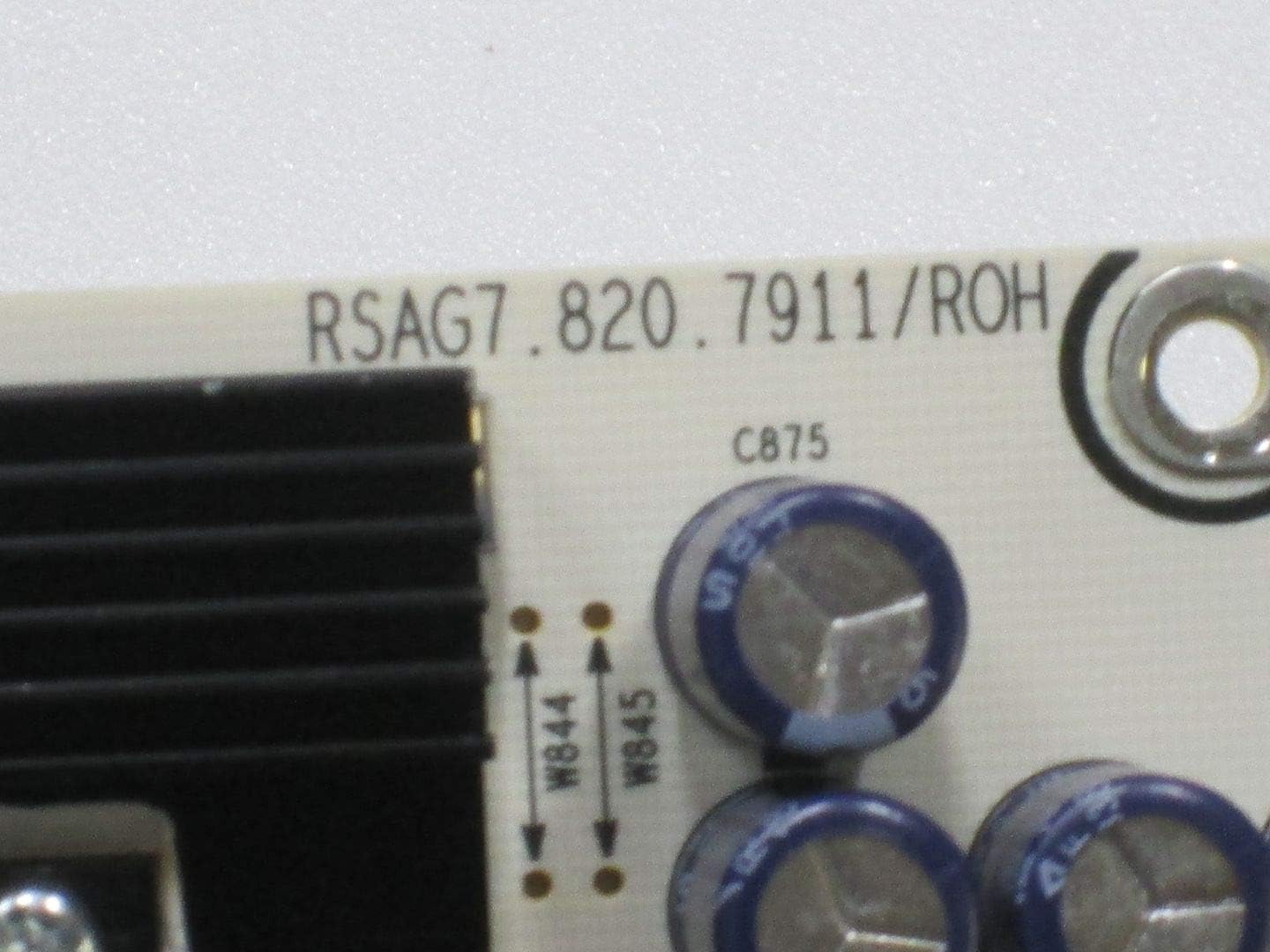
Figure 2: Close-up view of the RSAG7.820.7911/ROH part number printed on the circuit board. This number is essential for verifying compatibility.
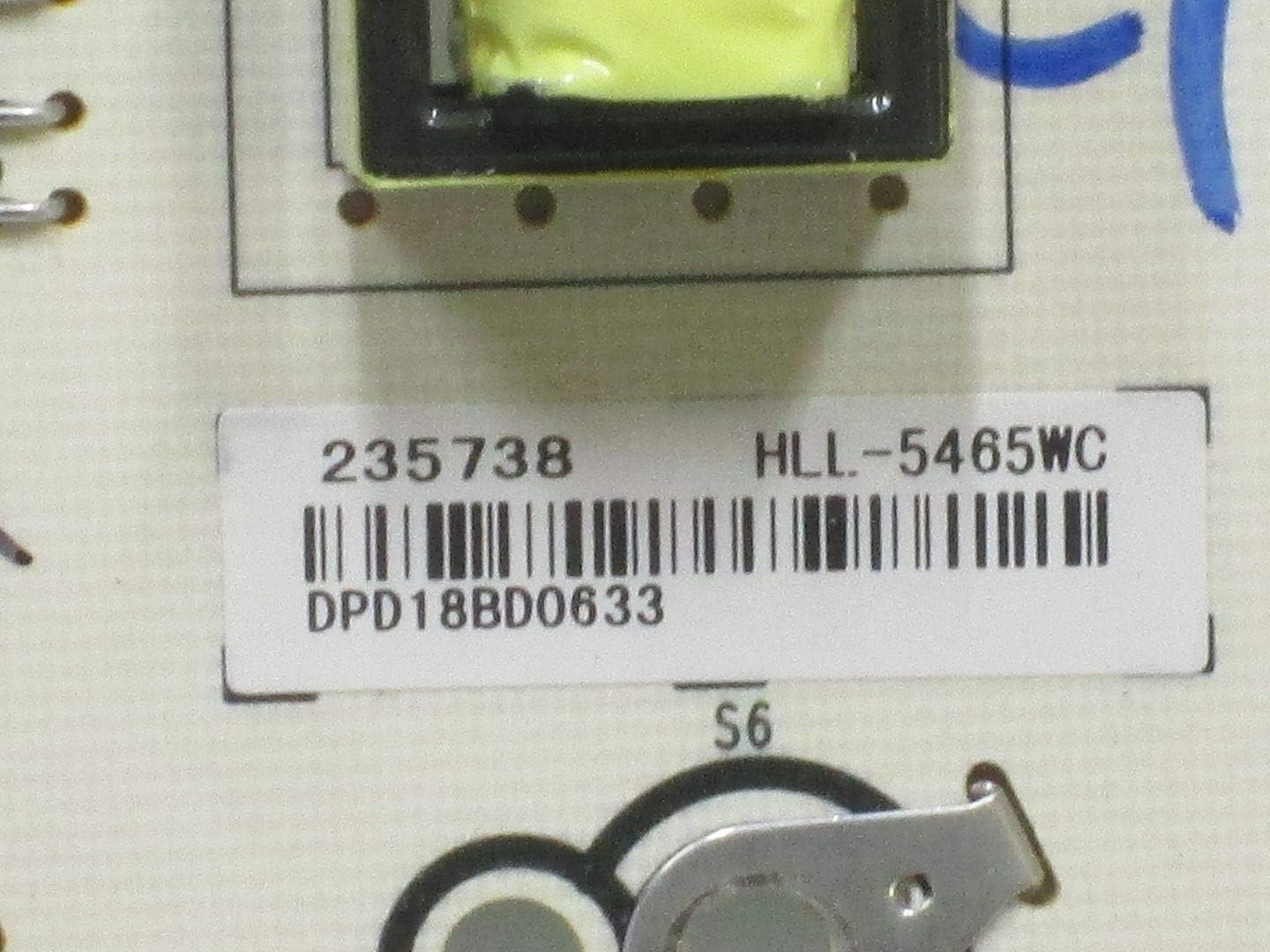
Figure 3: Close-up view of the 235738 part number and barcode label on the circuit board. This number also aids in compatibility verification.
2. Setup and Installation
Installation of this power supply board requires technical proficiency and should only be performed by qualified individuals. Improper installation can lead to electric shock, damage to the television, or personal injury.
2.1 Safety Precautions
- Disconnect Power: Always unplug the television from the main power outlet and allow sufficient time for any residual charge to dissipate before beginning any work.
- Static Discharge: Use an anti-static wrist strap or take other appropriate measures to prevent electrostatic discharge (ESD), which can damage sensitive electronic components.
- Insulated Tools: Use only insulated tools to avoid accidental short circuits.
- Work Area: Ensure your work area is clean, well-lit, and free from obstructions.
2.2 Installation Steps (General Guidelines)
- Access the TV's Interior: Carefully remove the back cover of the Hisense 65R6E television according to the TV's service manual.
- Locate the Existing Power Supply Board: Identify the power supply board within the television chassis.
- Disconnect Cables: Gently disconnect all cables and connectors attached to the existing power supply board. Note their positions for reassembly.
- Remove Old Board: Unscrew and carefully remove the old power supply board from its mounting points.
- Install New Board: Position the new RSAG7.820.7911/ROH 235738 board in place and secure it with the appropriate screws.
- Reconnect Cables: Reconnect all cables and connectors to the new board, ensuring they are firmly seated. Double-check all connections.
- Initial Test: Before fully reassembling the TV, perform a preliminary power-on test to confirm basic functionality.
- Reassemble TV: Once functionality is confirmed, carefully reattach the TV's back cover and any other removed components.
Note: This is a general guide. Always refer to the specific service manual for your Hisense 65R6E television for detailed, model-specific instructions.
3. Functionality and Compatibility Notes
The RSAG7.820.7911/ROH 235738 Power Supply Board is designed to provide stable and regulated power to all internal components of the Hisense 65R6E television. Its proper functioning is essential for the TV's operation, including display, audio, and processing units.
This board is compatible with Hisense 65R6E models that specifically utilize the RSAG7.820.7911/ROH 235738 power supply board. It features standard power connector types and interfaces designed to integrate seamlessly with the television's existing architecture.
4. Maintenance
As an internal electronic component, the power supply board requires minimal user maintenance. However, adhering to the following guidelines can help prolong its lifespan and ensure optimal performance:
- Dust Prevention: Ensure the television's ventilation openings are clear and free from dust accumulation. Excessive dust can lead to overheating of internal components, including the power supply board.
- Stable Power Supply: Connect the television to a stable power source. Use a surge protector to guard against power fluctuations and surges, which can damage electronic components.
- Avoid Liquids: Keep liquids away from the television to prevent accidental spills that could lead to short circuits or corrosion on the board.
- Professional Cleaning: If internal cleaning is required, it should be performed by a qualified technician to avoid damaging sensitive components.
5. Troubleshooting
If the television does not function correctly after installing the new power supply board, consider the following troubleshooting steps:
- Verify Part Number: Double-check that the installed power supply board's part number (RSAG7.820.7911/ROH 235738) exactly matches the original board's part number. This is the most common cause of incompatibility.
- Check Connections: Ensure all cables and connectors are securely and correctly attached to the new board and other TV components. Loose connections are a frequent cause of issues.
- Inspect for Damage: Carefully inspect the new board for any visible signs of damage (e.g., bent pins, burnt components) that might have occurred during shipping or installation.
- Test Other Components: If possible, test other major components of the TV (e.g., main board, T-con board) to rule out other failures.
- Professional Assistance: If the issue persists after these checks, it is recommended to seek assistance from a professional television repair technician.
Note: Do not attempt to repair the power supply board itself. These are complex electronic components and require specialized knowledge and equipment for repair.
6. Specifications
| Attribute | Detail |
|---|---|
| Part Number | RSAG7.820.7911/ROH 235738 |
| Compatible Devices | Hisense 65R6E (Verify part number for exact compatibility) |
| Manufacturer | Generic |
| Country of Origin | USA |
| Item Model Number (TV) | 65R6E |
| Main Power Connector Type | 24-Pin |
| Graphics Card Interface | Integrated |
| System Bus Standard Supported | PCIe |
| Total PCI E- Ports | 1 |
| RAM Memory Technology (TV) | DDR3, DDR4 |
| Chipset Type (TV) | AMD 785E |
| Platform (TV) | Android |
| Date First Available | October 29, 2019 |
7. Warranty and Support
This power supply board is a replacement part. For specific warranty information, please refer to the terms and conditions provided by the seller at the time of purchase. The seller for this product is "Xtreem Parts".
If you are unsure how to check and match your part number, or if you encounter issues not covered in the troubleshooting section, please contact the seller directly for assistance. Providing your exact part number and a detailed description of the issue will help expedite support.
Ask a question about this manual
Ask about setup, troubleshooting, compatibility, parts, safety, or missing instructions. Manuals+ will review the question and use this page’s manual context to help answer it.