
1. Introduction
This manual provides instructions for the Mediasonic HUR6-15 replacement top and bottom covers. These covers are specifically designed to accommodate thicker 12.5mm and 15mm 2.5-inch SATA hard drives within the Mediasonic HUR6-SU31C 2-Bay USB-C Enclosure. This product consists solely of replacement covers and is not a standalone hard drive enclosure. It is intended as an accessory to expand the compatibility of your existing HUR6-SU31C enclosure with larger capacity 2.5-inch drives.
2. Safety Information
- Ensure the HUR6-SU31C enclosure is powered off and disconnected from all cables before attempting to replace covers or install drives.
- Handle hard drives and enclosure components with care to prevent damage from static electricity.
- Use only the provided screws for installation. Using incorrect screws may damage the enclosure or drive.
- Keep small parts, such as screws and padding, out of reach of children.
3. Package Contents
Verify that all items are present in your package:
- 1x Top Replacement Cover (Grey)
- 1x Bottom Replacement Cover (Grey)
- 4x Mounting Screws
- 2x Adhesive Padding Strips (for drive stability)

Image 3.1: Package contents including top and bottom covers, screws, and padding.
4. Setup and Installation
These covers are designed to replace the standard covers of the Mediasonic HUR6-SU31C enclosure to accommodate thicker 2.5-inch SATA hard drives (12.5mm or 15mm height).
- Prepare the Enclosure: Ensure your Mediasonic HUR6-SU31C enclosure is powered off and disconnected from your computer. Remove any existing hard drives and the original top and bottom covers from the enclosure. Refer to your HUR6-SU31C enclosure manual for detailed instructions on disassembling the unit.
- Install Hard Drives (if not already done): If you are installing new 12.5mm or 15mm 2.5-inch SATA hard drives, insert them into the drive bays of the HUR6-SU31C enclosure. Ensure they are securely connected to the SATA data and power connectors.
- Apply Padding: For optimal drive stability and vibration reduction, apply the provided adhesive padding strips to the inside of the new covers, aligning them with where the hard drive will make contact.
- Attach Replacement Covers: Carefully align the new top and bottom replacement covers with the HUR6-SU31C enclosure chassis. The covers are designed to provide additional clearance for the thicker drives.
- Secure Covers: Use the four provided mounting screws to secure the new top and bottom covers to the enclosure. Do not overtighten the screws.
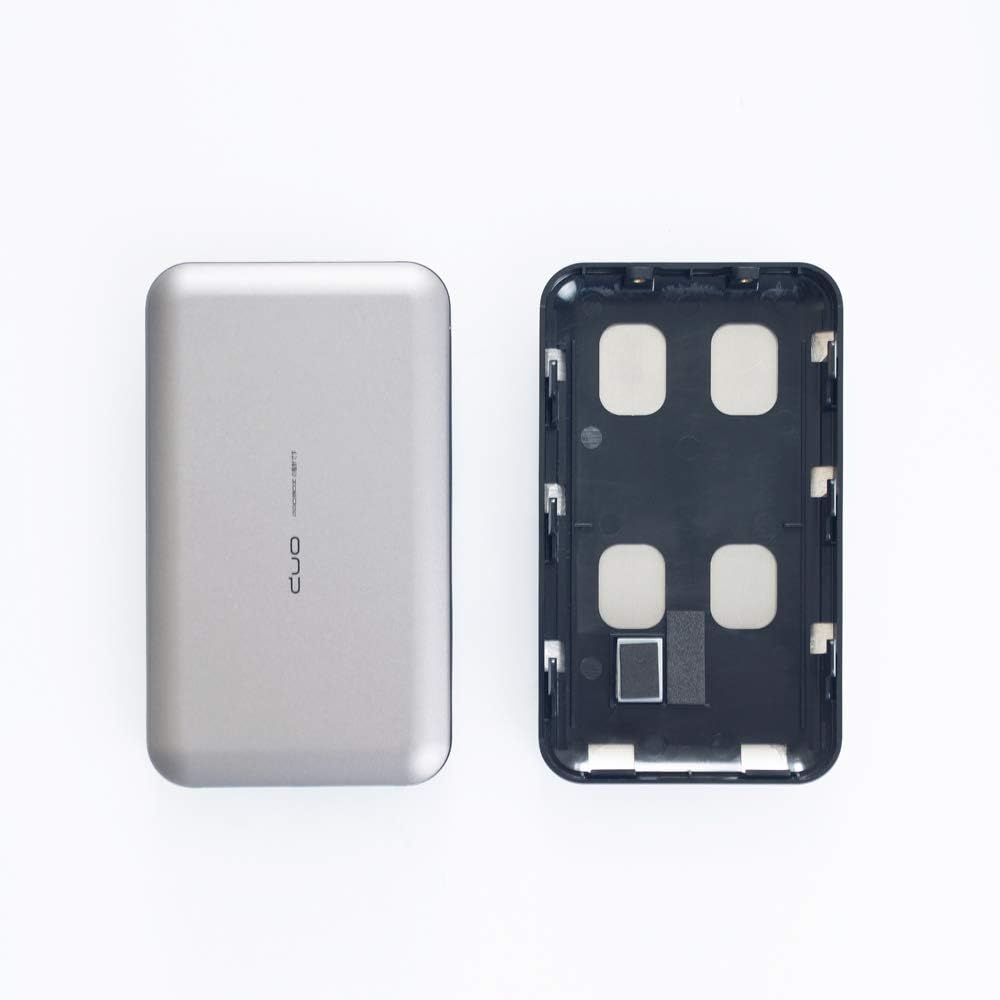
Image 4.1: The HUR6-SU31C enclosure (left) and the HUR6-15 replacement bottom cover (right).

Image 4.2: The HUR6-15 replacement bottom cover with adhesive padding strips for drive stability.
5. Operating
Once the HUR6-15 replacement covers are installed and secured, the HUR6-SU31C enclosure can be operated as usual. The new covers simply provide the necessary physical clearance for thicker 2.5-inch SATA hard drives. For instructions on connecting the enclosure to your computer and managing your drives, please refer to the original Mediasonic HUR6-SU31C enclosure user manual.
6. Maintenance
- Cleaning: Use a soft, dry cloth to clean the exterior of the covers. Avoid using liquid cleaners or abrasive materials, which may damage the finish.
- Storage: If the covers are removed for any reason, store them in a clean, dry place to prevent dust accumulation or damage.
7. Troubleshooting
- Covers do not fit: Ensure you are attempting to install these covers on a Mediasonic HUR6-SU31C enclosure. These covers are specifically designed for that model. Verify that the hard drives you are using are 2.5-inch SATA drives with a height of 12.5mm or 15mm.
- Drives are loose inside: Ensure the adhesive padding strips are correctly applied to the inside of the covers to provide a snug fit for the hard drives.
- Enclosure not recognized: This issue is typically related to the main HUR6-SU31C enclosure or the hard drives themselves, not the replacement covers. Refer to the HUR6-SU31C enclosure manual for troubleshooting connectivity and drive recognition issues.
8. Specifications
- Model: HUR6-15
- Compatibility: Mediasonic HUR6-SU31C 2-Bay 2.5" SATA Enclosure
- Supported Drive Height: 12.5mm and 15mm 2.5-inch SATA Hard Drives
- Material: Durable Plastic
- Color: Grey
- Product Dimensions: Approximately 5.5 x 3.15 x 0.75 inches (L x W x H) - Note: These are the dimensions of the original enclosure, the covers are designed to fit this.
- Item Weight: Approximately 1.28 ounces (for the covers)
9. Warranty and Support
For warranty information and technical support regarding your Mediasonic products, please visit the official Mediasonic website or contact their customer service department. Please have your product model number (HUR6-15) and the original HUR6-SU31C enclosure model number available when seeking support.
Mediasonic Official Website: www.mediasonic.ca