
1. Introduction
Thank you for choosing the LVYUAN 1000 Watt Pure Sine Wave Inverter. This device is designed to convert 12V DC power from your battery into stable 110V/120V AC power, suitable for a wide range of electronics and appliances. With 1000 Watts of continuous power and a 2000 Watts surge capacity, it provides reliable electricity for vehicles, RVs, outdoor activities, and home backup systems.
LVYUAN has been a trusted partner in power solutions since 2015, committed to providing high-quality inverters for various off-grid and mobile power needs.

Figure 1: LVYUAN 1000 Watt Pure Sine Wave Inverter and accessories.
2. Safety Information
Please read all safety instructions carefully before operating the inverter. Failure to follow these instructions may result in electric shock, fire, or serious injury.
- Ventilation: Ensure adequate ventilation around the inverter. Do not block ventilation openings.
- Environment: Do not expose the inverter to rain, moisture, or extreme temperatures. Operate in a dry, well-ventilated area.
- Connections: Ensure all connections are tight and secure. Loose connections can cause overheating and damage.
- Load Capacity: Do not exceed the inverter's rated continuous power output (1000W) or surge capacity (2000W). Overloading can cause damage to the inverter and connected devices.
- Polarity: Always connect the inverter to the battery with correct polarity (positive to positive, negative to negative). Reverse polarity will cause immediate damage.
- Children: Keep the inverter out of reach of children.
2.1 Multi-Protection Features
The LVYUAN inverter is equipped with multiple protection mechanisms to ensure safe operation:
- Overload Protection: Automatically shuts down if the connected load exceeds the inverter's capacity.
- Short Circuit Protection: Protects against damage from short circuits in the output.
- Overheat Protection: Activates the cooling fan and may shut down if internal temperature becomes too high.
- Reverse Polarity Protection: Prevents damage if battery connections are reversed.
- Under/Over Voltage Protection: Shuts down if the input DC voltage is too low or too high, protecting both the inverter and the battery.
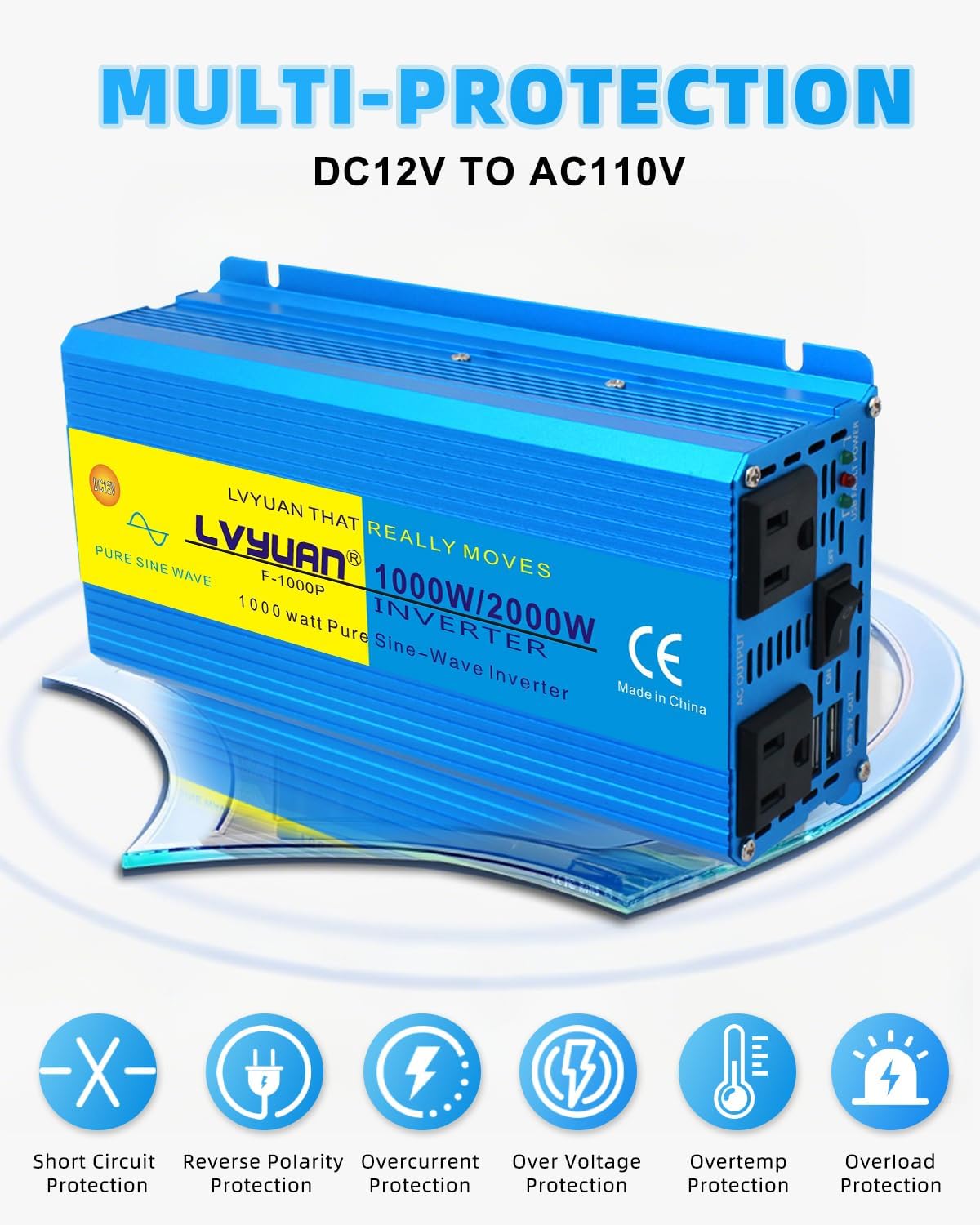
Figure 2: Inverter Multi-Protection Features.
3. What's in the Box
Upon opening the package, please verify that all the following items are included:
- 1 x LVYUAN 1000 Watt Pure Sine Wave Inverter
- 2 x Battery Crimper Cables (Red for Positive, Black for Negative)
- 1 x Cigarette Lighter Plug Cable
- 1 x Instruction Manual (this document)

Figure 3: Inverter and included cables.
4. Product Overview and Features
The LVYUAN 1000 Watt Pure Sine Wave Inverter is designed for efficiency and durability, featuring a robust aluminum alloy shell for advanced protection and better cooling.
4.1 Key Components

Figure 4: Inverter Components.
- Positive Port (Red): Connects to the positive terminal of the 12V battery.
- Negative Port (Black): Connects to the negative terminal of the 12V battery.
- Cooling Fan: An intelligent temperature-controlled fan that activates when the internal temperature exceeds 113°F (45°C) or the load surpasses 40%, ensuring quiet and efficient cooling.
- US Outlets (x2): Standard 110V/120V AC outlets for connecting your devices. Designed to accommodate two large plugs simultaneously.
- Dual USB Charge Ports: 5V USB outputs for charging mobile devices.
- LED Indicator: Provides status feedback on the inverter's operation.
- Power Switch: Controls the ON/OFF state of the inverter.
4.2 Pure Sine Wave Technology
This inverter produces a pure sine wave output, which is identical to the AC power supplied by your utility company. This clean and stable power is crucial for sensitive electronics, ensuring they operate efficiently without damage or buzzing noises often associated with modified sine wave inverters.

Figure 5: Pure Sine Wave vs. Modified Sine Wave.
5. Setup
Proper setup is essential for safe and efficient operation of your LVYUAN inverter.
5.1 Choosing a Location
- Place the inverter on a flat, stable surface.
- Ensure the area is dry, cool, and well-ventilated. Avoid direct sunlight or heat sources.
- Maintain at least 6 inches of clear space around the inverter for proper airflow, especially around the cooling fan.
5.2 Battery Connection
The inverter is designed for 12V DC input. It is compatible with various 12V battery types, including LifePo4, FLD, GEL, SLD, and AGM batteries.

Figure 6: Compatible Battery Types.
- Ensure the inverter's power switch is in the OFF position.
- Connect the red battery crimper cable to the positive (+) terminal of your 12V battery.
- Connect the black battery crimper cable to the negative (-) terminal of your 12V battery.
- Connect the other end of the red cable to the positive (+) input terminal on the inverter.
- Connect the other end of the black cable to the negative (-) input terminal on the inverter.
- Ensure all connections are tight and secure to prevent voltage drop and overheating.
For lower power applications (e.g., charging small devices), you may use the included cigarette lighter plug cable to connect to your vehicle's 12V accessory outlet. However, for loads approaching 1000W, direct battery connection with the crimper cables is recommended.
6. Operating Instructions
Once the inverter is properly set up and connected to a 12V power source, you can begin using it.
- Turn On: Flip the power switch on the inverter to the ON position. The LED indicator should illuminate, indicating the inverter is active.
- Connect Devices: Plug your AC-powered devices into the US outlets on the inverter. For USB charging, connect your devices to the USB ports.
- Monitor Load: Be mindful of the total wattage of all connected devices. Do not exceed the inverter's 1000W continuous output.
- Cooling Fan Operation: The intelligent cooling fan will automatically activate when the inverter's internal temperature rises or when the load exceeds 40% of its capacity. This is normal operation.
- Turn Off: When you are finished using the inverter, first turn off and unplug all connected devices. Then, flip the power switch on the inverter to the OFF position.
6.1 Application Scenarios
The LVYUAN 1000 Watt Pure Sine Wave Inverter is versatile and ideal for various applications:
- Vehicles: Power laptops, small appliances, and charge devices in cars, SUVs, pickups, RVs, and trucks.
- Outdoor Activities: Essential for camping, tailgating, and other outdoor events where grid power is unavailable.
- Home Backup: Provides emergency power for essential devices during outages.
- Work Sites: Powers small tools and equipment for remote work.

Figure 7: Universal Compatibility with Vehicles.

Figure 8: Inverter in use for outdoor work.
7. Maintenance
Regular maintenance helps ensure the longevity and optimal performance of your inverter.
- Cleaning: Periodically wipe the exterior of the inverter with a dry, soft cloth. Do not use liquid cleaners or solvents.
- Ventilation: Keep the cooling fan and ventilation openings free from dust and debris. Use compressed air to clear any blockages if necessary.
- Connections: Regularly check battery and output connections for tightness. Loose connections can generate heat and reduce efficiency.
- Storage: If storing the inverter for an extended period, disconnect it from the battery and store it in a cool, dry place away from direct sunlight and moisture.
8. Troubleshooting
This section addresses common issues you might encounter with your inverter.
| Problem | Possible Cause | Solution |
|---|---|---|
| Inverter does not turn on. | No DC input power; loose connections; low battery voltage; faulty fuse. | Check battery connections and ensure they are secure. Verify battery voltage is within the operating range (12V). Check the inverter's internal fuses (if accessible and user-serviceable, refer to a professional if unsure). |
| No AC output. | Overload; short circuit; overheat; low/high battery voltage. | Reduce the connected load. Check for short circuits in connected devices or cables. Allow the inverter to cool down if it's hot. Check battery voltage. |
| Unit gets warm even with no load. | Normal idle power draw; insufficient ventilation. | Some warmth at idle is normal due to internal components. Ensure adequate ventilation around the unit. If excessively hot, disconnect and contact support. |
| Inverter shuts down under load. | Overload; overheat; low battery voltage; insufficient battery capacity for sustained load. | Reduce the load. Allow the inverter to cool. Recharge or replace the battery. Ensure your battery can supply the required current for the load. |
| Rattling sound inside the unit. | Loose internal component (e.g., screw). | If the unit is new and rattles, it may indicate a manufacturing defect. Discontinue use and contact customer support for replacement. |
| Connected devices buzz or don't work correctly. | Device incompatibility (if using a modified sine wave inverter, but this is a pure sine wave). | This inverter produces a pure sine wave, which should be compatible with most devices. If issues persist, ensure the device is not faulty or exceeding the inverter's capacity. |
If the problem persists after attempting these solutions, please contact LVYUAN customer support.
9. Specifications
| Feature | Specification |
|---|---|
| Model | 1000 Watt Inverter (1000W) |
| Continuous Power | 1000 Watts |
| Peak Power (Surge) | 2000 Watts |
| Input Voltage | 12 Volts DC |
| Output Voltage | 110V / 120V AC |
| Output Frequency | 60 Hz |
| Output Waveform | Pure Sine Wave |
| USB Output | Dual USB Charge Ports (5V) |
| Dimensions (L x W x H) | 13.78 x 6.3 x 3.94 inches (35 x 16 x 10 cm) |
| Item Weight | 2.2 pounds (1 kg) |
| Cooling | Intelligent Temperature Control Cooling Fan |
| Protection Features | Overload, Short Circuit, Overheat, Reverse Polarity, Under/Over Voltage |
| Recommended Battery Capacity | 200 Amp Hours (for optimal performance) |
10. Warranty and Support
LVYUAN stands behind the quality of its products.
10.1 Warranty Information
The LVYUAN 1000 Watt Pure Sine Wave Inverter includes a 12-Month Warranty from the date of purchase. This warranty covers manufacturing defects and ensures the product meets its specified performance. Please retain your proof of purchase for warranty claims.
10.2 Return Policy
A 30-day return/replacement policy is typically offered for this product. Please refer to your retailer's specific return policy for details.
10.3 Customer Support
For technical assistance, warranty claims, or any questions regarding your LVYUAN inverter, please contact LVYUAN customer support through the retailer where you purchased the product or visit the official LVYUAN store online. You can find more information and contact options by visiting the LVYUAN Store.


