
Introduction
Thank you for choosing the Blaupunkt PS6 Public Address (PA) Speaker. This manual provides essential information for the safe and efficient operation of your new speaker. Please read these instructions carefully before using the device and retain them for future reference.
Safety Information
- Ensure the speaker is placed on a stable, level surface to prevent tipping.
- Do not expose the speaker to water, moisture, or extreme temperatures.
- Keep the speaker away from heat sources such as radiators, heat registers, stoves, or other apparatus (including amplifiers) that produce heat.
- Use only the power supply specified by the manufacturer.
- Do not block any ventilation openings. Install in accordance with the manufacturer's instructions.
- Unplug the speaker during lightning storms or when unused for long periods.
- Refer all servicing to qualified service personnel. Servicing is required when the apparatus has been damaged in any way.
Package Contents
Please check that all items are present and in good condition upon unpacking:
- Blaupunkt PS6 PA Speaker Unit
- Power Cable
- User Manual (this document)
Product Overview
The Blaupunkt PS6 is a compact Public Address (PA) speaker designed for clear audio output. It is suitable for various applications, including connecting to laptops and smartphones for enhanced sound.
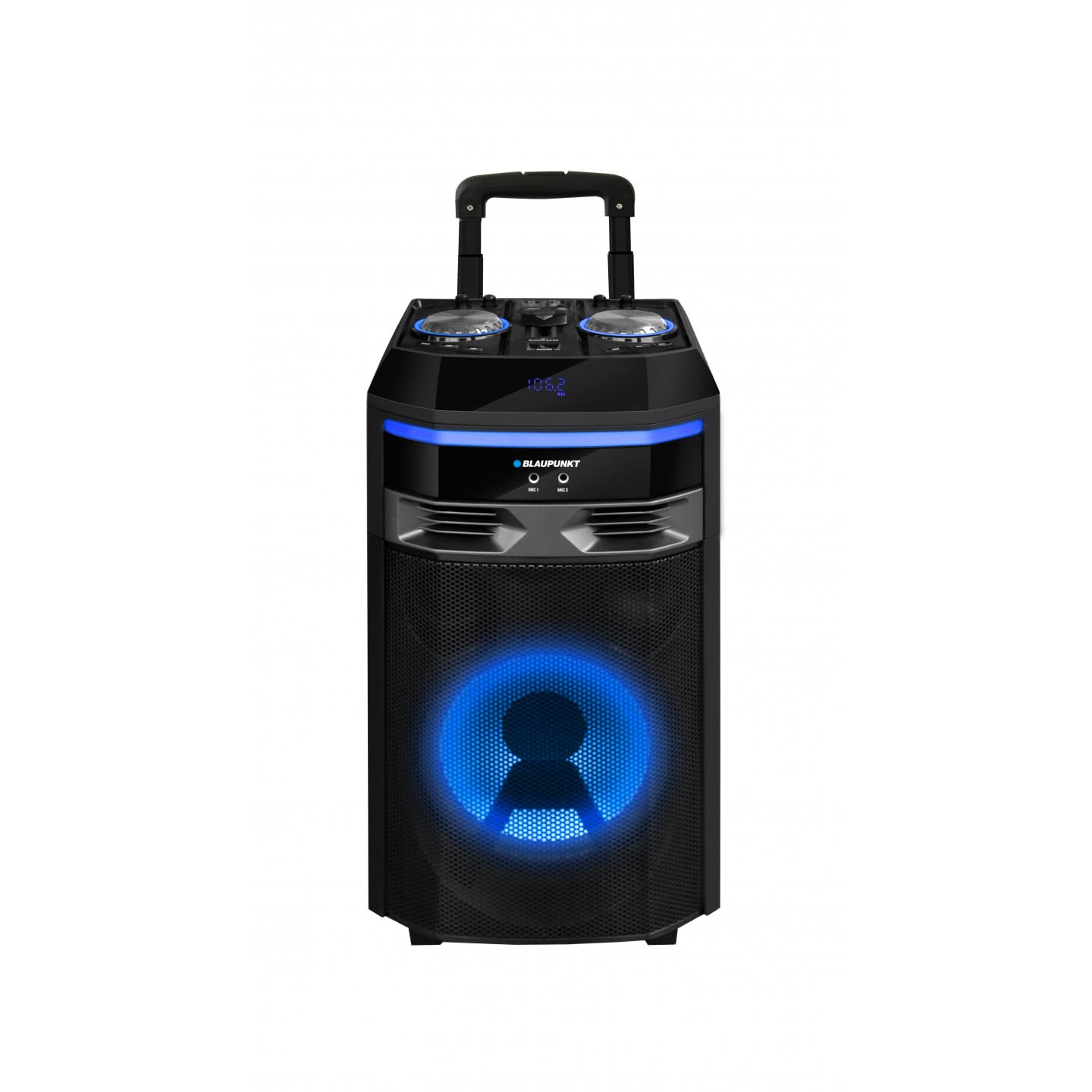
Image: Front view of the Blaupunkt PS6 Public Address Speaker. This image shows the speaker's main grille and overall compact design.
Setup
- Placement: Place the Blaupunkt PS6 speaker on a stable, flat surface. The speaker is designed for floor placement.
- Power Connection: Connect the provided power cable to the speaker's power input port and then plug it into a standard electrical outlet.
- Audio Source Connection:
- For Laptops/Smartphones: Use an appropriate audio cable (e.g., 3.5mm auxiliary cable, not included) to connect your device's audio output to the speaker's audio input.
- Ensure the audio source device is powered on and its volume is set to a moderate level before powering on the speaker.
- Power On: Locate the power button on the speaker and press it to turn the unit on. An indicator light should illuminate.
Operating Instructions
- Power On/Off: Press the power button to turn the speaker on or off.
- Volume Control: Adjust the volume using the dedicated volume controls on the speaker. You may also need to adjust the volume on your connected audio source (laptop, smartphone).
- Audio Playback: Start playing audio from your connected device. The sound should now be amplified through the Blaupunkt PS6 speaker.
- Disconnecting: Before disconnecting the audio source or powering off the speaker, it is recommended to lower the volume to prevent sudden loud noises.
Maintenance
- Cleaning: Disconnect the speaker from the power outlet before cleaning. Use a soft, dry cloth to wipe the exterior surfaces. Do not use liquid cleaners or aerosol sprays.
- Storage: If storing the speaker for an extended period, ensure it is clean, dry, and stored in a cool, dry place away from direct sunlight and extreme temperatures.
- Ventilation: Ensure that the ventilation openings are not obstructed to prevent overheating.
Troubleshooting
| Problem | Possible Cause | Solution |
|---|---|---|
| No sound output |
|
|
| Distorted sound |
|
|
| Speaker not turning on |
|
|
Specifications
| Model Number | PS6 |
| Brand | BLAUPUNKT |
| Dimensions (L x W x H) | 2.79 x 24.64 x 16.51 cm (approximately 1.1 x 9.7 x 6.5 inches) |
| Weight | 250 grams (approximately 0.55 lbs) |
| Maximum Speaker Output Power | 9 Watts |
| Mounting Type | Floor |
| Compatible Devices | Laptop, Smartphone |
Warranty and Support
Blaupunkt products are manufactured to the highest quality standards. For detailed warranty information, please refer to the warranty card included with your purchase or visit the official Blaupunkt website. For technical support or service inquiries, please contact Blaupunkt customer service through their official channels.
You can often find support contact information on the product packaging or the manufacturer's website: www.blaupunkt.com