
1. Introduction
The Logicom VEGA 150 is a cordless DECT telephone designed for home and office use. It offers a blend of modern design and reliable functionality, compatible with internet boxes and DECT/GAP technology. This manual provides essential information for setting up, operating, and maintaining your VEGA 150 cordless phone.
Key features include an energy-saving mode, a range of up to 50 meters indoors and 300 meters in open fields, and the ability to connect up to 5 handsets for call transfer and conference calls.
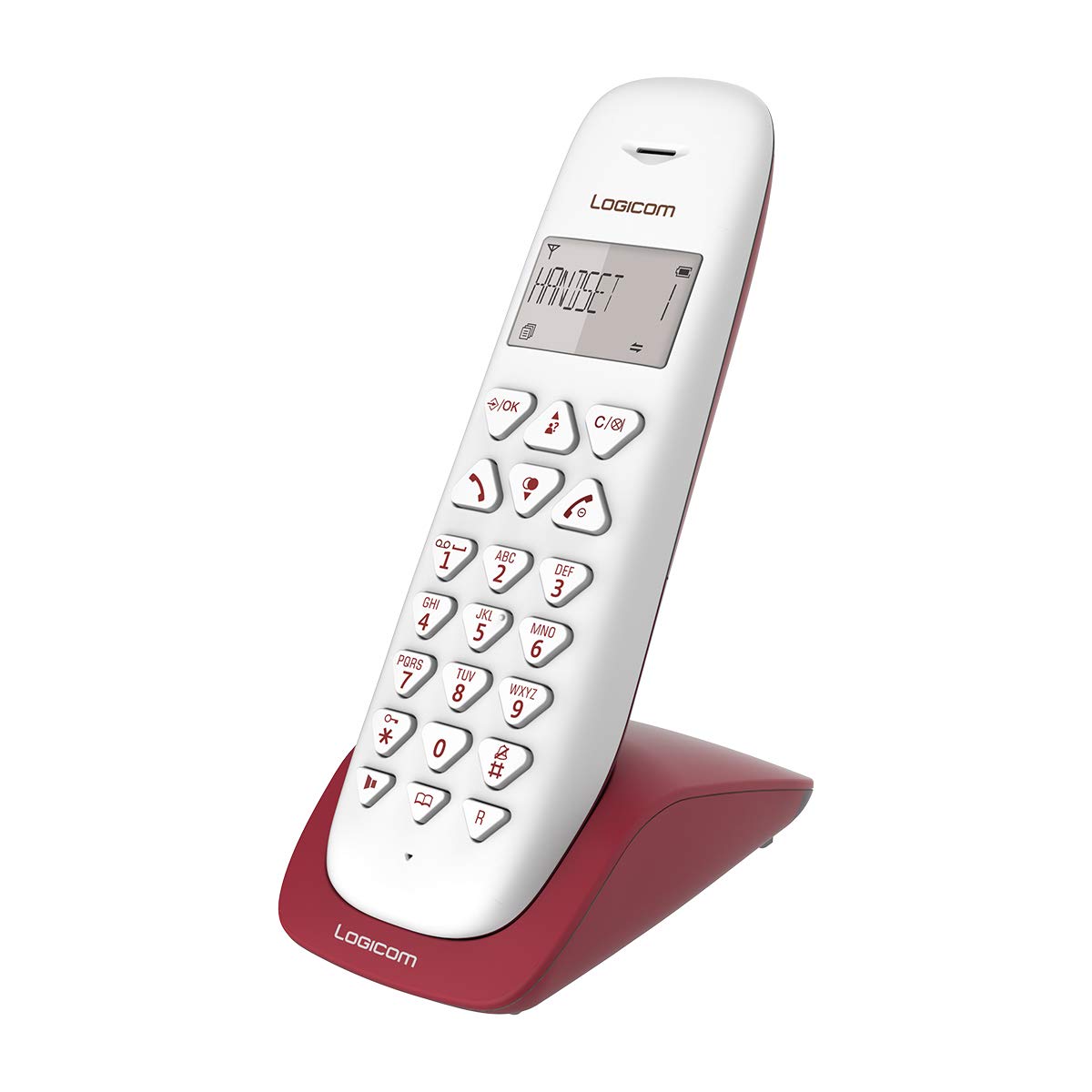
Image 1: Logicom VEGA 150 Cordless Phone. This image displays the main handset and base unit of the Logicom VEGA 150.
2. Setup
- Unpack the Device: Carefully remove all components from the packaging. Ensure you have the handset, base unit, power adapter, and telephone line cord.
- Install Batteries: Open the battery compartment on the back of the handset. Insert the provided NiMH rechargeable batteries, observing the correct polarity. Close the compartment securely.
- Connect the Base Unit:
- Connect the power adapter to the base unit and plug it into a wall outlet.
- Connect the telephone line cord to the base unit and then to your telephone wall socket or internet box. The VEGA 150 is compatible with your internet box.
- Charge the Handset: Place the handset on the base unit. The charging indicator on the handset or base unit should illuminate. Allow the handset to charge for at least 12-15 hours before initial use, even if the display indicates a full charge. This ensures optimal battery performance.
- Register Handset (if necessary): Your handset is usually pre-registered to the base unit. If not, or if you are adding additional handsets (up to 5), refer to the 'Handset Registration' section in the full manual for detailed instructions.
3. Operating Instructions
3.1 Making and Receiving Calls
- Making a Call: Dial the desired number and press the call button (usually a green button).
- Receiving a Call: When the phone rings, press the call button to answer.
- Ending a Call: Press the end call button (usually a red button) or place the handset back on the base unit.
3.2 Phonebook Management
The VEGA 150 features an internal memory for up to 20 contacts. To add, edit, or delete contacts, navigate to the 'Phonebook' menu on your handset and follow the on-screen prompts.
3.3 Special Functions
- Hands-Free Mode: During a call, press the hands-free button (often indicated by a speaker icon) to activate the speakerphone.
- Silence Function: This function allows you to mute the microphone during a call. Consult your handset's menu for activation.
- Keypad Lock: To prevent accidental dialing, you can lock the keypad. Typically, this is done by long-pressing a specific key (e.g., '#').
- Alarm: The handset includes an alarm function. Set the time and activate the alarm through the handset's menu.
3.4 Call Log
The phone stores a journal of the last 10 numbers called. Access this log through the handset menu to redial or save numbers.
3.5 Autonomy
The VEGA 150 provides up to 7 hours of talk time and up to 100 hours of standby time. An energy-saving mode helps conserve battery life when the handset is away from its base.
4. Maintenance
4.1 Battery Care
- Use only the specified NiMH rechargeable batteries.
- To maintain battery life, fully discharge and recharge the batteries periodically.
- If the phone will not be used for an extended period, remove the batteries to prevent leakage.
4.2 Cleaning
Wipe the handset and base unit with a soft, damp cloth. Do not use abrasive cleaners or solvents. Ensure the device is unplugged before cleaning.
5. Troubleshooting
- No Dial Tone: Check that the telephone line cord is securely connected to both the base unit and the wall socket/internet box. Ensure the power adapter is plugged in and the base unit has power.
- Cannot Make/Receive Calls: Verify that the handset is charged and registered to the base unit. Check your telephone line service.
- Poor Range/Interference: Move the base unit away from other electronic devices (Wi-Fi routers, microwaves) that may cause interference. Ensure the handset is within the operational range (up to 50m indoors, 300m open field).
- Handset Not Charging: Ensure the handset is correctly placed on the base unit and the charging contacts are clean. Check the power connection to the base unit.
- Unfamiliar Language on Display: If the phone's display or included manual is in an unfamiliar language, consult the LOGICOM official website for an English version of the manual or instructions on how to change the handset's language settings.
6. Specifications
| Brand | LOGICOM |
| Model Number | VEGA150_SOLO_FRAMB |
| Color | Raspberry |
| Product Type | Cordless Telephone |
| Connections | DECT |
| Special Features | Cordless |
| Compatible Devices | Fixed telephone networks, DECT/GAP devices |
| Battery Composition | NiMH |
| Batteries Required | 1 Lithium-ion (rechargeable) |
| Material | Plastic |
| Power Source | Battery powered |
| Dialer Type | Single Keypad |
| Item Dimensions (L x W x H) | 15 x 15 x 15 centimeters |
| Indoor Range | Up to 50 meters |
| Outdoor (Open Field) Range | Up to 300 meters |
7. Warranty and Support
LOGICOM is committed to customer satisfaction. If you encounter any issues or are not satisfied with your VEGA 150 product, please do not hesitate to contact our After-Sales Service. We are dedicated to finding an appropriate solution for you.
This product typically comes with a standard manufacturer's warranty. For specific warranty terms and conditions, please refer to the documentation included with your purchase or visit the official LOGICOM website. Additionally, a 30-day return policy may apply, allowing for refunds or replacements.