
BOSCH GAA12V-21
Bosch GAA12V-21N 12V Max Portable Power Adapter Instruction Manual
Model: GAA12V-21
1. Product Overview
The Bosch GAA12V-21N 12V Max Portable Power Adapter is designed to provide convenient power for personal electronic devices and Bosch heated jackets. It utilizes a Bosch 12V Max battery (sold separately) to deliver 2.1 amps of power, making it suitable for charging mobile phones, tablets, and other USB-powered devices. Its compact and lightweight design, combined with a durable construction, ensures reliability in various environments.

Figure 1: Bosch GAA12V-21N Power Adapter highlighting its USB port, heated jacket adapter, metal belt clip, and on/off button.
Key Features:
- Portable Power Design: Delivers 2.1 Amps for charging USB devices or powering Bosch heated jackets.
- Battery Compatibility: Works with Bosch 12V Max batteries (not included) for efficient charging of personal electronics.
- Heated Jacket Adapter: Integrated port to power compatible Bosch heated jackets.
- Metal Belt Clip: Provides convenient portability and secure attachment.
- On/Off Button: Activates and deactivates the charging session.
2. Setup Instructions
- Insert Battery: Ensure you have a charged Bosch 12V Max battery. Slide the battery into the adapter until it clicks securely into place.
- Attach to Belt (Optional): Use the integrated metal belt clip to attach the adapter to your belt or pocket for easy access and portability.
- Connect Device:
- For USB devices: Connect your device's USB charging cable to the USB port on the adapter.
- For Bosch Heated Jackets: Connect the jacket's power cable to the heated jacket adapter port.

Figure 2: Front view of the power adapter, showing the USB port and heated jacket port for connecting devices.
3. Operating Instructions
Once the battery is inserted and your device is connected, follow these steps to operate the power adapter:
- Activate Power: Press the red "ON/OFF" button located on the adapter to initiate the charging session or power the heated jacket.
- Monitor Charging: Your connected device should begin charging. For heated jackets, the jacket will begin to warm up.
- Deactivate Power: To stop charging or powering the jacket, press the "ON/OFF" button again. This conserves battery life when not in use.
Note: The adapter may have an internal 2-hour timer that automatically turns off power to conserve battery. If your device stops charging after approximately 2 hours, simply press the "ON/OFF" button again to resume power.

Figure 3: The power adapter conveniently clipped to a user's belt, providing power to a mobile phone.

Figure 4: A mobile phone displaying a charging indicator, connected to the Bosch GAA12V-21N Power Adapter.
4. Maintenance and Care
- Cleaning: Wipe the adapter with a dry, soft cloth. Do not use harsh chemicals or abrasive cleaners.
- Storage: Store the adapter in a dry place, away from direct sunlight and extreme temperatures. Remove the battery if storing for extended periods.
- Inspection: Periodically inspect the adapter for any signs of damage, such as cracks or frayed cables. Do not use if damaged.
5. Troubleshooting
| Problem | Possible Cause | Solution |
|---|---|---|
| Device not charging / Adapter turns off immediately. |
|
|
| Heated jacket not warming up. |
|
|
6. Specifications
| Feature | Detail |
|---|---|
| Model Number | GAA12V-21 |
| Brand | BOSCH |
| Input Voltage | 12 Volts (from Bosch 12V Max battery) |
| Output Voltage | 12 Volts |
| Output Current (USB) | 2.1 Amps |
| Item Weight | 2.56 ounces (approx. 0.16 lbs) |
| Dimensions (Package) | 5.51 x 4.13 x 2.09 inches |
| Special Features | Fast Charging, Portable, Heated Jacket Compatibility |
| Included Components | (1) GAA12V-21 12V Max Portable Power Adapter |
| Batteries Included? | No (Requires Bosch 12V Max battery) |
7. Warranty Information
Bosch offers a limited warranty for its products. For the most current and detailed warranty information, please refer to the official Bosch website or the documentation included with your purchase.
Effective 2/1/25, all 12V Max products (excluding 12V Max Measuring Tools) are covered by an updated 3-Year Limited Warranty. For updated terms, visit rb-pt.io/PowerToolWarranty or call 1-877-BOSCH99.
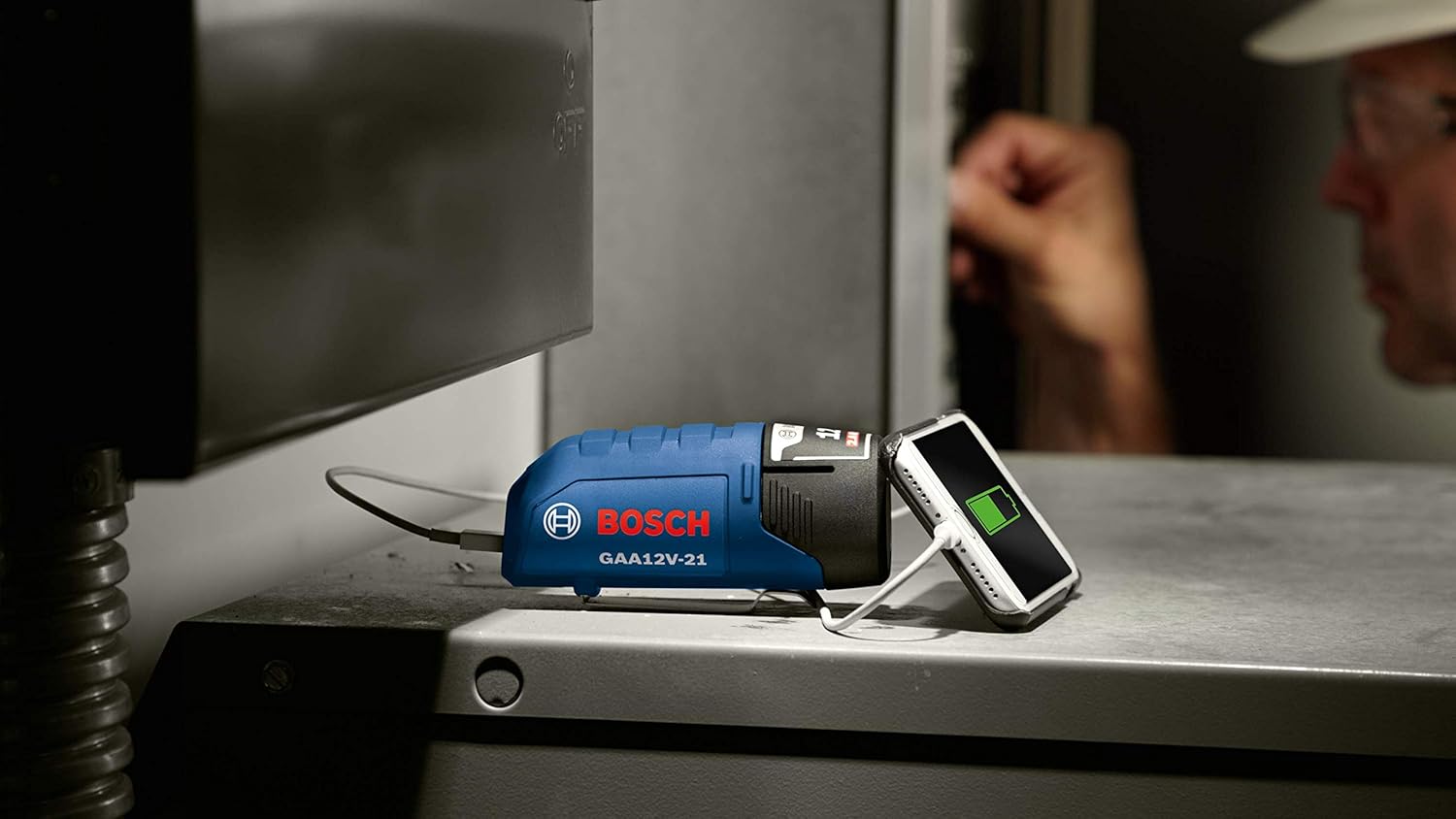
Figure 5: Bosch 12V Max Limited Warranty details, indicating a 3-year tool warranty.
8. Customer Support
For further assistance, technical support, or to inquire about replacement parts, please contact Bosch Customer Service or visit the official Bosch website.
- Bosch Official Website: www.boschtools.com
- Customer Service Phone: 1-877-BOSCH99 (1-877-267-2499)
- Bosch Brand Store on Amazon: Visit the BOSCH Store