
1. Product Overview
The Hakeeta Wired 360° Infrared Motion Sensor is designed to detect human movement within its detection area and trigger an alarm signal to a connected alarm host. It features a 360-degree detection angle and is suitable for indoor security applications in shops, offices, and homes.
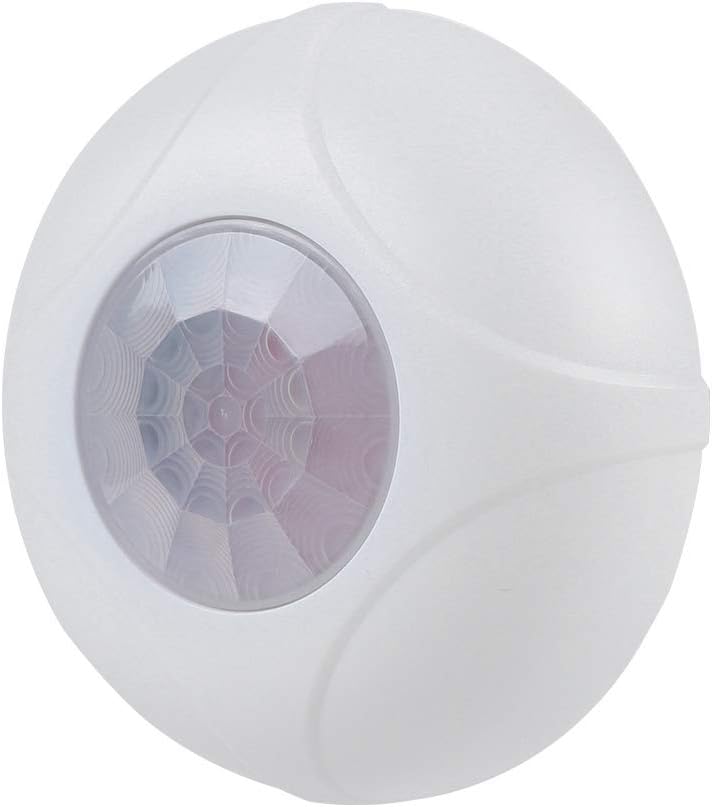
Figure 1: Front view of the Hakeeta Wired 360° Infrared Motion Sensor.
Video 1: An overview of the Hakeeta Alarm Motion Sensor, demonstrating its appearance and basic components.
2. Package Contents
Verify that all items are present in the package:
- 1 x Hakeeta Wired 360° Infrared Motion Sensor
- 1 x English Manual
- 1 x Installation Kit (screws and wall plugs)

Figure 2: The 360-degree detection range of the sensor, covering an area up to 8 meters.
3. Specifications
| Feature | Specification |
|---|---|
| Color | White |
| Material | ABS (Flame-Retardant) |
| Working Voltage | DC 9-16V |
| Consumption Current | ≤ 18mA (at DC12V) |
| Working Temperature | -10 ℃ to +50 ℃ |
| Installation Type | Ceiling Installation |
| Recommended Installation Height | Approximately 2.5m |
| Detection Distance | Up to 8m |
| Detection Angle | 360 degrees |
| Alarm Output | Normally Closed (NC) / Normally Open (NO) optional |
| Tamper Switch | Normally Closed (NC) |
| Dimensions | 8.2 x 2.4 cm (3.2 x 0.9 inches) |
| Weight | 67g (2.4 oz) |

Figure 3: Physical dimensions of the sensor.
4. Setup and Installation
This sensor is designed for ceiling installation. Ensure the installation location provides optimal coverage for the desired detection area.
- Choose Location: Select a central ceiling location within the area to be monitored, ensuring the sensor has an unobstructed 360-degree view. The recommended installation height is approximately 2.5 meters.
- Mounting: Use the provided installation kit (screws and wall plugs) to securely mount the sensor to the ceiling.
- Wiring: Connect the sensor to your alarm host system. The alarm output can be configured as Normally Closed (NC) or Normally Open (NO) depending on your alarm system's requirements. Refer to your alarm host manual for specific wiring instructions. The sensor requires a DC 9-16V power supply.
- Tamper Switch: The sensor includes a Normally Closed (NC) tamper switch. Ensure it is properly engaged during installation to prevent unauthorized removal.

Figure 4: Example of ceiling installation for the motion sensor.
5. Operating Instructions
Once properly installed and powered, the Hakeeta motion sensor operates automatically:
- Motion Detection: The sensor continuously monitors its 360-degree detection area for infrared changes caused by human movement.
- Alarm Trigger: Upon detecting movement, the sensor will send an alarm signal to the connected alarm host. The alarm host will then initiate its programmed response (e.g., siren, notification).
- Advanced Technology: The sensor utilizes advanced signal processing technology to provide high detection ability and minimize false alarms.

Figure 5: The sensor detects movement and sends an alarm signal.
6. Maintenance
To ensure optimal performance and longevity of your motion sensor, follow these maintenance guidelines:
- Cleaning: Periodically wipe the sensor's lens and housing with a soft, dry cloth to remove dust and debris. Avoid using abrasive cleaners or solvents.
- Obstruction Check: Regularly check that there are no new obstructions (e.g., furniture, decorations) blocking the sensor's field of view.
- Power Supply: Ensure a stable power supply (DC 9-16V) is maintained.
7. Troubleshooting
If you encounter issues with your Hakeeta motion sensor, consider the following:
- No Detection:
- Verify the sensor is powered correctly.
- Check for obstructions in the detection area.
- Ensure the sensor is installed at the recommended height and orientation.
- False Alarms:
- Ensure the sensor is not exposed to direct sunlight, strong drafts, or heat sources (e.g., heaters, vents) that could cause rapid temperature changes.
- Check for moving objects like curtains or pets within the detection zone if the sensitivity is too high.
- No Alarm Output:
- Confirm the wiring to the alarm host is correct and secure.
- Verify the alarm output (NC/NO) setting matches your alarm host's requirements.
- Check the alarm host system for any faults.
8. Safety Information
- This device is for indoor use only.
- Do not expose the sensor to water or excessive moisture.
- Do not attempt to disassemble or repair the sensor yourself. Refer to qualified personnel for service.
- Ensure proper power supply voltage (DC 9-16V) is used to prevent damage.
- The flame-retardant ABS shell provides stable and safe performance.

Figure 6: The sensor features a flame-retardant ABS shell for enhanced safety.

Figure 7: The sensor is designed for energy efficiency and environmental protection.
9. Warranty and Support
Information regarding product warranty and customer support is not available in the provided product data. Please refer to the product packaging or contact your retailer for details on warranty coverage and technical assistance.