
1. Introduction
Thank you for choosing the JBL AW595-LS 15-inch 2-Way All-Weather Loudspeaker. This professional-grade loudspeaker is engineered for superior sound reproduction in challenging outdoor and indoor environments, featuring EN54-24 certification for voice alarm systems. Its robust design and advanced acoustic technologies ensure reliable performance and excellent pattern control.
This manual provides essential information for the proper installation, operation, and maintenance of your AW595-LS loudspeaker. Please read it thoroughly before attempting to install or operate the unit.
2. Safety Instructions
To ensure safe operation and prevent damage, observe the following safety precautions:
- Professional Installation: Installation of this loudspeaker, especially when wall-mounted, requires specialized knowledge and should only be performed by qualified personnel. Improper installation can lead to serious injury or property damage.
- Power Handling: Do not exceed the rated power handling of the loudspeaker. Overdriving the speaker can cause permanent damage.
- Wiring: Ensure all wiring connections are correct and secure. Incorrect wiring can result in poor performance or damage to the loudspeaker and amplifier.
- Environmental Conditions: While designed for all-weather use, avoid exposing the loudspeaker to extreme conditions beyond its specified operating range. Ensure all protective covers and seals are intact.
- Weight: The AW595-LS is heavy (approximately 81.2 pounds). Use appropriate lifting techniques and equipment during installation to prevent injury.
3. Product Overview
The JBL AW595-LS is a high-performance 15-inch 2-way loudspeaker designed for demanding applications. Key features include:
- 15-inch 2-Way Design: Delivers full-range audio with clear highs and powerful lows.
- Large PT Progressive Transition Waveguide: Provides excellent pattern control and low distortion, ensuring consistent sound coverage.
- Weather-Resistant, All Fiberglass Enclosure: Offers superior durability and protection against environmental elements, making it suitable for outdoor installations.
- Rotatable Waveguide: Allows for vertical or horizontal orientation of the loudspeaker, optimizing coverage for various installation scenarios.
- U-type Mounting Bracket: Included for secure and flexible mounting options.
- EN54-24 Certification: Complies with European standards for voice alarm systems, ensuring suitability for emergency communication applications.
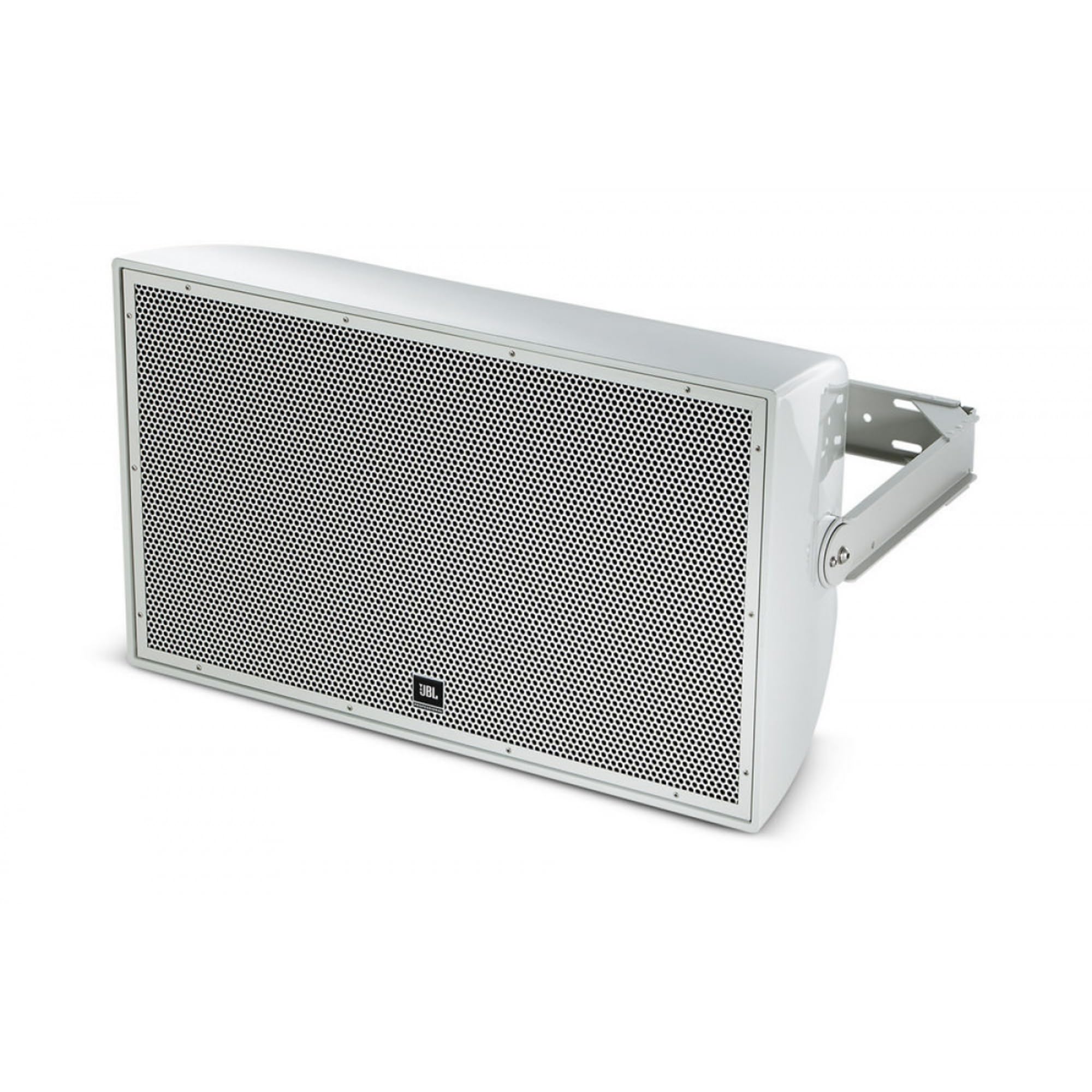
Image 1: Front view of the JBL AW595-LS 15-inch 2-Way All-Weather Loudspeaker, showcasing its robust enclosure and waveguide design.
4. Setup
4.1 Mounting
The AW595-LS includes a U-type mounting bracket for secure installation. Due to the loudspeaker's weight and the critical nature of its application, professional installation is strongly recommended. Ensure the mounting surface can safely support the loudspeaker's weight (81.2 lbs / 36.8 kg) and any associated hardware.
- Bracket Attachment: Securely attach the U-type bracket to the loudspeaker using the provided hardware.
- Surface Mounting: Mount the bracket to the desired wall or structural support using appropriate fasteners for the material. Ensure all connections are tight and stable.
- Waveguide Orientation: The waveguide can be rotated to optimize coverage. If vertical orientation is preferred, rotate the waveguide before final installation. Consult the detailed installation guide for specific instructions on waveguide rotation.
4.2 Wiring
Connect the loudspeaker to a suitable amplifier using high-quality speaker cable. Observe correct polarity (+ to + and - to -) to ensure proper phase and optimal sound quality.
- Cable Selection: Use speaker cable of appropriate gauge for the length of the run and the power requirements.
- Connections: Ensure all connections are clean, secure, and protected from environmental exposure, especially in outdoor installations.
- Amplifier Matching: Use an amplifier that can deliver sufficient power without exceeding the loudspeaker's rated power handling.
4.3 Placement
Strategic placement is crucial for achieving optimal sound coverage and quality. Consider the following:
- Coverage Area: Position the loudspeaker to cover the intended listening area effectively. The rotatable waveguide allows for flexibility in directing sound.
- Obstructions: Avoid placing the loudspeaker where its sound path will be obstructed by walls, columns, or other structures.
- Multiple Loudspeakers: If using multiple AW595-LS units, ensure proper spacing and aiming to minimize interference and maximize coverage uniformity.
5. Operating
Once installed and wired, operating the JBL AW595-LS is straightforward:
- Power On: Turn on your amplifier and audio source.
- Volume Control: Gradually increase the volume from your amplifier or mixer to the desired listening level.
- Monitoring: Listen for any signs of distortion or stress from the loudspeaker. If distortion occurs, reduce the volume immediately to prevent damage.
- System Integration: For EN54-24 certified systems, ensure the loudspeaker is integrated and tested according to the overall voice alarm system specifications.
6. Maintenance
The JBL AW595-LS is designed for minimal maintenance. However, periodic checks can help ensure its longevity and performance:
- Cleaning: Clean the enclosure with a soft, damp cloth. Avoid using harsh chemicals or abrasive cleaners that could damage the finish or weather-resistant properties.
- Inspection: Periodically inspect the mounting hardware, cables, and enclosure for any signs of wear, corrosion, or damage. Ensure all seals and gaskets remain intact to maintain weather resistance.
- Environmental Checks: In harsh outdoor environments, more frequent inspections may be necessary. Clear any debris that may accumulate around the loudspeaker.
7. Troubleshooting
If you encounter issues with your JBL AW595-LS, refer to the following common troubleshooting steps:
- No Sound:
- Check all cable connections from the amplifier to the loudspeaker.
- Ensure the amplifier is powered on and functioning correctly.
- Verify the audio source is active and sending a signal.
- Check amplifier volume and mute settings.
- Distorted Sound:
- Reduce the volume level from the amplifier or source.
- Check for damaged cables or loose connections.
- Ensure the amplifier is not overdriven or clipping.
- Verify the input signal is clean and not distorted.
- Low Volume:
- Increase the volume on the amplifier and audio source.
- Check for incorrect wiring (e.g., out-of-phase connections).
- Ensure the amplifier's output power is adequate for the loudspeaker.
If problems persist after performing these checks, contact JBL customer support or an authorized service technician.
8. Specifications
| Feature | Specification |
|---|---|
| Model Number | AW595-LS |
| Product Dimensions (H x W x D) | 18.8 x 31.9 x 19.1 inches (47.8 x 81.0 x 48.5 cm) |
| Item Weight | 81.2 pounds (36.8 kg) |
| Mounting Type | Wall Mount (U-type bracket included) |
| Unit Count | 1.0 Count |
| Number of Items | 1 |
| Enclosure Material | All Fiberglass (Weather-Resistant) |
| Waveguide | Large PT Progressive Transition (Rotatable) |
| Certification | EN54-24 |
9. Warranty and Support
For detailed warranty information regarding your JBL AW595-LS loudspeaker, please refer to the warranty card included with your product or visit the official JBL website. Warranty terms may vary by region and retailer.
For technical support, service, or additional product information, please contact JBL customer service or your authorized JBL dealer. You can find contact information on the official JBL website:


