
1. Introduction
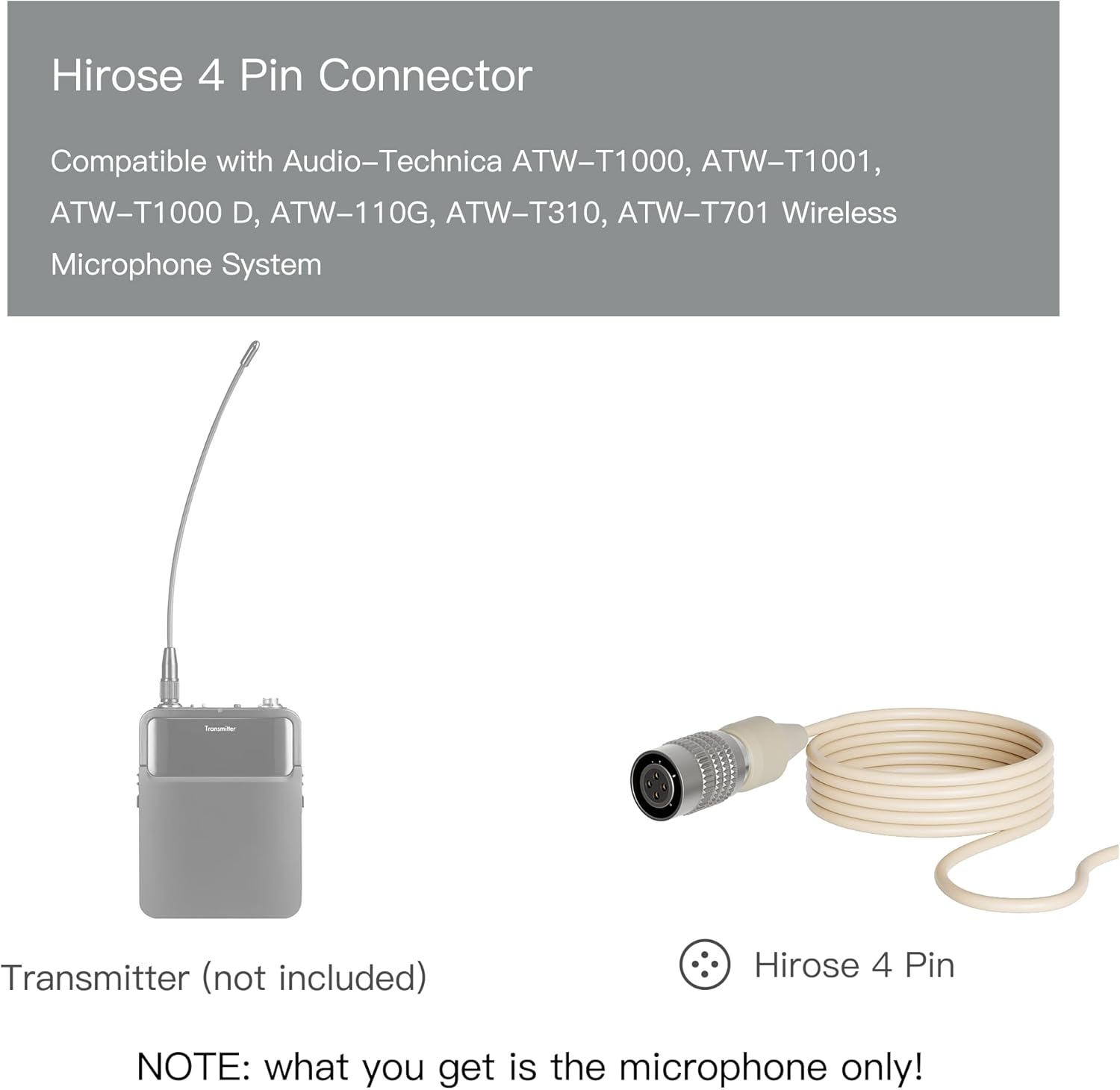
This manual provides essential information for the proper setup, operation, and maintenance of your J K Pro MIC-J S90 Single Earhook Headworn Microphone. Designed for professional vocal pickup, this omnidirectional condenser microphone offers pristine audio quality and a low-profile, lightweight design for maximum comfort and minimal visibility. It is compatible with Audio-Technica wireless transmitter systems using a 4-Pin Hirose connector.
2. Key Features
- Sweat and Dust-Proof: Constructed for durability in various environments, suitable for both indoor and outdoor activities.
- Professional Vocal Pickup: Delivers pristine audio quality with an omnidirectional condenser microphone element.
- Wide Compatibility: Features a Hirose 4-Pin Connector, compatible with Audio-Technica ATW-T1000, ATW-T1001, ATW-T1000 D, ATW-110G, ATW-T310, and ATW-T701 Wireless Microphone Systems.
- Versatile Application: Ideal for broadcasters, TV presenters, lecturers, musicians, actors, singers, and other applications requiring discreet microphone placement and comfort.
3. Package Contents
The package includes the following items:
- J K Pro MIC-J S90 Single Earhook Headworn Microphone
- Foam Windscreens (quantity may vary)


4. Setup and Installation
Follow these steps to properly set up your J K Pro MIC-J S90 microphone:
- Attach Windscreen: Gently slide one of the provided foam windscreens onto the microphone capsule. This helps reduce plosive sounds and protects the microphone element.
- Wear the Microphone: Position the earhook over both ears, ensuring the boom arm extends towards your mouth. The flexible design allows for adjustment to fit comfortably and securely around your head.
- Position the Boom Arm: Adjust the boom arm so that the microphone capsule is positioned approximately 1-2 inches from the corner of your mouth. This optimal distance helps capture clear audio while minimizing breath sounds.
- Secure the Cable: Route the microphone cable discreetly down your back and secure it to your clothing using the included tie-clip, if desired, to prevent snagging or movement.
- Connect to Transmitter: Plug the 4-Pin Hirose connector into the corresponding input port on your Audio-Technica wireless bodypack transmitter. Ensure a secure connection.

Setup Demonstration Video
Video 4.1: This video demonstrates the assembly and wearing of a similar headset microphone, including connecting the electret condenser to the windscreen, adjusting the headband, positioning the boom arm, and connecting the XLR connector to an audio device.
5. Operating Instructions
Once the microphone is properly set up and connected to your wireless transmitter, ensure the transmitter is powered on and correctly paired with its receiver. Adjust the gain levels on your transmitter and mixing console to achieve optimal audio levels without distortion. The omnidirectional polar pattern captures sound equally from all directions, providing consistent audio even with head movement.
6. Maintenance
- Cleaning: Regularly wipe the microphone and cable with a soft, dry cloth. For hygienic purposes, replace foam windscreens periodically, especially when used by multiple individuals.
- Storage: When not in use, gently coil the cable and store the microphone in a protective case to prevent damage to the delicate boom arm and connector.
- Handling: Avoid excessive bending or pulling on the boom arm or cable, as this can damage internal wiring.
7. Troubleshooting
- No Sound:
- Ensure the microphone is securely connected to the transmitter.
- Verify the transmitter is powered on and has fresh batteries.
- Check that the wireless system (transmitter and receiver) is properly paired and operating on the correct frequency.
- Confirm audio levels (gain) are set appropriately on both the transmitter and the mixing console.
- Distorted Sound:
- Reduce the gain level on the transmitter or mixing console if the sound is clipping.
- Ensure the microphone capsule is not too close to the mouth, which can cause plosives or over-modulation.
- Check for interference from other wireless devices.
- Intermittent Sound:
- Check all cable connections for looseness.
- Ensure the wireless system is within range and free from obstructions.
- Verify battery levels in the transmitter.
8. Specifications
| Model Name | JK MIC-J S90 |
| Polar Pattern | Omnidirectional |
| Connector Type | Hirose 4 Pin |
| Audio Sensitivity | 45 Decibels |
| Signal-to-Noise Ratio | 78 dB |
| Item Weight | 1.06 ounces (30 Grams) |
| Product Dimensions | 5.91 x 3.54 x 0.79 inches |
| Material | Plastic or rubber |
| Color | Beige |
| Recommended Uses | Singing, Public Speaking, Presentations |
9. Warranty and Support
Specific warranty information for the J K Pro MIC-J S90 microphone is not provided in the product details. Please refer to the product packaging or contact J K customer support for warranty details and technical assistance.


