
ENSITE GAM-i054
Sondpex GAM-I054 Waterproof Magnetic Boombox Bluetooth Speaker Instruction Manual
Model: GAM-i054
1. Introduction
Thank you for purchasing the ENSITE Sondpex GAM-I054 Waterproof Magnetic Boombox Bluetooth Speaker. This durable and portable speaker is designed for various environments, including jobsites, beaches, and poolside use, offering high-quality audio and versatile connectivity options. Please read this manual thoroughly before operating the device to ensure proper use and longevity.
2. Product Overview
2.1. Package Contents
- Sondpex GAM-I054 Bluetooth Speaker
- Charging Cable (USB)
- Auxiliary Cable
- Instruction Manual (this document)
2.2. Component Identification

Figure 2.2.1: Front view of the Sondpex GAM-I054 speaker with key components labeled.
- 1. LCD Display: Shows current mode, FM frequency, and other status indicators.
- 2. Mode: (FM, Bluetooth, MP3, AUX) Switch Button: Press to cycle through input modes.
- 3. Previous Button: Short press for previous track/station; long press for fast rewind.
- 4. Play/Pause Button: Play or pause audio. In FM mode, long press to auto-scan and save stations.
- 5. Next Button: Short press for next track/station; long press for fast forward.
- 6. Power ON/OFF Volume Knob: Rotate to adjust volume. Push to power on/off.
- 7. Microphone Input Jack: For connecting an external microphone.
- 8. MP3 Music Playback USB Port: For playing MP3 files from a USB flash drive.
- 9. Micro USB Charging Input: For charging the speaker's internal battery.
- 10. 3.5mm AUX Input: For connecting external audio devices via auxiliary cable.
- 11. Waterproof Silicon Rubber (fixed): Protects ports from water and dust.
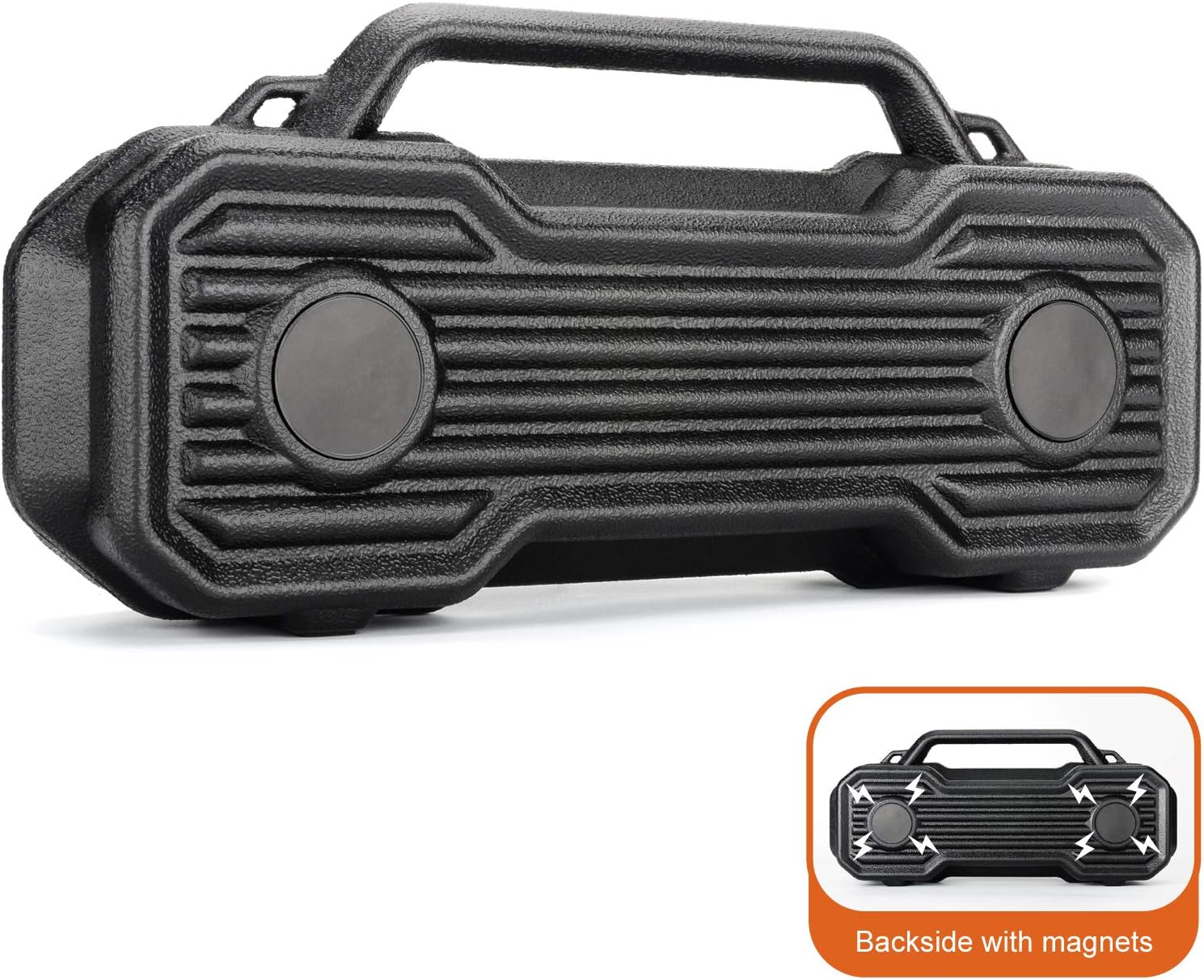
Figure 2.2.2: Rear view of the speaker highlighting the integrated magnetic pads for secure mounting.
The speaker features strong integrated magnets on its back, allowing it to be securely attached to metallic surfaces, such as toolboxes, vehicles, or metal shelving. This provides convenient, hands-free placement in various work or leisure environments.
3. Setup
3.1. Charging the Speaker
- Locate the Micro USB Charging Input (9) on the speaker, protected by the waterproof silicon rubber flap.
- Open the rubber flap and connect the provided USB charging cable to the port.
- Connect the other end of the USB cable to a standard USB power adapter (not included) or a computer USB port.
- The LED indicator will illuminate during charging and turn off when fully charged. A full charge typically takes approximately 3-4 hours.
- Ensure the rubber flap is securely closed after charging to maintain the IPX5 splash-resistant rating.
3.2. Powering On/Off
To power on the speaker, push the Power ON/OFF Volume Knob (6) inwards. The LCD display will light up. To power off, push the knob inwards again.
4. Operating Instructions
4.1. Adjusting Volume
Rotate the Power ON/OFF Volume Knob (6) clockwise to increase volume and counter-clockwise to decrease volume. Note that the volume can be very loud even at lower settings, so adjust carefully.
4.2. Mode Selection
Press the Mode (FM, Bluetooth, MP3, AUX) Switch Button (2) repeatedly to cycle through the available input modes: FM Radio, Bluetooth, USB (MP3), and AUX Input.
4.3. Bluetooth Mode
- Switch the speaker to Bluetooth mode using the Mode button. The LCD display will show "BLUE" and a blinking Bluetooth icon, indicating it's ready for pairing.
- On your mobile device (smartphone, tablet, etc.), enable Bluetooth and search for available devices.
- Select "GAM-I054" from the list of devices.
- Once paired, the speaker will emit a confirmation tone, and the Bluetooth icon on the LCD display will stop blinking.
- You can now play audio from your device through the speaker. Use the Play/Pause (4), Previous (3), and Next (5) buttons on the speaker to control playback, or control directly from your device.
4.4. FM Radio Mode
- Switch the speaker to FM Radio mode using the Mode button. The LCD display will show the current FM frequency.
- To auto-scan and save available FM stations, long press the Play/Pause button (4). The speaker will scan and store stations automatically.
- Once scanning is complete, use the Previous (3) and Next (5) buttons to navigate through the saved stations.
- Note: Manual tuning is not supported. If a desired station is not found during auto-scan, try repositioning the speaker for better reception and repeat the auto-scan process.
4.5. USB (MP3) Playback Mode
- Insert a USB flash drive containing MP3 audio files into the MP3 Music Playback USB Port (8).
- Switch the speaker to USB mode using the Mode button. The speaker will automatically begin playing MP3 files from the USB drive.
- Use the Play/Pause (4), Previous (3), and Next (5) buttons to control playback.
- Note: The speaker supports MP3 format only. Playback order is typically by file creation date and does not support folder navigation or random play.
4.6. AUX Input Mode
- Connect one end of the provided 3.5mm auxiliary cable to the 3.5mm AUX Input (10) on the speaker.
- Connect the other end of the auxiliary cable to the headphone jack or audio output of your external audio device.
- Switch the speaker to AUX mode using the Mode button.
- Audio will now play from your external device through the speaker. Control playback directly from your external device.
4.7. Magnetic Mounting

Figure 4.7.1: The speaker's magnetic base allows for secure attachment to metal surfaces.
The integrated strong magnets on the back of the speaker allow for convenient attachment to any ferrous metal surface. This feature is ideal for use in workshops, garages, or on vehicles, providing stable placement and optimal sound projection without requiring additional stands or mounts.
5. Maintenance
- Cleaning: Wipe the speaker with a soft, damp cloth. Do not use harsh chemicals or abrasive cleaners. Ensure all port covers are sealed before cleaning with moisture.
- Water Resistance: The speaker is IPX5 splash-resistant. This means it can withstand splashes of water but should not be submerged in water. Always ensure the rubber flap covering the ports is securely closed to maintain water resistance.
- Storage: Store the speaker in a cool, dry place away from direct sunlight and extreme temperatures.
- Battery Care: To prolong battery life, fully charge the speaker before first use and at least once every three months if not used regularly. Avoid completely draining the battery frequently.
6. Troubleshooting
| Problem | Possible Cause | Solution |
|---|---|---|
| Speaker does not power on. | Battery is drained. | Charge the speaker fully using the provided USB cable. |
| No sound or low volume. | Volume is too low on speaker or connected device. | Increase volume on both the speaker (using the knob) and the connected audio source. |
| Cannot pair via Bluetooth. | Speaker not in pairing mode; device Bluetooth off; too far from speaker. | Ensure speaker is in Bluetooth mode and blinking. Turn device Bluetooth off/on. Move device closer to speaker (within 33 feet/10 meters). |
| Poor FM radio reception. | Weak signal; speaker position. | Reposition the speaker to improve signal reception. Perform auto-scan again. |
| USB playback not working. | USB drive not formatted correctly; unsupported file format; corrupted files. | Ensure USB drive is formatted to FAT32. Verify audio files are in MP3 format. Try a different USB drive or files. |
7. Specifications
- Model: GAM-i054
- Brand: ENSITE
- Dimensions (L x W x H): 14.5 x 3.75 x 6.75 inches (36.83 x 9.53 x 17.15 cm)
- Weight: 2.5 pounds (1.13 kg)
- Connectivity: Bluetooth, Auxiliary (3.5mm), USB (MP3 playback)
- Speaker Type: Woofer
- Power Output: 40 watts (max)
- Water Resistance: IPX5 (splash-resistant)
- Battery: 1 Lithium Ion battery (included)
- Manufacturer: Sondpex
8. Warranty and Support
This product comes with a standard manufacturer's warranty. For specific warranty terms, duration, and claim procedures, please refer to the warranty card included with your purchase or contact ENSITE customer support directly. Extended protection plans may also be available for purchase.
For technical support, troubleshooting assistance, or any inquiries regarding your Sondpex GAM-I054 speaker, please contact the manufacturer or seller through their official channels. Keep your purchase receipt as proof of purchase for warranty claims.
Ask a question about this manual
Ask about setup, troubleshooting, compatibility, parts, safety, or missing instructions. Manuals+ will review the question and use this page’s manual context to help answer it.