1. Product Overview
The HONEY JOY 37-Key Kids Electronic Piano Keyboard is an educational musical instrument designed for children. It features 37 standard piano keys, multiple instrument sounds, various rhythm tones, and three teaching modes to encourage musical learning and creativity. The set includes a microphone and a stool for a complete playing experience.

Image 1: Complete set of the HONEY JOY 37-Key Kids Electronic Piano Keyboard, including the piano, stand, stool, and microphone.
2. Package Contents
- 1 x Electronic Piano Toy
- 1 x Microphone
- 1 x Stool
- 1 x Instruction Manual
3. Setup Instructions
3.1 Assembly
- Unpack all components from the box.
- Assemble the piano stand by connecting the support bars to the side pieces. Ensure all connections are secure.
- Carefully place the electronic piano keyboard onto the assembled stand, ensuring it is stable.
- Assemble the stool by attaching the seat to the base.
- Connect the microphone to the designated microphone jack on the piano.
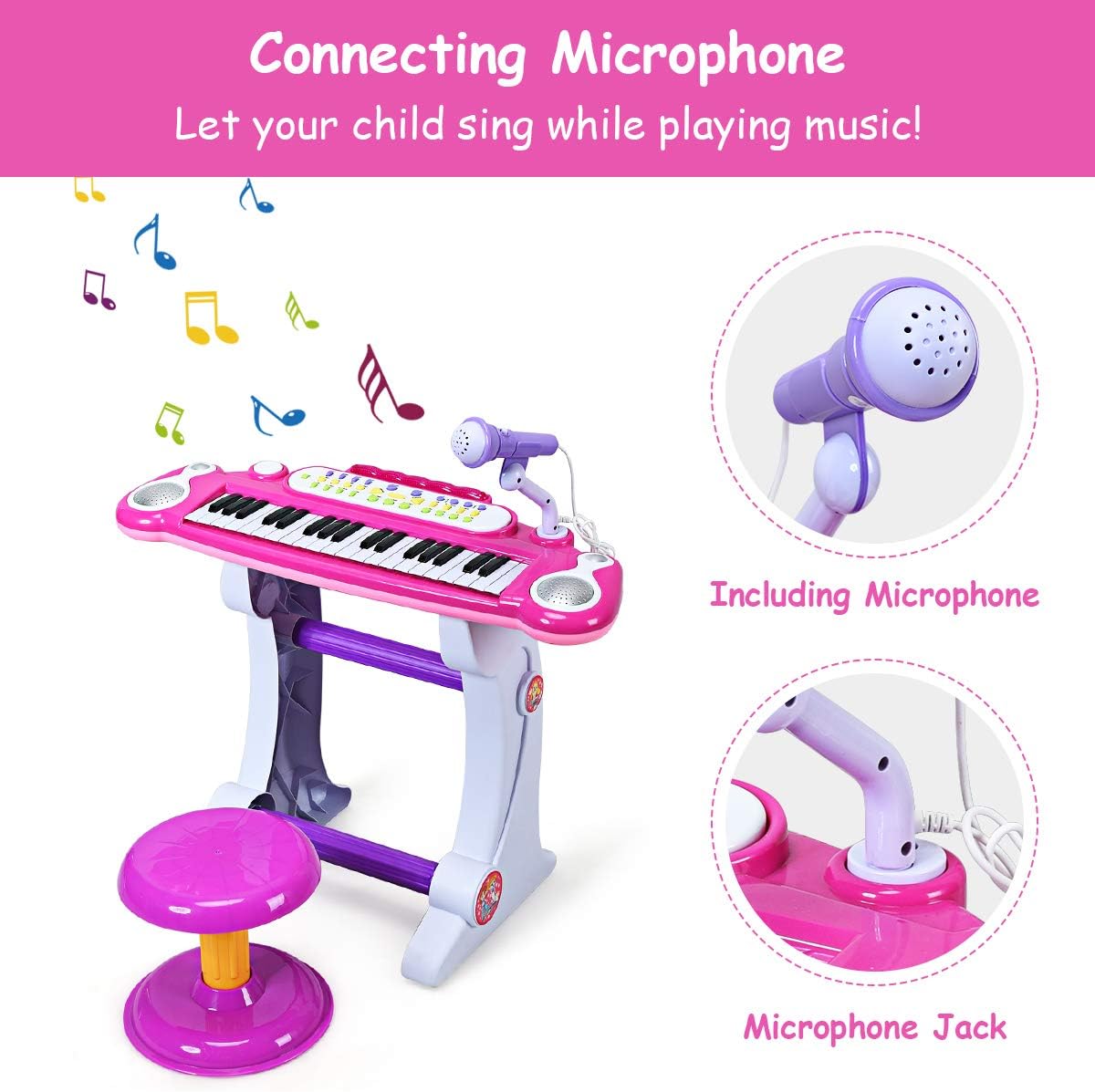
Image 2: The microphone and its connection point on the piano keyboard.
3.2 Power Supply
The piano keyboard offers two power supply methods:
- USB Power: Connect the provided USB cable to the USB interface on the piano and to a compatible USB power source (e.g., wall adapter, power bank).
- Battery Power: For portable use, insert 4 x 1.5V AA batteries (not included) into the battery compartment located on the underside of the piano. Ensure correct polarity.

Image 3: The control panel showing various buttons, the MP3 interface, and the battery compartment.
4. Operating Instructions
4.1 Power On/Off
Locate the power button on the piano's control panel. Press to turn the unit on or off.
4.2 Playing the Keyboard
- The keyboard features 37 standard keys for playing melodies.
- Use the Volume Up (+) and Volume Down (-) buttons to adjust the sound level.

Image 4: The 37 standard keys and the integrated speaker, providing acoustic output.
4.3 Instrument Sounds and Rhythms
The electronic keyboard includes a variety of instrument sounds and rhythm tones:
- Instruments: Select from 8 different instrument sounds including Piano, Guitar, Organ, Violin, Trumpet, Flute, Harp, and Music Box.
- Rhythms: Choose from 8 rhythm tones such as Rock, Slow Rock, Twist, Disco, March, Waltz, Swing, and Tango.
4.4 Teaching Functions
Three teaching modes are available to assist in learning:
- Teaching Mode 1: Press a single lighted key to follow along until the music finishes.
- Teaching Mode 2: Focuses on familiarizing the user with rhythm.
- Teaching Mode 3: Press the "Demo All" button, then "Teaching Mode 3" to play music based on memory and lighted keys.
4.5 Record and Playback
Use the "Rec" button to record your own melodies. Press "Play" to listen to your recorded music.
4.6 MP3 Interface
Connect an external audio device (e.g., smartphone, MP3 player) to the MP3 interface to play music through the piano's speakers.
5. Maintenance
- Cleaning: Wipe the piano and stool with a soft, dry cloth. Avoid using abrasive cleaners or solvents.
- Battery Replacement: When the sound becomes distorted or the lights dim, replace the AA batteries. Ensure the piano is turned off before opening the battery compartment.
- Storage: Store the piano in a cool, dry place away from direct sunlight and extreme temperatures.
6. Troubleshooting
- No Sound:
- Check if the piano is powered on.
- Ensure batteries are correctly inserted or USB power is connected.
- Adjust the volume using the Volume Up (+) button.
- Keys Not Responding:
- Ensure the piano is powered on.
- If using battery power, replace with fresh batteries.
- Microphone Not Working:
- Ensure the microphone is securely plugged into its jack.
7. Specifications
| Brand | HONEY JOY |
| Model Number | JQ-15X7-V4PS |
| Product Dimensions | 22.5 x 11 x 18 inches |
| Item Weight | 3.5 pounds |
| Keys | 37 Standard Piano Keys |
| Power Supply | USB (cable included) or 4 x 1.5V AA Batteries (excluded) |
| Recommended Age | 3 years and up |

Image 5: Detailed dimensions of the piano keyboard and accompanying stool.
8. Warranty and Support
For warranty information, product support, or to inquire about replacement parts, please refer to the official HONEY JOY website or contact their customer service directly. Details can typically be found on the product packaging or the manufacturer's official online channels.


