
1. Product Overview
The ISDT 608AC is a versatile AC/DC smart charger and discharger designed for various battery types, including LiFe, Lilon, LiPo, LiHv, Pb, and NiMH. It features a modular design, an intuitive single shuttle roll knob for navigation, and an adjustable digital power supply mode. The charger incorporates BattGO smart battery technology for automatic battery identification and parameter matching.

Figure 1: Front view of the ISDT 608AC Smart Charger, showcasing its compact design and display screen.
2. Key Features
- Modular Design: The charger features a detachable power supply, allowing for quick switching between AC and DC input modes to suit different operating environments.
- Single "Shuttle Roll" Knob: A single knob provides easy and precise control for menu navigation and parameter adjustments, enhancing user experience.
- Adjustable Digital Power Supply: Offers a digital power supply mode with a maximum output of 50W, adjustable current (0.2-5A) and voltage (2-30V).
- scOs Operating System: Equipped with a smart charging operating system featuring a colorful UI, optimized display information, and simplified menu navigation. Supports online updates for continuous improvement.
- BattGO Smart Battery Technology Support: Automatically identifies battery types and matches charging parameters for safe and efficient operation.
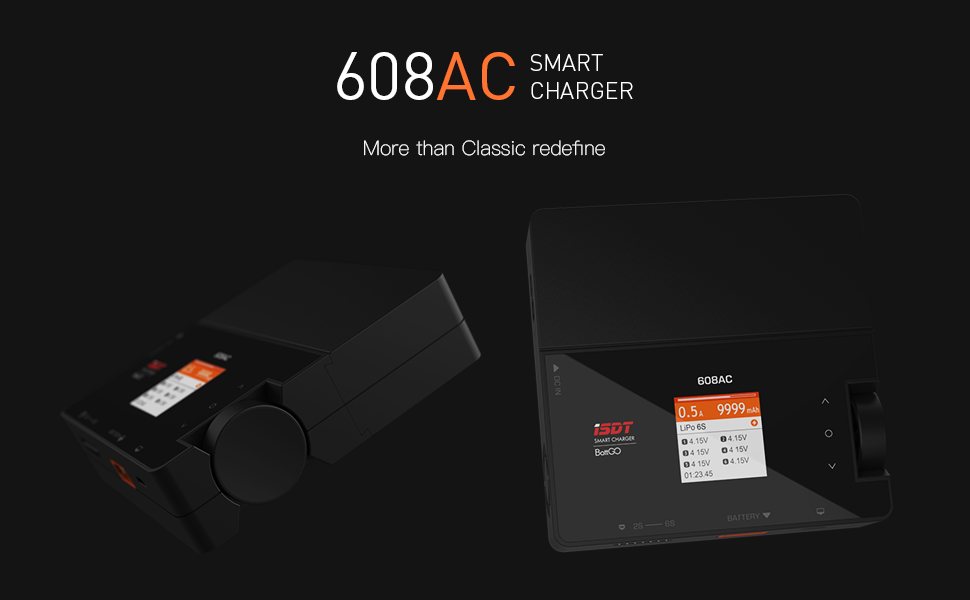
Figure 2: The modular design of the ISDT 608AC, showing the detachable AC power supply unit.
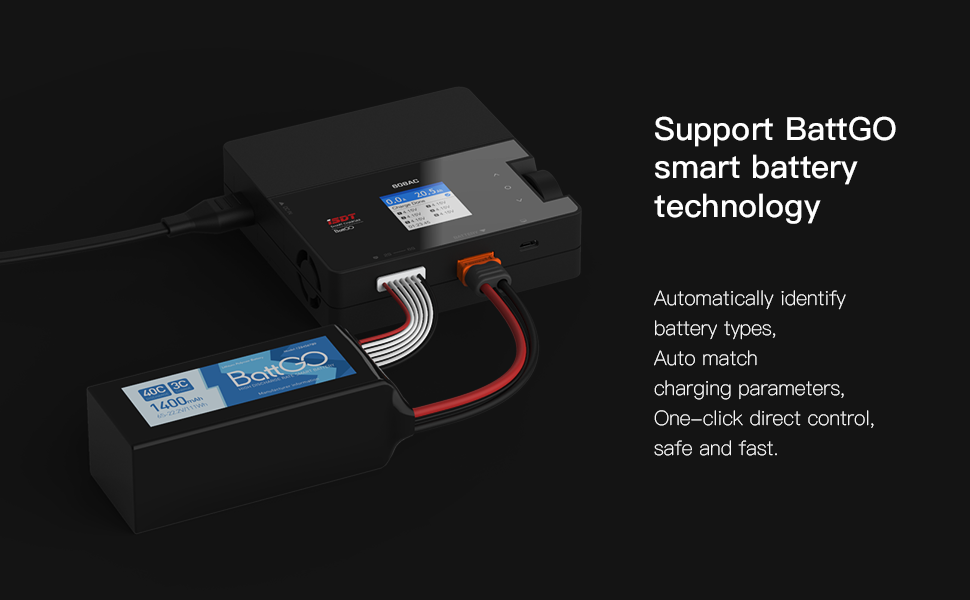
Figure 3: Close-up of the single "Shuttle Roll" knob, illustrating its simple roll and press functionality for control.
3. Setup Instructions
3.1 Connecting Power
The ISDT 608AC charger supports both AC and DC power inputs. Ensure the charger is placed on a stable, non-flammable surface before connecting power.
- AC Power (Wall Outlet): Attach the modular AC power supply unit to the main charger body. Connect the AC power cable to the power supply unit and then plug it into a standard wall outlet (110V-220V).
- DC Power (External Battery/Power Supply): Detach the AC power supply unit if it is connected. Connect a DC power source (10V-30V) to the DC input port on the main charger body. Ensure correct polarity.
3.2 Initial Battery Connection
Before operating, connect your battery to the charger. The charger supports various battery types and cell counts (1-6S for LiFe/Lilon/LiPo/LiHv, 1-12S for Pb, 1-16S for NiMH).
- Connect the main power lead of your battery to the XT60 output port on the charger.
- For balance charging, connect the battery's balance lead to the corresponding balance port on the charger (2S-6S).
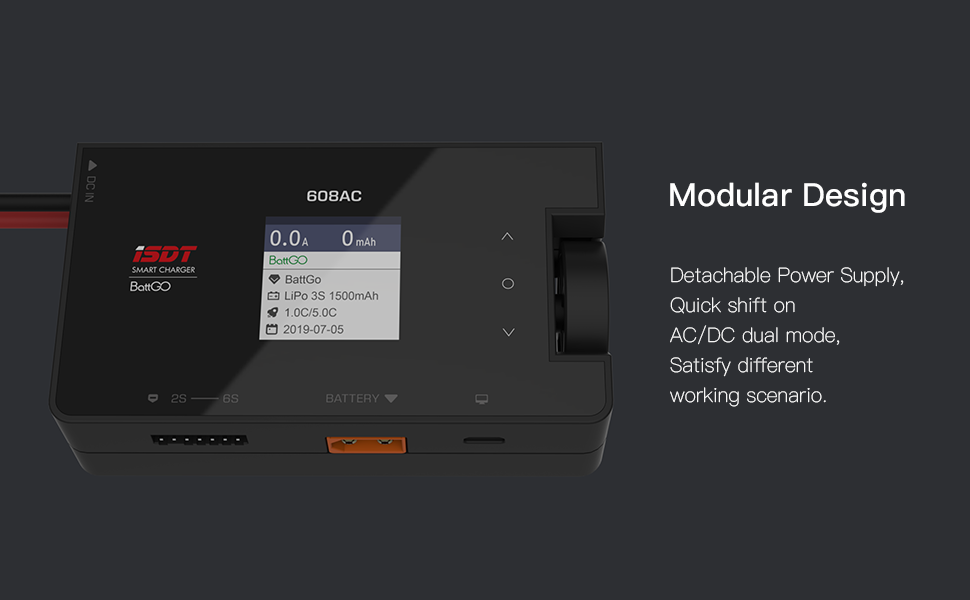
Figure 4: The ISDT 608AC charger connected to a BattGO smart battery, demonstrating proper connection of main and balance leads.
4. Operating Instructions
4.1 Navigating the Interface
The charger's scOs operating system provides a clear and intuitive interface. Use the single "Shuttle Roll" knob to navigate menus and adjust settings:
- Roll: Rotate the knob to scroll through menu options or adjust values.
- Press: Press the knob to select an option or confirm a setting.
4.2 Charging Batteries
- After connecting the battery, the charger will automatically detect the battery type if it supports BattGO technology. Otherwise, you may need to manually select the battery type from the menu.
- Select the desired charging mode (e.g., Balance Charge, Fast Charge, Storage).
- Adjust the charging current (e.g., 1C rate for your battery, if known).
- Confirm the settings and start the charging process. The display will show real-time charging status, including cell voltages, current, and charged capacity.
4.3 Discharging and Storage
The charger supports discharging and storage functions to maintain battery health.
- Discharge: Select the discharge mode and set the desired discharge current. The charger will safely discharge the battery.
- Storage: Select the storage mode. The charger will automatically charge or discharge the battery to its optimal storage voltage, prolonging its lifespan.
4.4 Adjustable Digital Power Supply Mode
To use the charger as an adjustable digital power supply:
- Navigate to the Digital Power Supply mode in the menu.
- Adjust the output voltage (CV: 2-30V) and current (CC: 0.2-5A) using the shuttle knob.
- Connect your device to the output port.
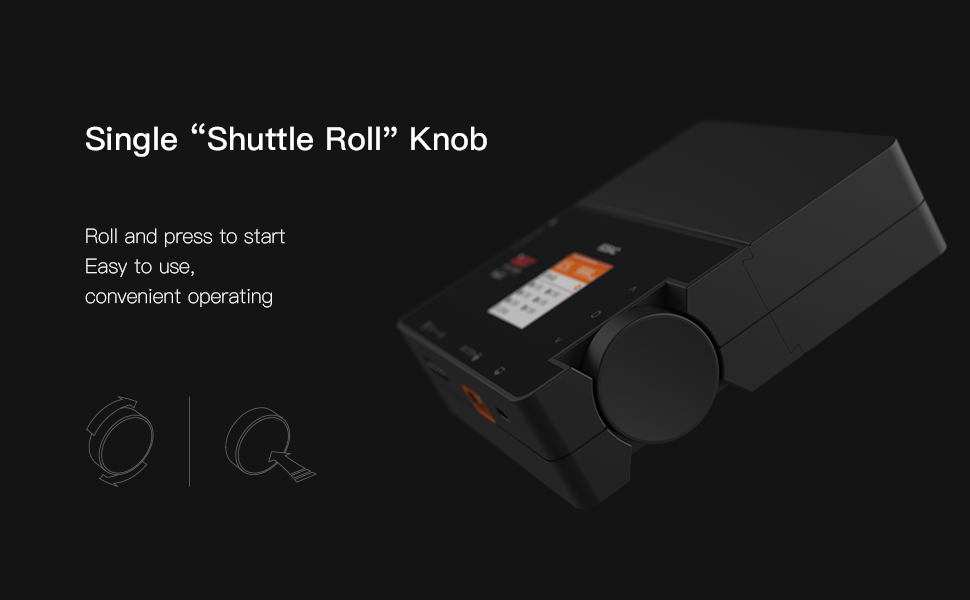
Figure 5: The user interface displaying options for adjusting voltage and current in the digital power supply mode.
5. Maintenance
Proper maintenance ensures the longevity and safe operation of your ISDT 608AC charger.
- Cleaning: Regularly wipe the charger's exterior with a soft, dry cloth. Avoid using solvents or abrasive cleaners. Ensure no dust or debris accumulates in the ventilation openings.
- Storage: Store the charger in a cool, dry place away from direct sunlight and extreme temperatures.
- Firmware Updates: Periodically check the official ISDT website for firmware updates. Updating the firmware can improve performance, add new features, and resolve potential issues. The scOs supports online updates via PC.
- Cable Inspection: Before each use, inspect all cables and connectors for any signs of damage, fraying, or corrosion. Replace damaged cables immediately.
6. Troubleshooting
If you encounter issues with your ISDT 608AC charger, refer to the following common troubleshooting steps:
- Charger Not Powering On:
- Ensure the power cable is securely connected to both the charger and the power source.
- Verify that the power outlet is functional.
- If using DC input, confirm the voltage is within the specified range (10V-30V) and polarity is correct.
- Battery Not Detected or Charging Error:
- Check that the main power lead and balance lead (if applicable) are correctly and securely connected to the charger.
- Ensure the battery type selected on the charger matches the actual battery connected.
- Inspect the battery for any physical damage or swelling. Do not charge damaged batteries.
- If using BattGO batteries, ensure the connection is firm for proper communication.
- Balance Charging Issues (e.g., cells not balancing):
- Ensure the balance lead is fully inserted and all pins are making contact.
- Check the balance lead for any damage or broken wires.
- Some batteries with significantly unbalanced cells may take a longer time to balance or may indicate a faulty battery.
- Charger Overheating:
- Ensure adequate ventilation around the charger. Do not block air vents.
- Reduce the charging/discharging current if the ambient temperature is high.
- Firmware Related Issues:
- If experiencing unusual behavior, consider performing a firmware update. Refer to the ISDT website for instructions and the latest firmware.
If the problem persists after following these steps, please contact ISDT customer support.
7. Specifications

Figure 6: Detailed specifications table for the ISDT 608AC Smart Charger.
| Feature | Specification |
|---|---|
| Charging Power | AC 50W / DC 200W |
| Charging Current | 0.1A ~ 8.0A |
| Discharging Power | 10W |
| Discharging Current | 0.1A ~ 1.0A |
| Input Voltage | AC 110V ~ 220V / DC 10V ~ 30V |
| Output Voltage | DC 1V ~ 26.4V |
| Dimensions | 110.5 x 110.5 x 31 mm (4.33 x 4.33 x 1.22 inches) |
| Weight | 350g (12.3 ounces) |
| Supportable Battery Types | LiFe, Lilon, LiPo, LiHv 1-6S / Pb 1-12S / NiMH 1-16S |
8. Warranty and Support
For warranty information and technical support, please refer to the official ISDT website or contact their customer service directly. Keep your purchase receipt as proof of purchase for any warranty claims.
Manufacturer: ISDT
Brand: ISDT
Date First Available: October 9, 2019