
Introduction
This manual provides essential information for the setup, operation, and maintenance of your HCDZ Universal Replacement Remote Control. This remote is designed as a direct replacement for various television models and requires no programming.
Setup
Battery Installation
The HCDZ Replacement Remote Control requires two (2) AAA alkaline batteries (not included).
- Locate the battery compartment on the back of the remote control.
- Gently slide the battery compartment cover downwards or outwards to open it.
- Insert two AAA batteries, ensuring the positive (+) and negative (-) terminals align correctly with the markings inside the compartment.
- Replace the battery compartment cover by sliding it back into position until it clicks securely.

Image Description: A close-up view of the back of the HCDZ replacement remote control, showing the rectangular battery compartment cover. The cover is black and blends seamlessly with the remote's design.
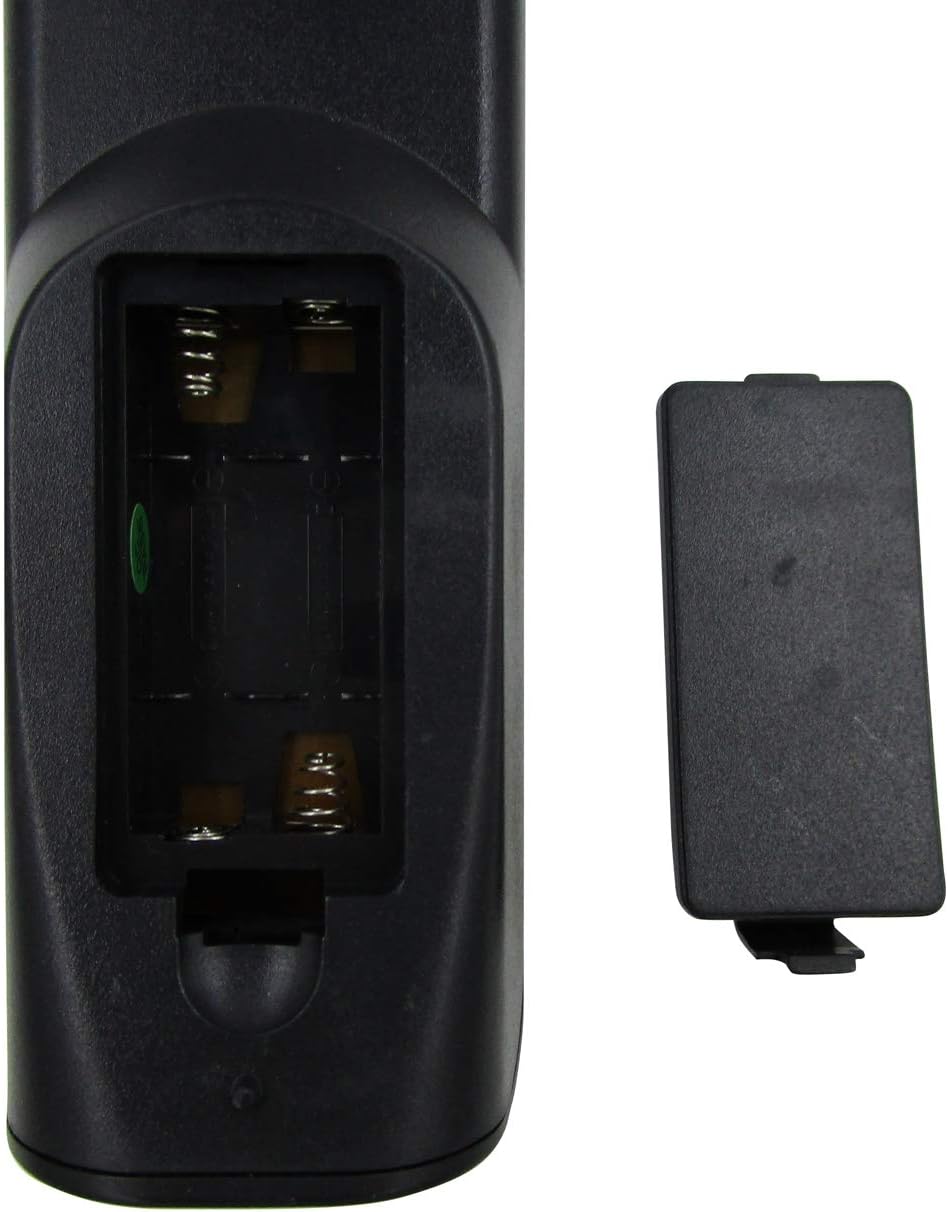
Image Description: A close-up view of the HCDZ replacement remote control with the battery compartment open. Two empty slots for AAA batteries are visible, along with the metal spring contacts. The detached battery cover is shown next to the open compartment.
Operating Instructions
Basic Operation
This remote control operates using infrared (IR) technology. Ensure there is a clear line of sight between the remote and your television's IR receiver for optimal performance.
- Power: Press the Power button to turn your television on or off.
- Channel Selection: Use the number buttons to directly enter channel numbers or the Channel Up/Down buttons to navigate sequentially.
- Volume Control: Adjust the volume using the Volume Up/Down buttons.
- Mute: Press the Mute button to silence the television audio.
- Input/Source: Use the Input or Source button to switch between different video inputs (e.g., HDMI, AV).
Operating Range
The remote control has a maximum operating range of approximately 10 meters (33 feet). Performance may vary depending on environmental factors and battery condition.
Maintenance
Cleaning
To clean the remote control, use a soft, dry cloth. Do not use liquid cleaners or abrasive materials, as these can damage the remote's surface or internal components.
Battery Replacement
Replace batteries when the remote's response becomes sluggish or stops functioning. Always replace both batteries simultaneously with new AAA alkaline batteries. Do not mix old and new batteries, or different types of batteries.
Troubleshooting
Common Issues and Solutions
- Remote not responding:
- Check if the batteries are inserted correctly with the correct polarity.
- Replace the batteries with fresh AAA alkaline batteries.
- Ensure there are no obstructions between the remote and the television's IR receiver.
- Confirm the remote is pointed directly at the television.
- Some buttons not working:
- This may indicate low battery power. Replace batteries.
- Ensure the remote is compatible with your specific television model. Refer to the product listing for compatible models.
If issues persist after following these steps, please contact HCDZ customer support.
Specifications
Product Specifications
| Feature | Detail |
|---|---|
| Brand | HCDZ |
| Model | Universal Replacement Remote Control |
| Compatible Devices | Television (Majestic TVDB826BKHK, SANSUI STY0632C, ACONATIC AN-LT3233, etc.) |
| Connectivity Technology | Infrared (IR) |
| Max Supported Devices | 1 |
| Controller Type | Button Control |
| Max Operating Range | 10 Meters (33 feet) |
| Batteries Required | 2 x AAA Alkaline (not included) |
| Special Features | No programming needed, ready to use |
Warranty Information
Limited Warranty
HCDZ products are typically covered by a limited warranty against defects in materials and workmanship. For specific warranty terms and conditions, please refer to the original product packaging or contact HCDZ customer support. Keep your purchase receipt as proof of purchase.
Customer Support
Contact Us
For further assistance, technical support, or warranty inquiries, please visit the official HCDZ website or contact their customer service department.
Online Support: HCDZ Store on Amazon
Note: Specific contact details may vary. Please refer to the product packaging or the HCDZ official website for the most current information.