
Introduction
This manual provides instructions for the installation and maintenance of YDYBZB replacement ear pads designed for Motorola S805 headphones. These ear pads are crafted to restore comfort and sound isolation, ensuring an optimal listening experience.
Product Overview
The YDYBZB replacement ear pads are specifically designed for compatibility with Motorola S805 headset headphones. Key features include:
- Material: Constructed from professional-grade faux leather and memory foam for enhanced comfort and durability.
- Comfort: Memory foam core adapts to the ear, providing superior comfort for extended listening sessions.
- Sound Isolation: The ear-conforming fit and memory foam cushioning contribute to effective noise blocking, isolating sound from the environment.
- Sound Enhancement: Designed to enhance the audio output by providing a secure and isolated listening environment.
- Durability: Professional-grade faux leather is selected for long-term, crack-free performance.

Image 1: A pair of YDYBZB replacement ear pads, showcasing their black faux leather-like material and the central mesh fabric that covers the headphone drivers. These pads are designed for the Motorola S805 headphones.
Installation Instructions
Follow these steps to replace the ear pads on your Motorola S805 headphones. Ensure you have both replacement ear pads before beginning the process.
- Remove Old Ear Pads: Gently peel off the existing ear pads from your Motorola S805 headphones. They are typically held in place by an adhesive ring or a thin flange that tucks into a groove around the headphone cup. Apply steady, gentle pressure to avoid damaging the headphone structure.
- Clean Headphone Surface: After removing the old pads, inspect the headphone cup for any remaining adhesive residue or debris. Clean the surface thoroughly with a soft, dry cloth to ensure a clean attachment point for the new ear pads.
- Align New Ear Pads: Take one of the new YDYBZB ear pads. Observe its shape and the way it is designed to fit onto the headphone cup. The ear pads typically have a thin rim or flap on the back that needs to be tucked into the groove of the headphone.
- Install New Ear Pads: Starting from one point, carefully stretch the rim of the new ear pad over the edge of the headphone cup. Work your way around the circumference, gently tucking the rim into the groove. Ensure the ear pad is seated evenly and securely all the way around. Do not force the ear pad, as this may damage it.
- Adjust and Secure: Once the ear pad is fully seated, gently press around its edges to ensure it is firmly attached and there are no gaps. Repeat the process for the second ear pad.
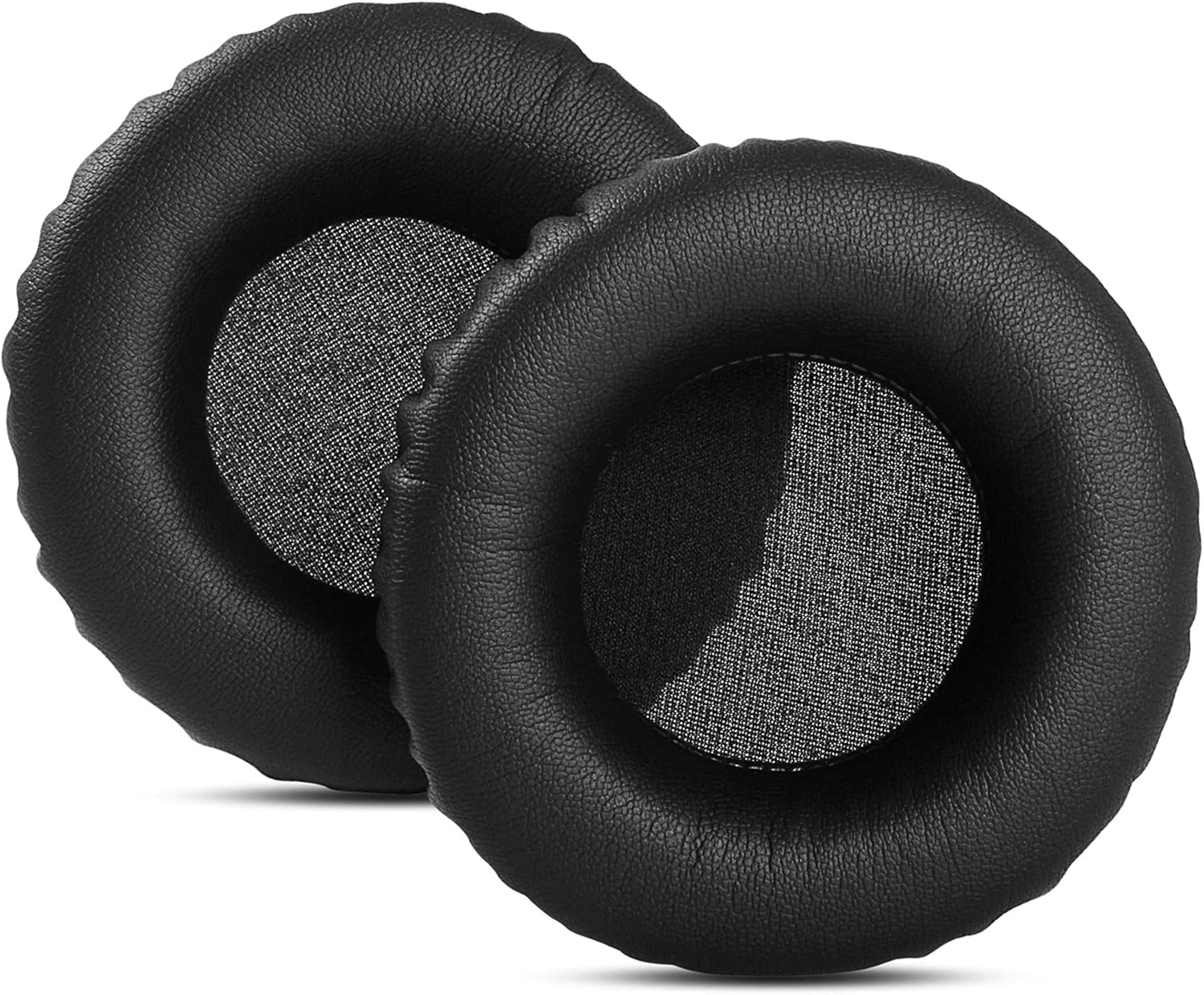
Image 2: Top-down view of two YDYBZB ear pads, highlighting their uniform circular design and the breathable mesh material over the speaker opening. This view helps in understanding the overall shape for proper alignment during installation.

Image 3: A side profile of one ear pad alongside a front view of another, demonstrating the thickness of the memory foam cushioning and the quality of the faux leather material. This perspective is useful for understanding the pad's depth and how it will sit on the ear.
Maintenance
Proper care will extend the life of your replacement ear pads and maintain their comfort and hygienic properties.
- Regular Cleaning: Wipe the surface of the ear pads regularly with a soft, slightly damp cloth. Avoid using harsh chemicals or abrasive cleaners, as these can damage the faux leather material.
- Drying: Allow the ear pads to air dry completely after cleaning. Do not expose them to direct sunlight or high heat.
- Storage: When not in use, store your headphones in a clean, dry place to prevent dust accumulation and material degradation.
- Avoid Punctures: Be careful not to puncture or tear the faux leather surface, as this can compromise the integrity of the ear pads and reduce their lifespan.

Image 4: A detailed close-up of the faux leather texture on the ear pad, illustrating the material quality. This texture is designed for durability and comfort during extended use.
Specifications
| Brand | YDYBZB |
| Compatible Devices | Motorola S805 Headphones |
| Material | Faux Leather, Memory Foam |
| Color | Black |
| ASIN | B07YV12NG9 |
Troubleshooting
If you encounter issues during or after installation, consider the following:
- Ear Pad Does Not Fit: Double-check that the ear pads are correctly aligned with the headphone cup. Ensure the rim is fully tucked into the groove around the entire circumference. If the issue persists, verify that your headphone model is indeed the Motorola S805, as these pads are specifically designed for that model.
- Reduced Sound Quality: Ensure the ear pads are securely seated without gaps, which could allow sound leakage. The memory foam should create a good seal around your ears. If sound quality issues persist, check the headphone drivers themselves for any damage.
- Discomfort: Allow a short period for the memory foam to adapt to your ear shape. If discomfort continues, ensure the ear pads are not twisted or improperly installed.
Warranty and Support
For specific warranty information or further support regarding your YDYBZB replacement ear pads, please refer to the retailer or manufacturer's official website where the product was purchased. Keep your proof of purchase for any warranty claims.