
1. Introduction and Overview
The Samsung Galaxy Tab Active Pro is a rugged tablet designed for demanding environments. It features military-grade durability (MIL-STD-810G) and IP68 certification for water and dust resistance, ensuring reliable performance in various conditions. This tablet is equipped with a high-resolution camera and supports advanced features like augmented reality (AR) for enhanced productivity.
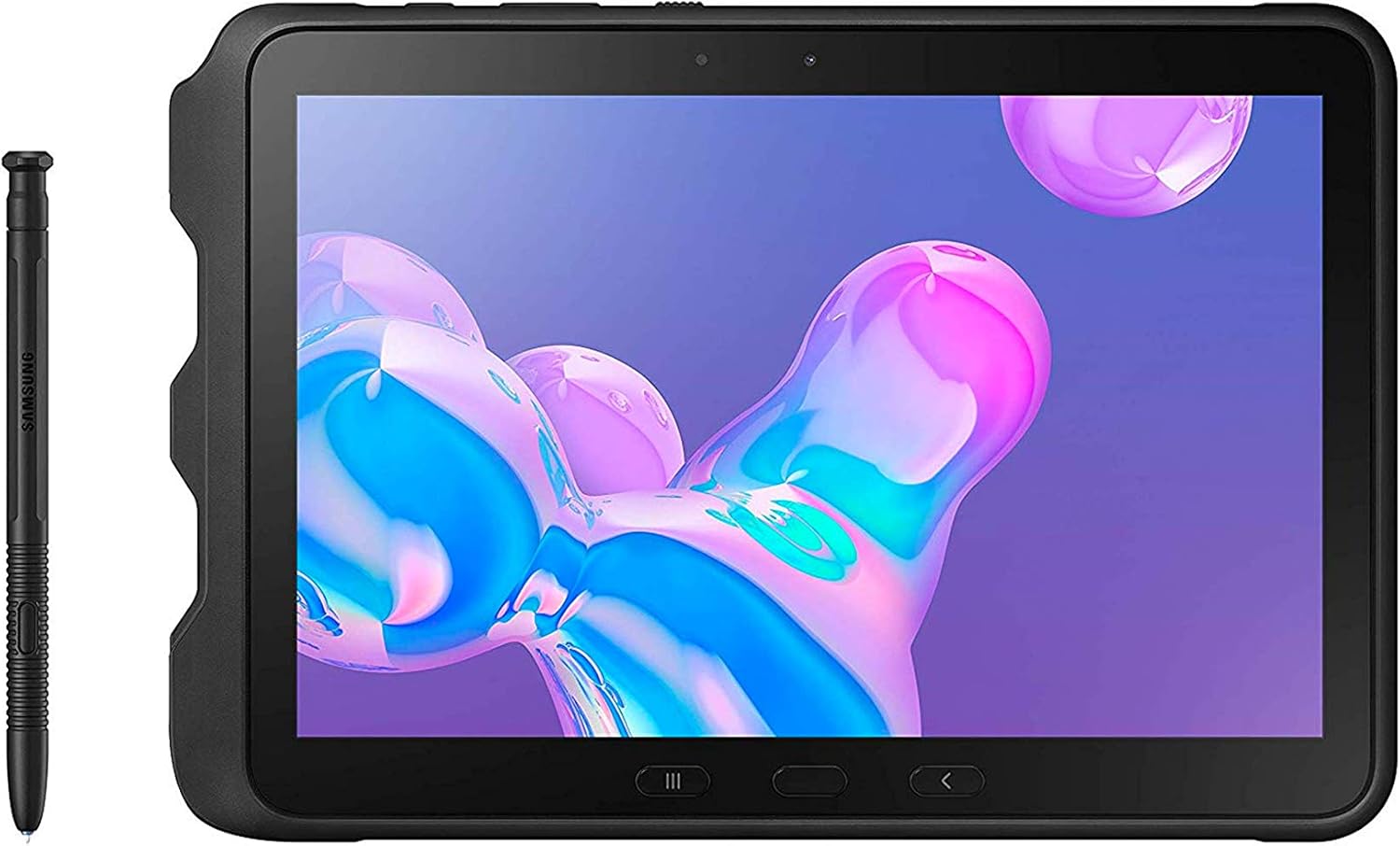
Figure 1: Front view of the Samsung Galaxy Tab Active Pro with its S-Pen.
2. What's in the Box
Upon unboxing your Samsung Galaxy Tab Active Pro, you should find the following items:
- Samsung Galaxy Tab Active Pro Tablet
- Power Adapter
- USB-C Cable
- S-Pen
3. Key Features
- Ultra Rugged: The 10.1-inch Wi-Fi-enabled 64GB Tab Active Pro tablet is ruggedized for tough conditions. It includes built-in features such as an accelerometer, GPS, barometer, fingerprint sensor, gyro sensor, geomagnetic sensor, Hall sensor, RGB light sensor, and proximity sensor.
- Military-Grade Durability: MIL-STD-810G certified and tested for drops, shocks, vibration, rain, dirt, mud, sand, water, altitude, freeze & thaw, temperature range, temperature shock, and humidity.
- Long-Lasting Battery: Lasts up to 15 hours on a single charge with an easy-to-replace battery and quickly charges through the built-in Pogo Pin.
- Water-Resistant Touchscreen: Wet Touch Mode allows the touchscreen to be fully functional regardless of water and rain, while Glove Mode is perfect for cold weather or clinical environments. The Tab Active Pro can withstand being submerged in water for up to 30 minutes at a depth of 5 feet of water (Rinse Residue and Dry After Exposure).

Figure 2: The tablet's rugged design and MIL-STD-810G certification for extreme conditions.

Figure 3: The tablet and S-Pen are IP68 certified for water and dust resistance.

Figure 4: The tablet features a 7,600 mAh battery providing up to 15 hours of video playback.
Video 1: Official Samsung video highlighting the key features and ruggedness of the Galaxy Tab Active Pro.
4. Setup
4.1 Charging the Tablet
Before initial use, fully charge your tablet using the provided USB-C cable and power adapter. Connect the USB-C cable to the tablet's port and the adapter to a power outlet. The tablet also supports charging via its Pogo Pin connector for quick and convenient docking.

Figure 5: The POGO Pin allows for quick connection, charging, or attachment to a keyboard.
4.2 Powering On/Off
To power on the tablet, press and hold the Power button located on the side until the Samsung logo appears. To power off, press and hold the Power button, then select 'Power off' from the options.
4.3 Initial Setup
Follow the on-screen prompts to complete the initial setup, including language selection, Wi-Fi connection, Google account sign-in, and security settings (e.g., fingerprint sensor setup).
5. Operating Instructions
5.1 General Navigation
Navigate the tablet using the touchscreen. Swipe to scroll, tap to select, and pinch to zoom. The physical navigation buttons below the screen provide quick access to Home, Back, and Recent Apps.
5.2 Using the S-Pen
The included S-Pen allows for precise input, drawing, and note-taking. It is particularly useful in environments where gloves are worn, thanks to the tablet's Glove Mode. The S-Pen is stored securely within the tablet's casing.
5.3 Camera Functionality
The tablet features a 13.0-megapixel UHD camera for capturing high-quality photos and videos. Access the camera application from the home screen or app drawer. Utilize various modes and settings to enhance your photography.
5.4 Samsung DeX
Samsung DeX allows you to connect your tablet to an external monitor for a PC-like experience. This feature enables seamless transitions between mobile and desktop environments, enhancing productivity for tasks requiring a larger display.

Figure 6: Utilize Samsung DeX for a desktop-like experience with an external monitor.
5.5 mPOS and NFC Capabilities
The Galaxy Tab Active Pro is mPOS (mobile Point of Sale) and NFC (Near Field Communication) ready. This allows for quick and secure contactless payments and data exchange, streamlining business operations.

Figure 7: The tablet supports mPOS and NFC for efficient payment processing.
5.6 Augmented Reality (AR)
Leverage the tablet's AR capabilities for visualizing real solutions, such as overlaying digital information onto physical objects for maintenance or training purposes.

Figure 8: Visualize real solutions with AR technology for improved maintenance and operations.
6. Maintenance
6.1 Water and Dust Resistance
The Galaxy Tab Active Pro is IP68-certified, meaning it is protected against dust ingress and can withstand submersion in up to 5 feet of water for 30 minutes. After exposure to water, ensure to rinse off any residue and thoroughly dry the device.
6.2 Battery Care
To maximize battery life, avoid exposing the tablet to extreme temperatures. The battery is user-replaceable, allowing for extended use in the field by swapping out a depleted battery with a charged one.
6.3 Storage Management
The tablet comes with 64GB of internal storage. For additional space, a microSD card slot supports up to 512GB. Regularly manage your files and applications to optimize performance.

Figure 9: The tablet offers 64GB of built-in memory, expandable up to 512GB with a microSD card.
7. Troubleshooting
If you encounter any issues with your Samsung Galaxy Tab Active Pro, consider the following basic troubleshooting steps:
- Restart the device: A simple restart can often resolve minor software glitches.
- Check for software updates: Ensure your tablet's operating system is up to date.
- Clear app cache/data: If a specific app is causing issues, try clearing its cache or data in the app settings.
- Factory reset: As a last resort, a factory reset can resolve persistent software problems, but remember to back up your data first.
8. Specifications
| Feature | Detail |
|---|---|
| Standing screen display size | 10.1 Inches |
| Screen Resolution | 1920 x 1200 pixels |
| Max Screen Resolution | 1900x1200 Pixels |
| Processor | 2133 GHz |
| RAM | 64 GB |
| Hard Drive | 64 GB |
| Graphics Coprocessor | Adreno 615 |
| Wireless Type | 802.11a/b/g/n |
| Average Battery Life (in hours) | 15 Hours |
| Item model number | SM-T540NZKAXAR |
| Operating System | Android 9 Pie |
| Item Weight | 1 pounds |
| Product Dimensions | 6.69 x 0.39 x 9.58 inches |
| Color | Black |
| Processor Brand | Qualcomm |
| Number of Processors | 8 |
| Flash Memory Size | 4 GB |
9. Warranty and Support
For detailed warranty information and customer support, please refer to the official Samsung website or contact their customer service. Keep your proof of purchase for any warranty claims.