
1. Product Overview
The Heissner Apollo XXL PRO is a premium pond filter designed for effective mechanical and biological filtration, ensuring clear and healthy pond water. This filter system includes high-quality components and universal hose connections for easy integration into your pond setup.
Included Accessories:
- Sansai special brushes
- Japanese filter mats
- Filter starter bacteria (1000 g)
- Phosphate binder (1000 ml)
- Special filter substrate (Zeolite 20 kg)

Figure 1: Internal view of the Heissner Apollo XXL PRO pond filter, showing different filtration stages. Label A indicates the inlet chamber, B shows filter brushes, C shows filter mats, D shows drain valves, and E shows additional filter media.
2. Setup Instructions
Proper installation is crucial for the optimal performance of your Heissner Apollo XXL PRO pond filter.
2.1 Placement
Position the filter on a stable, level surface near your pond. Ensure it is easily accessible for maintenance and that the outlet is positioned to return filtered water to the pond effectively.
2.2 Connecting Hoses
- Connect the pond pump outlet hose to the filter's inlet (typically the largest opening, labeled A in Figure 1). Use appropriate universal hose connections and clamps to ensure a watertight seal.
- Connect the filter's outlet hose(s) to your pond. Ensure the return flow is gentle and does not disturb the pond bed.
- Ensure all drain valves (D in Figure 1) are closed before filling the filter.
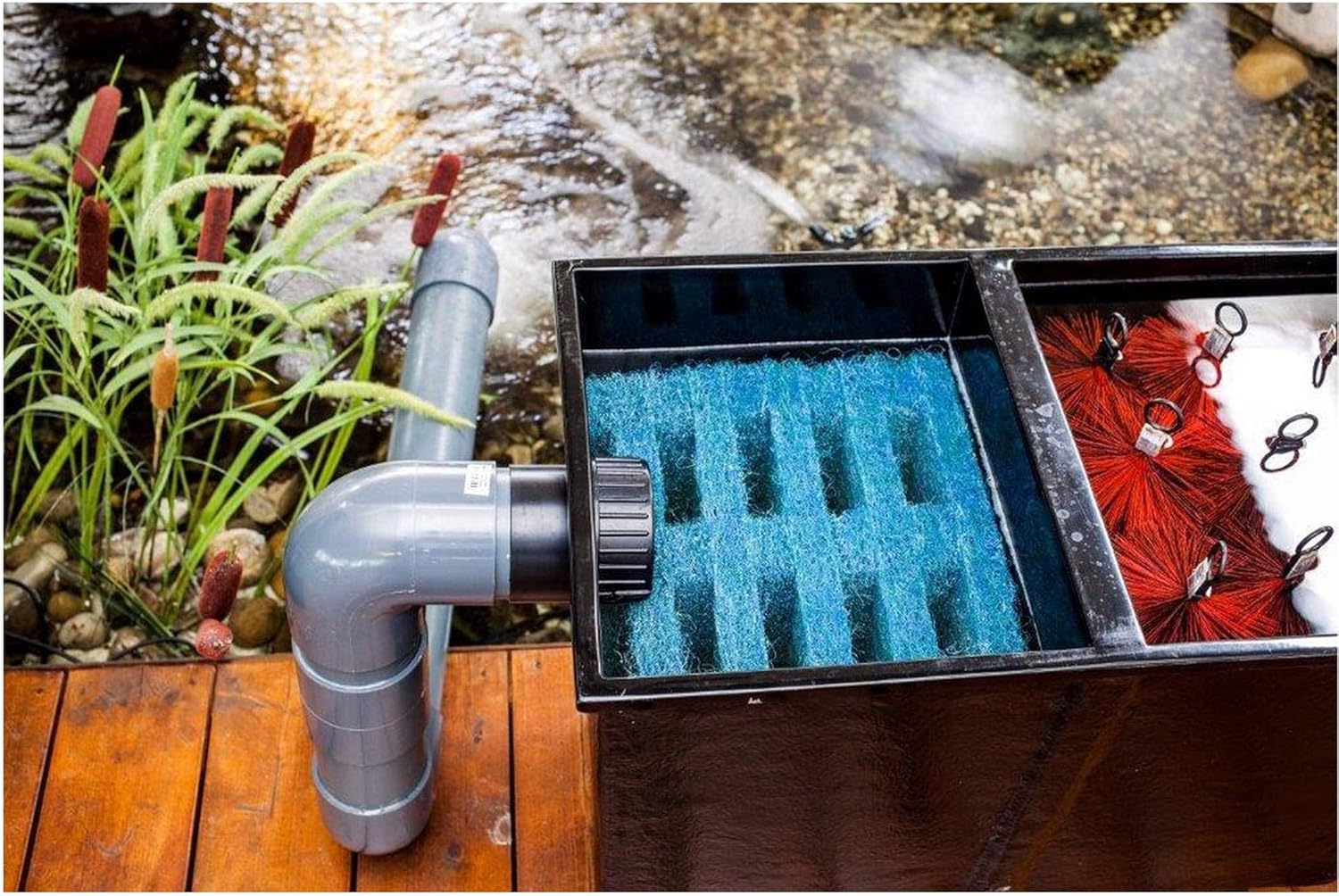
Figure 2: Top-down view of the Heissner Apollo XXL PRO pond filter installed next to a pond, with inlet and outlet pipes connected.
2.3 Installing Filter Media
Arrange the provided filter media within the filter chambers as follows:
- Mechanical Filtration: Place the Sansai special brushes (B in Figure 1) in the initial filtration chamber. These brushes capture larger debris.
- Biological/Fine Mechanical Filtration: Place the Japanese filter mats (C in Figure 1) in the subsequent chamber(s). These mats provide surface area for beneficial bacteria and capture finer particles.
- Advanced Filtration: Distribute the special filter substrate (zeolite) and phosphate binder in the final chamber(s) (E in Figure 1) or in designated media bags if provided.
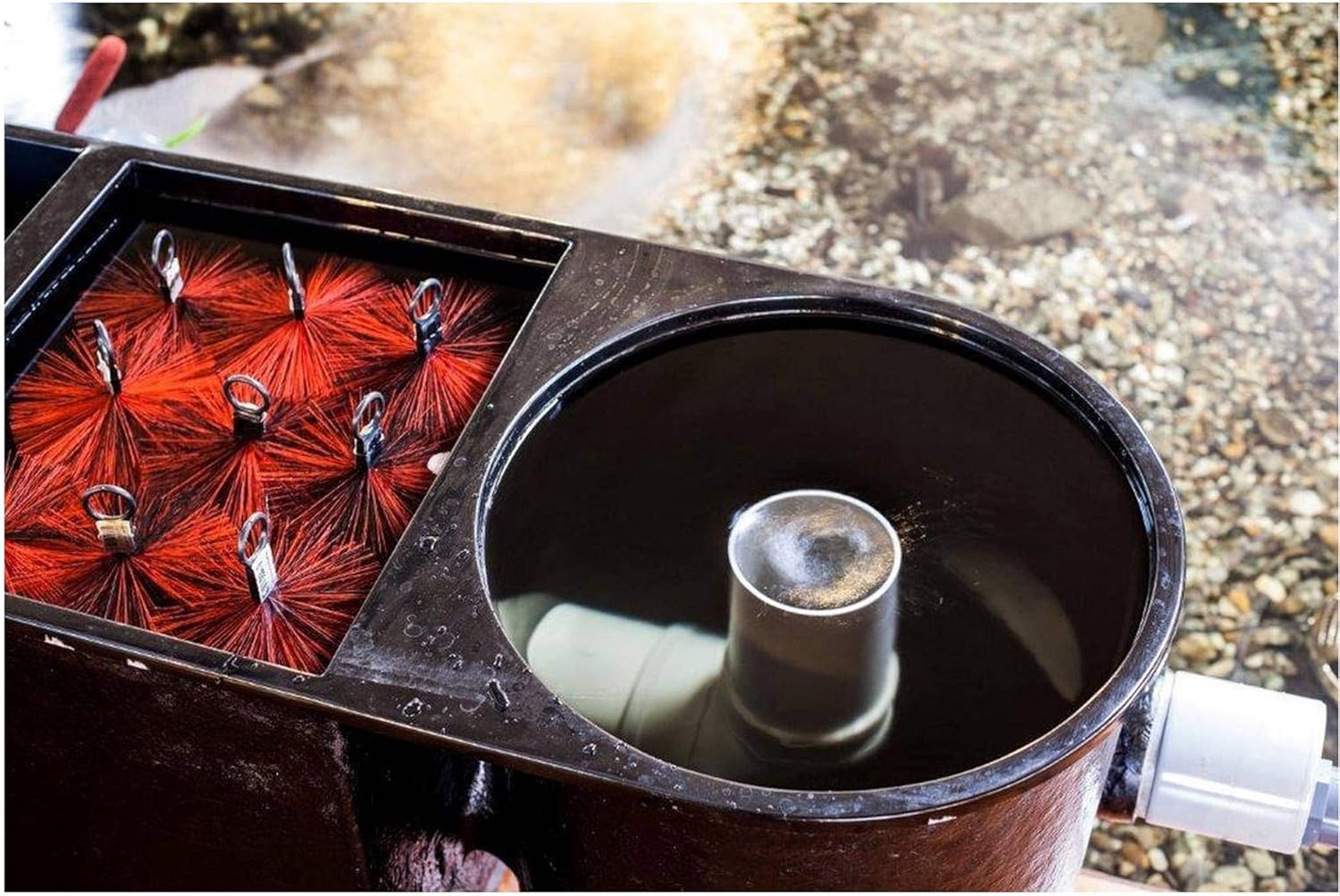
Figure 3: Close-up view of the filter brushes and the water inlet section, illustrating the initial mechanical filtration stage.
2.4 Initial Start-up
- Once all connections are secure and media is in place, turn on your pond pump.
- Allow the filter to fill with water and check for any leaks.
- Add the provided filter starter bacteria (Figure 4) to the filter or directly into the pond to accelerate the establishment of beneficial bacterial colonies. Follow the dosage instructions on the packaging.

Figure 4: Heissner Filter Starter Bacteria packaging.
3. Operating Instructions
The Heissner Apollo XXL PRO filter operates continuously to maintain water quality. Monitor your pond water regularly for clarity and fish health.
3.1 Continuous Operation
For optimal results, the filter should run 24 hours a day, 7 days a week during the pond season. Interrupting the flow can harm beneficial bacteria colonies.
3.2 Monitoring Water Flow
Periodically check the water flow from the filter's outlet. A reduced flow rate often indicates that the filter media is becoming clogged and requires cleaning.
4. Maintenance
Regular maintenance ensures the longevity and efficiency of your pond filter.
4.1 Cleaning Filter Brushes and Mats
The frequency of cleaning depends on the pond's bio-load and debris levels. As a general guideline, clean mechanical filter media every 2-4 weeks, or when water flow significantly decreases.
- Turn off the pond pump before performing any maintenance.
- Open the drain valves (D in Figure 1) to partially drain the filter (Figure 5). This removes accumulated sludge.
- Remove the filter brushes (Figure 6) and filter mats (Figure 7) from their chambers.
- Rinse the brushes and mats thoroughly with pond water (not tap water, as chlorine can kill beneficial bacteria). Gently squeeze the mats to remove trapped debris.
- Return the cleaned media to their respective chambers.
- Close the drain valves and restart the pond pump.
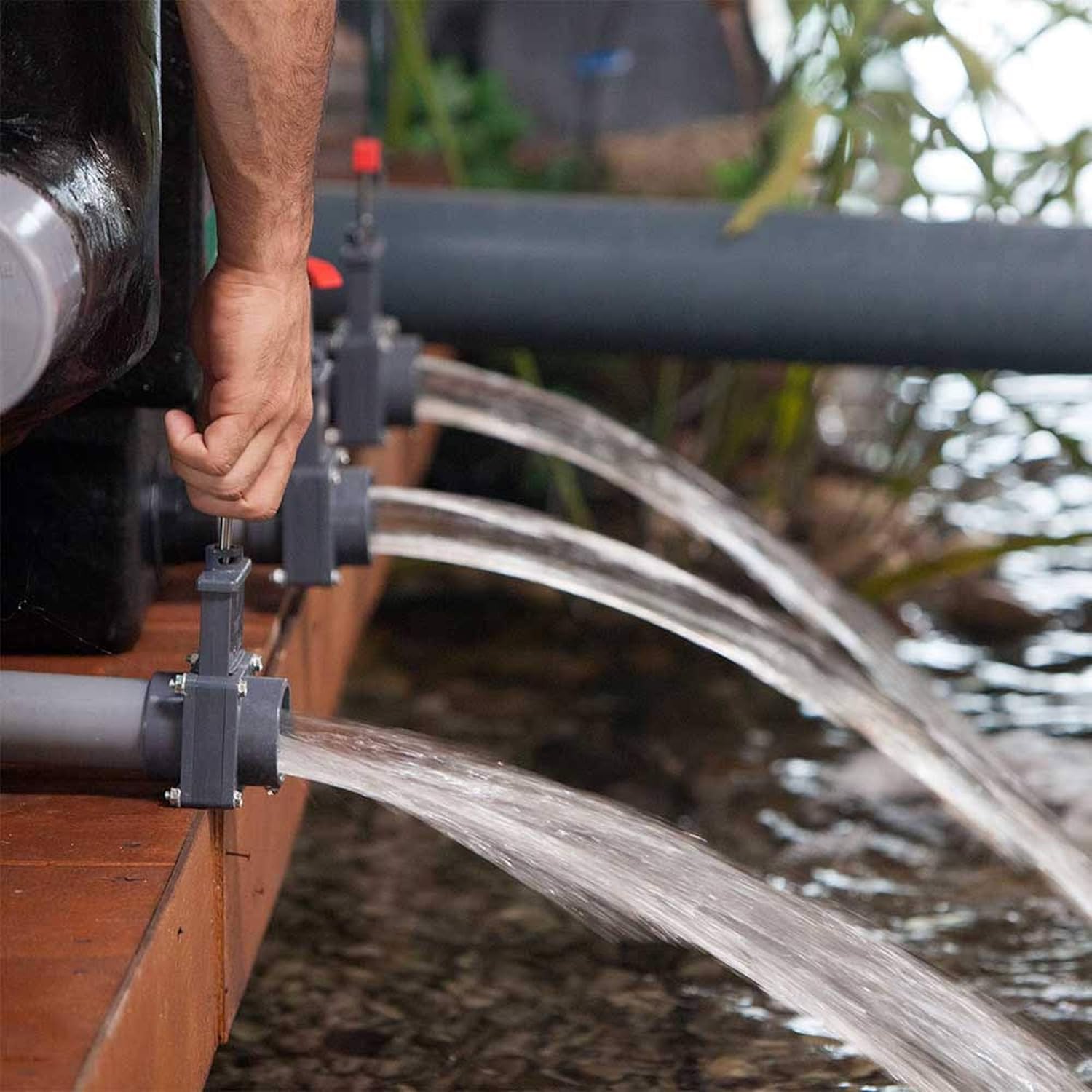
Figure 5: Draining water from the filter during maintenance.

Figure 6: Sansai special filter brush.

Figure 7: Japanese filter mat.
4.2 Replacing Filter Substrate and Phosphate Binder
The special filter substrate (zeolite, Figure 8) and phosphate binder have a finite lifespan and should be replaced according to manufacturer recommendations, typically every 6-12 months, or when water quality parameters indicate their effectiveness has diminished.

Figure 8: Special filter substrate (Zeolite).
4.3 Winterization
Before the first frost, disconnect the filter, drain all water, and clean all components thoroughly. Store the filter and media in a frost-free location to prevent damage.
5. Troubleshooting
This section addresses common issues you might encounter with your pond filter.
5.1 Cloudy Pond Water
- Cause: Insufficient biological filtration, clogged mechanical media, or new pond syndrome.
- Solution: Clean mechanical filter media (brushes, mats). Check if the filter starter bacteria were added. Test water parameters (ammonia, nitrite, nitrate). Ensure the filter is running continuously.
5.2 Reduced Water Flow from Filter
- Cause: Clogged filter media, pump malfunction, or blocked inlet/outlet hoses.
- Solution: Turn off the pump and inspect all filter media for excessive debris. Clean as necessary. Check the pond pump for blockages or damage. Ensure hoses are clear.
5.3 Leaks
- Cause: Loose hose connections, damaged seals, or cracks in the filter housing.
- Solution: Tighten all hose clamps. Inspect O-rings and gaskets for damage and replace if necessary. If the housing is cracked, contact customer support.
6. Specifications
| Feature | Detail |
|---|---|
| Manufacturer | Heissner |
| Item Model Number | F323-00 |
| Product Dimensions | 257 x 81 x 80 cm |
| Product Weight | 100 kg |
| First Available Date | January 15, 2020 |
7. Warranty and Support
Information regarding the product warranty and customer support details was not available in the provided product data. Please refer to the product packaging or the official Heissner website for the most current warranty terms and contact information for support.


