
1. Introduction
The Maxcio Digital Energy Meter Plug PMB01 is designed to help you monitor the electricity consumption of your household appliances. By connecting your devices through this plug, you can track real-time power usage, voltage, current, frequency, power factor, and accumulated energy cost. This device aims to assist in energy saving, cost reduction, and environmental protection. It features a backlit LCD screen for clear readability in various lighting conditions.

Image 1.1: Maxcio Digital Energy Meter Plug PMB01 and its packaging.
2. Setup
- Unpacking: Carefully remove the energy meter plug from its packaging. Verify that all components are present: 1 power meter, 1 user manual, and 2 reset pins.
- Initial Connection: Plug the Maxcio Digital Energy Meter Plug directly into a standard wall outlet. Ensure the outlet is compatible with the French Type C plug format (two round pins).
- Device Connection: Plug the appliance you wish to monitor into the Maxcio Energy Meter Plug.
- Power On: The device will automatically power on and display the current time and power consumption. The integrated rechargeable battery ensures data retention even if the device is unplugged or during a power outage.
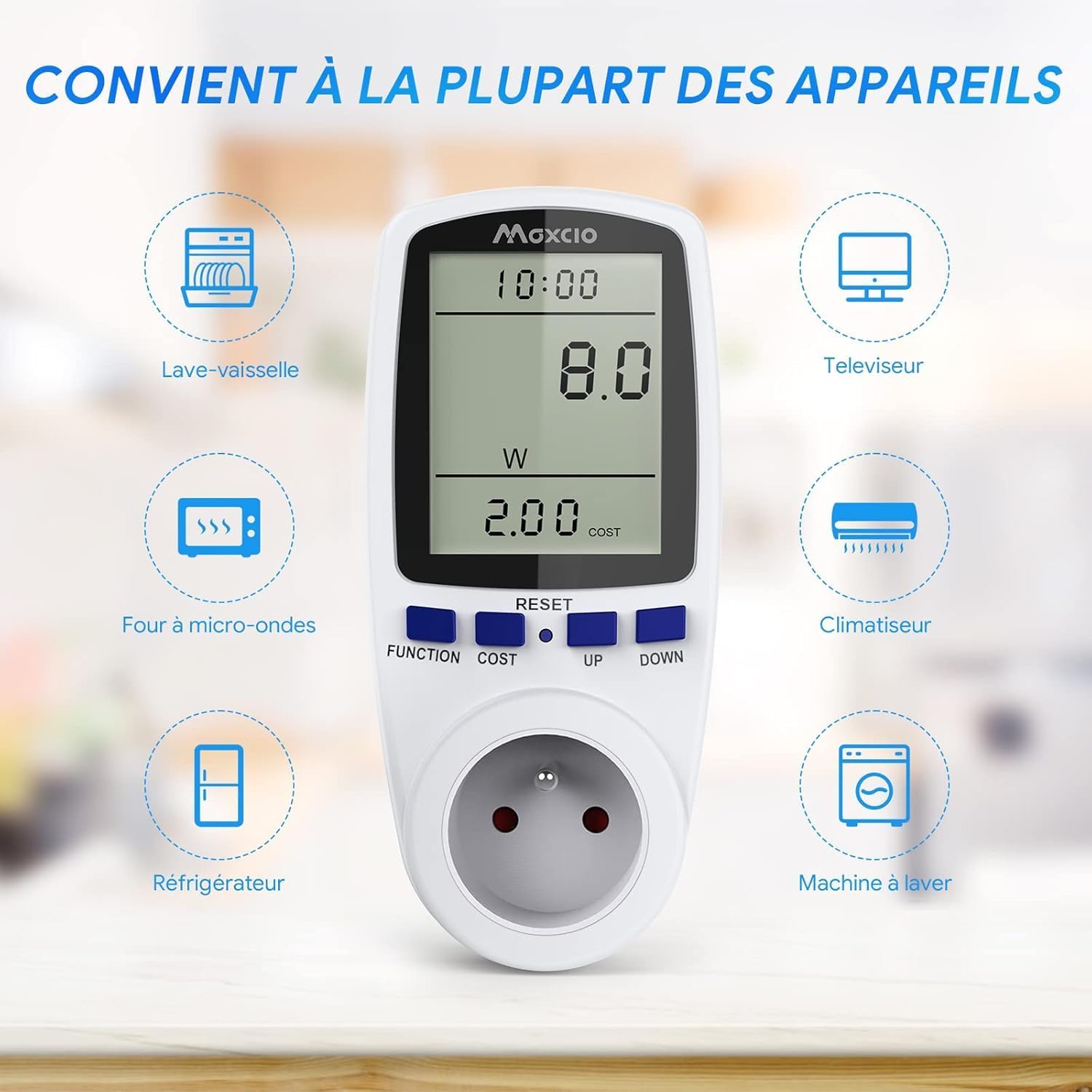
Image 2.1: The energy meter plug is compatible with a wide range of household appliances.
3. Operating Instructions
The Maxcio Digital Energy Meter Plug features an intuitive interface with a backlit LCD screen and four control buttons: FUNCTION, COST, UP, and DOWN.
3.1. Navigating Display Modes
Press the FUNCTION button to cycle through the 7 available display modes. Each mode provides specific data related to your appliance's electricity consumption:
- Mode 1: Time & Power (W) - Displays current time and real-time power consumption in Watts.
- Mode 2: Accumulated Energy (kWh) & Days - Shows total accumulated energy consumption in kilowatt-hours (kWh) and the duration in days.
- Mode 3: Voltage (V) & Frequency (Hz) - Displays the current voltage and frequency of the power supply.
- Mode 4: Current (A) & Power Factor - Shows the current drawn by the appliance in Amperes and the power factor.
- Mode 5: Minimum Power (Lo) - Displays the lowest recorded power consumption.
- Mode 6: Maximum Power (Hi) - Displays the highest recorded power consumption.
- Mode 7: Cost & Cost/kWh - Shows the total accumulated electricity cost and the set cost per kilowatt-hour.
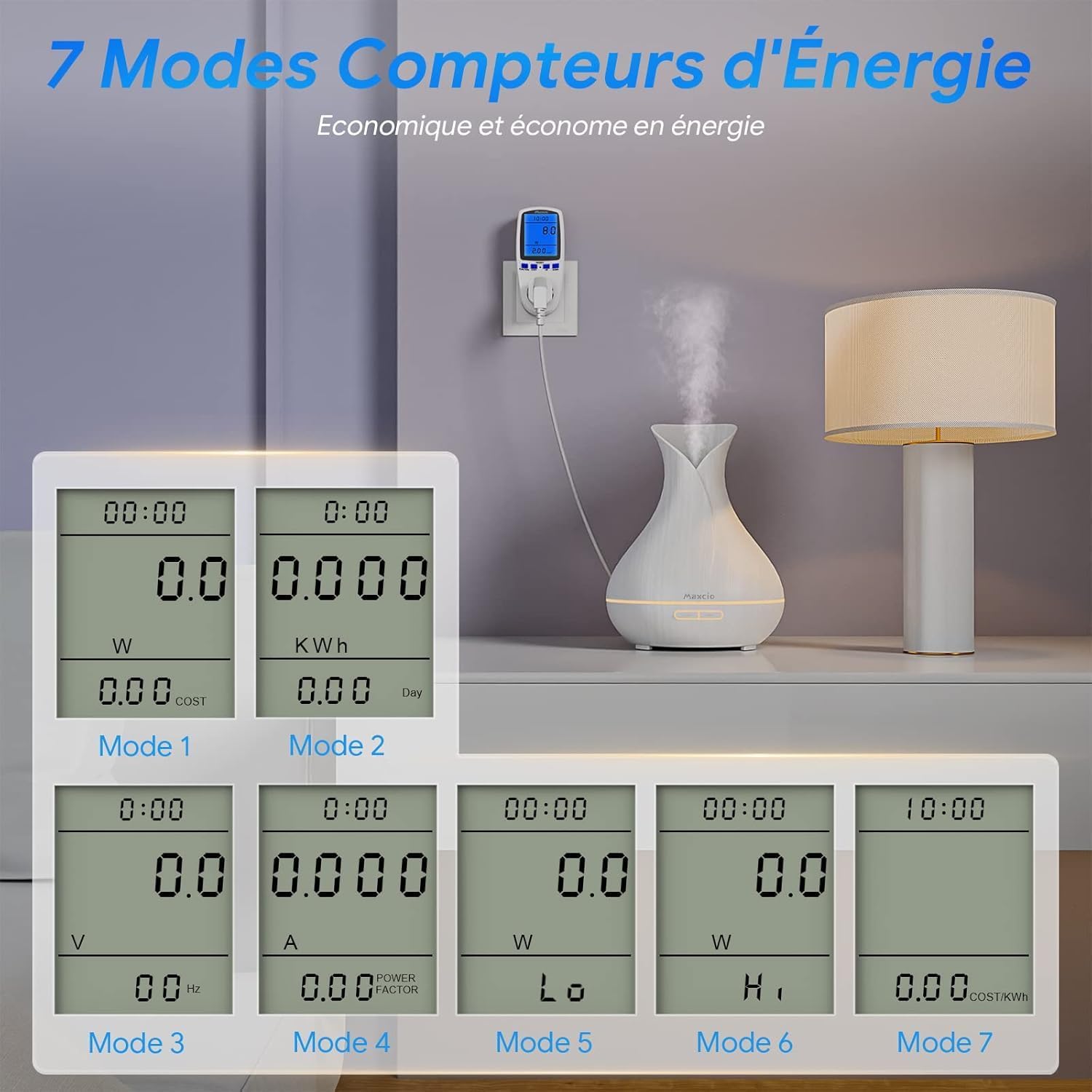
Image 3.1: Overview of the 7 measurement modes available on the LCD screen.

Image 3.2: The device provides comprehensive data including kWh, Amps, Volts, Watts, Power Factor, Cost, Total Time, Maximum Power, and Minimum Power.
3.2. Setting Electricity Cost
To accurately calculate electricity costs, you need to set the cost per kilowatt-hour (Cost/kWh):
- Press the COST button once. The current cost per kWh will flash.
- Use the UP and DOWN buttons to adjust the value.
- Press the COST button again to confirm the setting and move to the next digit, or press FUNCTION to exit the setting mode.

Image 3.3: Setting the electricity cost per kWh on the device.
3.3. Backlight Function
The LCD screen features a backlight for improved visibility, especially in low-light conditions. The backlight activates automatically when the device is plugged into the mains. Note that the backlight does not illuminate when the device is powered by its internal battery only.
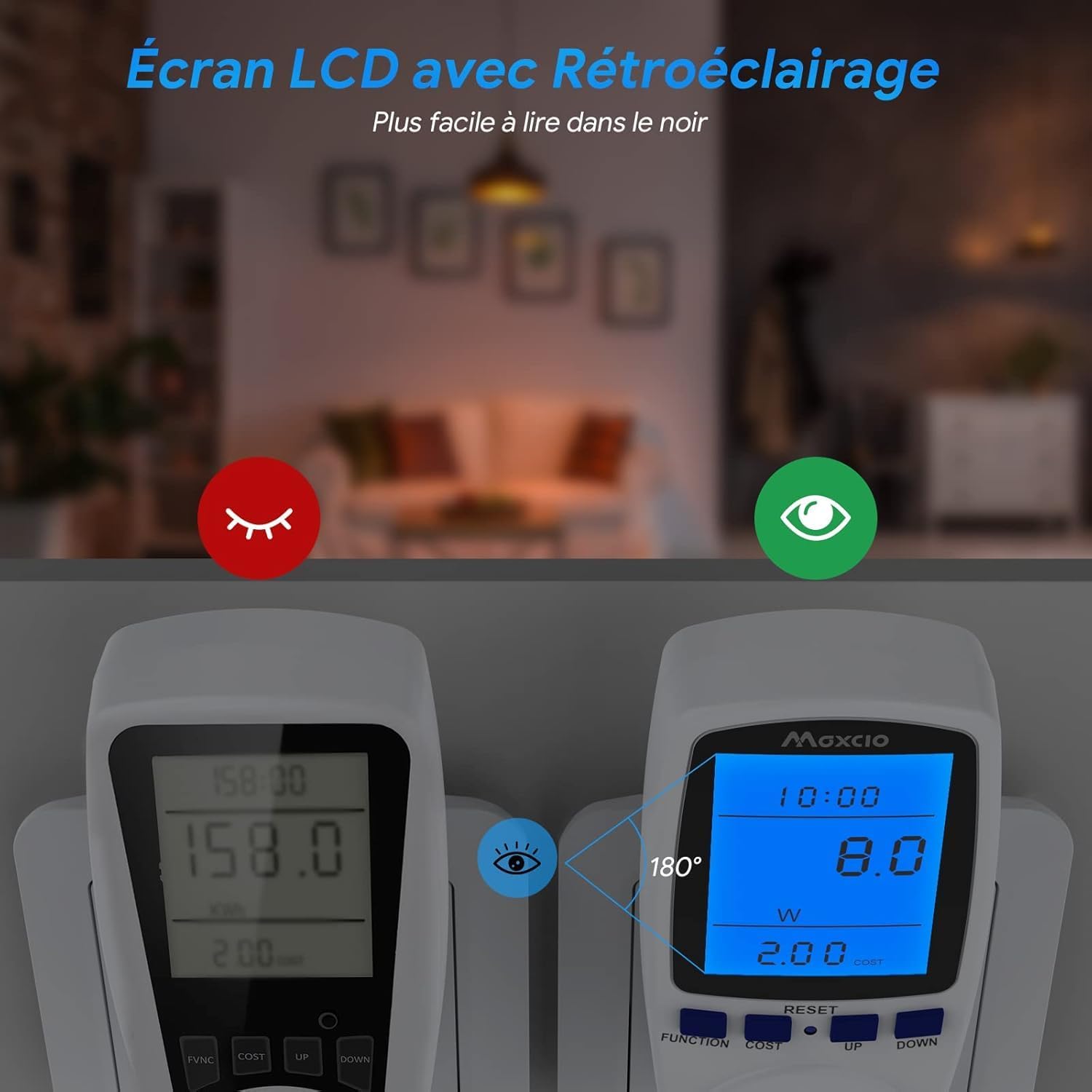
Image 3.4: The LCD screen with backlight provides clear readability.
4. Maintenance
The Maxcio Digital Energy Meter Plug requires minimal maintenance to ensure optimal performance and longevity.
- Cleaning: Wipe the device with a soft, dry cloth. Do not use abrasive cleaners or solvents.
- Data Retention: The device includes an integrated NiMH rechargeable battery. This battery ensures that recorded data is preserved even if the device is unplugged or experiences a power interruption. This feature helps prevent data loss and extends the operational life of the unit.
- Storage: Store the device in a cool, dry place away from direct sunlight and extreme temperatures when not in use.

Image 4.1: The data retention function, supported by an integrated rechargeable battery, prevents data loss.
5. Troubleshooting
- Overload Warning: If the total power drawn by the connected appliance exceeds the maximum rated power of 3680W, the LCD screen will flash and display "OVERLOAD". In this event, immediately disconnect the appliance to prevent potential damage to the meter or the appliance.
- Display Not Working: Ensure the device is securely plugged into a live wall outlet. If the screen remains blank, try plugging it into a different outlet.
- Resetting Data: To clear all recorded data and settings, locate the small reset hole on the device. Insert one of the provided reset pins (or a similar thin object) into the hole and press gently until the display resets.

Image 5.1: The 'OVERLOAD' warning indicates that the connected load exceeds 3680W.
6. Specifications
| Feature | Specification |
|---|---|
| Manufacturer | Maxcio |
| Model Number | PMB01 |
| Product Dimensions (L x W x H) | 7.29 x 7.01 x 15.49 cm |
| Weight | 240 grams |
| Voltage | 230 Volts |
| Maximum Power | 3680 Watts |
| Measurement Accuracy | ± 2% |
| Plug Type | French (Type C - Two round pins) |
| Certification | CE, RoHS |
| Special Features | Measure electricity and cost |
| Usage Environment | Indoor use only |
| Components Included | 1 power meter, 1 manual, 2 reset pins |
| Batteries Included | Yes (NiMH type) |
| UPC | 748323796094 |

Image 6.1: Physical dimensions of the Maxcio Digital Energy Meter Plug.
7. Warranty and Support
For any questions, technical assistance, or if you require a manual in French, please do not hesitate to contact the seller directly. Maxcio is committed to providing support for its products.
