
GLOBE SL-7313-03
GLOBE Doorbell Chime Kit User Manual
Model: SL-7313-03
Introduction
Thank you for choosing the GLOBE Doorbell Chime Kit. This kit provides a convenient and battery-free solution for your home's doorbell needs. Featuring a kinetic energy push button and a plug-in chime unit, it offers multiple melodies, adjustable volume, and a reliable wireless range. This manual will guide you through the installation, operation, and maintenance of your new doorbell system.
Package Contents
- 1 x Kinetic Doorbell Push Button
- 1 x Plug-in Doorbell Chime Unit
- Mounting Hardware (screws and double-sided tape)
- User Manual (this document)
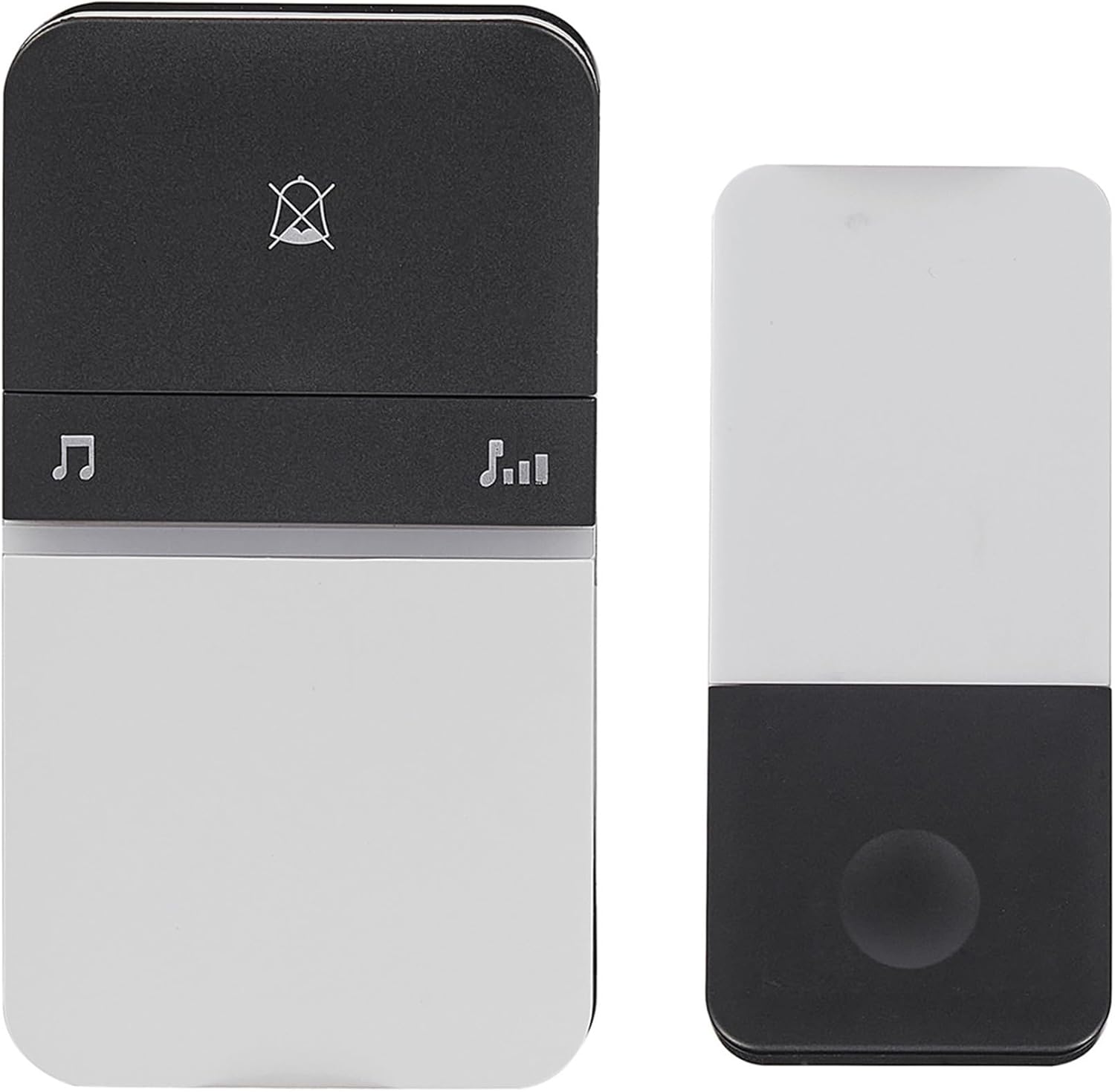
Image: The main components of the doorbell chime kit, showing the plug-in chime unit on the left and the kinetic push button on the right.
Setup and Installation
Follow these steps to set up your GLOBE Doorbell Chime Kit.
1. Install the Chime Unit
- Locate a standard wall socket within your desired listening area.
- Plug the doorbell chime unit directly into the wall socket. Ensure it is securely seated.

Image: The chime unit is shown plugged into a standard electrical wall outlet, indicating its plug-in design.
2. Test Range and Functionality
- Before permanent mounting, test the range of the doorbell button and chime.
- Press the doorbell button firmly. The chime unit should sound.
- Move the doorbell button to your intended installation location and test again to ensure it is within the 200 ft. transmission range.
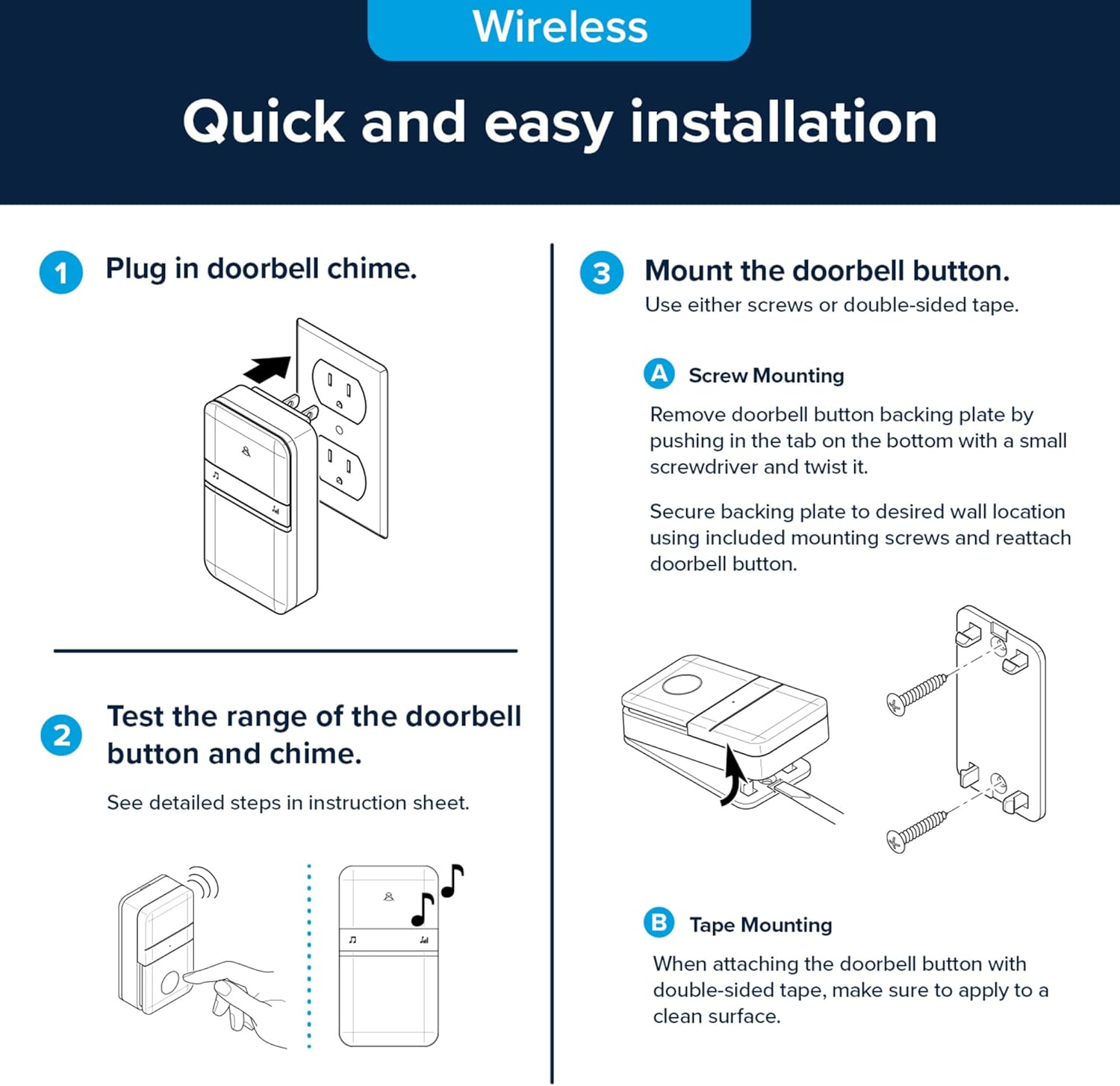
Image: An instructional diagram illustrating the three main steps for installation: plugging in the chime, testing the range, and mounting the button using either screws or tape.
3. Mount the Doorbell Button
The doorbell button can be mounted using either screws or double-sided tape.
A. Screw Mounting
- Remove the doorbell button backing plate by pushing in the tab on the bottom with a small screwdriver and twisting it.
- Secure the backing plate to the desired wall location using the included mounting screws.
- Reattach the doorbell button to the secured backing plate.
B. Tape Mounting
- When attaching the doorbell button with double-sided tape, ensure the surface is clean and dry for optimal adhesion.
- Apply the double-sided tape to the back of the doorbell button and firmly press it onto the desired wall location.
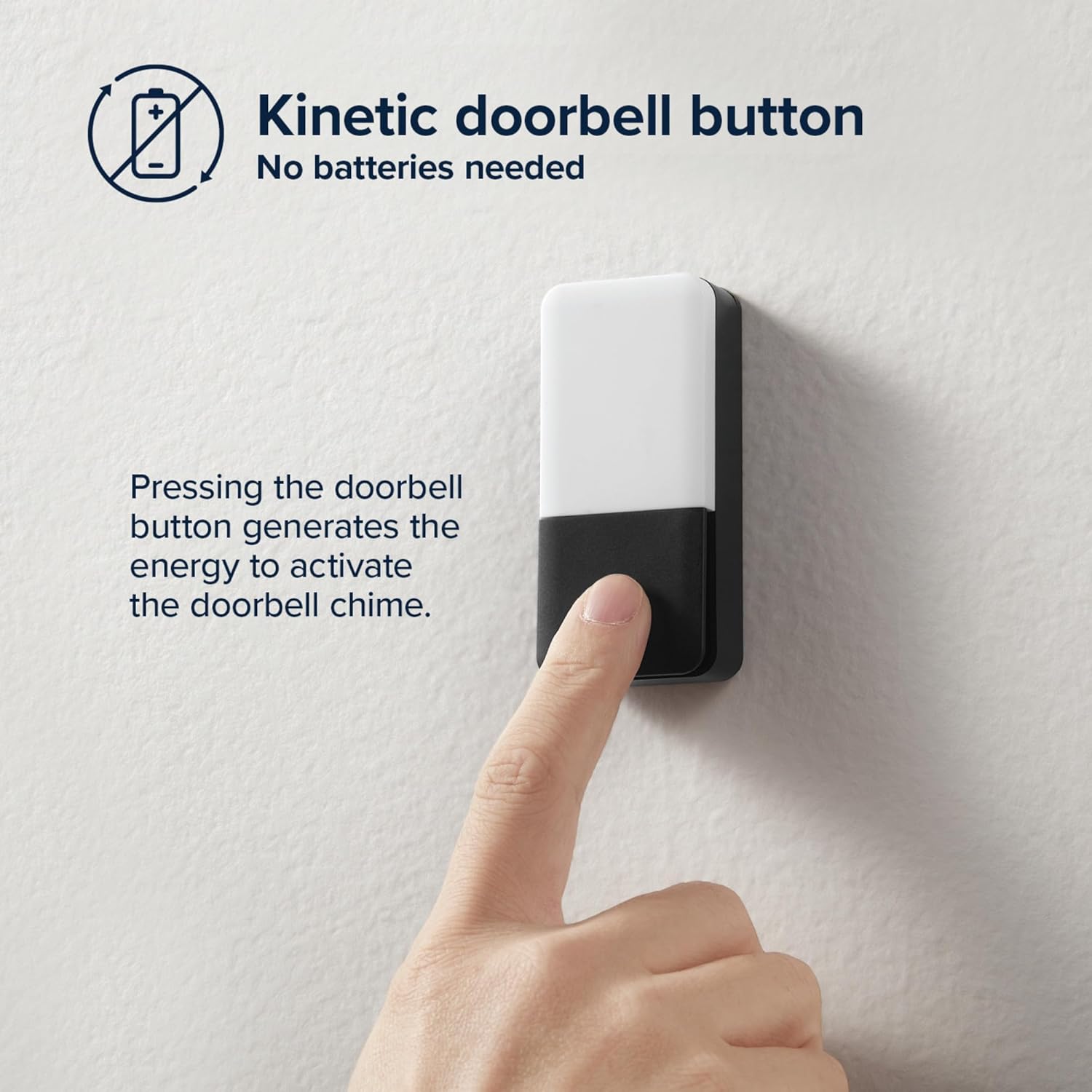
Image: A close-up of a finger pressing the kinetic doorbell button, highlighting its battery-free operation.
Operating Instructions
Kinetic Energy Operation
The doorbell push button operates on kinetic energy, meaning it generates its own power when pressed. No batteries are required for the push button.
Chime Selection
Your chime unit comes with multiple melody options. To cycle through the available chimes, press the musical note button (♫) on the chime unit. There are 10 melodies available, including:
- Auld Lang Syne
- Beethoven's Fifth
- Birthday Celebration
- Ding-Dong
- Relax Triplet
- Short Westminster
- Shorty
- We Wish You a Merry Christmas
- Westminster
- Huntington

Image: The chime unit with icons indicating 10 available melodies and a loudness meter showing up to 85dB output.
Volume Adjustment
To adjust the volume of the chime, press the volume icon button (🔊) on the chime unit. Cycle through the available volume levels to find your preferred setting. The chime can reach up to 85dB.
Mute Function
The chime unit includes a mute option. Press the mute button (bell with a cross through it) to silence the chime. Press it again to unmute.
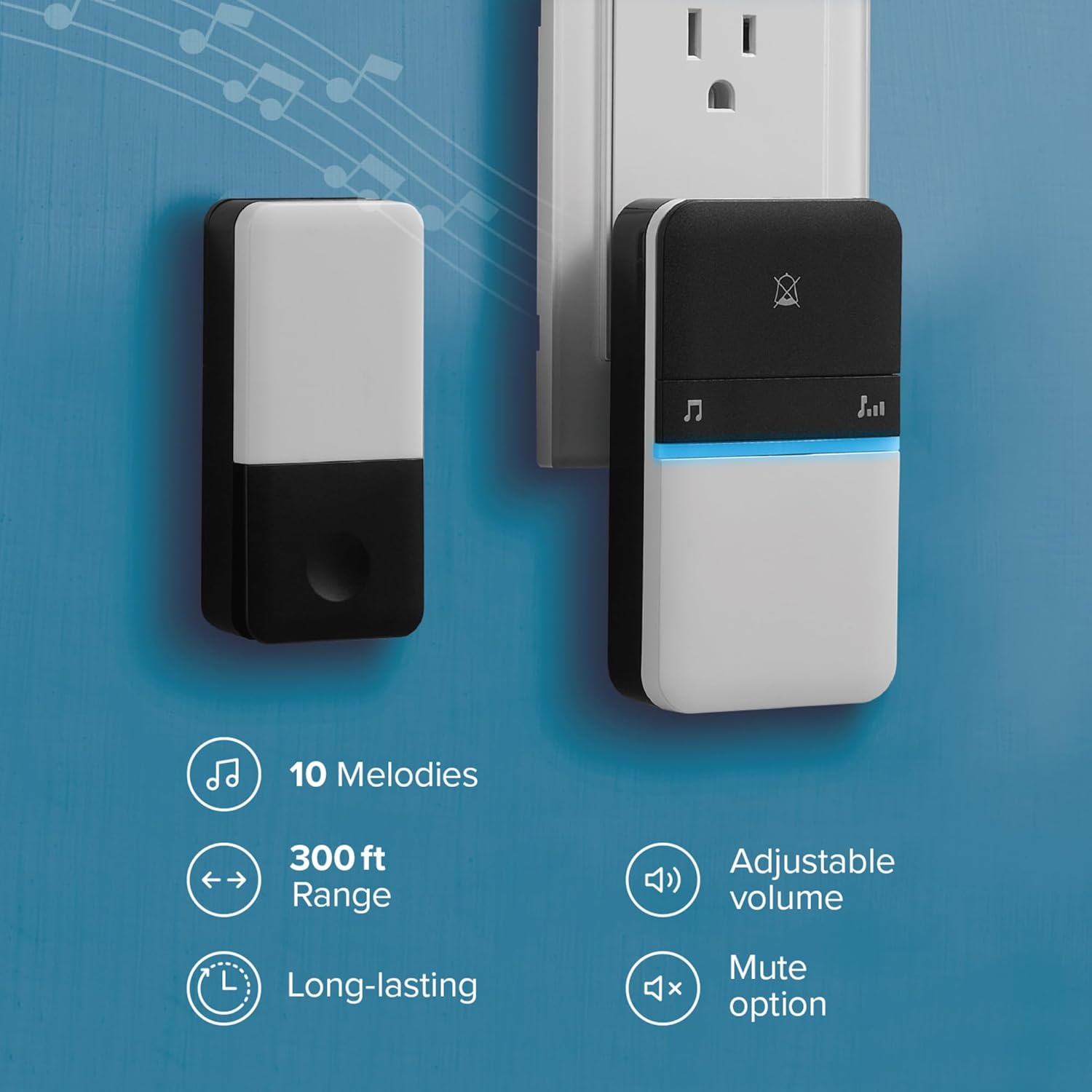
Image: A visual summary of the doorbell's key features, including the number of melodies, transmission range, adjustable volume, and mute function.
Maintenance
Your GLOBE Doorbell Chime Kit is designed for low maintenance. To ensure optimal performance:
- Cleaning: Wipe the chime unit and push button with a soft, dry cloth. Do not use abrasive cleaners or solvents.
- Placement: Ensure the chime unit is plugged into a stable wall socket and the push button is securely mounted. Avoid placing the chime unit near sources of strong electromagnetic interference.
Troubleshooting
| Problem | Possible Cause | Solution |
|---|---|---|
| Doorbell does not ring. |
|
|
| Chime volume is too low or too high. | Volume setting needs adjustment. | Press the volume icon button on the chime unit to cycle through volume levels. |
| Chime sound is not desired. | Incorrect melody selected. | Press the musical note button on the chime unit to cycle through the 10 available melodies. |
Specifications
| Feature | Detail |
|---|---|
| Model Number | SL-7313-03 |
| Brand | GLOBE (Heath Zenith) |
| Power Source (Chime) | Plug-in (Standard Wall Socket) |
| Power Source (Button) | Kinetic Energy (No Batteries Required) |
| Transmission Range | Up to 200 ft. (61 meters) |
| Number of Melodies | 10 |
| Max Loudness | Up to 85dB |
| Color | White and Black |
| Material | Plastic |
| Item Weight | 5.8 ounces (approx. 164 grams) |
| Product Dimensions (Chime) | Approx. 3.94 x 2.17 x 1.65 inches (10 x 5.51 x 4.2 cm) |
| Product Dimensions (Button) | Approx. 3.27 x 1.46 inches (8.3 x 3.72 cm) |
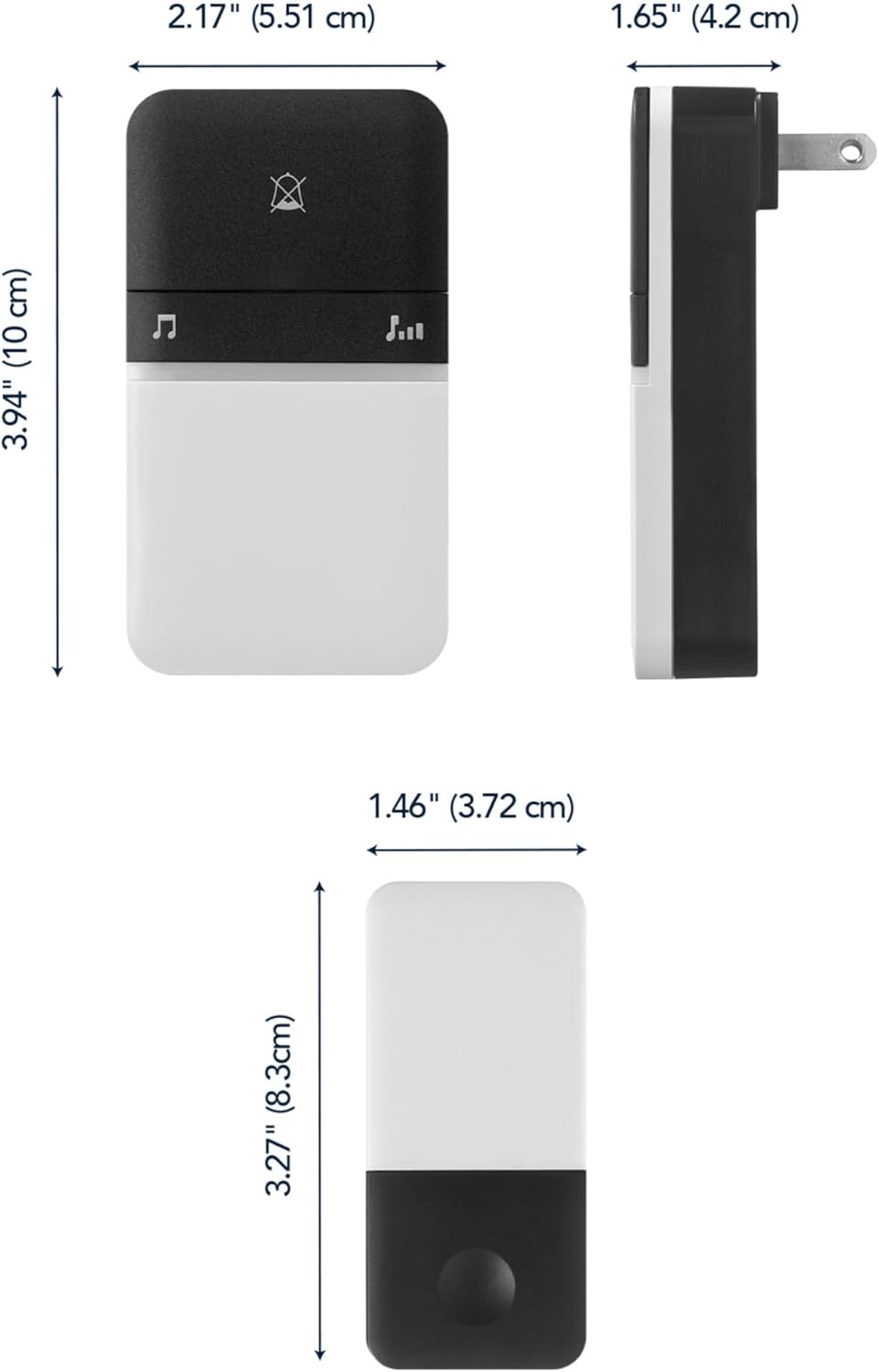
Image: Detailed dimensions of both the chime unit and the kinetic push button.
Warranty Information
This product comes with a manufacturer's warranty. For specific details regarding the warranty period and terms, please refer to the warranty card included in your product packaging or visit the official GLOBE Electric website. Please retain your proof of purchase for warranty claims.
Customer Support
If you encounter any issues or have questions not covered in this manual, please contact GLOBE Electric customer support. You can find contact information on their official website or through the retailer where you purchased the product.
For more information, visit the GLOBE Store on Amazon.
Ask a question about this manual
Ask about setup, troubleshooting, compatibility, parts, safety, or missing instructions. Manuals+ will review the question and use this page’s manual context to help answer it.