
1. Introduction
Thank you for choosing the Uzone FM100-4P Wireless Bluetooth Digital Meat Thermometer. This device is designed to provide accurate temperature monitoring for various cooking applications, including grilling, smoking, roasting, and oven use. With its advanced Bluetooth 5.0 technology and smart app control, you can monitor your food's temperature from a distance, ensuring perfectly cooked results every time.
2. Package Contents
Please ensure all items are present in your package:
- 1 x Uzone BBQ Meat Thermometer Unit
- 4 x Stainless Steel Probes with Holders
- 2 x Meat Claws
- 2 x AA Batteries
- 1 x User Manual
3. Setup
3.1 Installing Batteries
- Locate the battery compartment on the back of the thermometer unit.
- Open the battery compartment cover.
- Insert the 2 AA batteries, ensuring correct polarity (+/-).
- Close the battery compartment cover securely.
3.2 Downloading the App
The Uzone FM100-4P thermometer operates with a dedicated smartphone application. Search for "Digital BBQ" in your device's app store.
- For iOS devices: Download from the Apple App Store.
- For Android devices: Download from the Google Play Store.
Supported devices: iPhone 4S and later models; iPod touch 5th generation and later; all iPad mini; Android 4.3 and later models with Bluetooth 4.0.

Image: The "Digital BBQ" app interface on a smartphone, displaying options for meat type selection, preset temperature settings, alarm notifications, preset cooking times, and temperature data graphs. This image illustrates the app's remote monitoring capabilities.
3.3 Connecting Probes
The thermometer unit supports up to 6 probes, and comes with 4. Each probe has a colored indicator. Insert the probe's jack into the corresponding numbered port on the thermometer unit. Ensure a firm connection.

Image: The Uzone FM100-4P thermometer unit with four colored probes connected. A smartphone screen in the background shows the "Probe Plus" app, displaying current temperature readings for three active probes, illustrating the device's multi-probe monitoring capability.
3.4 Pairing with Your Smartphone
- Turn on the Uzone thermometer unit.
- Enable Bluetooth on your smartphone.
- Open the "Digital BBQ" app. The app will automatically search for and connect to the thermometer.
- Once connected, the app will display the current temperatures from the inserted probes.
4. Operating Instructions
4.1 Placing the Thermometer and Probes
The thermometer unit features a strong built-in magnet, allowing it to be attached to metal surfaces like an oven or BBQ. It can also be hung on a wall or placed on a table using its integrated stand.
- Insert the stainless steel probe into the thickest part of the meat, avoiding bone or gristle.
- Ensure the probe cable is not directly exposed to flames or extreme heat that exceeds its temperature resistance (up to 380°C / 716°F for the probe tip, cable up to 300°C / 572°F).

Image: A composite image demonstrating the versatile placement options for the Uzone thermometer. It shows the unit magnetically attached to an oven, hung on a wall via a keyhole slot, and standing upright on a table, highlighting its adaptability in various cooking environments.
4.2 Using the "Digital BBQ" App
The app provides comprehensive control and monitoring features:
- Preset Temperatures: The app includes preset temperatures for 11 types of meat and 5 doneness levels (e.g., Rare, Medium Rare, Medium, Medium Well, Well). Select the desired meat type and doneness, and the app will automatically set the target temperature.
- Custom Temperature Settings: You can also set your own custom target temperatures for specific recipes or preferences.
- Real-time Monitoring: View current temperatures for all connected probes in real-time on your smartphone.
- Alarms: The app will trigger an alarm on your phone and the thermometer unit when the target temperature is reached.
- Timers: Utilize the timer functions to manage different meats cooking at varying rates.
- Data Graph: Monitor temperature trends over time with the integrated data graph feature.

Image: The "Digital BBQ" app interface on a smartphone, showing a selection of meat types (Beef, Poultry, Pork, Lamb, Seafood, Custom) and five doneness levels (Rare, Medium Rare, Medium, Medium Well, Well) with their recommended internal temperatures. This illustrates the app's guided cooking features.
4.3 Bluetooth Range
The thermometer utilizes Bluetooth 5.0 for a stable connection up to 100 meters (328 feet) in open areas. Environmental factors such as walls and interference may reduce this range.
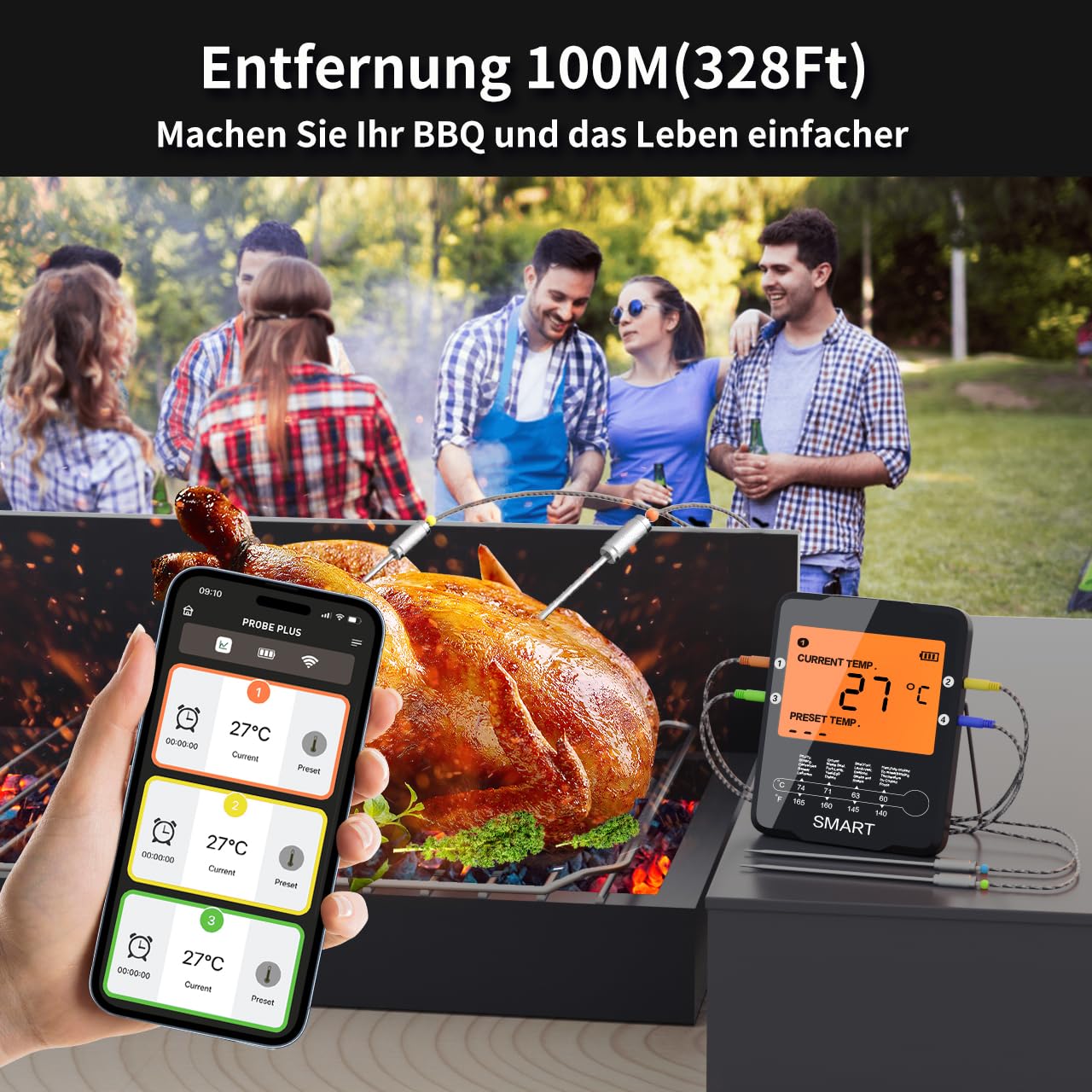
Image: A scene depicting people enjoying a barbecue, with the Uzone thermometer unit placed near a grill. A smartphone in the foreground displays the "Probe Plus" app, indicating remote monitoring from a distance of up to 100 meters (328 feet), emphasizing the extended Bluetooth range.
4.4 Power Saving Mode
To conserve battery life, the thermometer's display will automatically turn off if no operation is performed for 3 minutes. The Bluetooth connection and app monitoring will remain active.
5. Maintenance
5.1 Cleaning the Probes
After each use, clean the stainless steel probes with warm soapy water. Wipe them thoroughly with a cloth. Do not immerse the probe cables or the main thermometer unit in water. The probe tips are waterproof, but the connection points and main unit are not.

Image: A close-up view of the four high-quality stainless steel probes with their coiled cables and colored ceramic balls. This image highlights the durable construction of the probes, designed for accurate and immediate temperature readings.
5.2 Cleaning the Main Unit
Wipe the main unit with a damp cloth. Do not use abrasive cleaners or submerge the unit in water.
5.3 Storage
Store the thermometer and probes in a clean, dry place when not in use. Remove batteries if storing for extended periods to prevent leakage.
6. Troubleshooting
6.1 No Power / Display Off
- Check if the batteries are inserted correctly with the correct polarity.
- Replace with new AA batteries.
- Ensure the unit is turned on.
6.2 Bluetooth Connection Issues
- Ensure Bluetooth is enabled on your smartphone.
- Make sure the thermometer unit is within the 100m (328ft) range and there are no significant obstructions.
- Restart the "Digital BBQ" app and the thermometer unit.
- If issues persist, try unpairing and re-pairing the device in your phone's Bluetooth settings.
6.3 Inaccurate Temperature Readings
- Ensure the probe is fully inserted into the thickest part of the meat, away from bone or gristle.
- Check if the probe cable is damaged.
- Verify that the probe is securely plugged into the thermometer unit.
- Test the probe in boiling water (100°C / 212°F) or ice water (0°C / 32°F) to check its calibration.
6.4 App Not Responding
- Close and reopen the app.
- Ensure your smartphone's operating system is up to date.
- Check for app updates in your app store.
7. Specifications
| Model Number | FM100-4P |
| Temperature Range | 0°C ~ 380°C (32°F ~ 716°F) |
| Display | LCD Screen & Smartphone App |
| Probe Cable Length | 1 meter (3.28 feet) |
| Probe Material | Food-grade 304 Stainless Steel |
| Connectivity | Bluetooth 5.0 |
| Wireless Range | Up to 100 meters (328 feet) (open area) |
| Power Source | 2 x AA Batteries |
| Dimensions (L x W x H) | 10.45 x 7.93 x 2.55 cm (4.11 x 3.12 x 1.00 inches) |
| Weight | 270 grams (0.6 lbs) |
| Measurement Accuracy | ±1°C / ±1.8°F |
| Response Time | 3-5 seconds |
| Certifications | CE, FCC, FDA, WEEE |
8. Warranty & Support
For warranty information and customer support, please refer to the contact details provided with your purchase or visit the official Uzone website. Keep your proof of purchase for warranty claims.