
Introduction
The Baby Jogger City Mini GT2 Double Stroller offers exceptional agility and comfort for two children across various terrains. Featuring forever-air rubber tires and all-wheel suspension, this stroller ensures a smooth ride. Its lightweight design allows it to fit through standard doorways and offers a convenient one-step, in-seat fold for easy storage and transport. Adjustable calf supports, near-flat reclining seats, an adjustable handlebar, and a hand-operated parking brake enhance both child comfort and parent convenience. Full-coverage UV 50 canopies with peekaboo windows provide shade and visibility. This stroller is compatible with various infant car seats and accessories (sold separately) to create a versatile travel system.
Safety Information
WARNING:
- Never carry additional children, goods, or accessories on or in this product except as recommended in the instructions.
- The product may become unstable if a parcel bag, accessory, or other item not supplied by the manufacturer is used. Do not hang bags from the handlebar.
- Always keep fingers and children away from moving parts when folding, unfolding, or adjusting the stroller to prevent possible injury from entrapment or pinching.
- Ensure all locking mechanisms are engaged before placing children in the stroller.
- Always use the harness system to secure children in the seats.
What's in the Box
Your Baby Jogger City Mini GT2 Double Stroller package includes:
- Stroller frame with attached seat fabric
- Forever-air rubber tires (pre-installed)
- All-wheel suspension system (integrated)
- Easy-to-clean wheels (pre-installed)
Setup
Unfolding the Stroller
- Place the folded stroller on a flat surface.
- Locate the side latch that secures the stroller in its folded position. Release this latch.
- Lift the handlebar firmly until the stroller frame locks into its open position. Ensure both seats are fully extended and locked.
Adjusting the Handlebar
- Locate the adjustment buttons on either side of the handlebar.
- Press and hold these buttons simultaneously.
- Adjust the handlebar to your desired height. Release the buttons to lock the handlebar in place.

Image: Adjusting the handlebar for comfortable pushing.
Operating
Securing Children in the Harness
- Place your child in the seat.
- Fasten the 5-point harness by connecting the shoulder straps to the waist straps, then inserting the buckles into the central buckle until they click.
- Adjust the straps to ensure a snug and secure fit without being too tight.
Adjusting Seat Recline
Each seat reclines independently to a near-flat position for your child's comfort, especially during naps.
- Locate the recline strap and buckle at the back of each seat.
- To recline, squeeze the buckle and slide the strap to lengthen it, allowing the seat back to lower.
- To raise the seat, pull the strap to shorten it, lifting the seat back to an upright position.
Canopy Operation
The UV 50+ canopies provide full coverage and feature magnetic peekaboo windows for easy viewing of your children.
- Extend or retract the canopy by pushing or pulling the front edge.
- To use the peekaboo window, lift the magnetic flap on top of the canopy.

Image: Extended UV 50+ canopies providing shade.

Image: Magnetic peekaboo window for checking on children.
Using the Hand-Operated Parking Brake
The hand-operated parking brake is located on the handlebar for quick and easy access.
- To engage the brake, pull the lever towards the handlebar until it locks.
- To release the brake, push the lever away from the handlebar.
Storage Basket
The extra-large storage basket is located beneath the seats. It can be accessed from the rear and also features a front access panel for convenience.
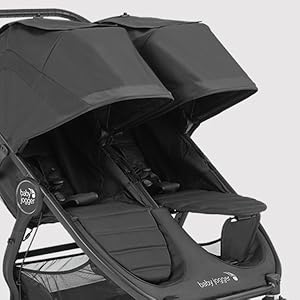
Image: Overview of stroller features, including the large storage basket.
Creating a Travel System
The City Mini GT2 Double Stroller is compatible with Britax, Cybex, Graco, and Maxi Cosi infant car seats using appropriate adapters (sold separately). It can also be customized with a pram, glider board, belly bar, or parent console (sold separately).

Image: Infant car seat attached to the stroller, demonstrating travel system capability.
Video: Official product overview of the Baby Jogger City Mini GT2 Double Stroller, showcasing its features and ease of use.
Maintenance
Cleaning Instructions
- Seat Fabric: The seat fabric is machine-washable. Use a gentle cycle with cold water. Do not bleach. Air dry only.
- Wheels: The wheels are easy-to-clean. Wipe with a damp cloth and mild soap. Ensure no debris is caught in the wheel mechanisms.
- Frame: Wipe the frame with a soft, damp cloth. Avoid harsh chemicals.
Storage
When not in use, fold the stroller using the one-step, in-seat fold mechanism and store it in a dry, cool place away from direct sunlight.
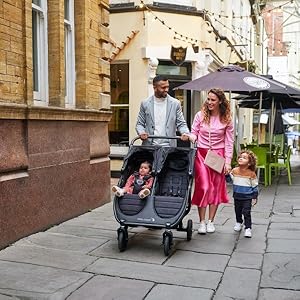
Image: Quick, compact fold for easy storage and transport.
Troubleshooting
Stroller is difficult to push or steer:
- Check that the front wheels are unlocked for swivel mode if navigating tight spaces.
- Ensure tires are free of debris and rotating smoothly.
- Verify that the all-wheel suspension is functioning correctly.
Stroller does not fold properly:
- Ensure both seat backs are in an upright position.
- Check that the one-step fold straps are accessible and not obstructed.
- Make sure the handlebar is in its lowest position if necessary for folding.
Specifications
| Feature | Detail |
|---|---|
| Item Weight | 36.5 Pounds |
| Folded Size | 31.5D x 10.2W x 40.2H inches |
| Item Dimensions (L x W x H) | 40.7"L x 29.25"W x 42.25"H |
| Stroller Seat Weight Capacity | 50 Pounds per seat |
| Basket Weight Capacity Maximum | 50 Pounds |
| Back Wheel Diameter | 12 Inches |
| Front Wheel Diameter | 8.5 Inches |
| Harness Type | 5 Point |
| Seating Capacity | 2 |
| Material Type | Rubber, Polyester, Metal |
| Color | Black |
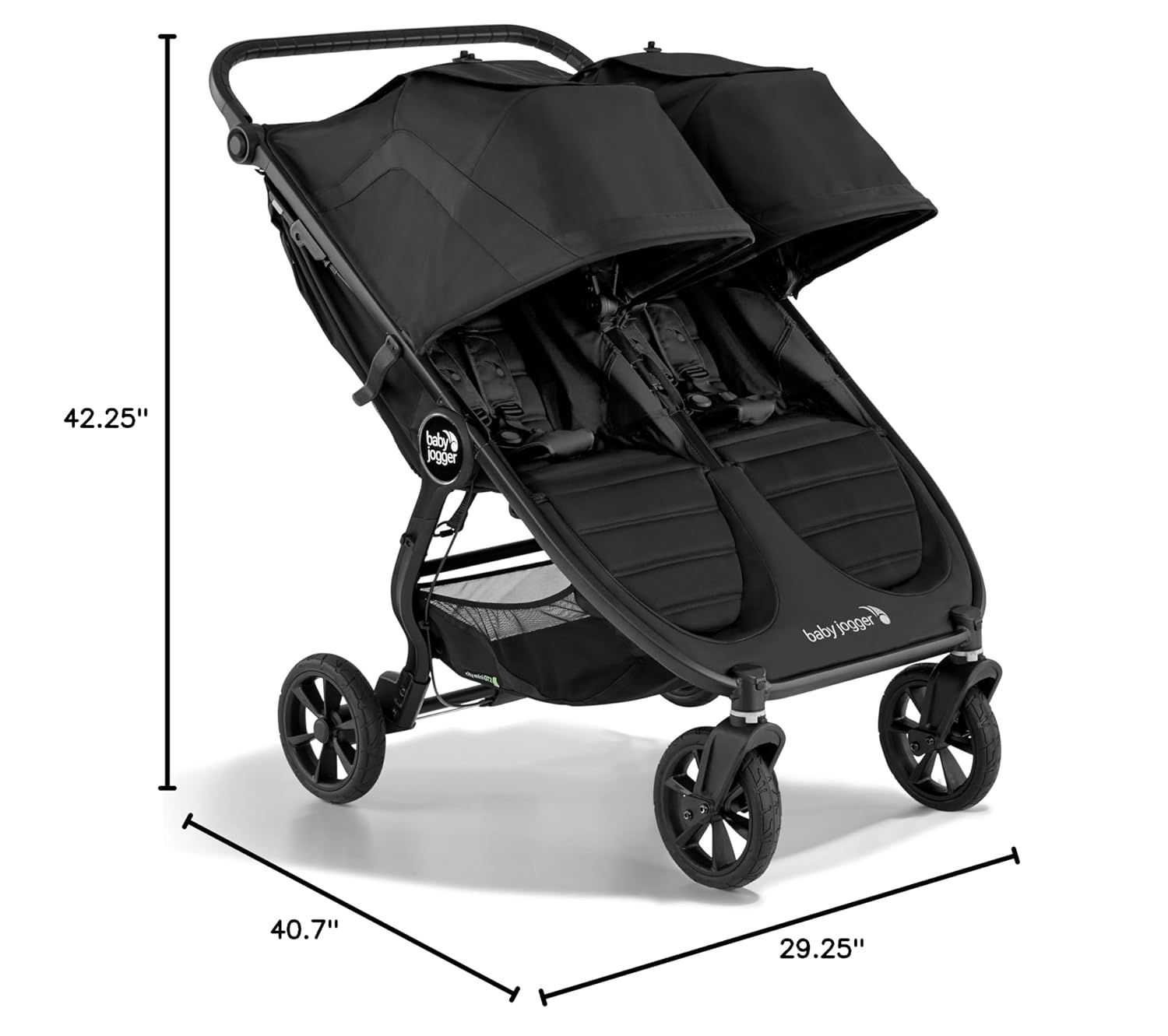
Image: Stroller dimensions for reference.
Warranty & Support
Manufacturer's Warranty
The Baby Jogger City Mini GT2 Double Stroller comes with a limited lifetime manufacturer's warranty on the frame. This warranty covers defects and issues for the entire lifespan of the stroller. For specific details on coverage, claims, and conditions, please refer to the official Baby Jogger website or contact their customer support.
Customer Support
For further assistance, troubleshooting, or to inquire about accessories, please visit the official Baby Jogger website or contact their customer service department.


