
1. Product Overview
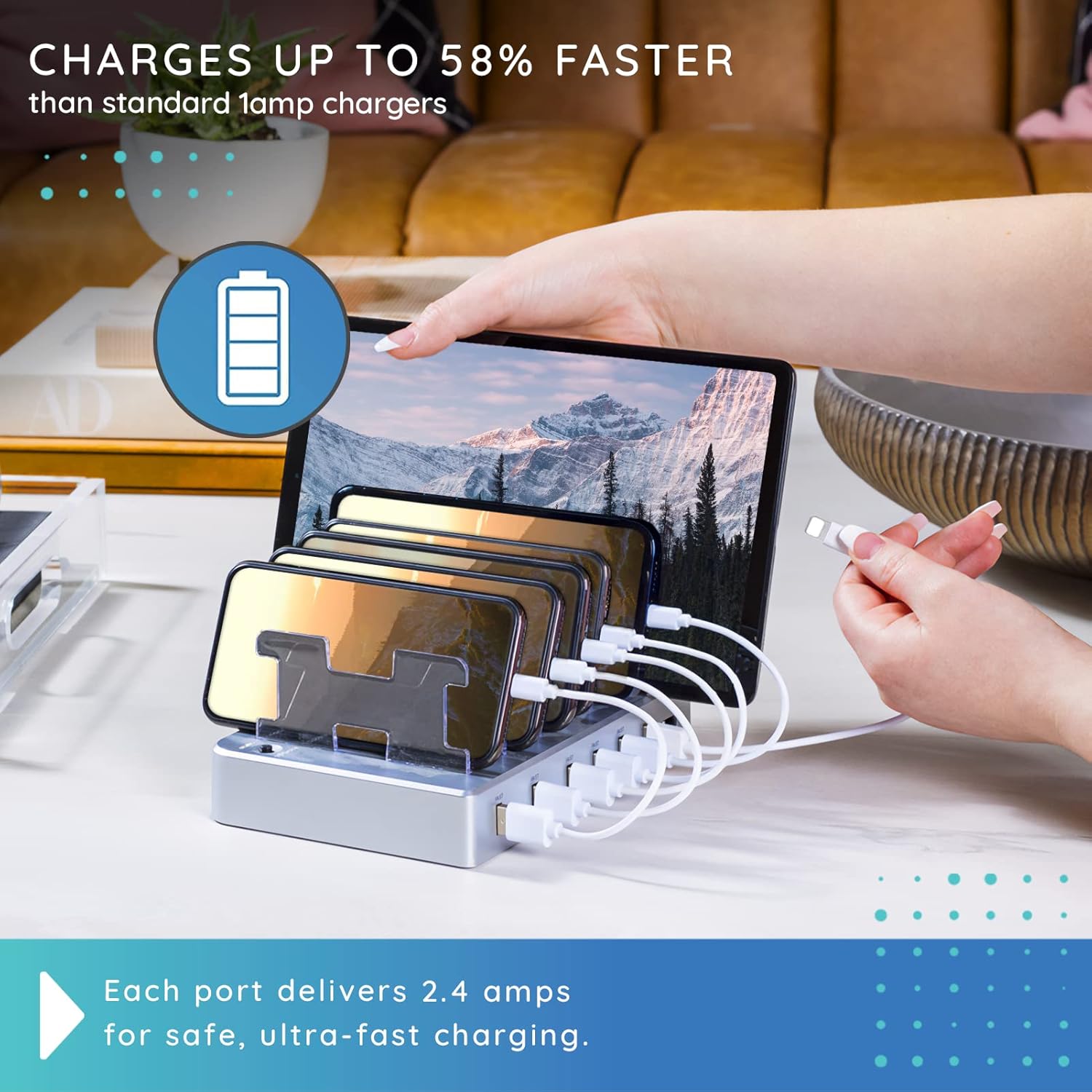
The Hercules Tuff 6-Port USB Fast Charging Station is designed to efficiently charge multiple electronic devices simultaneously. It features six USB ports, providing fast charging capabilities for various smartphones, tablets, and other USB-powered gadgets. This station helps organize your charging area by consolidating multiple devices into one central location.
Key Features:
- Six USB fast charging ports for multiple devices.
- Compatible with a wide range of devices including cell phones, smartphones, and tablets.
- Delivers up to 2.4 amps per port for fast and smart charging, up to 58% faster than standard 1-amp chargers.
- Built-in overvoltage and overcharge protection for device safety.
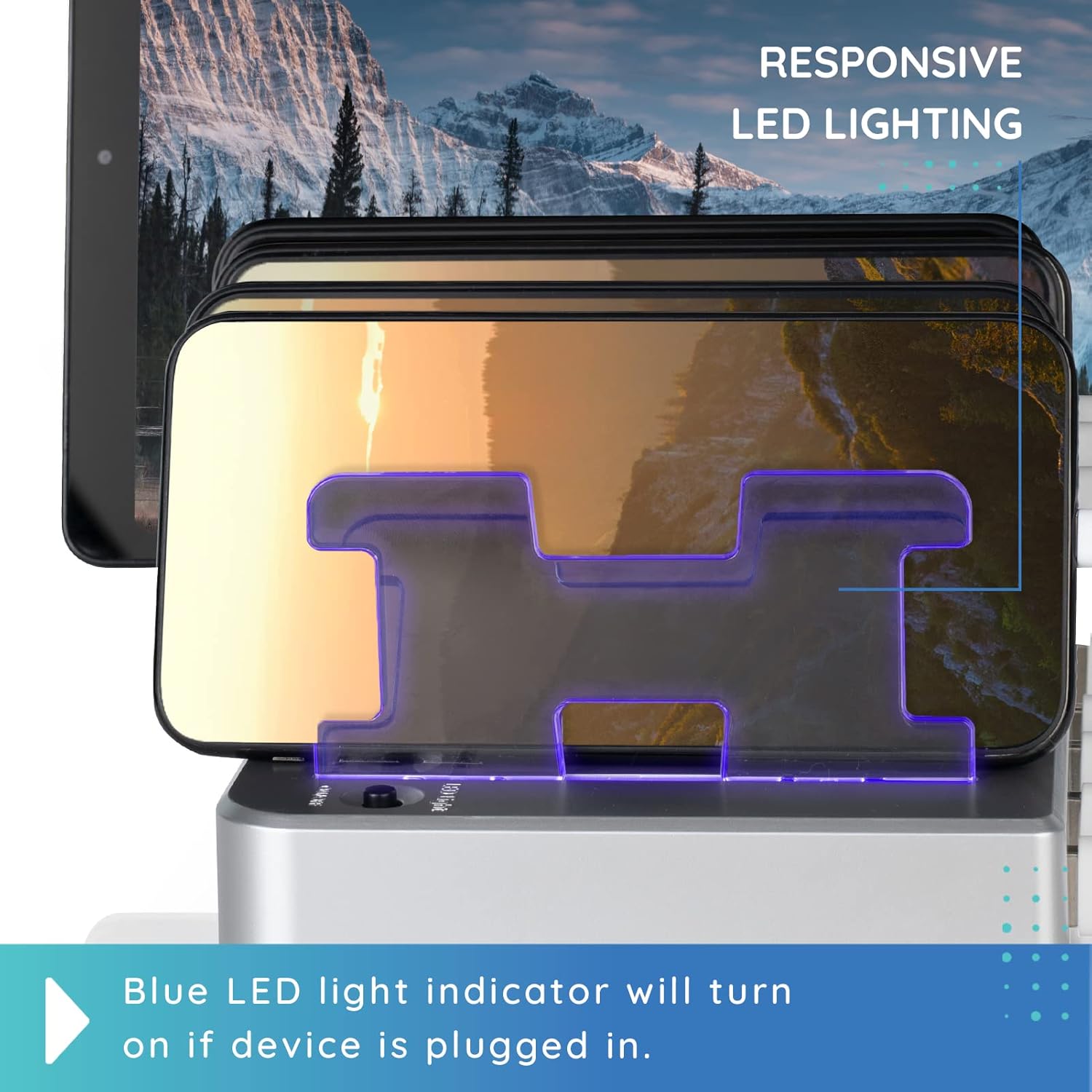
- Responsive LED lighting indicates charging status, turning off when charging is complete.
- Adjustable dividers accommodate various device sizes and cases.

This charging station is ideal for use in homes, offices, schools, and other environments where multiple devices require charging and organization.
2. Package Contents
Upon unpacking your Hercules Tuff 6-Port USB Fast Charging Station, please ensure all the following items are present:
- 1 x Hercules Tuff 6-Port USB Fast Charging Station
- 1 x Power Cord
- 7 x Removable Dividers
- 6 x Short Charging Cables (typically a mix of Lightning, USB-C, and Micro USB)

3. Setup Instructions
Follow these steps to set up your charging station:
- Unpack the Station: Carefully remove all components from the packaging.
- Insert Dividers: Place the clear plastic dividers into the designated slots on the charging station. These dividers help separate and secure your devices during charging.
- Connect Power: Plug the provided power cord into the power input port on the back of the charging station, then plug the other end into a standard wall outlet.
- Organize Cables: Connect the short charging cables to the USB ports on the front of the station. Route the cables neatly between the dividers.

Your charging station is now ready for use.
4. Operating Instructions
Using your Hercules Tuff 6-Port USB Fast Charging Station is straightforward:
- Power On: Ensure the charging station is plugged into a power outlet. Some models may have a power switch; if so, turn it on.
- Place Devices: Position your smartphones, tablets, or other devices upright between the dividers.
- Connect Devices: Plug the appropriate charging cable into your device's charging port.
- Monitor Charging: The responsive LED lighting on the dividers will illuminate when a device is connected and charging. The light will turn off once the device is fully charged.
- Remove Devices: Once charging is complete, safely disconnect your device and remove it from the station.
Video Demonstration:
5. Safety Information
To ensure safe operation and prevent damage to the device or personal injury, please observe the following safety guidelines:
- Do not expose the charging station to water or excessive moisture.
- Avoid placing the unit near heat sources or in direct sunlight.
- Do not attempt to disassemble or modify the charging station. This will void the warranty and may cause damage or injury.
- Use only the provided power cord and compatible charging cables.
- Keep out of reach of children and pets.
- Unplug the unit from the power outlet when not in use for extended periods.
6. Maintenance
Proper maintenance will extend the life of your charging station:
- Cleaning: Disconnect the power cord before cleaning. Use a soft, dry cloth to wipe the exterior of the unit. Do not use liquid cleaners or abrasive materials.
- Storage: Store the charging station in a cool, dry place when not in use.
- Cable Management: Regularly check charging cables for any signs of wear or damage. Replace damaged cables immediately to prevent potential hazards.
7. Troubleshooting
If you encounter any issues with your charging station, please refer to the following table:
| Problem | Possible Cause | Solution |
|---|---|---|
| Device not charging | Loose cable connection; Faulty cable; Power not connected; Old/incompatible cable. | Ensure cables are securely plugged in. Try a different cable. Verify the power cord is connected to the outlet and station. Use modern, compatible USB cables. |
| LED indicator not lighting up | Device not connected properly; Charging complete; Unit not powered on. | Check device connection. If device is fully charged, LED will turn off. Ensure the power switch (if present) is on and the unit is plugged in. |
| Slow charging speed | Device requires higher amperage; Cable quality; Multiple devices drawing power. | Ensure your device is compatible with fast charging. Use high-quality, short cables. Charging multiple devices simultaneously may slightly reduce individual port speed. |
8. Specifications
| Feature | Detail |
|---|---|
| Brand | Hercules Tuff |
| Model | 6 USB Fast Ports Charging Station |
| Color | Silver |
| Total USB Ports | 6 |
| Input Voltage | 110 Volts |
| Amperage | 2 Amps (per port, for fast charging) |
| Item Weight | 1.63 pounds |
| Package Dimensions | 9.09 x 6.5 x 2.44 inches |
| Compatible Devices | iPhone 5c, 5s, 6, 6 Plus, 6s, 6s Plus, SE (1st, 2nd, 3rd), 7, 7 Plus, 8, 8 Plus, X, XR, XS, XS Max, 11, 11 Pro, 11 Pro Max, 12, 12 Mini, 12 Pro, 12 Pro Max, 13, 13 Mini, 13 Pro, 13 Pro Max; iPad Pro 1st-5th gen, iPad Air, Air 2, Air 3rd-5th gen, iPad mini, mini 2, mini 3, mini 4, mini 5th gen, mini 6th gen, iPad 4th gen; iPod Touch 5th gen, iPod nano 7th gen; Samsung Galaxy S21, S20, S10; and other compatible smartphones and tablets. |
9. Warranty and Support
Hercules Tuff products are manufactured with quality and reliability in mind. For specific warranty details regarding your 6-Port USB Fast Charging Station, please refer to the warranty card included in your product packaging or visit the official Hercules Tuff website.
If you require technical assistance, have questions about product operation, or need to report an issue, please contact Hercules Tuff customer support through their official channels. Contact information can typically be found on the product packaging or the manufacturer's website.