
Introduction
This manual provides essential information for the safe and efficient use of your iWALK 4500mAh Ultra-Compact Portable Charger. Please read thoroughly before operation.
The iWALK DBL4500L is a compact 4500mAh power bank designed for on-the-go charging of compatible Apple devices. It features a built-in Lightning connector and a USB-C input for recharging the power bank itself.
Package Contents
- 1x iWALK 4500mAh Portable Power Bank
- 1x USB-C Charging Cable
- 1x User Manual
Product Overview
The iWALK DBL4500L is designed for portability and ease of use. It features a direct-plug Lightning connector for iPhones and an LED indicator to show remaining battery capacity.

Image description: A white iWALK portable charger directly plugged into the charging port of a smartphone, displaying its compact design.
Setup
Initial Charging of the Power Bank
Before first use, fully charge your iWALK portable charger.
- Connect the provided USB-C cable to the USB-C input port on the side of the iWALK power bank.
- Connect the other end of the USB-C cable to a compatible USB power adapter (not included).
- The LED indicator on the power bank will display the charging progress. Once fully charged, the indicator will show 100%.

Image description: A white iWALK portable charger with a USB-C cable plugged into its input port, indicating it is being recharged.
Operating Instructions
Charging Your iPhone
- Ensure the iWALK portable charger is sufficiently charged.
- Align the built-in Lightning connector of the power bank with the charging port of your iPhone.
- Gently push the power bank onto your iPhone's charging port until it is securely connected.
- Your iPhone should begin charging automatically. The LED indicator on the power bank will show its remaining charge.
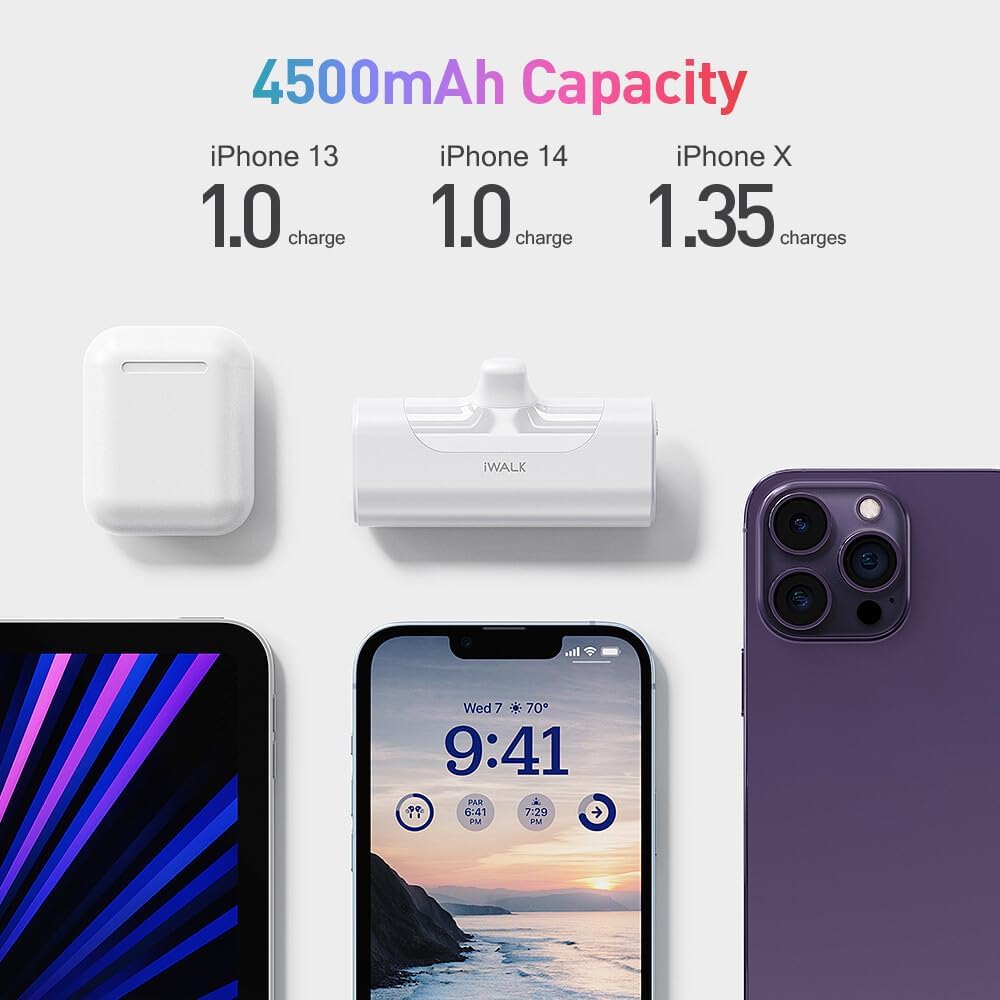
Image description: A white iWALK portable charger securely connected to an iPhone, with the phone screen displaying charging status.
Checking Battery Level
Press the small button on the side of the power bank to activate the LED display, which shows the remaining battery percentage.

Image description: A person holding an iPhone with the iWALK portable charger attached, demonstrating how the device can be used while charging.
Compatibility
Compatible Devices
- iPhone 14/14 Plus/14 Pro/14 Pro Max
- iPhone 13/13 Mini/13 Pro/13 Pro Max
- iPhone 12/12 Mini/12 Pro/12 Pro Max
- iPhone 11/11 Pro/11 Pro Max
- iPhone XS/XS Max/XR/X
- iPhone SE (2nd generation)
- iPhone 8/7/6/6S
Maintenance
Care and Storage
- Keep the device dry. Do not expose it to moisture or extreme temperatures.
- Clean with a soft, dry cloth. Avoid harsh chemicals.
- Store in a cool, dry place when not in use.
- Avoid dropping or subjecting the device to strong impacts.
Troubleshooting
Common Issues
Device not charging:
- Ensure the power bank is fully charged.
- Verify the Lightning connector is securely inserted into your iPhone.
- Check for any debris in the iPhone's charging port or the power bank's connector.
- If using a phone case, ensure it does not obstruct the connection. The power bank is designed to support thicker cases, but some may still interfere.
Power bank not recharging:
- Ensure the USB-C cable is properly connected to both the power bank and the power adapter.
- Try a different USB-C cable or power adapter.
LED indicator not working:
- Press the power button to activate the display.
- If the issue persists, the power bank may be fully discharged or require service.
Specifications
Technical Specifications
| Feature | Detail |
|---|---|
| Brand | iWALK |
| Model | DBL4500L |
| Battery Capacity | 4500 Milliamp Hours |
| Battery Cell Composition | Lithium Ion |
| Connector Type | Lightning (Output), USB-C (Input) |
| Special Features | LED Indicator Lights, Lightweight, Pocket Size, Slim |
| Product Dimensions | 7.62 x 5.09 x 2.54 cm |
| Item Weight | 170 g |
Warranty and Support
iWALK products come with friendly service support. For any questions or assistance, please feel free to contact iWALK customer service.
Refer to the product packaging or the official iWALK website for specific warranty terms and contact details.
Official Product Videos
The following videos provide visual guidance on using your iWALK portable charger.
Portable Phone Charger Android
This video demonstrates the iWALK portable charger, highlighting its compact design and ease of use for Android devices (note: this specific product is Lightning compatible, but the video shows general use from the seller).
iWALK 4800mAh Power Bank Fast Charging
A demonstration of the iWALK power bank's fast charging capabilities and its compact form factor.
Portable Phone Charger
This video showcases the portability and convenience of the iWALK portable charger for everyday use.


