
Introduction
The SEVIZ Gold Retro Bluetooth Speaker combines vintage aesthetics with modern audio technology. This 20W mono sound speaker features Bluetooth 5.0 for stable connections, FM radio, and multiple playback options including AUX and TF Card. It is designed for versatile use, whether at home, outdoors, or during travel, offering a rich audio experience with its 66mm dual unit speakers and bass diaphragm.
What's in the Box
- SEVIZ Gold Retro Bluetooth Speaker
- Headphones (as per product specifications, though unusual for a speaker)
- Carrying Pouch
- AUX Cable
- USB Cable
- Instruction Manual (this document)
Product Overview
Familiarize yourself with the main components and features of your SEVIZ Gold Retro Bluetooth Speaker.
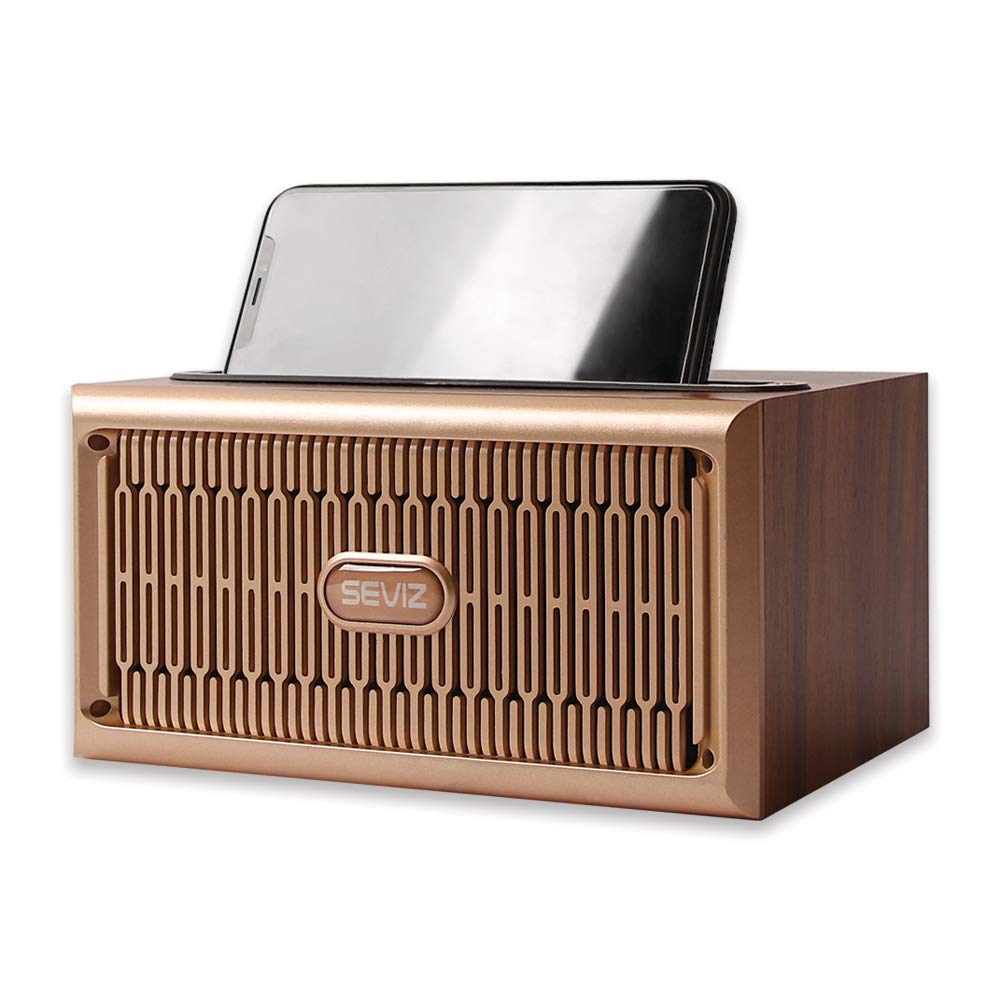
Image 1: Angled view of the SEVIZ Gold Retro Bluetooth Speaker, showcasing its wooden finish and gold grille.

Image 2: Front view of the speaker with a smartphone placed in the integrated holder on top.

Image 3: The speaker highlighting its key features: Bluetooth wireless technology, FM Radio, and 10-meter support distance.
Setup Instructions
1. Charging the Speaker
Before initial use, fully charge the speaker. Connect the provided USB cable to the speaker's charging port and to a compatible USB power adapter (not included) or a computer's USB port. The charging indicator light will show the charging status.
A full charge provides up to 4 hours of playback at maximum volume, or up to 5 hours at 30% volume.

Image 4: The speaker with text detailing its battery life: up to 5 hours at 30% volume, up to 4 hours at maximum volume.
2. Powering On/Off
Locate the power switch on the speaker. Slide the switch to the "ON" position to power on the device. Slide it to "OFF" to power off.
3. Bluetooth Pairing
- Ensure the speaker is powered on and in Bluetooth mode. The speaker will automatically enter pairing mode.
- On your smart device (smartphone, tablet, etc.), enable Bluetooth and search for available devices.
- Select "SEVIZ GOLD20W" from the list of devices.
- Once paired, the speaker will indicate a successful connection. The speaker will automatically re-pair with the last connected device when powered on, if that device's Bluetooth is active and within range.

Image 5: The speaker next to a smartphone, illustrating its fast and robust Bluetooth 5.0 connection with a 10-meter range.
Operating Instructions
1. Playing Music via Bluetooth
After successful Bluetooth pairing, you can play audio from your connected device. Use the controls on your device or the speaker's control panel to adjust volume, play/pause, and skip tracks.
Video 1: Official product video demonstrating the SEVIZ Gold Retro Bluetooth Speaker's features, including its sound quality and design. This video is provided by the seller, SEVIZ.
2. Using AUX Input
Connect one end of the provided AUX cable to the speaker's AUX port and the other end to the audio output jack of your external device. The speaker will automatically switch to AUX mode or you may need to select it using the mode button on the speaker.
3. Playing from TF Card
Insert a TF (MicroSD) card with audio files into the designated TF card slot on the speaker. The speaker will automatically detect the card and begin playback. Use the speaker's controls to manage playback.
4. FM Radio Function
Switch the speaker to FM Radio mode. Use the control buttons to scan for available radio stations. The speaker's antenna (often the USB cable when plugged in for charging, or an internal antenna) will help with reception.
5. Hands-Free Calling
When connected via Bluetooth to a smartphone, the speaker's built-in microphone allows for hands-free calling. Incoming calls will be routed through the speaker. Press the appropriate button on the speaker (refer to control panel diagram in physical manual if available) to answer or end calls.
6. Smart Device Holder
The speaker features an integrated slot on top to hold your smartphone or tablet, providing a convenient viewing angle for watching videos or displaying information while listening to music.
7. Power Saving Mode
To conserve battery, the speaker will automatically shut down after 5 minutes if there is no active Bluetooth connection.
Maintenance
- Cleaning: Use a soft, dry cloth to clean the speaker's surface. Avoid using abrasive cleaners or solvents.
- Storage: Store the speaker in a cool, dry place away from direct sunlight and extreme temperatures.
- Battery Care: To prolong battery life, avoid fully discharging the battery frequently. Charge the speaker regularly, even if not in use for extended periods.
- Protection: The speaker includes scratch protection at the bottom. Ensure these feet are intact to prevent damage to surfaces and the speaker itself.
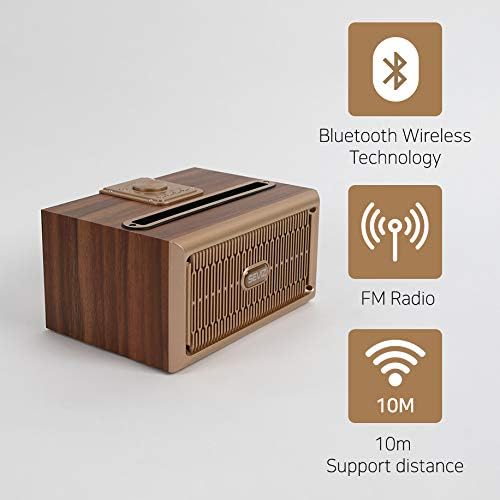
Image 6: Underside of the speaker, showing the small rubber feet designed to prevent scratches and provide stability.
Troubleshooting
- No Power: Ensure the speaker is charged. Connect the USB charging cable and try again.
- Cannot Pair Bluetooth:
- Ensure the speaker is in Bluetooth pairing mode.
- Check that Bluetooth is enabled on your device.
- Move the speaker closer to your device (within 10 meters).
- Turn off and on both the speaker and your device's Bluetooth.
- Forget the device from your phone's Bluetooth settings and try pairing again.
- No Sound:
- Check the volume levels on both the speaker and your connected device.
- Ensure the correct input mode (Bluetooth, AUX, TF Card) is selected.
- If using AUX, ensure the cable is fully inserted and not damaged.
- Poor FM Radio Reception:
- Adjust the speaker's position.
- Ensure the USB cable is connected, as it may act as an external antenna.
- Try scanning for stations again.
- Speaker Shuts Off Automatically: This is normal behavior for the power saving mode if no Bluetooth connection is active for 5 minutes. Reconnect a Bluetooth device or switch modes to prevent this.
Specifications
| Brand | SEVIZ |
| Model Number | GOLD20W-SEVIZ |
| Material | Wood |
| Speaker Type | Multimedia |
| Special Feature | Radio |
| Recommended Uses | For Music Players |
| Surround Sound Channel Configuration | 2.0 |
| Item Weight | 2.2 pounds (1000 Grams) |
| Is Waterproof | FALSE |
| Control Method | Touch (Note: Product images show physical buttons and a knob, so "Touch" might refer to specific functions or be a general term. User should refer to physical controls.) |
| Speaker Size | 38 Centimeters (Note: This seems to be a typo or refers to a component, as product dimensions are 5.51 x 7.68 x 3.94 inches. Clarification needed from manufacturer.) |
| Power Source | Battery Powered |
| Batteries | 1 Lithium Ion battery (included) |
| Product Dimensions | 5.51 x 7.68 x 3.94 inches |
| Speaker Maximum Output Power | 20 Watts |
| Connectivity Technology | Auxiliary, Bluetooth |
| Audio Output Mode | Stereo |
| Mounting Type | Tabletop Mount |
Warranty and Support
For warranty information or technical support, please refer to the contact details provided on the product packaging or visit the official SEVIZ website. Keep your purchase receipt as proof of purchase for any warranty claims.


