
1. Introduction
This manual provides detailed instructions for the operation and maintenance of your BassPal F013 Pro IPX7 Waterproof Bluetooth Speaker. This portable speaker features Bluetooth 5.0 connectivity, an LED display, FM radio, a beat-driven light show, and TWS (True Wireless Stereo) functionality. Its IPX7 waterproof rating makes it suitable for various environments, including showers, pools, and outdoor activities.
2. Package Contents
Please verify that all items are present in your package:
- BassPal F013 Pro Bluetooth Speaker
- USB-C Charging Cable
- Radio Antenna
- Lanyard
- Removable Suction Cup
- User Manual (this document)
3. Product Overview and Controls
Familiarize yourself with the speaker's components and control buttons.

Image: Front view of the BassPal F013 Pro Bluetooth Speaker, showing the LED display and control buttons, with water droplets on its surface.

Image: Diagram illustrating the functions of each button and component on the BassPal F013 Pro speaker, including the LED display, play/pause, volume/track controls, mode button, power button, colorful LED light, and removable suction cup.
Button Functions:
- Power Button (⑂): Press and hold to power on/off. Short press to control LED lights.
- Play/Pause Button (▶/‖‖): Short press to play/pause music. Short press to answer/end calls. Long press in Bluetooth mode to set time. Long press in FM mode to auto-scan stations.
- Volume Up / Next Track Button (V+/⏭): Short press to increase volume. Long press to skip to the next track.
- Volume Down / Previous Track Button (V-/⏮): Short press to decrease volume. Long press to go to the previous track.
- Mode Button (M): Short press to switch between Bluetooth mode and FM Radio mode.
4. Setup
4.1. Charging the Speaker
Before first use, fully charge the speaker. Connect the supplied USB-C cable to the charging port on the speaker and the other end to a USB power adapter (not included) or a computer's USB port. The LED display will indicate charging status. A full charge typically takes approximately 2 hours.
4.2. Power On/Off
- Power On: Press and hold the Power button (⑂) for 3 seconds. The LED display will light up, and you will hear an audible prompt.
- Power Off: Press and hold the Power button (⑂) for 3 seconds. The LED display will turn off.
4.3. Bluetooth Pairing
To connect your speaker to a Bluetooth-enabled device:
- Ensure the speaker is powered on and in Bluetooth mode. If not, short press the Mode button (M) to switch to Bluetooth mode. The LED display will show "BT" and flash, indicating it's ready for pairing.
- On your device (smartphone, tablet, etc.), enable Bluetooth and search for available devices.
- Select "BassPal F013 Pro" from the list of devices.
- Once paired, the speaker will emit a confirmation sound, and "BT" on the LED display will stop flashing.
4.4. True Wireless Stereo (TWS) Pairing
For an immersive stereo experience, you can pair two BassPal F013 Pro speakers together.
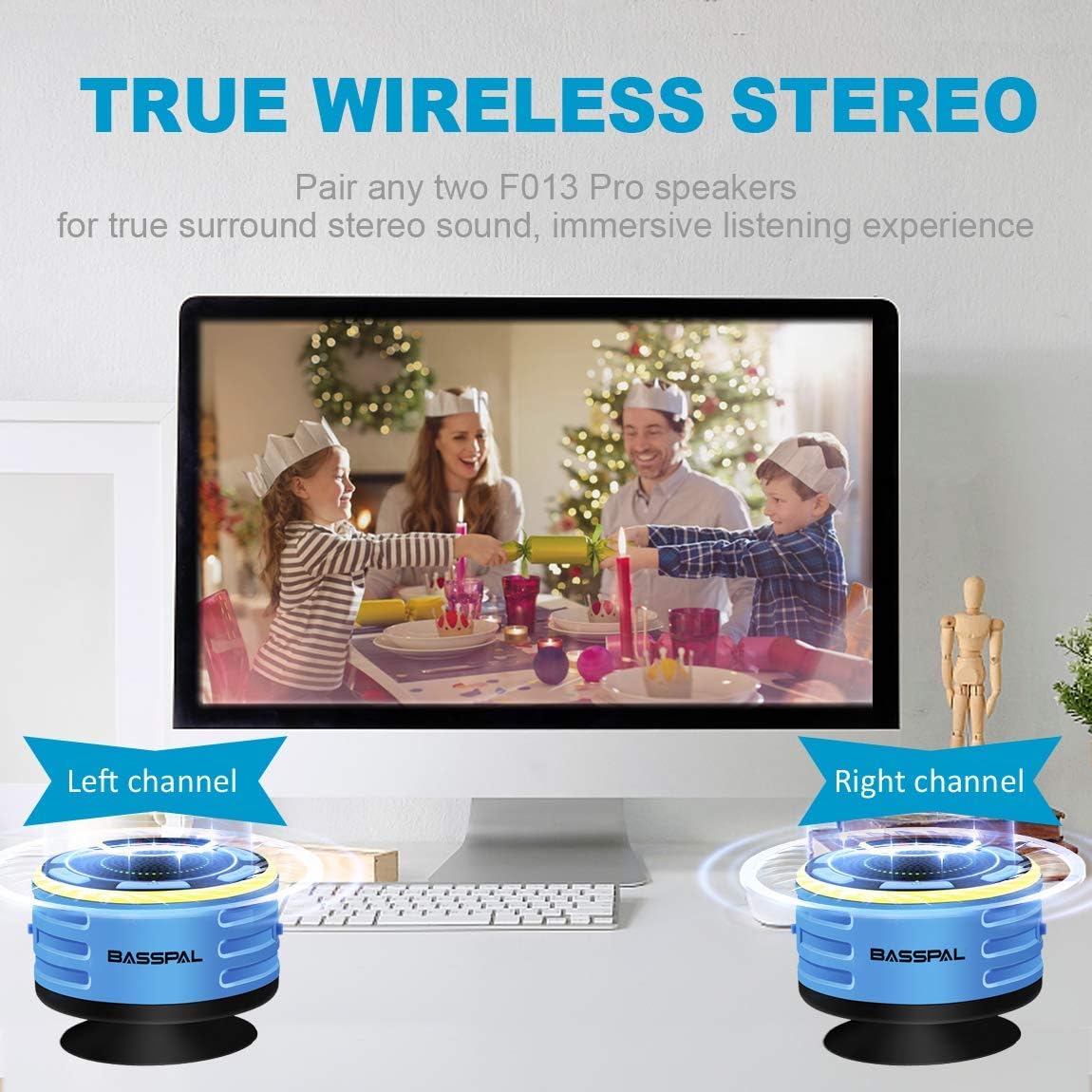
Image: Two BassPal F013 Pro speakers positioned on a desk next to a laptop, illustrating their use in a True Wireless Stereo setup for enhanced sound.
- Ensure both speakers are powered on and in Bluetooth mode, but not connected to any device.
- On one speaker (this will be the primary speaker), long press the Play/Pause button (▶/‖‖) for 2 seconds. You will hear a pairing tone.
- The two speakers will automatically connect to each other. Once connected, you will hear a confirmation sound.
- Now, connect your device to the primary speaker via Bluetooth as described in section 4.3.
- Audio will now play through both speakers, creating a stereo soundstage.
5. Operating Instructions
5.1. Music Playback
- Play/Pause: Short press the Play/Pause button (▶/‖‖).
- Next Track: Long press the Volume Up / Next Track button (V+/⏭).
- Previous Track: Long press the Volume Down / Previous Track button (V-/⏮).
- Volume Adjustment: Short press the Volume Up (V+) or Volume Down (V-) buttons.
5.2. Call Management
When connected to a smartphone via Bluetooth:
- Answer/End Call: Short press the Play/Pause button (▶/‖‖).
- Reject Call: Long press the Play/Pause button (▶/‖‖).
5.3. FM Radio Operation
To use the FM radio function:
- Attach the provided radio antenna to the designated port on the speaker for improved signal reception.
- Short press the Mode button (M) to switch to FM Radio mode. The LED display will show the frequency.
- Auto-Scan Stations: Long press the Play/Pause button (▶/‖‖). The speaker will automatically scan and save available FM stations.
- Navigate Stations: Short press the Volume Up / Next Track (V+/⏭) or Volume Down / Previous Track (V-/⏮) buttons to switch between saved stations.
5.4. Setting the Time
The speaker features an LED clock display:
- In Bluetooth mode, long press the Play/Pause button (▶/‖‖). The hour digits on the display will begin to flash.
- Use the Volume Up (V+) or Volume Down (V-) buttons to adjust the hour.
- Short press the Play/Pause button (▶/‖‖) again to confirm the hour and proceed to adjust the minutes.
- Use the Volume Up (V+) or Volume Down (V-) buttons to adjust the minutes.
- Short press the Play/Pause button (▶/‖‖) one last time to confirm the minutes and exit time setting mode.
5.5. LED Light Control
The speaker features a beat-driven light show with seven color options.

Image: The BassPal F013 Pro speaker displaying its beat-driven light show with multiple colors, set in a dimly lit environment with sparklers and food, indicating its use for enhancing atmosphere.
- Short press the Power button (⑂) to cycle through different light modes (e.g., color cycling, fixed color, off).
- Select the desired light mode or turn the lights off to conserve battery.
5.6. Waterproof Usage and Mounting
The speaker has an IPX7 waterproof rating, allowing it to be submerged in 1 meter of water for up to 30 minutes. It also floats.

Image: The BassPal F013 Pro speaker floating in a swimming pool, demonstrating its waterproof and floating capabilities, with children playing in the background.

Image: The BassPal F013 Pro speaker attached to a tiled shower wall using its suction cup, with water droplets on the wall and a shower head in the background, highlighting its shower-friendly design.
- Suction Cup: Attach the removable suction cup to the back of the speaker. Press firmly onto a smooth, clean surface like a shower wall, mirror, or tile. Ensure the surface is dry for optimal adhesion.
- Lanyard: Use the included lanyard to hang the speaker from a hook, backpack, or bicycle.
6. Maintenance
6.1. Cleaning
To clean your speaker, wipe it with a soft, damp cloth. Do not use harsh chemicals or abrasive cleaners. Ensure the charging port cover is securely closed before cleaning or exposing to water.
6.2. Storage
Store the speaker in a cool, dry place away from direct sunlight and extreme temperatures when not in use for extended periods.
6.3. Safety Information
Do not expose the speaker to direct sunlight for prolonged periods. Avoid dropping or subjecting the speaker to strong impacts, as this may damage internal components or compromise its waterproof seal.
7. Troubleshooting
If you encounter issues with your speaker, refer to the following common solutions:
| Problem | Possible Cause | Solution |
|---|---|---|
| Speaker does not power on. | Low battery. | Charge the speaker fully using the provided USB-C cable. |
| Cannot pair via Bluetooth. | Speaker is not in pairing mode or already connected to another device. | Ensure the speaker is in Bluetooth mode (“BT” flashing). Disconnect from any previously paired devices. Restart both the speaker and your device. |
| No sound or low volume. | Volume levels are too low on speaker or connected device. | Increase volume on both the speaker and your connected device. Ensure the speaker is properly paired. |
| FM radio reception is poor. | Antenna not connected or weak signal. | Ensure the radio antenna is securely connected. Try repositioning the speaker or antenna for better reception. |
| Time display is inaccurate. | Time needs to be reset. | Follow the instructions in section 5.4 to set the time. Note that the clock may gain a few minutes over time and require occasional adjustment. |
| Suction cup does not hold. | Surface is not clean, smooth, or dry. | Clean and dry the surface thoroughly before applying the suction cup. Ensure the suction cup itself is clean. |
8. Specifications
| Feature | Detail |
|---|---|
| Model Name | F013 Pro |
| Brand | BassPal |
| Connectivity Technology | Bluetooth, FM |
| Bluetooth Version | 5.0 |
| Wireless Range | Up to 66 Feet (20 meters) |
| Water Resistance Level | IPX7 (Submersible in 1m of water for 30 minutes) |
| Speaker Maximum Output Power | 8 Watts |
| Audio Output Mode | Stereo (with TWS pairing) |
| Signal-to-Noise Ratio | 87 dB |
| Frequency Response | 22 KHz |
| Power Source | Battery Powered (1 Lithium Ion battery included) |
| Charging Time | Approximately 2 Hours |
| Product Dimensions | 3.82"D x 3.82"W x 2.95"H |
| Item Weight | 0.24 Kilograms (8.4 ounces) |
| Material | Acrylonitrile Butadiene Styrene (ABS), Plastic |
| Special Features | Bluetooth 5.0, Built-In Microphone, Dustproof, FM Radio, Floating, LED Light Show, LED Screen Display, Portable Lanyards, Removable Suction Cup, Scratchproof, Shockproof, Special Antenna, Stereo Pairing, TWS Stereo Sound, Waterproof |
9. Warranty and Support
The BassPal F013 Pro speaker comes with a 2-year warranty on parts and labor. For technical support or warranty claims, please refer to the contact information provided with your purchase or visit the official BassPal website.