
HTC VIVEFocus1
HTC Vive Pro Focus Plus 6DOF VR Headset User Manual
Model: VIVEFocus1
Introduction
The HTC Vive Pro Focus Plus 6DOF VR Headset is an advanced, all-in-one virtual reality system designed for immersive experiences. This manual provides essential information for setting up, operating, maintaining, and troubleshooting your device to ensure optimal performance and longevity.
The headset features 6 Degrees of Freedom (6DoF) controls, high-resolution display (2880 x 1600 combined, 615 PPI), and an ergonomic design for comfort, even for users wearing glasses. It supports VIVE Wave and Hand Tracking SDK for enhanced interaction.
What's in the Box
Upon unboxing your HTC Vive Pro Focus Plus, verify that all components are present:
- HTC Vive Pro Focus Plus VR Headset
- VR Controllers (2 units)
- USB Type-C Cable
- QC 3.0 Charger
- Face Cushion
- Grip

Image: The HTC Vive Pro Focus Plus VR Headset in white, accompanied by its two black VR controllers. The headset is shown from a slight angle, highlighting its sleek design and the integrated cameras on the front. The controllers are positioned on either side of the headset.
Setup Guide
1. Charging the Device
Before initial use, ensure the headset and controllers are fully charged. Connect the USB Type-C cable to the headset's charging port and the QC 3.0 charger to a power outlet. The controllers also have charging ports; use the provided cable to charge them.
2. Initial Power On and Pairing
Press and hold the power button on the headset until the display illuminates. Follow the on-screen instructions to complete the initial setup, including language selection and Wi-Fi connection. To pair the controllers, power them on and follow the pairing prompts displayed within the headset.

Image: A pair of black HTC Vive Pro Focus Plus VR controllers. Each controller features a circular tracking ring at the top, a main grip handle, and several buttons for interaction within virtual environments.
3. Adjusting the Headset for Comfort
The headset features an adjustable headband for optimal comfort and stability. Place the headset on your head and adjust the top strap and rear dial until the display is clear and the headset feels secure without being too tight. Ensure the face cushion is properly seated for light sealing and comfort.
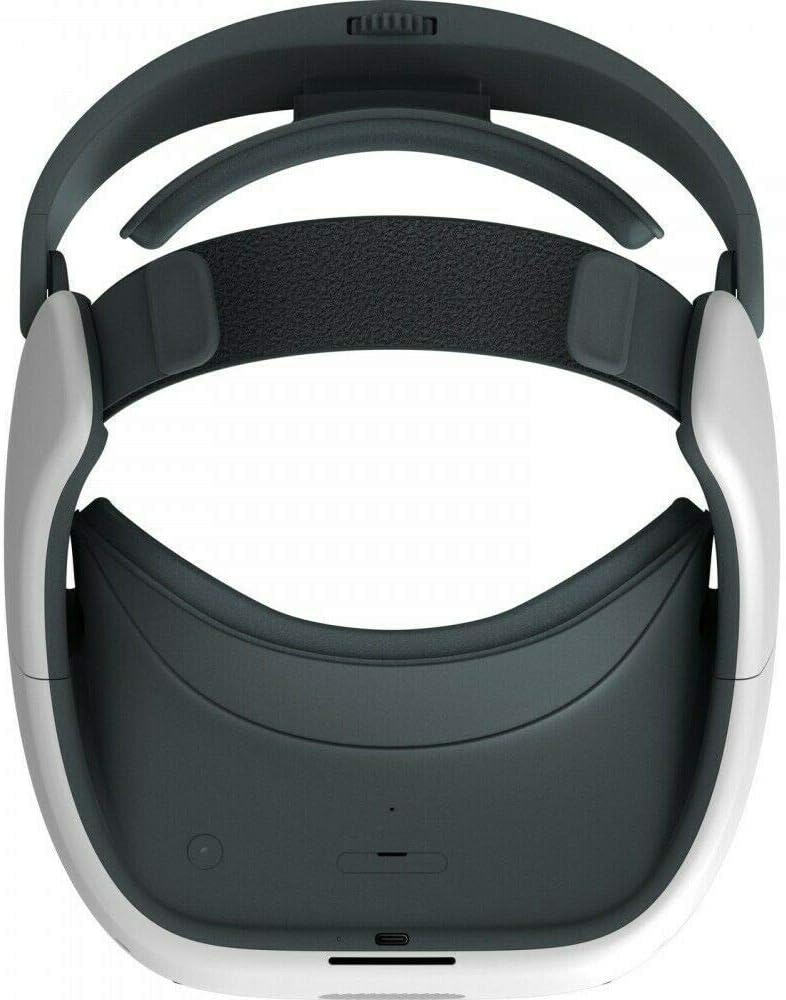
Image: A top-down view of the HTC Vive Pro Focus Plus VR Headset, highlighting the adjustable head strap and the ergonomic design of the head-mounted display unit.
Operating the Device
Navigation and Interaction
The Vive Pro Focus Plus utilizes 6DoF tracking for both the headset and controllers, allowing for natural movement and interaction within virtual environments. Use the controllers to navigate menus, select applications, and interact with objects. The headset's integrated cameras enable world-scale tracking, meaning you can move freely within your designated play space.
Application Management
Applications can be downloaded and managed directly from the headset's interface. Ensure you have a stable internet connection for downloading content. The device is compatible with Personal Computers for certain applications and streaming, particularly those running Windows 10.
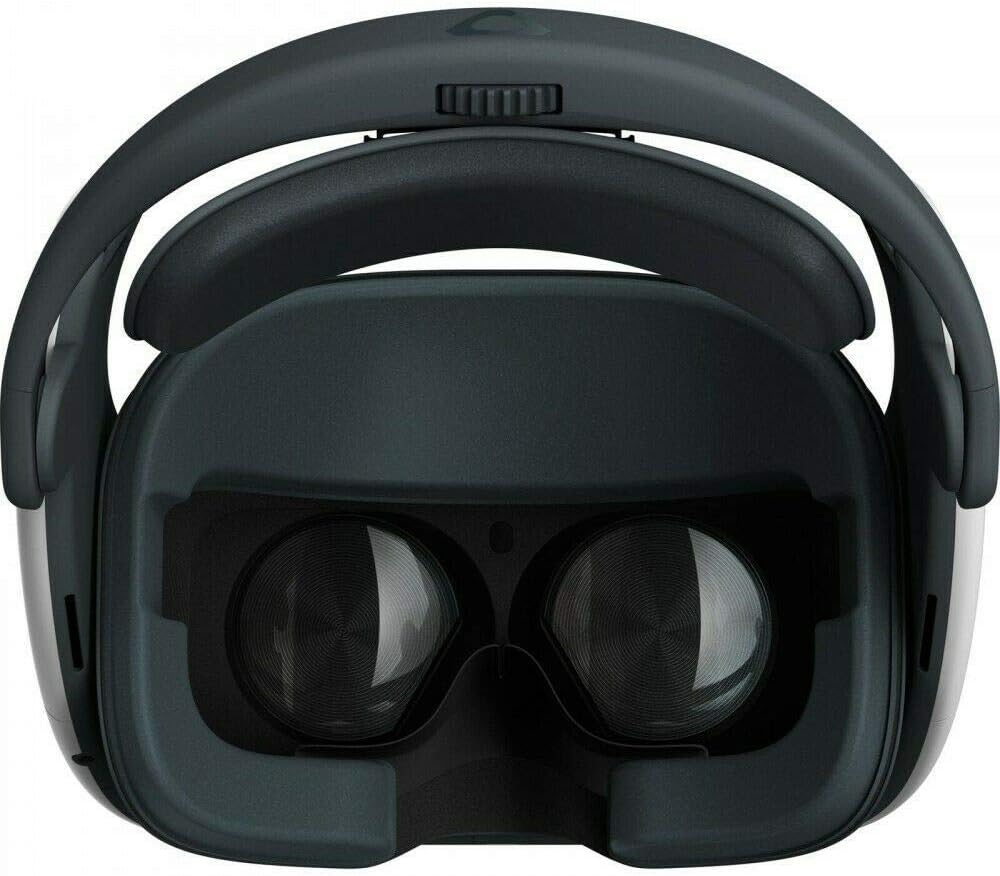
Image: A close-up front view of the HTC Vive Pro Focus Plus VR Headset, focusing on the internal lenses and the comfortable padding around the eye area.
Maintenance
Cleaning the Headset and Lenses
Regular cleaning helps maintain optimal visual clarity and hygiene. Use a dry, soft microfiber cloth to gently wipe the lenses. Avoid using liquid cleaners or abrasive materials, as they can damage the optical surfaces. The synthetic material of the headset and face cushion can be wiped with a damp cloth and mild soap, then dried thoroughly.
Storage
Store the headset in a cool, dry place away from direct sunlight and extreme temperatures. Protect the lenses from scratches by keeping the headset in its original packaging or a dedicated storage case when not in use.
Troubleshooting
| Problem | Possible Cause | Solution |
|---|---|---|
| Headset not powering on | Low battery; Power button not held long enough | Charge the headset fully; Press and hold the power button for several seconds |
| Blurred vision / Unclear display | Improper headset fit; Dirty lenses | Adjust the headband and IPD (if applicable); Clean the lenses with a microfiber cloth |
| Controllers not pairing or tracking | Low controller battery; Interference; Out of tracking range | Charge controllers; Ensure clear line of sight to headset cameras; Stay within designated play area |
| Application performance issues | Insufficient system resources (for PC-tethered use); Software glitch | Ensure PC meets minimum requirements (Windows 10); Restart the application or headset |
Specifications
- Model Name: VIVEFocus1
- Brand: HTC
- Color: White
- Product Dimensions: 7.65 x 4.17 x 4.13 inches
- Item Weight: 0.087 ounces
- Display Resolution: 2880 x 1600 combined (615 PPI)
- Tracking: 6 Degrees of Freedom (6DoF)
- Connectivity Technology: USB
- Compatible Devices: Personal Computer (Windows 10)
- Special Feature: Adjustable Headband
- Included Components: VR Headset, Controllers, USB Type-C Cable, QC 3.0 Charger, Face Cushion, Grip
Warranty and Support
For information regarding product warranty, please refer to the warranty card included with your purchase or visit the official HTC support website. For technical assistance, software updates, or further inquiries, please contact HTC customer support through their official channels.
Online Resources: For the latest drivers, software, and FAQs, visit the official HTC Vive support page. Regular software updates are recommended to ensure optimal performance and access to new features.
Related documentsVIVEFocus1


Ask a question about this manual
Ask about setup, troubleshooting, compatibility, parts, safety, or missing instructions. Manuals+ will review the question and use this page’s manual context to help answer it.