
1. Introduction
This manual provides essential information for the safe and effective use of your YUSTDA 12V 3-Pin DIN AC/DC Adapter. Please read these instructions carefully before use and retain them for future reference. This adapter is designed to provide reliable power to various compatible electronic devices, including specific models of Jewel, Skyworth, and Naxa TVs.
2. Safety Information
- Ensure the adapter's input voltage (100-240VAC) matches your local power supply.
- Do not expose the adapter to water, moisture, or extreme temperatures.
- Avoid dropping or subjecting the adapter to strong impacts.
- Do not attempt to open or modify the adapter. Refer all servicing to qualified personnel.
- Disconnect the adapter from the power outlet when not in use for extended periods.
- Use only with compatible devices as specified in this manual.
3. Product Overview
The YUSTDA 12V 3-Pin DIN AC/DC Adapter is a power supply unit designed for various electronic devices requiring 12V DC power with a 3-pin DIN connector. It features a robust design for durability and safety.

Image 3.1: The YUSTDA 12V 3-Pin DIN AC/DC Adapter, showing the main adapter unit, the detachable AC power cord, and the DC output cable with its 3-pin DIN connector. The adapter unit has product labels visible.
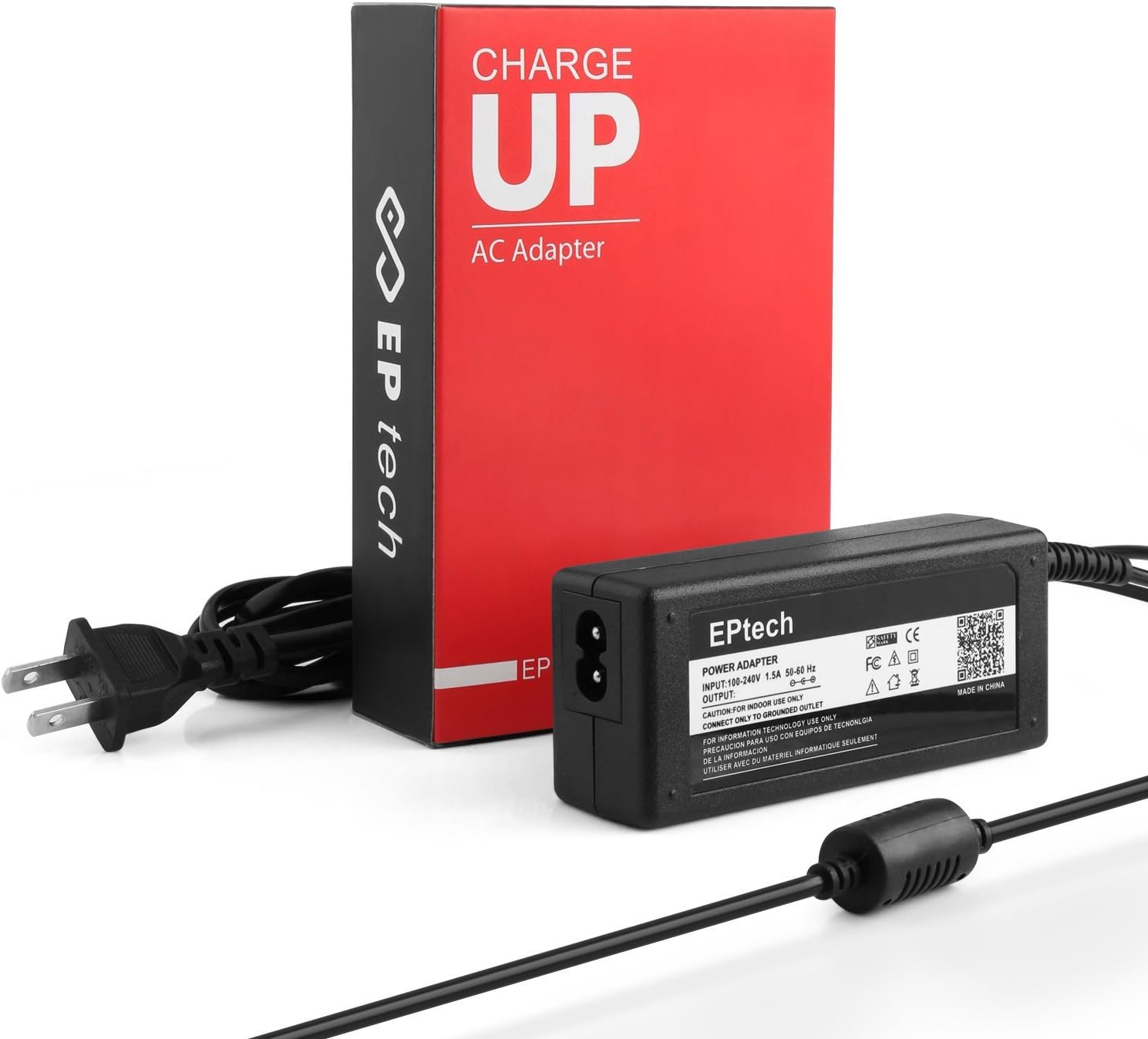
Image 3.2: The YUSTDA AC/DC Adapter positioned next to its red and black 'CHARGE UP' branded packaging. The adapter's input port and the detachable AC power cord are visible.

Image 3.3: A cross-section diagram illustrating the high-quality power cable design, highlighting the high-quality copper wire and PVC insulation jacket for enhanced durability and safety.

Image 3.4: An image showcasing the safety design features of the YUSTDA power adapter, including icons for Over-Temperature Protection, Over Voltage Protection, Over Current Protection, and Short Circuit Protection, ensuring safe operation.

Image 3.5: This image highlights the durable and compact design of the YUSTDA power adapter. It emphasizes high-quality control procedures for safe, durable operation and its compact size for home, office, and travel use.
4. Specifications
- Input Voltage: 100-240VAC, 50/60Hz (World Wide Input Voltage)
- Output Voltage: 12V DC
- Output Current: 3A - 5A (60 Watts)
- Connector Type: 3-Pin DIN
- Safety Features: Over-Temperature Protection, Over Voltage Protection, Over Current Protection, Short Circuit Protection
Compatible Devices:
This adapter is compatible with a wide range of devices, including but not limited to:
| Brand | Compatible Models |
|---|---|
| Jewel | JS-12050-3S, JS-12050-2K, 22LEATV |
| Skyworth TV | SLC-2219A, SLC-1963A-2, SLC-1919A, SLC-2269A, SLC-2221A-3S, SLC-1971A-3C, SLC-1969AM, SLC-1969AM-3, SLC-1919A-3S, SLC-1919A-3M, SLC-2219A-3M, SLC-2269A-3C, SLC-2206A, SLC-2206A-3, SLC-1519A-3M, SLC-1519A-3S, SLC-1569A, SLC-1569A-3, SLC-1369A-3C, SLC-1369A-3M, SLC-1369A-3S, SLC-1369A-3 |
| Naxa TV | NTD-1554, NTD-15-555, NTD-1552, NTD-1553, NX-556, NTD-1952, NTD-19, NTD-19-556, NTD-2252, NTD-2452, NTD-2453, NTD-1350, NTD-1351, NTD-1355, NTD-1352, NT-2407, NTD-2452, NTD-2453, NT-2202, NT-2207, NT-2208, NTD-2252, NTD-2254, NTD-15-555, NTD-1554, NTD-1553, NTD-1552, NT-1506, NT-1507, NT-1508, NT-1307, NT-1308, NTD-1350, NTD-1351, NTD-1352, NTD-1353, NTD-1354, NTD-1355, NT-1902, NTD-1952, NTD-1953, NTD-1954, NX-550, NX-551, NX-553, NX-555, NX-556, NX-563 |
5. Setup
- Verify Compatibility: Before connecting, ensure your device requires 12V DC power and uses a 3-pin DIN connector. Check your device's power input specifications.
- Connect AC Power Cord: Insert the detachable AC power cord into the adapter's input port.
- Plug into Wall Outlet: Insert the AC power cord's plug into a standard 100-240VAC wall outlet.
- Connect to Device: Carefully insert the 3-pin DIN connector of the adapter's DC output cable into the corresponding power input port on your electronic device. Ensure a firm and secure connection.
- Power On Device: Once connected, you may power on your device.
6. Operating Instructions
The YUSTDA 12V 3-Pin DIN AC/DC Adapter operates automatically once connected to a power source and a compatible device. It provides a stable 12V DC output. No user intervention is required during operation.
- Ensure the adapter is placed in a well-ventilated area to prevent overheating.
- Avoid covering the adapter during operation.
- If the adapter feels excessively hot, disconnect it immediately and check for proper ventilation or device compatibility.
7. Maintenance
- Cleaning: Disconnect the adapter from the power outlet and your device before cleaning. Use a soft, dry cloth to wipe the surface. Do not use liquid cleaners or solvents.
- Storage: When not in use, store the adapter in a cool, dry place, away from direct sunlight and moisture. Avoid tightly coiling the cables to prevent damage.
- Inspection: Periodically inspect the adapter and cables for any signs of damage, such as frayed wires, bent pins, or cracks in the casing. If damage is found, discontinue use and replace the adapter.
8. Troubleshooting
- No Power to Device:
- Check if the AC power cord is securely plugged into both the adapter and the wall outlet.
- Ensure the wall outlet is functional by testing it with another device.
- Verify that the 3-pin DIN connector is fully inserted into your device's power port.
- Confirm that your device is compatible with this adapter's voltage and connector type.
- Adapter Overheating:
- Ensure the adapter is in a well-ventilated area and not covered.
- Verify that the connected device's power requirements do not exceed the adapter's maximum output (12V, 5A, 60W).
- If overheating persists, discontinue use and contact support.
- Device Not Charging/Operating Correctly:
- Ensure all connections are secure.
- Confirm the device is not faulty. Test with its original power adapter if available.
- The adapter may be incompatible or damaged.
9. Warranty and Support
This product is subject to the seller's return policy, which typically allows for returns or replacements within 30 days of purchase. For specific warranty details, please refer to your purchase documentation or contact the seller directly.
Customer Support:
For any questions, issues, or support needs regarding your YUSTDA AC/DC Adapter, please contact our customer service team:
- Email: epcustomerservice@yahoo.com