
Introduction
This manual provides detailed instructions for the assembly, operation, maintenance, and troubleshooting of your HOME BI TV Stand, Model DSG110M. Please read these instructions carefully before beginning assembly and retain this manual for future reference.

Figure 1: Fully assembled HOME BI TV Stand Model DSG110M, featuring a television on the top surface, a gaming console, a decorative lamp, and other media accessories on its shelves. The stand is black with a metal frame and engineered wood shelves.
Safety Information
For safety reasons, children are not permitted to climb or play on the product. Ensure the TV stand is placed on a stable, level surface to prevent tipping. Do not exceed the recommended weight capacity for any shelf.
Package Contents
Before assembly, verify that all components are present and undamaged. If any parts are missing or damaged, please contact customer support.
- Metal Frame Components
- Engineered Wood (MDF) Boards
- Assembly Screws
- Allen Wrench (Hex Key)
Setup and Assembly Instructions
Follow these steps to assemble your HOME BI TV Stand. It is recommended to assemble the unit on a soft, clean surface to prevent scratches.
Assembly Video Guide
Video 1: This video provides a step-by-step visual guide for assembling the HOME BI TV Stand Model DSG110M. It demonstrates how to connect the metal frame components and install the engineered wood shelves.
Step-by-Step Assembly
- Step 1: Assemble the Shelf Frame. Begin by connecting the individual metal frame pieces that form the base and internal shelf supports. Pay close attention to the orientation of each piece. Tip: Please notice the direction of the metal tube during assembly.
- Step 2: Place the Two Sides of the Metal Frame. Attach the side frames to the assembled shelf frame. Ensure all connection points align correctly. Tip: Do not fully tighten the screws at this stage to allow for minor adjustments.
- Step 3: Place the MDF Boards. Carefully insert the engineered wood (MDF) boards into their designated slots within the metal frame. Ensure they sit flush and are properly supported.
- Step 4: Tighten All Screws. Once the TV Stand is fully assembled and adjusted, tighten all screws securely using the provided Allen wrench. Tip: Please ensure all screws of the board are screwed in completely for stability.

Figure 2: This diagram illustrates the precise measurements of the TV stand: 47.24 inches in length, 13 inches in width, and 19.88 inches in height. It also details the height of the two lower shelves.

Figure 3: This close-up image shows a welded connection point on the metal frame of the TV stand, emphasizing the robust construction designed for increased stability.
Operating Instructions
The HOME BI TV Stand is designed to accommodate most flat-screen TVs up to 55 inches. Its open display rack provides secure storage and display for various items.
- TV Placement: Place your television centrally on the top surface. Ensure the TV's base fits securely within the dimensions of the stand.
- Weight Capacity: The stand is designed to support a significant weight, with the top surface capable of holding approximately 100 lbs. Distribute weight evenly across all shelves.
- Storage: Utilize the two open shelves for organizing audio/video accessories, gaming consoles, media players, books, or decorative items.
- Cable Management: The open-back design facilitates easy routing and management of cables for your electronic devices.
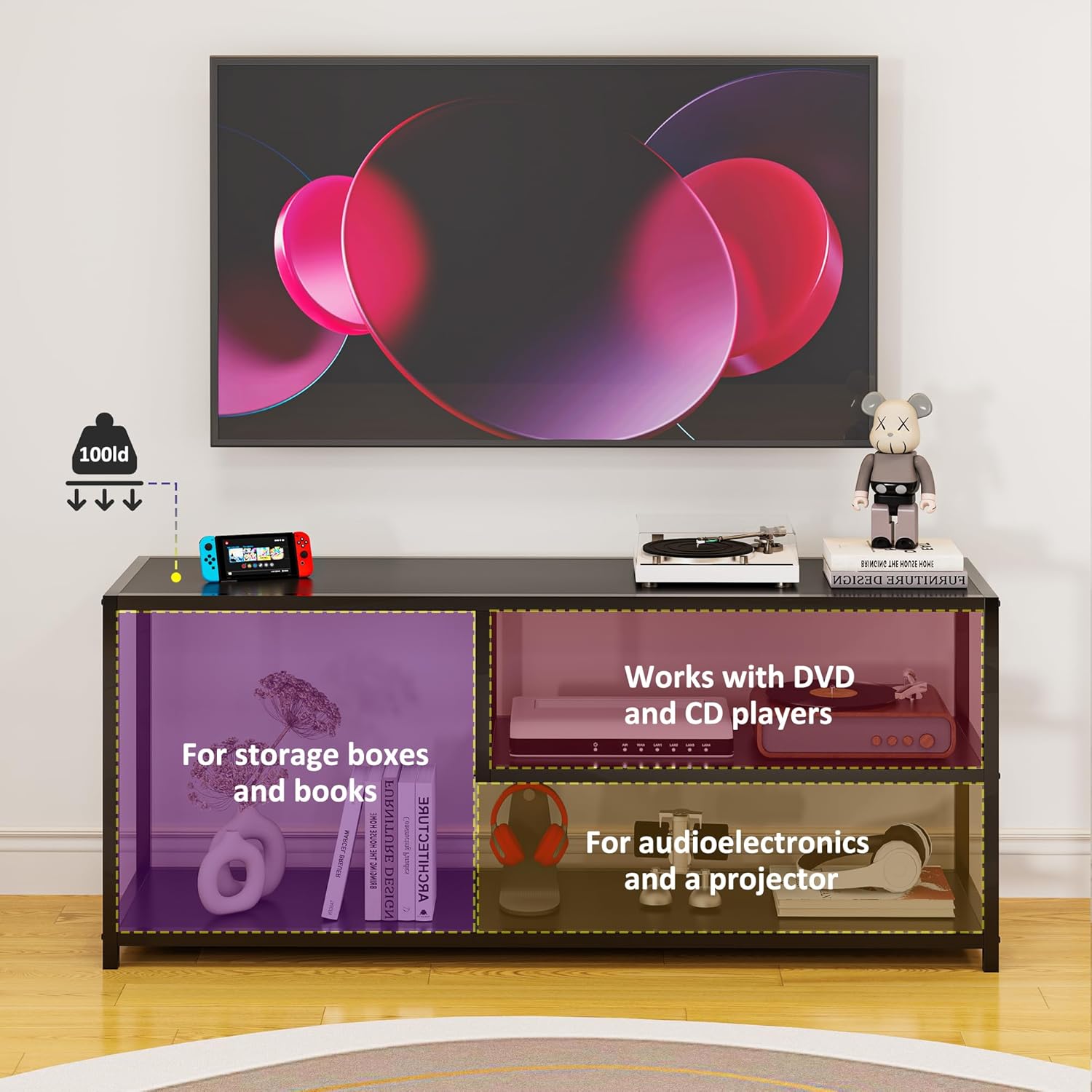
Figure 4: This image demonstrates the storage capabilities of the TV stand, indicating designated areas for storage boxes, books, audio-visual equipment, and media players. It also shows a 100lb weight capacity icon.
Maintenance
To ensure the longevity and appearance of your TV stand, follow these simple maintenance guidelines:
- Cleaning: Wipe the surfaces with a dry, soft cloth. Avoid using harsh chemicals or abrasive cleaners, which can damage the finish.
- Regular Checks: Periodically check all screws and connections to ensure they remain tight. Retighten if necessary to maintain stability.
- Avoid Moisture: Protect the stand from excessive moisture and direct sunlight to prevent warping or discoloration of the engineered wood.
Troubleshooting
If you encounter any issues with your TV stand, refer to the following common solutions:
- Wobbling or Instability: Ensure the stand is on a level surface. Check that all assembly screws are fully tightened. If the issue persists, disassemble and reassemble, carefully following the instructions.
- Parts Not Fitting: Verify that you are using the correct parts for each step and that they are oriented correctly. Refer to the assembly video and diagrams. Do not force parts together.
- Scratches or Dents: Minor cosmetic damage can sometimes be touched up with a furniture repair marker or paint matching the stand's finish.
Specifications
| Feature | Detail |
|---|---|
| Brand | HOME BI |
| Model Number | DSG110M |
| Material | Engineered Wood, Metal |
| Color | Black |
| Product Dimensions (L x W x H) | 47.24 x 13 x 19.88 inches |
| Item Weight | 27.1 pounds |
| Number of Shelves | 2 (plus top surface) |
| Special Feature | Durable construction |
| Care Instructions | Wipe with Dry Cloth |
Warranty and Support
HOME BI offers a 30-day money-back guarantee and a lifetime warranty for this product. For any issues, questions, or to claim warranty service, please contact HOME BI customer support through the retailer where the product was purchased or visit the official HOME BI website for contact information.