
Introduction
This manual provides essential information for the safe and efficient use of your ANGREAT 15W Type-C Wall Charger with USB-C Cable. Please read these instructions carefully before using the product and retain them for future reference.
Package Contents
- 1x ANGREAT 15W Type-C Wall Charger
- 1x 1-meter Type-C to Type-C USB Cable
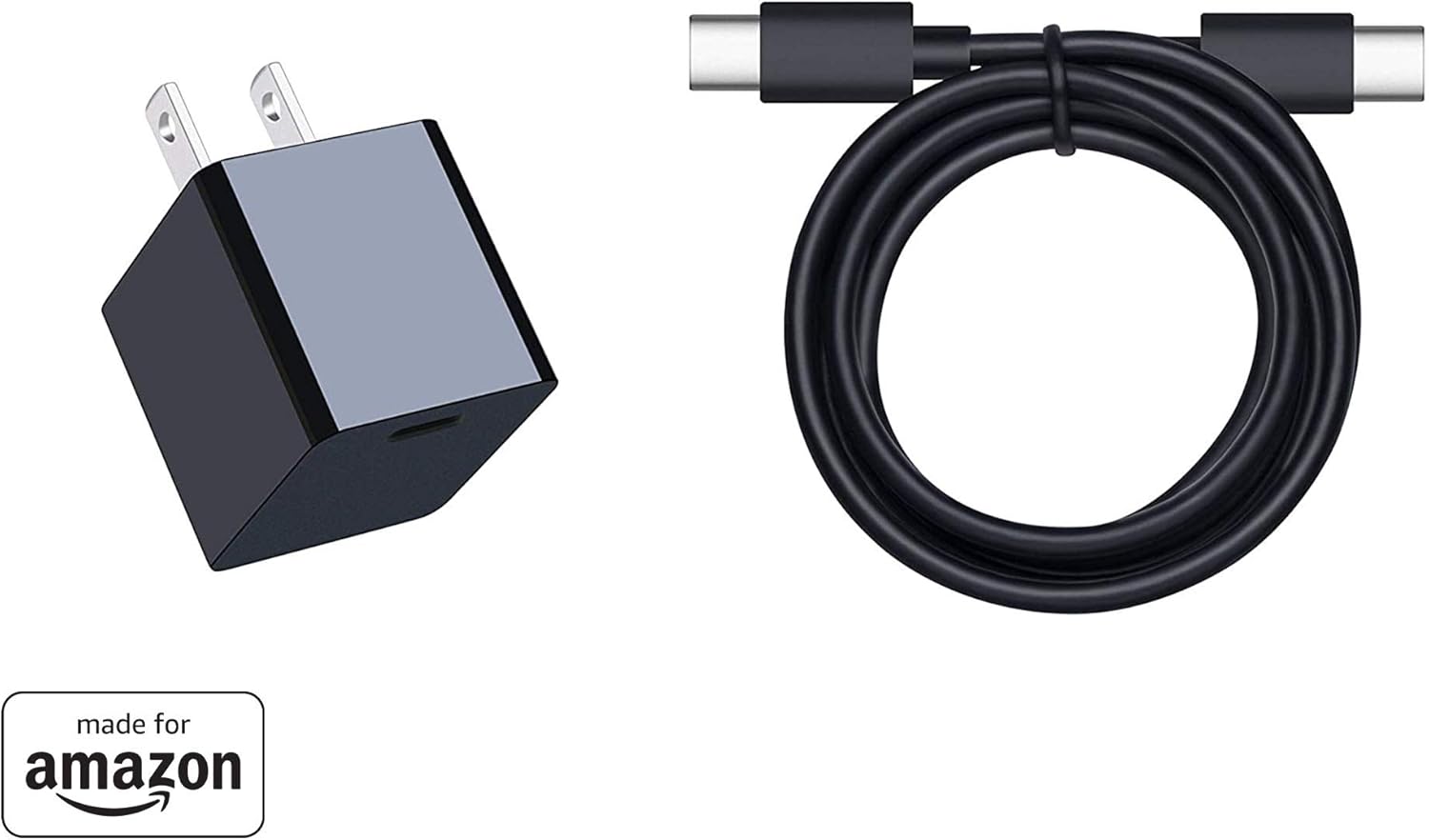
Image: The ANGREAT 15W Type-C Wall Charger and the included 1-meter USB-C to USB-C cable.
Safety Information
To ensure safe operation and prevent damage, please observe the following safety guidelines:
- Do not expose the charger or cable to liquids, moisture, or extreme temperatures.
- Do not disassemble, modify, or attempt to repair the charger.
- Avoid dropping or subjecting the charger to strong impacts.
- Ensure the charger is plugged into a properly grounded wall outlet.
- Unplug the charger from the wall outlet when not in use or during electrical storms.
- Keep out of reach of children.
Setup
Setting up your ANGREAT 15W Type-C Wall Charger is straightforward:
- Insert one end of the provided USB-C to USB-C cable into the USB-C port on the wall charger.
- Plug the wall charger into a standard electrical outlet (100-240V).
- Connect the other end of the USB-C cable to the charging port of your compatible device.

Image: The ANGREAT charger connected to a wall outlet and charging a tablet.
Operating Instructions
Once connected, the charger will automatically begin charging your device. The 15W output provides fast charging capabilities for compatible devices.
Compatibility
This charger is compatible with most USB-C enabled devices. It is specifically optimized for:
- Fire HD 8 tablet (2022 & 2020 Release) - Offers 45% faster charging than the in-box power adapter.
- Fire HD 8 Plus tablet (2022 & 2020 Release) - Offers 45% faster charging than the in-box power adapter.
- Fire HD 10 tablet (11th Gen, 2021 Release) - Offers 27% faster charging than the in-box power adapter.
- Fire HD 10 Plus tablet (2021 Release) - Offers 27% faster charging than the in-box power adapter.
- Other USB-C enabled smartphones and tablets.
Note: For iPhone charging, a USB-C to Lightning cable is required and is not included with this product.

Image: Illustration of the charger's wide compatibility with various USB-C devices.
Maintenance
Proper maintenance ensures the longevity and optimal performance of your charger:
- Cleaning: Disconnect the charger from the power outlet and your device before cleaning. Use a soft, dry cloth to wipe the surface. Do not use liquid cleaners or aerosols.
- Storage: Store the charger and cable in a cool, dry place away from direct sunlight and extreme temperatures.
- Cable Care: Avoid bending or twisting the cable excessively, especially near the connectors, to prevent internal damage.
Troubleshooting
If you encounter issues with your charger, refer to the following common problems and solutions:
- Device not charging:
- Ensure the charger is securely plugged into a working wall outlet.
- Verify that the USB-C cable is firmly connected to both the charger and your device.
- Test the charger and cable with another compatible device to rule out device-specific issues.
- Try a different wall outlet.
- Slow charging:
- Ensure your device supports 15W fast charging.
- Close any power-intensive applications running in the background on your device.
- Check if the cable is damaged; a faulty cable can reduce charging speed.
- Charger feels warm:
- It is normal for chargers to become slightly warm during operation. If the charger becomes excessively hot, disconnect it immediately and contact support.
Specifications
| Feature | Detail |
|---|---|
| Input | 100-240V ~ 50/60Hz 0.6A |
| Output | 5V ⇒ 3A (15W) |
| Cable Length | 1 Meter (3.3 feet) |
| Dimensions (Charger) | Approximately 1.3" x 1.15" x 1.2" (33mm x 29mm x 30mm) |
| Certifications | UL Certified |

Image: Detailed view of the charger's label displaying input and output specifications.

Image: Diagram illustrating the compact dimensions of the ANGREAT wall charger.
Warranty and Support
This product is covered by a standard manufacturer's warranty. For specific warranty details, please refer to the product packaging or contact the retailer where the product was purchased.
For technical support or inquiries, please visit the ANGREAT official website or contact their customer service department through the contact information provided with your purchase.