
1. Introduction
The Toslink Optical Audio Splitter Adapter is designed to distribute a single digital optical audio signal from one source device to two receiving devices. This passive splitter allows you to connect one optical audio output to two separate optical audio inputs, eliminating the need to constantly swap cables. It is ideal for home theater systems, gaming consoles, and other audio setups requiring simultaneous audio output to multiple devices.
2. Product Features
- 1 Input to 2 Outputs: Splits one digital optical audio signal into two identical outputs.
- Wide Compatibility: Supports various devices including HDTVs, DVD/Blu-ray players, PS3, XBOX360, home cinema systems, soundbars, amplifiers, and receivers.
- Audio Format Support: Compatible with uncompressed PCM audio and compressed 5.1/7.1 surround sound including Dolby Digital and DTS.
- Passive Design: Requires no external power supply for operation, ensuring a simple and clean setup.
- Durable Construction: Features a robust design for reliable performance.
3. Specifications
| Brand | Toslink |
| Model | 760385190245 |
| Connector Type | TOSLINK (Optical Fiber) |
| Input | 1 x Male Toslink |
| Output | 2 x Female Toslink |
| Compatibility | HDTV, DVD Player, Blu-ray Player, PS3, XBOX360, Home Cinema Systems, Amplifiers, Receivers, Soundbars |
| Audio Formats | PCM, Dolby Digital, DTS |
| Power Requirement | None (Passive) |
| Manufacturer | Sisselyan |
4. Setup Instructions
Follow these steps to connect your Toslink Optical Audio Splitter Adapter:
- Identify Ports: Locate the digital optical audio output port (often labeled "Optical Out," "SPDIF Out," or "TOSLINK Out") on your source device (e.g., TV, DVD player, game console). Also, identify the digital optical audio input ports on your two receiving devices (e.g., soundbar, amplifier, home cinema receiver).

Image 1: The Toslink Optical Audio Splitter Adapter, showing its single male input and two female output ports.
- Connect Source: Plug the male Toslink connector of the splitter into the digital optical audio output port of your source device.

Image 2: A close-up view of the Toslink splitter, highlighting the male input connector.
- Connect Receiving Devices: Use two standard Toslink optical audio cables (not included) to connect the two female output ports of the splitter to the digital optical audio input ports on your two desired receiving devices.

Image 3: The Toslink splitter with two optical cables plugged into its female output ports, ready to connect to two audio devices.
- Verify Connections: Ensure all optical cables are securely connected to prevent signal loss. Optical cables are delicate; avoid bending them sharply.

Image 4: An example setup illustrating a projector's optical output connected to the splitter, which then feeds audio to both a soundbar and a separate speaker system.
- Audio Settings: On your source device (e.g., TV), ensure the audio output is set to "PCM" or "Dolby Digital/DTS" passthrough, depending on your receiving devices' capabilities. Some devices may require specific audio output settings for optical connections.
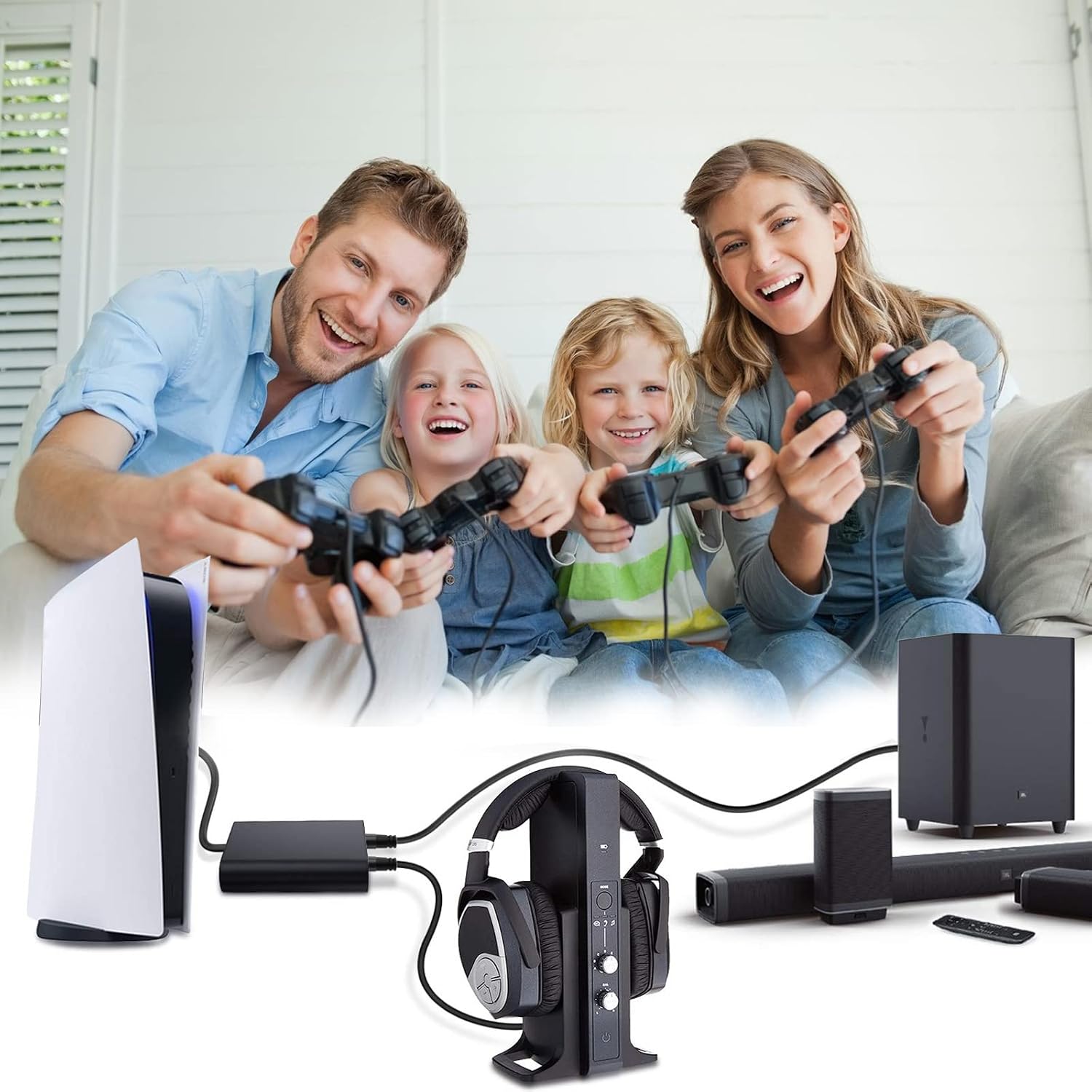
Image 5: A setup example demonstrating a PS5 connected to the optical splitter, allowing simultaneous audio output to both a gaming headset and a soundbar.
5. Compatibility
This Toslink Optical Audio Splitter Adapter is compatible with a wide range of devices and audio formats:
- Source Devices: HDTVs, DVD Players, Blu-ray Players, CD Players, PS3, XBOX360, Satellite Receivers, Cable Boxes, Digital Media Players, and any device with a digital optical (TOSLINK) audio output.
- Receiving Devices: Soundbars, Home Cinema Receivers, Amplifiers, DACs (Digital-to-Analog Converters), and any device with a digital optical (TOSLINK) audio input.
- Audio Formats: Supports uncompressed 2-channel LPCM (Linear Pulse Code Modulation) and compressed 5.1/7.1 channel audio formats such as Dolby Digital and DTS.

Image 6: A visual representation of the broad compatibility of the optical splitter, showing common input devices like TVs and game consoles, and output devices such as soundbars, headphones, and Hi-Fi systems.
6. Troubleshooting
If you encounter issues, please refer to the following common troubleshooting steps:
- No Audio Output:
- Ensure all optical cables are securely connected. A loose connection can prevent signal transmission.
- Verify that the audio output settings on your source device are correctly configured for optical output (e.g., PCM, Dolby Digital, or DTS passthrough).
- Check the input selection on your receiving devices to ensure they are set to the correct optical input.
- Test the optical cables directly between the source and one receiving device to rule out cable issues.
- Intermittent Audio:
- Inspect optical cables for damage or sharp bends, which can disrupt the fiber optic signal.
- Ensure the splitter is not under any physical stress or strain.
- Audio Quality Issues:
- This is a passive splitter and does not degrade audio quality. If you experience poor audio, check the source device, receiving devices, and optical cables for issues.
7. Warranty and Support
This product comes with a 3-month money-back guarantee and a 1-year warranty, along with friendly customer service.
- Warranty Period: 1 year from the date of purchase.
- Money-Back Guarantee: 3 months from the date of purchase.
- Customer Support: For any questions or assistance, please contact the manufacturer, Sisselyan, through your purchase platform.