
Introduction
Thank you for purchasing the SINGING WOOD 030C Portable CD Player Boombox. This device offers versatile audio playback options, including CD, AM/FM radio, and auxiliary input. Designed for both indoor and outdoor use, it provides a portable audio experience with clear sound. Please read this manual thoroughly to ensure proper use and maintenance of your new boombox.
Included in the Box:
- SINGING WOOD 030C Boombox
- AC Power Cord


Safety Information
- Power Source: Use only the specified AC power cord or 6 C batteries (sold separately). Do not mix old and new batteries, or different types of batteries.
- Water and Moisture: To reduce the risk of fire or electric shock, do not expose this appliance to rain or moisture. Do not place objects filled with liquids, such as vases, on the apparatus.
- Ventilation: Ensure adequate ventilation. Do not block any ventilation openings.
- Heat: Do not place the unit near heat sources such as radiators, heat registers, stoves, or other apparatus (including amplifiers) that produce heat.
- Cleaning: Unplug the unit from the wall outlet before cleaning. Use a soft, dry cloth. Do not use liquid cleaners or aerosol cleaners.
- Servicing: Do not attempt to service this product yourself as opening or removing covers may expose you to dangerous voltage or other hazards. Refer all servicing to qualified service personnel.
Product Overview
Familiarize yourself with the various parts and controls of your SINGING WOOD 030C Boombox.
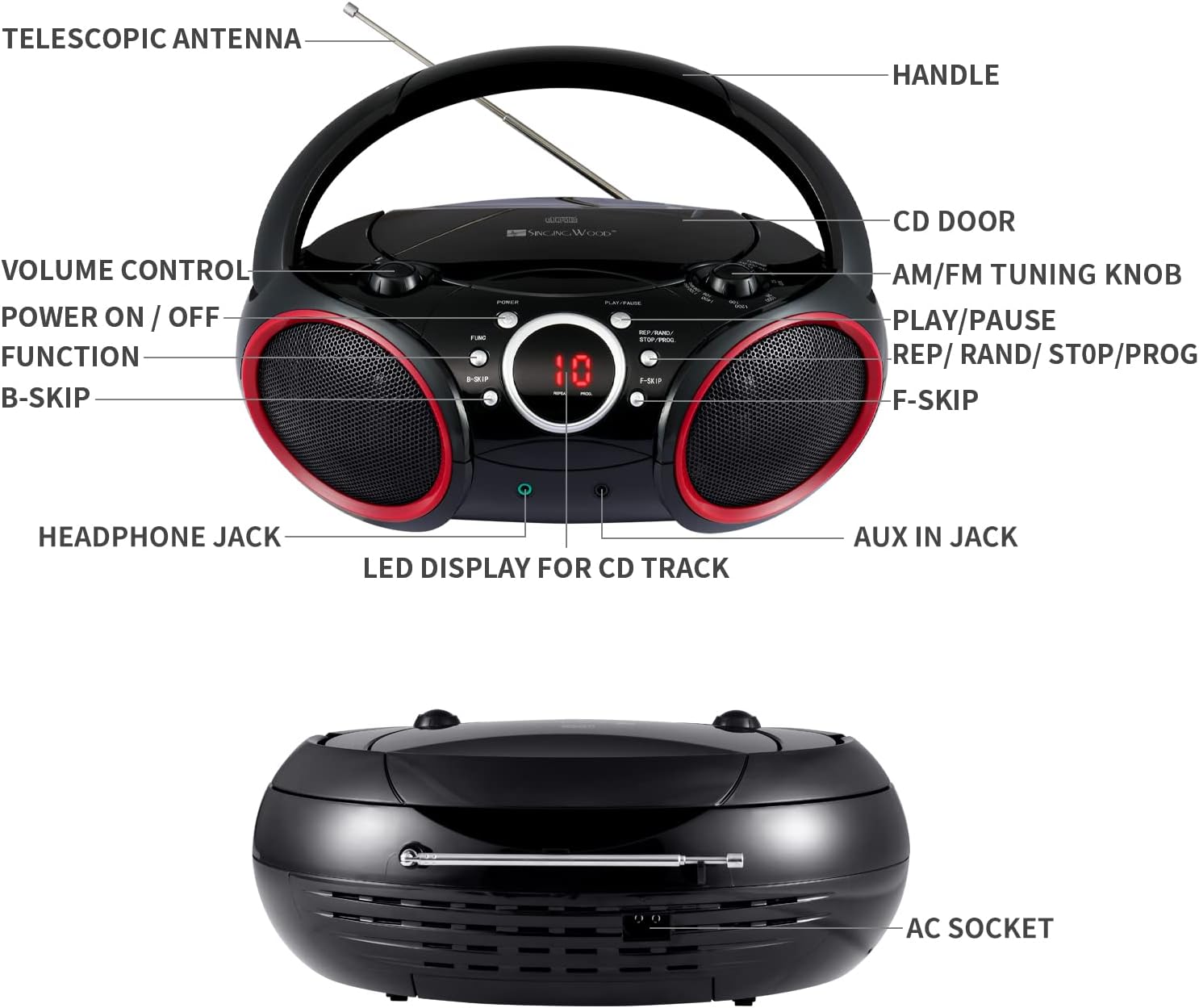
- Handle: For portable carrying.
- Telescopic Antenna: Extends for improved FM radio reception.
- CD Door: Opens to insert or remove CDs.
- AM/FM Tuning Knob: Adjusts radio frequency.
- Volume Control: Adjusts audio output level.
- Power ON / OFF: Turns the unit on or off.
- Function (FUNC) Button: Selects between CD, AM, FM, and AUX modes.
- Play / Pause Button: Starts or pauses CD playback.
- REP / RAND / STOP / PROG Button: Controls repeat modes, random play, stops CD playback, and initiates program mode.
- B-SKIP Button: Skips to the previous track on a CD.
- F-SKIP Button: Skips to the next track on a CD.
- LED Display for CD Track: Shows the current CD track number or other status indicators.
- Headphone Jack: For private listening with headphones (3.5mm).
- AUX IN Jack: For connecting external audio devices (3.5mm).
- AC Socket: For connecting the AC power cord.
Setup
Powering the Boombox
Your boombox can be powered by either AC power or batteries.
- AC Power: Connect the supplied AC power cord to the AC socket on the back of the unit and then plug it into a standard wall outlet.
- Battery Power: For portable use, insert 6 C-size batteries (not included) into the battery compartment located on the bottom of the unit. Ensure correct polarity (+/-) as indicated inside the compartment.

Operating Instructions
General Operation
- Power On/Off: Press the POWER button to turn the unit on or off.
- Select Function: Press the FUNC (Function) button repeatedly to cycle through modes: CD, AM, FM, AUX.
- Adjust Volume: Rotate the VOLUME CONTROL knob to increase or decrease the sound level.
CD Player Operation
- Ensure the unit is powered off or in a non-CD mode (AM/FM/AUX).
- Open the CD DOOR by gently lifting it.
- Place a CD (CD-R/CD-RW compatible) onto the center spindle with the label side facing up.
- Close the CD DOOR securely.
- Press the FUNC button until the CD mode is selected. The LED display will show "-- --" indicating CD mode, then the total number of tracks.
- Press the PLAY/PAUSE button to start playback. The track number will appear on the LED display.
- To pause, press PLAY/PAUSE again. Press it once more to resume.
- To skip to the next track, press the F-SKIP button.
- To skip to the beginning of the current track or the previous track, press the B-SKIP button.
- To stop playback, press and hold the REP/RAND/STOP/PROG button until the display changes (e.g., from track number to total tracks or "-- --"). This ensures the CD stops completely and the player resets for the next operation.
- Repeat Playback: During CD playback, press the REP/RAND/STOP/PROG button once for "Repeat One" (repeats current track) or twice for "Repeat All" (repeats all tracks on the CD).
- Program Playback:
- In stop mode, press the REP/RAND/STOP/PROG button. "PROG" will flash on the display.
- Use F-SKIP or B-SKIP to select your desired track.
- Press REP/RAND/STOP/PROG again to confirm the track. Repeat for up to 20 tracks.
- Press PLAY/PAUSE to start programmed playback.
AM/FM Radio Operation
- Press the FUNC button to select AM or FM radio mode.
- Extend the TELESCOPIC ANTENNA for optimal FM reception. For AM reception, rotate the unit for best signal.
- Rotate the AM/FM TUNING KNOB to tune into your desired radio station.
Auxiliary Input Operation
- Connect one end of a 3.5mm audio cable (not included) to the AUX IN JACK on the boombox.
- Connect the other end of the audio cable to the headphone jack or audio output of your external audio device (e.g., smartphone, MP3 player).
- Press the FUNC button to select AUX mode.
- Control playback and volume from your external device.

Headphone Usage
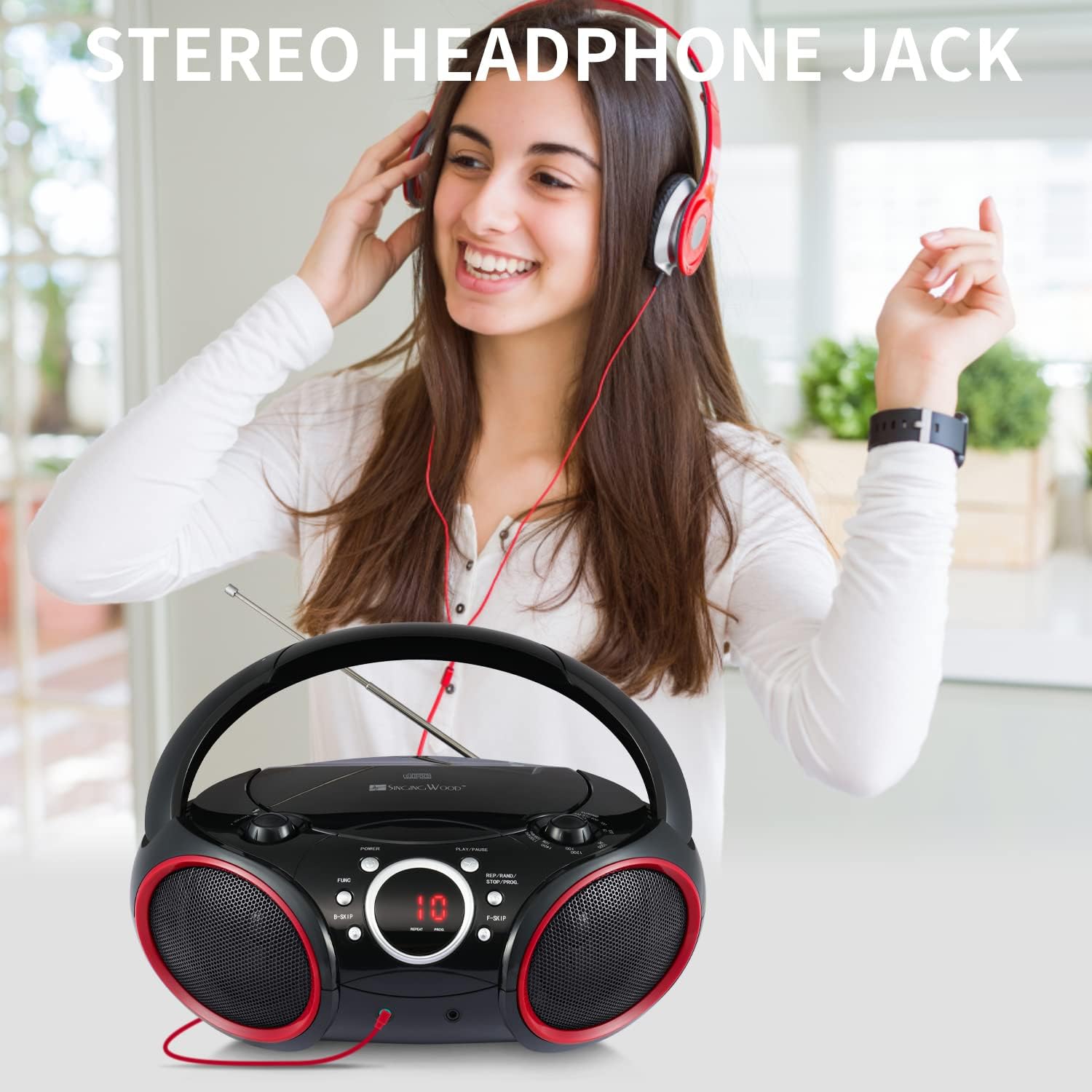
For private listening, plug any standard 3.5mm headphones (not included) into the HEADPHONE JACK. The speakers will automatically mute when headphones are connected.
Maintenance
- Cleaning the Unit: Wipe the exterior of the boombox with a soft, slightly damp cloth. Do not use abrasive cleaners or solvents.
- CD Lens Care: To ensure optimal CD playback, occasionally clean the CD lens using a commercially available CD lens cleaner disc. Avoid touching the lens directly.
- Battery Replacement: If using battery power, replace all 6 C-size batteries when the sound becomes distorted or the unit stops functioning. Remove batteries if the unit will not be used for an extended period.
Troubleshooting
If you encounter any issues with your boombox, please refer to the following common problems and solutions:
| Problem | Possible Cause | Solution |
|---|---|---|
| No power | AC cord not connected; Batteries depleted or incorrectly inserted. | Ensure AC cord is securely plugged in. Replace batteries with new ones, checking polarity. |
| CD not playing / "NO DISC" error | CD inserted incorrectly; CD dirty or scratched; CD door not closed; Incorrect mode selected; CD player stuck. | Insert CD with label side up. Clean CD. Close CD door firmly. Press FUNC to select CD mode. If CD player is unresponsive, ensure you stop playback by pressing and holding the REP/RAND/STOP/PROG button until the display changes, then try again. |
| Poor radio reception | Antenna not extended; Unit position. | Fully extend the telescopic antenna for FM. Rotate the unit for optimal AM reception. |
| No sound from Aux-in | Aux cable not connected; Incorrect mode; Volume too low on external device. | Ensure Aux cable is fully inserted. Press FUNC to select AUX mode. Increase volume on both the boombox and the external device. |
| CD playback issues after previous use | CD player not properly stopped or reset. | Always ensure to stop CD playback by pressing and holding the REP/RAND/STOP/PROG button until the display indicates a full stop (e.g., total tracks or "-- --") before changing modes or turning off the unit. If the unit is on, cycle through AM, FM, then back to CD mode if needed. |
Specifications
| Feature | Detail |
|---|---|
| Model Number | 030C (SBX030C-RD) |
| Product Dimensions (L x W x H) | 11.8 x 9 x 4.8 inches |
| Item Weight | 3.2 pounds |
| Connectivity Technology | Auxiliary |
| Speaker Type | Stereo |
| Power Source | AC (120V, 60Hz) or 6 x C Batteries (not included) |
| CD Compatibility | CD, CD-R, CD-RW |
| Radio Bands | AM/FM Stereo |

Warranty and Support
SINGING WOOD products are manufactured with quality and reliability in mind. For specific warranty information or technical support, please refer to the warranty card included with your purchase or visit the official SINGING WOOD website.
For further assistance, you may also contact the retailer where the product was purchased.
