
BLAUPUNKT BREMEN
BLAUPUNKT Bremen SQR 46 DAB Retro Car Stereo
Model: BREMEN
Instruction Manual
1. Introduction and Overview
The BLAUPUNKT Bremen SQR 46 DAB is a modern reinterpretation of the classic 1-DIN car radio, blending vintage aesthetics with contemporary technology. This unit offers a comprehensive in-car entertainment experience, featuring DAB+ digital radio, Bluetooth connectivity for audio streaming and hands-free calling, USB and SD card playback, and auxiliary input. Its design is optimized for easy integration into classic car interiors, providing powerful audio output and a user-friendly interface.
2. What's in the Box
Upon unboxing your BLAUPUNKT Bremen SQR 46 DAB, please verify that all components listed below are present and in good condition:
- 1 x BLAUPUNKT Bremen SQR 46 DAB Head Unit
- Wiring Harness
- Mounting Frame and Keys
- IR Remote Control
- DAB+ Windshield Antenna
- External Bluetooth Microphone
- User Manual (this document)

Figure 2.1: Contents of the BLAUPUNKT Bremen SQR 46 DAB package, including the head unit, wiring, remote, and antennas.
3. Setup and Installation
Proper installation is crucial for optimal performance and safety. It is highly recommended that installation be performed by a qualified professional. Before beginning, disconnect the vehicle's negative battery terminal to prevent electrical shorts.
3.1. Wiring Connections
Connect the provided wiring harness to the vehicle's existing wiring. Ensure correct connections for power (constant 12V, switched 12V, ground), speaker outputs, and antenna. Refer to the wiring diagram included in the separate installation guide for detailed pin assignments.

Figure 3.1: Rear connections of the head unit.
3.2. Mounting the Unit
Insert the metal mounting sleeve into the vehicle's dashboard opening. Bend the tabs on the sleeve outwards to secure it. Slide the head unit into the sleeve until it clicks into place. Ensure the unit is firmly seated.
3.3. Antenna and Microphone Installation
Connect the DAB+ windshield antenna and position it according to the antenna's instructions for best reception. Install the external Bluetooth microphone in a suitable location, such as on the sun visor or A-pillar, ensuring it is clear of obstructions for optimal voice pickup during calls.

Figure 3.2: Example installations in classic car dashboards.
4. Operating Instructions
This section covers the basic operation of your Bremen SQR 46 DAB car stereo.
4.1. Power On/Off and Volume
Press the Power/Volume knob to turn the unit on or off. Rotate the knob clockwise to increase volume and counter-clockwise to decrease it.
4.2. Source Selection
Press the SRC button to cycle through available audio sources: FM, AM, DAB+, Bluetooth Audio, USB, SD, and AUX input.
4.3. Radio Operation (FM/AM/DAB+)
- Tuning: Use the forward/back arrows to manually tune or seek for stations.
- Preset Stations: Press and hold a numbered button (1-6) to save the current station as a preset. Briefly press to recall a saved preset.
- DAB+ Features: The DAB+ tuner provides access to digital radio broadcasts with enhanced sound quality and additional information. Ensure the DAB+ antenna is properly installed for optimal reception.
4.4. Bluetooth Connectivity
To pair your device:
- Select Bluetooth as the source.
- Enable Bluetooth on your mobile device and search for available devices.
- Select "BLAUPUNKT BREMEN" from the list.
- Once paired, you can stream audio and make/receive calls through the unit.
4.5. USB/SD Playback
Insert a USB drive or SD card into the respective slot. The unit will automatically switch to the USB/SD source and begin playing compatible audio files (MP3, WMA). Use the forward/back arrows to skip tracks.

Figure 4.1: Front panel controls and display.

Figure 4.2: USB drive inserted into the front panel.
5. Maintenance
To ensure the longevity and optimal performance of your BLAUPUNKT Bremen SQR 46 DAB, follow these maintenance guidelines:
- Cleaning: Use a soft, dry cloth to clean the unit's front panel. For stubborn dirt, slightly dampen the cloth with water. Avoid using harsh chemicals, abrasive cleaners, or solvents.
- Temperature: Avoid exposing the unit to extreme temperatures, direct sunlight for prolonged periods, or high humidity.
- Connections: Periodically check all wiring connections to ensure they are secure and free from corrosion.
- Software Updates: Check the official BLAUPUNKT website for any available firmware updates to ensure your unit has the latest features and bug fixes.
6. Troubleshooting
If you encounter issues with your unit, refer to the following common problems and solutions before contacting support.
| Problem | Possible Cause | Solution |
|---|---|---|
| No Power | Blown fuse; incorrect wiring; vehicle battery issue. | Check and replace fuse; verify wiring connections; check vehicle battery. |
| No Sound | Volume too low; Mute activated; incorrect speaker wiring. | Increase volume; deactivate Mute; check speaker connections. |
| Poor Radio Reception | Antenna not connected or damaged; weak signal area. | Check antenna connection; ensure antenna is fully extended/properly installed; try a different location. |
| Bluetooth Pairing Failure | Bluetooth not enabled on device; unit not in pairing mode; device too far. | Ensure Bluetooth is on; put unit in pairing mode; move device closer. |
| USB/SD Not Recognized | Incompatible file format; corrupted media; incorrect insertion. | Ensure files are MP3/WMA; try different USB/SD card; reinsert media correctly. |
For more detailed troubleshooting steps, please refer to the comprehensive troubleshooting section in the full user manual or contact BLAUPUNKT customer support.
7. Specifications
Detailed technical specifications for the BLAUPUNKT Bremen SQR 46 DAB:
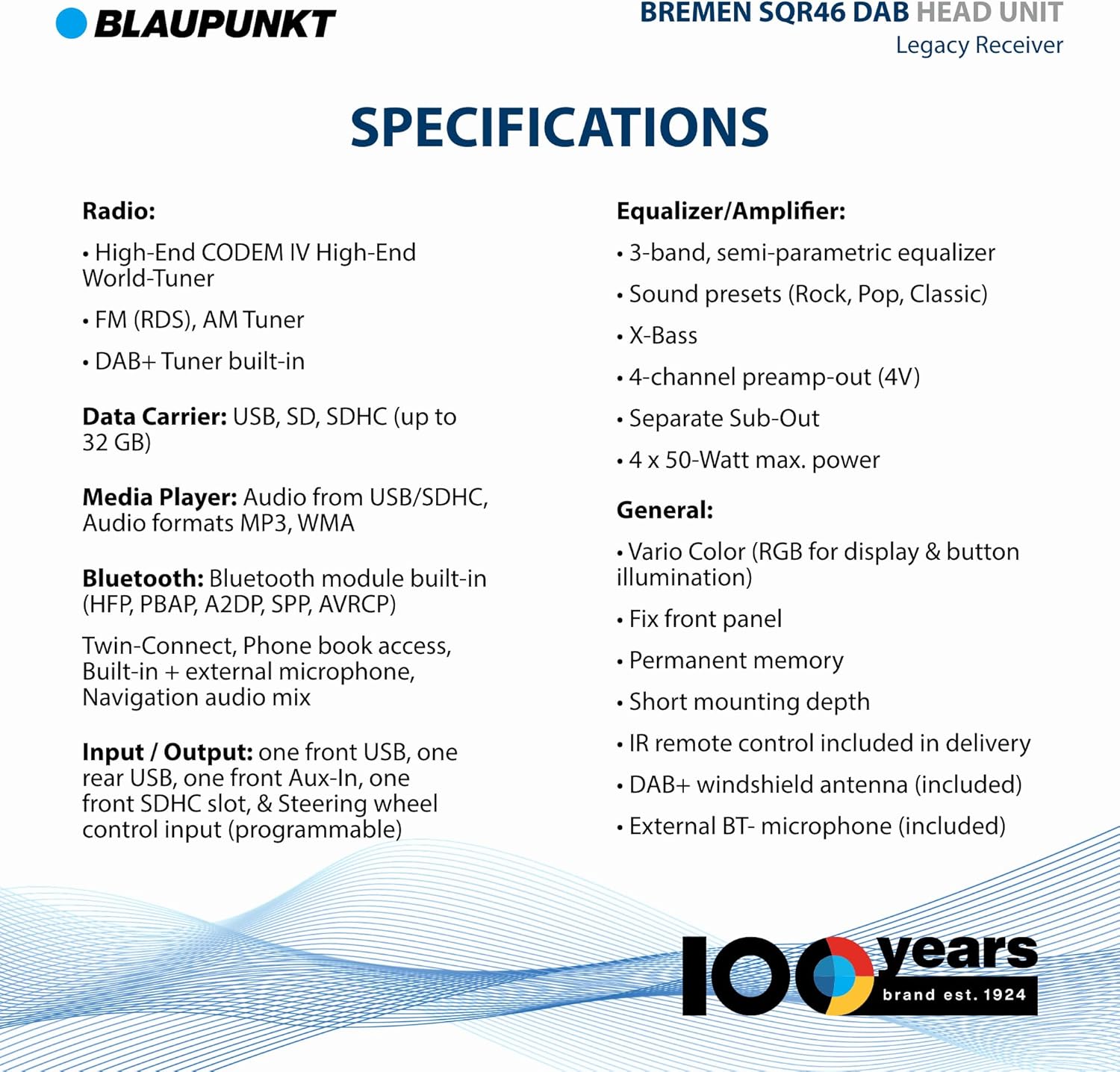
Figure 7.1: Product Specifications Overview.
- Product Dimensions: 4.33 x 7.09 x 2.36 inches
- Item Weight: 2.11 ounces
- Model Number: BREMEN
- Display Technology: LCD
- Connectivity Technologies: Bluetooth, IR
- Special Features: RDS, DAB, Equalizer
- Tuner Technology: AM/FM/DAB+ (High-End CODEM IV World-Tuner)
- Data Carrier: USB, SD, SDHC (up to 32 GB)
- Media Player: Audio from USB/SDHC, Audio formats MP3, WMA
- Bluetooth: HFP, PBAP, A2DP, SPP, AVRCP, Twin-Connect, Phone book access, Built-in + external microphone, Navigation audio mix
- Input / Output: One front USB, one rear USB, one front Aux-In, one front SDHC slot, steering wheel control input (programmable)
- Equalizer/Amplifier: 3-band semi-parametric equalizer, Sound presets (Rock, Pop, Classic), X-Bass, 4-channel preamp-out (4V), Separate Sub-Out, 4 x 50-Watt max. power
- General: Vario Color (RGB for display & button illumination), Fixed front panel, Permanent memory, Short mounting depth, IR remote control included, DAB+ windshield antenna included, External BT-microphone included

Figure 7.2: Product Dimensions.
8. Warranty and Support
BLAUPUNKT products are manufactured to the highest quality standards. This product is covered by a manufacturer's warranty against defects in materials and workmanship. The specific terms and duration of your warranty may vary by region and purchase location. Please retain your proof of purchase for warranty claims.
For technical support, warranty service, or to inquire about replacement parts, please contact BLAUPUNKT customer service through their official website or the contact information provided with your purchase documentation. You may also find additional resources, FAQs, and software updates on the official BLAUPUNKT support portal.
For the most up-to-date information regarding product support and warranty details, please visit the official BLAUPUNKT website or refer to the warranty card included in your product packaging.
Related Documents - BREMEN
 |
Blaupunkt Bremen SQR 46 DAB Bedienungsanleitung Entdecken Sie die Funktionen und Bedienung des Blaupunkt Bremen SQR 46 DAB Autoradios mit dieser umfassenden Bedienungsanleitung. Erfahren Sie mehr über Installation, DAB/FM-Radio, Bluetooth und mehr. |
 |
Blaupunkt iPod Interface Installation Guide and User Manual Comprehensive installation instructions and safety guidelines for the Blaupunkt iPod Interface, enabling seamless integration of Apple iPod devices with Blaupunkt car radios and navigation systems. |
 |
Bremen Laser Distance Measurer 8265 - Features and Applications Discover the Bremen Laser Distance Measurer 8265, a versatile tool for accurate digital measurements. Explore its features, applications in architecture, construction, carpentry, and more, and its compact design. |
 |
Cajas de Herramientas Bremen: Durabilidad y Protección para sus Herramientas Descubra las cajas de herramientas Bremen, fabricadas en polipropileno de alta pureza con sellos perimetrales y cierres seguros. Disponibles en 16, 18 y 20 pulgadas. |
 |
Blaupunkt 2025/26 Product Catalog - Car Audio Systems Explore the comprehensive 2025/26 product catalog from Blaupunkt, featuring a wide range of car audio head units, amplifiers, processors, speakers, and accessories. Discover innovative technology and legendary sound quality. |
 |
Blaupunkt 2024 Product Catalog: Automotive Audio Systems Explore the comprehensive 2024 product catalog from Blaupunkt, featuring a wide range of high-fidelity automotive audio equipment, including head units, speakers, amplifiers, processors, and accessories. Discover innovative car electronics designed for exceptional sound and performance. |
Ask a question about this manual
Ask about setup, troubleshooting, compatibility, parts, safety, or missing instructions. Manuals+ will review the question and use this page’s manual context to help answer it.