
Product Overview
The We R Memory Keepers Crop-A-Dile Multi Hole Punch is a versatile tool designed for various crafting and DIY projects. It features five interchangeable punch sizes, allowing for precise hole creation in a wide range of materials. This manual provides instructions for setup, operation, maintenance, and troubleshooting.

Figure 1: We R Memory Keepers Crop-A-Dile Multi Hole Punch in its packaging.
Setup
Unpacking and Initial Inspection
Carefully remove the Crop-A-Dile Multi Hole Punch from its packaging. Inspect the tool for any signs of damage. Ensure all components are present, including the main punch body and the rotating punch head with its five different hole sizes.
Understanding Hole Sizes
The punch head features five distinct hole sizes: 1/16", 1/8", 3/16", 1/4", and 5/16". These sizes are clearly marked on the rotating dial for easy selection.

Figure 2: Close-up of the punch head showing the five different hole sizes.
Operating Instructions
Selecting a Hole Size
To select the desired hole size, gently rotate the punch head until the corresponding size indicator aligns with the punching mechanism. Ensure the head clicks securely into place for accurate punching.
Inserting Material
Open the punch handles and slide your material (e.g., paper, fabric, leather) into the jaw of the punch. Position the material so that the desired punching location is directly under the selected hole size.

Figure 3: Proper grip and material placement for punching.
Punching the Hole
Once the material is correctly positioned, firmly squeeze the comfort-grip handles together until the punch cuts through the material. Release the handles and remove the punched material.
Compatible Materials
This multi-hole punch is designed to work with a variety of materials, including:
- Paper
- Cardstock
- Chipboard
- Fabric
- Thin Tin
- Leather
- Plastic
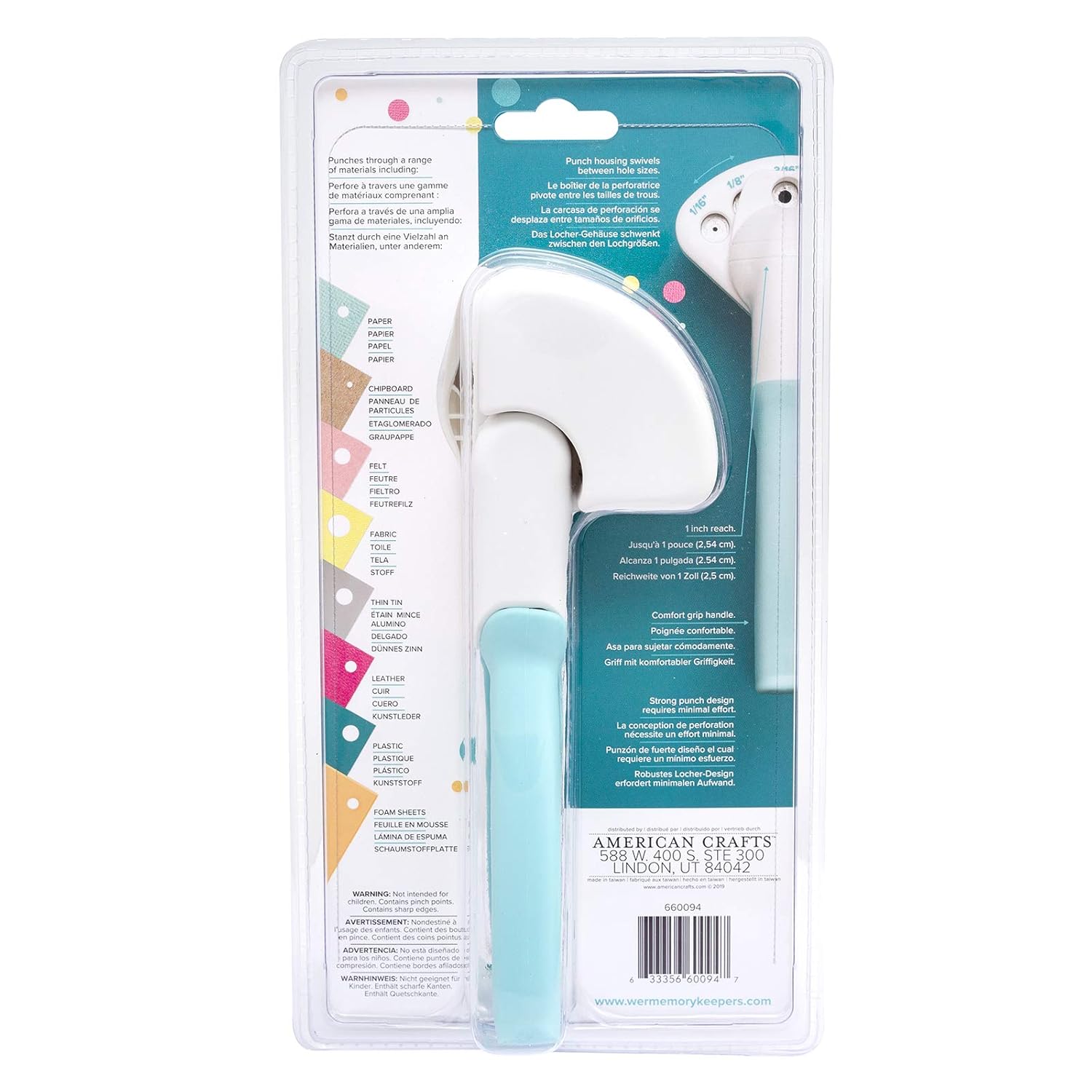
Figure 4: Packaging detail listing compatible materials.
Demonstration Videos
Video 1: Demonstration of punching through multiple layers of cardstock.
Video 2: Demonstration of punching various materials including fabric and glitter cardstock.
Video 3: Demonstration of using the punch to create small decorative shapes for crafting projects.
Maintenance
Cleaning the Punch
To maintain optimal performance, regularly clean the punch. Remove any small material scraps or debris that may accumulate in the punching mechanism. A small brush or compressed air can be used for this purpose. Ensure the punch is dry before storage.
Storage
Store the Crop-A-Dile Multi Hole Punch in a dry, safe place away from dust and moisture. Keeping the handles closed when not in use can help protect the punching mechanism.
Troubleshooting
Incomplete Punch
If the punch does not cut cleanly through the material, ensure the material is properly aligned and that you are applying sufficient pressure to the handles. For thicker materials, a firmer squeeze may be required. Also, check if any debris is obstructing the punch mechanism.
Material Stuck in Punch
If material becomes stuck, gently open the handles and carefully remove the obstruction. Avoid forcing the material, as this may damage the punch. Use tweezers or a small tool if necessary.
Specifications
- Model Number: WR660094
- Material: Paper, Plastic
- Color: Aqua
- Product Dimensions: 10.75"L x 5.75"W x 3.7"H
- Item Weight: 454 Grams (approximately 1 pound)
- Hole Count: 5 (1/16", 1/8", 3/16", 1/4", 5/16")
- Operation Mode: Manual
- UPC: 633356600947
Warranty and Support
For information regarding product warranty or technical support, please contact We R Memory Keepers directly through their official website or customer service channels. Keep your purchase receipt as proof of purchase.