
1. Introduction
Welcome to the world of LEXIBOOK Powergirl, your interactive and intelligent robot companion. This manual provides essential information for the safe and effective use of your new robot. Please read it carefully before operating the device and retain it for future reference.
Safety Warnings
- Recommended age: 3 years and up.
- Adult supervision is recommended during play.
- Do not aim the foam discs at eyes or face.
- Keep away from water and extreme temperatures.
- Do not attempt to disassemble or modify the robot or remote control.
- Ensure batteries are inserted with correct polarity. Do not mix old and new batteries or different types of batteries.
2. Package Contents
Carefully unpack your Powergirl robot and check that all items are present:
- 1 x Powergirl Robot (Pink/White)
- 1 x Remote Control
- 1 x Instruction Manual (this document)
- 9 x Foam Discs

Image: The Powergirl robot, its remote control, and the product packaging, illustrating the items included in the box.
3. Setup
3.1. Battery Installation for Robot
- Locate the battery compartment on the back of the Powergirl robot.
- Using a screwdriver, open the battery compartment cover.
- Insert 5 x LR6/AA batteries (not included), ensuring correct polarity (+/-).
- Replace the battery compartment cover and secure it with the screw.
3.2. Battery Installation for Remote Control
- Locate the battery compartment on the back of the remote control.
- Using a screwdriver, open the battery compartment cover.
- Insert 2 x LR6/AA batteries (not included), ensuring correct polarity (+/-).
- Replace the battery compartment cover and secure it with the screw.
4. Operating Instructions
4.1. Turning On/Off
Locate the ON/OFF switch on the robot's back. Slide it to the 'ON' position to power on Powergirl. Slide it to 'OFF' to power off the robot.
4.2. Remote Control Functions
The remote control allows you to command Powergirl's movements and activate various functions:
- Movement: Use the directional buttons to move Powergirl forward, backward, left, and right.
- Dance: Press the dance button to make Powergirl perform various dance routines.
- Music: Activate music playback.
- Educational Quiz: Engage in quizzes about numbers, animals, and daily life.
- Storytelling: Listen to Aesop's fables and Powergirl's favorite jokes.
- Disc Launch: Press the designated button to launch foam discs. Ensure discs are loaded into the robot's launcher.
- Recording: Press the record button, speak into the robot, and Powergirl will repeat your words in a funny robot voice.

Image: The Powergirl robot with visual cues indicating its capabilities: moves and dances, plays music, shoots foam discs, tests knowledge, tells stories, and tells jokes.
4.3. Interference Mode
If you have multiple Powergirl robots, the interference mode ensures that each remote control operates only one robot. This allows for multi-player interaction without cross-control issues.
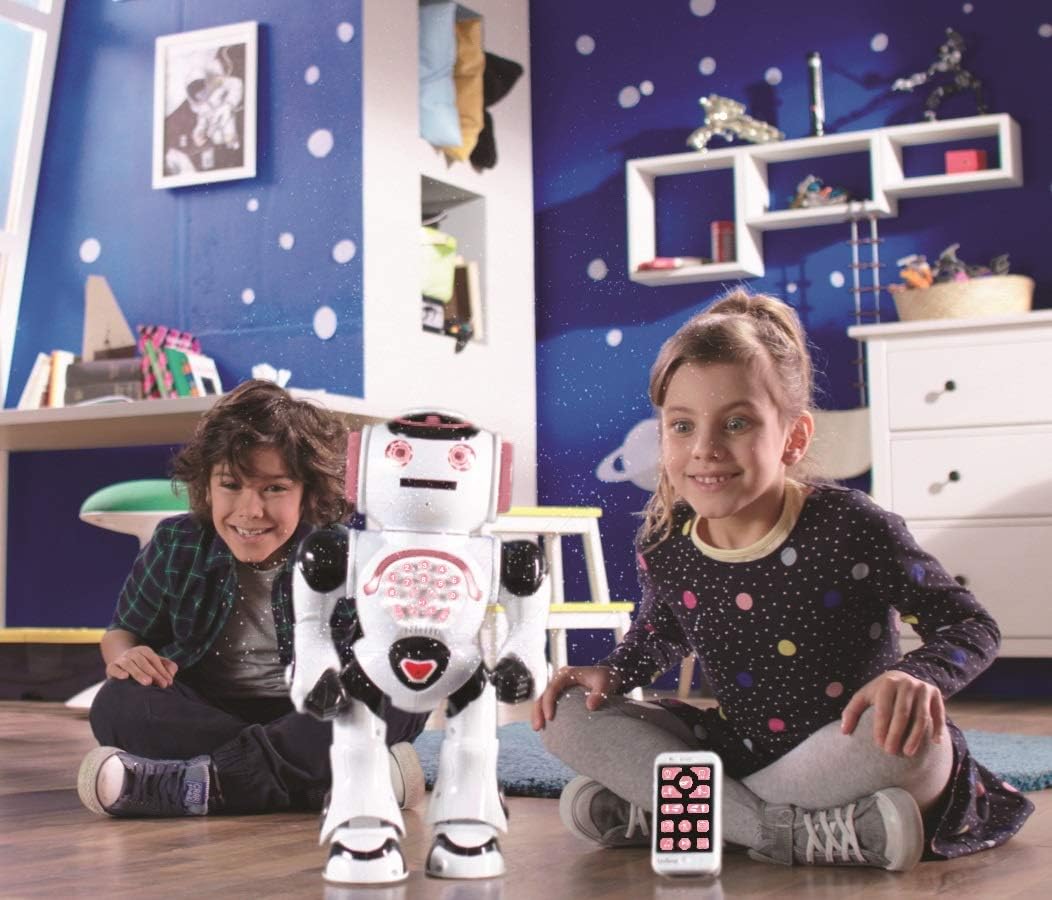
Image: Two children sitting on the floor, smiling and interacting with the Powergirl robot, demonstrating multi-user play.
5. Features
- Interactive Communication: Powergirl talks and responds, engaging children in conversation.
- Educational Content: Features quizzes on various subjects like numbers, animals, and daily life to stimulate learning.
- Storytelling and Jokes: Powergirl can narrate classic Aesop's fables and entertain with a selection of jokes.
- Music and Dance: Enjoy Powergirl's musical performances and dynamic dance moves.
- Voice Recording: Record your voice and hear Powergirl repeat it in a unique robot voice.
- Foam Disc Launcher: A fun feature allowing Powergirl to launch soft foam discs.
- Full-Function Remote Control: Navigate Powergirl in all directions and activate its various features remotely.

Image: The Powergirl robot positioned between two children, with a speech bubble indicating it is telling a story, illustrating its storytelling feature.
6. Maintenance
- Cleaning: Wipe the robot and remote control with a soft, dry cloth. Do not use abrasive cleaners or immerse in water.
- Battery Care: Remove batteries if the robot will not be used for an extended period to prevent leakage. Dispose of used batteries responsibly.
- Storage: Store the robot in a cool, dry place away from direct sunlight.
7. Troubleshooting
- Robot not turning on: Check battery installation and ensure batteries are fresh. Verify the ON/OFF switch is in the 'ON' position.
- Remote control not working: Check battery installation in the remote control and ensure batteries are fresh. Make sure the robot is powered on.
- Robot not responding to commands: Ensure the remote control is pointed towards the robot and there are no obstructions. Check for low batteries in both the robot and remote.
- Foam discs not launching: Ensure discs are properly loaded into the launcher mechanism. Check for any obstructions.
- Poor sound quality or distorted voice recording: Check battery levels. Ensure the microphone is not obstructed during recording.
8. Specifications
| Feature | Detail |
|---|---|
| Model Name | ROB50GEN |
| Dimensions (L x W x H) | 20.7 x 13.3 x 36.8 cm |
| Weight | 291 grams |
| Recommended Age | 3 years and up |
| Robot Power | 5 x LR6/AA batteries (not included) |
| Remote Control Power | 2 x LR6/AA batteries (not included) |
| Main Material | Plastic |
| Color | Pink/White |
| Educational Value | Literacy and Space Awareness |
9. Warranty and Support
Specific warranty information for the LEXIBOOK Powergirl Interactive Intelligent Robot (Model ROB50GEN) is not provided in the product details. For warranty claims, technical support, or replacement parts, please refer to the contact information provided on the product packaging or visit the official Lexibook website.