

1. Introduction
This manual provides detailed instructions for the installation, operation, and maintenance of your XOMAX XM-2VA757 Autoradio. This device is a 2-DIN car stereo system featuring Android 10, a 7-inch capacitive touchscreen, integrated GPS navigation, Bluetooth connectivity, and extensive multimedia capabilities. Please read this manual thoroughly before using the product to ensure proper functionality and safety.

Figure 1.1: Front view of the XOMAX XM-2VA757 Autoradio.
2. Product Overview
2.1 Key Features
- Operating System: Android 10 for optimized performance and access to a wide range of applications.
- Display: 7-inch (18 cm) capacitive touchscreen with 1024 x 600 pixel HD resolution.
- Processor & Memory: Quad Core processor, 2GB RAM, 32GB internal storage.
- Navigation: Integrated online GPS navigation app support, with included GPS antenna.
- Connectivity: Bluetooth for hands-free calling and A2DP music streaming, WiFi/WLAN, 3G/4G support (via external dongle, not included), OBD2, DAB+ support (requires external module).
- Multimedia: 3x USB ports (up to 2TB), 2x MicroSD card slots (up to 256GB) for MP3, WMA, MPEG4, JPEG playback.
- Inputs/Outputs: Rear/front camera input, external microphone connection, subwoofer output, steering wheel control support.
- Lighting: Customizable LED illumination colors (blue, red, yellow, lilac, green, white, turquoise).
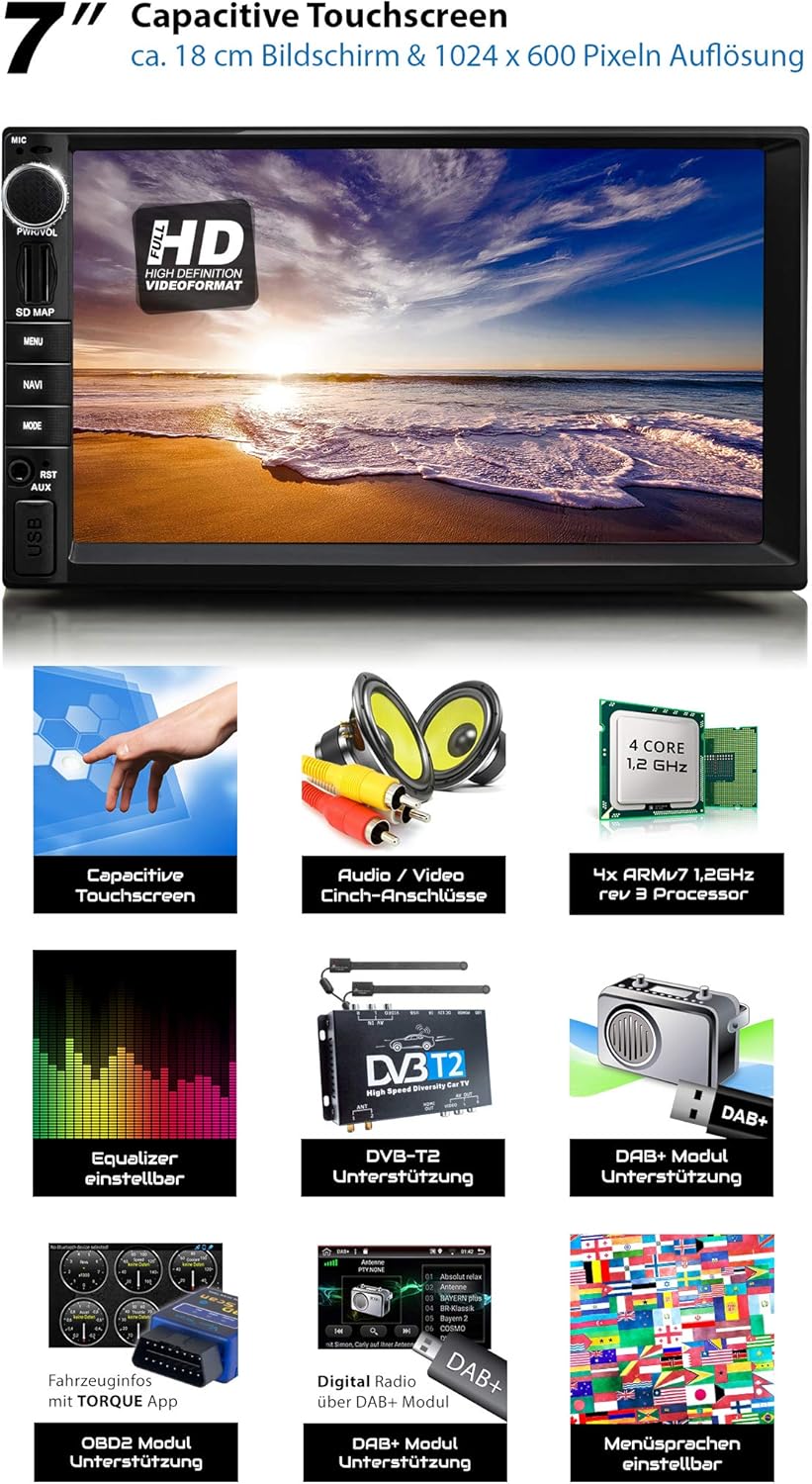
Figure 2.1: Overview of the 7-inch capacitive touchscreen and supported features.
3. Setup and Installation
3.1 Package Contents
Before installation, verify that all components are present:
- Autoradio Unit
- USB Extension Cable
- External Microphone
- ISO Connection Cable
- WiFi Antenna
- GPS Antenna
- Removal Keys
- 2-DIN Mounting Frame & Trim
- Cinch Connection Cable Set
- Mounting Instructions (DE/EN)

Figure 3.1: Included components in the package.
3.2 Rear Connections and Dimensions
The XOMAX XM-2VA757 is a standard double DIN unit. Refer to the diagram below for rear connections and dimensions to ensure compatibility with your vehicle's dashboard and wiring harness.

Figure 3.2: Rear panel connections and unit dimensions (all values in mm).
- 1. Interface for Cinch Connection Cable
- 2. Interface for External Microphone
- 3. Radio Antenna Connection
- 4. 2x USB-A Connection
- 5. Connection for GPS Antenna
- 6. Connection for WiFi Antenna
- 7. Interface for Steering Wheel Remote Control
- 8. Fuse
- 9. Rear Camera Connection
- 10. Subwoofer Output
- 11. Audio Output (FL)
- 12. Audio Output (FR)
- 13. Video Input 1
- 14. Front Camera Connection
- 15. Audio Output (RL)
- 16. Audio Output (RR)
- 17. Video Input 2
- 18. Audio Input 1
- 19. Audio Input 2
Important: Professional installation is recommended. Ensure all power connections are correctly made to avoid damage to the unit or vehicle electrical system. Connect the GPS and WiFi antennas securely for optimal signal reception.
4. Operating Instructions
4.1 Basic Operation
- Power On/Off: Press the PWR/VOL knob to turn the unit on or off.
- Volume Control: Rotate the PWR/VOL knob to adjust the volume.
- Touchscreen: Navigate the Android interface by tapping, swiping, and pinching on the 7-inch capacitive touchscreen.
- Reset: A small reset button (RST) is located on the front panel, typically requiring a thin object to press. Use this if the system becomes unresponsive.
4.2 Android 10 Interface
The unit runs on an optimized Android 10 operating system, providing a familiar smartphone-like experience. The main screen typically displays time, date, radio, navigation, Bluetooth, music, video, and app icons for quick access.
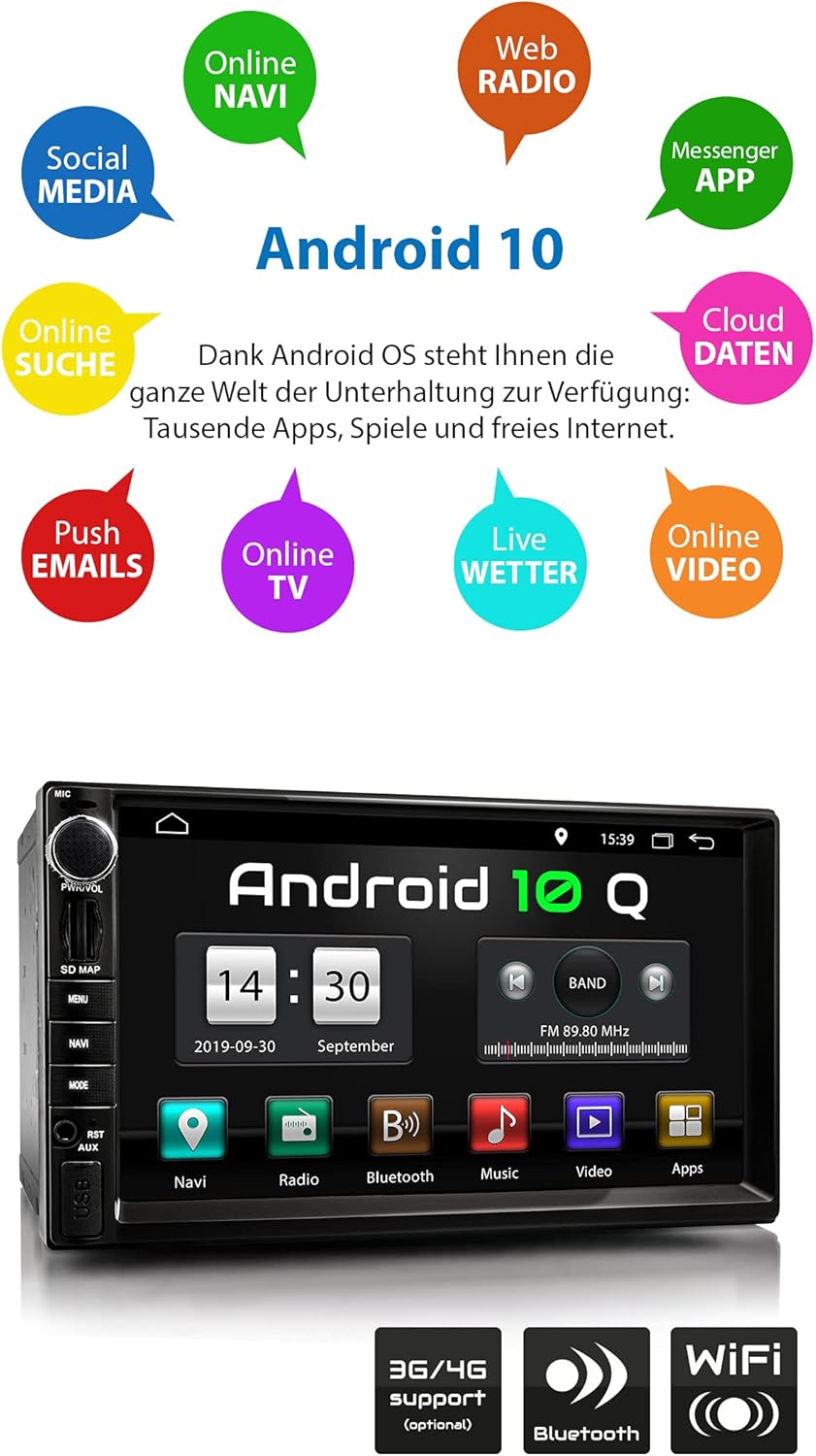
Figure 4.1: Android 10 home screen with various application shortcuts.
4.3 Steering Wheel Control
The unit supports connection to your vehicle's existing steering wheel controls, allowing you to manage audio and calls without taking your hands off the wheel. Ensure proper wiring during installation.

Figure 4.2: Illustration of steering wheel control support.
5. Connectivity
5.1 Bluetooth
The integrated Bluetooth module enables hands-free calling and audio streaming (A2DP). To pair your phone:
- Go to the Bluetooth menu on the Autoradio.
- Enable Bluetooth on your mobile device and search for available devices.
- Select 'XOMAX XM-2VA757' (or similar name) from the list on your phone.
- Confirm the pairing code if prompted.
Once paired, you can make/receive calls directly from the unit and stream music from your phone.

Figure 5.1: Bluetooth interface for hands-free communication and music streaming.
5.2 WiFi / WLAN
Connect the unit to a WiFi hotspot (e.g., from your smartphone or a dedicated car hotspot) to access online features, download apps, and browse the internet. Go to Settings > Network & Internet > Wi-Fi to configure your connection.
5.3 USB and MicroSD
The unit features multiple USB ports and MicroSD card slots for media playback and data storage. Simply insert your USB drive or MicroSD card, and the system will detect the media files. Supported formats include MP3, WMA, MPEG4, and JPEG.

Figure 5.2: Multimedia playback from USB and MicroSD storage.
5.4 Smartphone Display Mirroring
Mirror your smartphone's screen to the Autoradio display. This feature supports Android smartphones via USB/WLAN and iOS smartphones via WLAN only. Follow the on-screen instructions in the 'MirrorLink' or 'EasyConnect' app on the unit.

Figure 5.3: Smartphone display mirroring in action.
6. Navigation and Multimedia
6.1 GPS Navigation
The unit comes with an integrated GPS module and supports various online navigation applications (e.g., Google Maps, Waze) that can be downloaded from the Google Play Store. An external GPS antenna is included for accurate positioning.
Figure 6.1: GPS navigation interface with support for multiple map applications.
6.2 Radio
Access FM/AM radio stations. The unit also supports DAB+ digital radio with an optional external DAB+ module (not included).
6.3 Multimedia Playback
Play audio, video, and image files from connected USB drives, MicroSD cards, or internal storage. The unit supports a wide range of formats. Note that video playback may be restricted while the vehicle is in motion for safety reasons.
7. Maintenance
To ensure the longevity and optimal performance of your XOMAX XM-2VA757 Autoradio, follow these maintenance guidelines:
- Cleaning: Use a soft, dry cloth to clean the touchscreen and unit exterior. For stubborn marks, slightly dampen the cloth with water. Avoid using harsh chemicals, abrasive cleaners, or solvents.
- Software Updates: Periodically check for available software updates from the manufacturer's official website to ensure the system runs optimally and has the latest features and security patches.
- Temperature: Avoid exposing the unit to extreme temperatures, direct sunlight for prolonged periods, or high humidity.
- Connections: Ensure all cables are securely connected and free from damage.
8. Troubleshooting
If you encounter issues with your Autoradio, refer to the following common problems and solutions:
| Problem | Possible Cause | Solution |
|---|---|---|
| Unit does not power on. | Incorrect wiring; Blown fuse; Vehicle battery issue. | Check power connections (ACC, B+); Inspect vehicle's fuse box and the unit's fuse; Verify vehicle battery charge. |
| No sound. | Volume too low; Mute activated; Speaker wiring issue; Incorrect audio source. | Increase volume; Check mute setting; Verify speaker connections; Select correct audio input. |
| Bluetooth not connecting. | Bluetooth off on unit/phone; Device not in pairing mode; Interference. | Ensure Bluetooth is enabled on both devices; Put unit in pairing mode; Try pairing again; Move closer to the unit. |
| GPS signal weak or lost. | GPS antenna not properly connected or positioned; Obstruction. | Ensure GPS antenna is securely connected and placed in a clear line of sight (e.g., dashboard). |
| System is slow or unresponsive. | Too many apps running; Low internal storage; Software glitch. | Close unnecessary apps; Clear cache; Perform a system reset (using the RST button); Consider a factory reset if issues persist (this will erase all data). |
| USB/SD card not recognized. | Incompatible format; Corrupted media; Loose connection. | Ensure media is formatted to FAT32; Try a different USB/SD card; Check connection. |
If the problem persists after trying these solutions, please contact XOMAX customer support or a qualified technician.
9. Specifications
| Feature | Specification |
|---|---|
| Brand | XOMAX |
| Model Number | XM-2VA757 |
| Screen Size | 7 Inches (18 cm) |
| Display Resolution | 1024 x 600 pixels (HD) |
| Operating System | Android 10 |
| RAM | 2GB |
| Internal Storage | 32GB |
| Connectivity | Bluetooth, USB, WiFi |
| Special Features | DAB+ (requires module), RDS, Spotify (via app), GPS Navigation, OBD2 (requires module) |
| Compatible Devices | Smartphone |
| Audio Output Mode | Stereo |
| Number of Channels | 4 |
| Power Output | 60 Watts |
| ASIN | B07XLLQCCY |
10. Warranty and Support
For information regarding warranty coverage, technical support, or service, please refer to the documentation provided with your purchase or contact XOMAX customer service directly. Details on spare parts availability and software update guarantees are not available in this manual and should be inquired from the manufacturer or seller.


