
Introduction
The Vera Ezlo Atom is a compact and affordable home control hub designed to simplify smart home management. It allows users to control various Z-Wave devices, enhancing convenience and security within their homes. This manual provides essential information for setting up, operating, and maintaining your Ezlo Atom hub.
Setup Instructions
Setting up your Ezlo Atom is a straightforward process. Follow these steps to get your hub operational:
- Power Connection: Plug the Ezlo Atom directly into any standard USB adapter (not included) and then into an electrical outlet. The device is designed to be powered via USB.
- App Download: Download the official Vera mobile application from your device's app store (available for iOS and Android).
- Account Creation/Login: Open the Vera app and either create a new account or log in with your existing Vera credentials.
- Follow In-App Instructions: The app will guide you through the remaining step-by-step instructions to connect your Ezlo Atom to your home network and begin adding Z-Wave devices.
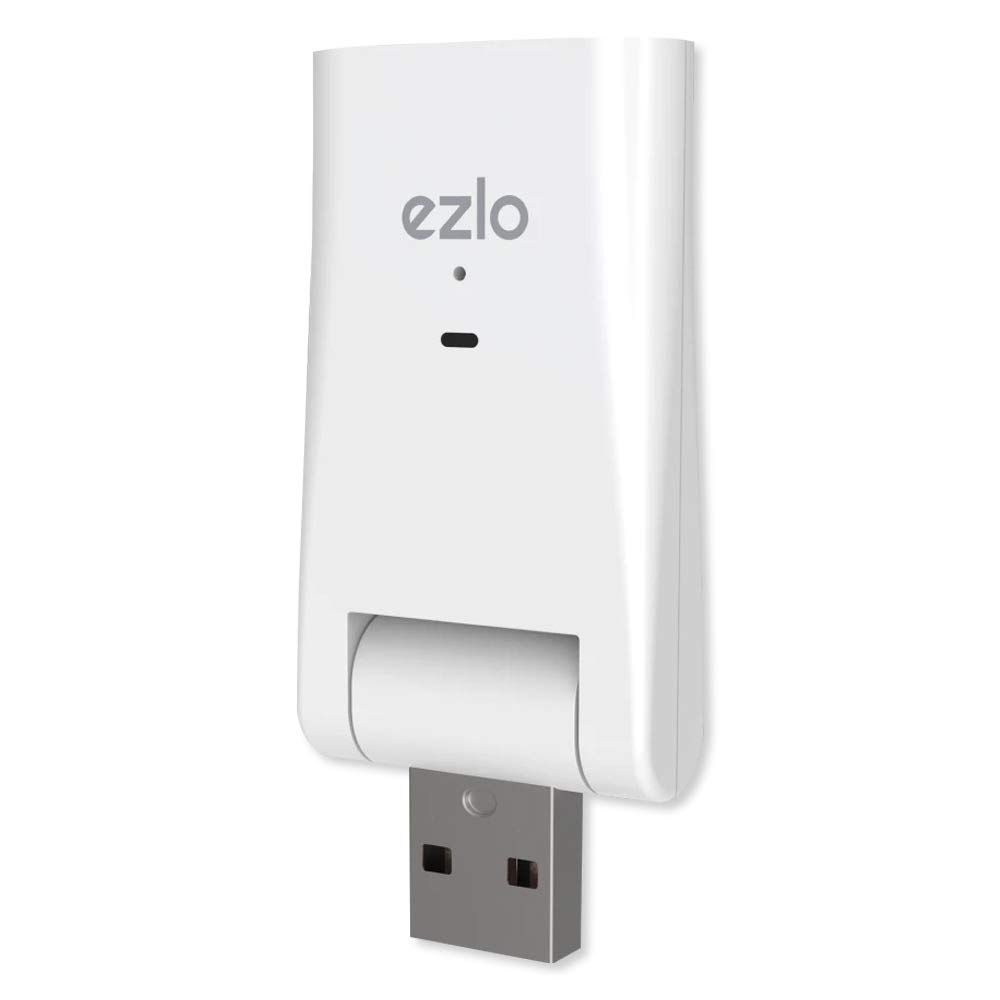
Figure 1: The Vera Ezlo Atom Home Control Hub. This image shows the compact, white USB-stick-like device with the 'ezlo' logo and an indicator light on its front, and a USB-A connector at the bottom, ready to be plugged into a USB power adapter.
Operating Your Ezlo Atom
Once set up, the Ezlo Atom allows you to control and automate various aspects of your home. The primary interface for operation is the Vera mobile app.
- Remote Control: Use the Vera app to control your connected Z-Wave devices from anywhere. This includes turning lights on/off, adjusting thermostats, locking/unlocking doors, and managing sensors.
- Alerts and Notifications: Configure the app to receive alerts on your phone for specific events, such as a door opening, motion detection, or water leaks (with compatible sensors).
- Home Automation Scenes: Create custom automation scenes to manage your home automatically. For example, set outdoor lights to activate at dusk, lower shades in the afternoon, or adjust your thermostat before you wake up.
- Device Compatibility: The Ezlo Atom supports popular Z-Wave devices. Ensure your devices are Z-Wave compatible for seamless integration.
- Security Features: The hub incorporates Z-Wave’s cutting-edge S2 security platform to protect your personal data and ensure secure communication between devices.
Maintenance
The Ezlo Atom is designed for minimal maintenance. To ensure optimal performance:
- Software Updates: Regularly check the Vera app for firmware updates for your Ezlo Atom. Keeping the software updated ensures access to the latest features and security enhancements.
- Cleanliness: Keep the device clean and free from dust. Use a soft, dry cloth for cleaning. Do not use liquid cleaners.
- Environmental Conditions: Ensure the hub is placed in a location with adequate ventilation and away from extreme temperatures or humidity.
Troubleshooting
If you encounter issues with your Ezlo Atom, consider the following troubleshooting steps:
- Connectivity Issues:
- Ensure the Ezlo Atom is securely plugged into a working USB power adapter and outlet.
- Verify your home Wi-Fi network is active and stable.
- If the hub frequently goes offline, try moving it closer to your Wi-Fi router or ensuring there are no significant obstructions.
- Restart the Ezlo Atom by unplugging it for 10 seconds and plugging it back in.
- Device Pairing Problems:
- Ensure the Z-Wave device you are trying to pair is within range of the Ezlo Atom.
- Follow the specific pairing instructions for your Z-Wave device as well as the in-app instructions.
- Perform a Z-Wave network heal or reset if devices are not communicating correctly.
- Scene Programming Errors:
- When editing scenes, carefully review all steps and actions before saving to prevent unintended changes.
- If scenes disappear after a power failure, this may indicate a configuration saving issue. Ensure the hub has a stable power supply and network connection.
- Factory Reset: If persistent issues occur, a factory reset may be necessary. Consult the Vera app or support resources for specific instructions on how to perform a factory reset, as this will erase all configurations and paired devices.
Specifications
| Brand | Vera |
| Model | Ezlo Atom Home Control Hub |
| ASIN | B07XGVW2BW |
| GTIN (UPC) | 851886006316 |
| Color | White |
| Voltage | 5 Volts |
| Material | Plastic |
| Included Components | Ezlo Atom, Quick Start Guide |
| Manufacturer | Ezlo Innovation LLC |
Warranty Information
The Vera Ezlo Atom Home Control Hub comes with a 1-year warranty. For detailed terms and conditions, please refer to the official Vera website or contact customer support.
Support
For further assistance or inquiries, please utilize the following resources:
- Vera Mobile App: The app provides in-depth guides, FAQs, and direct access to support features.
- Vera Customer Care Team: Live help is available through Vera’s Customer Care Team for personalized setup assistance and troubleshooting. Refer to the Vera website for contact information.
- Online Resources: Visit the official Vera website for product documentation, community forums, and additional support materials.