
1. Introduction
This manual provides detailed instructions for the installation, operation, and maintenance of your Rockford Fosgate R2-750X1 Prime 750-Watt Mono Amplifier. Please read this manual thoroughly before attempting installation or operation to ensure proper use and to prevent damage to the unit or your vehicle's electrical system. Retain this manual for future reference.
2. Safety Information
Always observe the following safety precautions during installation and operation:
- Disconnect the vehicle's negative battery terminal before beginning any wiring.
- Ensure all wiring is properly routed and secured to prevent pinching or damage.
- Use appropriate gauge wiring for power, ground, and speaker connections as specified in the installation section.
- Avoid installing the amplifier in locations exposed to moisture or excessive heat.
- Do not attempt to repair the unit yourself. Refer all servicing to qualified personnel.
- Wear eye protection during installation.
3. Setup and Installation
Proper installation is crucial for optimal performance and safety. Follow these steps carefully.
3.1 Mounting the Amplifier
Choose a mounting location that provides adequate ventilation and protection from moisture. Ensure the amplifier is securely fastened to prevent movement during vehicle operation.

Image: Top view of the Rockford Fosgate R2-750X1 Prime Mono Amplifier, showcasing its compact design and control panel.
3.2 Wiring Connections
Refer to the diagram below for proper wiring connections. Ensure all connections are tight and insulated.
- Power (B+): Connect to the positive terminal of the vehicle's battery using an appropriate gauge power cable and an inline fuse within 18 inches of the battery.
- Ground (GND): Connect to a clean, unpainted metal surface of the vehicle chassis. The ground cable should be the same gauge and as short as possible.
- Remote (REM): Connect to the remote turn-on output of your head unit.
- Speaker Output: Connect to your subwoofer(s). The R2-750X1 is stable down to 1 Ohm.
- Input (RCA or High-Level): Connect RCA cables from your head unit's subwoofer output to the amplifier's RCA inputs. Alternatively, use the high-level input if your head unit does not have RCA outputs.

Image: Rear view of the amplifier showing the power, ground, remote, and speaker output terminals, along with RCA inputs and outputs.

Image: Angled view of the amplifier, highlighting the various input and output connections for audio and power.
3.3 Initial Settings
Before powering on, set the following controls:
- Gain: Start with the gain control at its minimum setting. Use the C.L.E.A.N. circuitry indicators for precise gain adjustment.
- Crossover (LPF): Set the Low-Pass Filter (LPF) frequency according to your subwoofer and system requirements, typically between 50Hz and 120Hz.
- Infrasonic Filter: Set this filter to protect your subwoofer from extremely low frequencies below its operational range, typically around 20-30Hz.
- Punch EQ: Start with the Punch EQ at its minimum setting. Adjust later for desired bass enhancement.

Image: The R2-750X1 amplifier shown with its included accessories, such as the remote level control, wiring, and mounting hardware.
3.4 Official Product Video
Watch this video for an overview of the Rockford Fosgate R2 Prime Amplifiers series, including features and benefits relevant to your R2-750X1 model.
Video: An official overview of the Rockford Fosgate R2 Prime Amplifier series, detailing key features and design elements.
4. Operating Instructions
Once installed, the amplifier will power on with your head unit. Adjust settings for optimal audio performance.
4.1 Gain Adjustment with C.L.E.A.N. Circuitry
The C.L.E.A.N. (Calibrated Level Eliminates Audible Noise) circuitry helps set the gain accurately. Play a test tone (e.g., 0dB at 50Hz) at 75% of your head unit's maximum volume. Slowly increase the amplifier's gain until the 'CLEAN OUT' indicator light turns solid blue. If it turns red, reduce the gain slightly until it's blue. This ensures maximum unclipped output.
4.2 Crossover and Punch EQ Adjustment
Fine-tune the Low-Pass Filter (LPF) to blend the subwoofer output seamlessly with your main speakers. Adjust the Punch EQ to enhance bass response to your preference, avoiding excessive boost that could lead to distortion.
4.3 Remote Level Control
The included remote level control allows for convenient adjustment of the subwoofer output level from the driver's seat. This control adjusts the bass level without affecting the amplifier's gain setting.
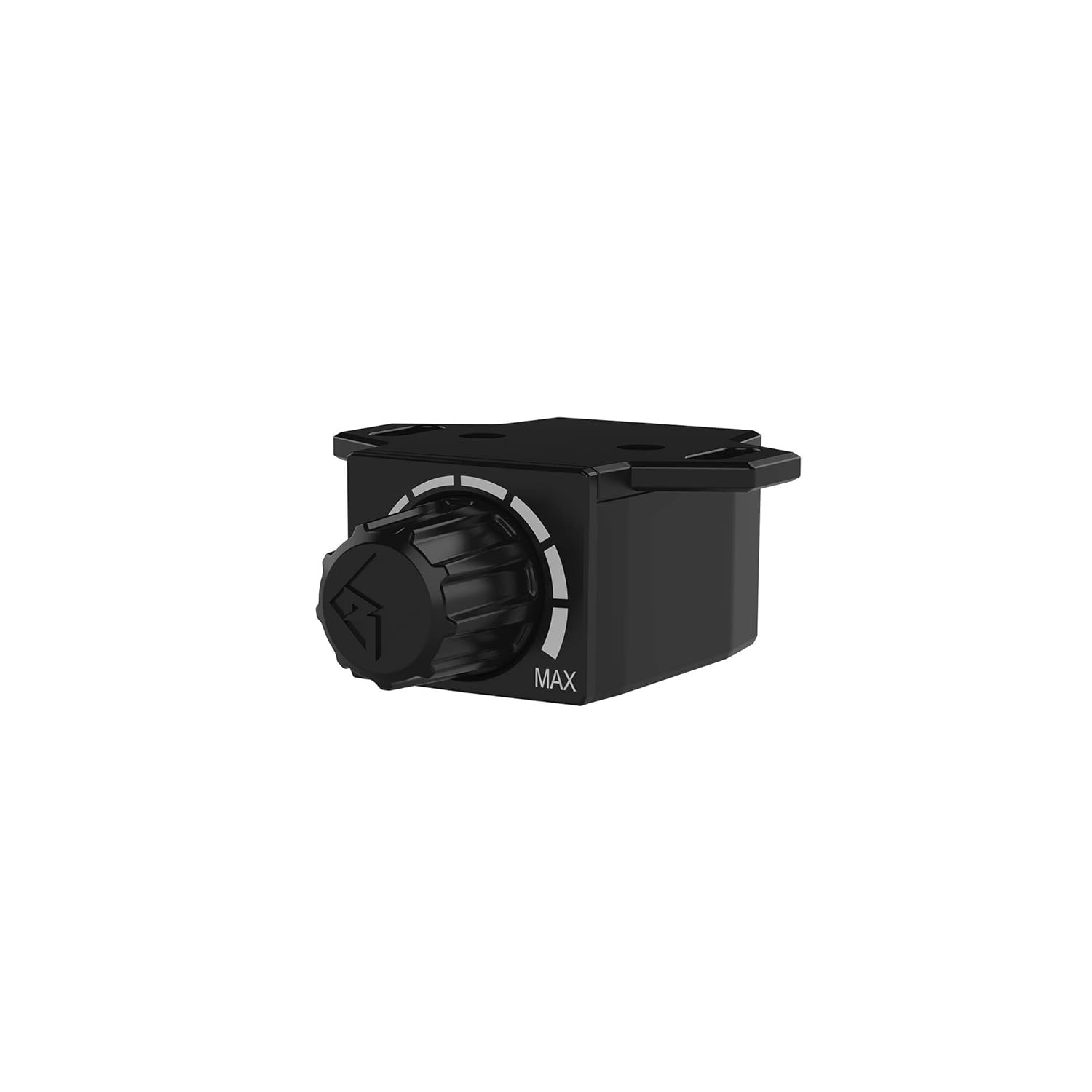
Image: Side view of the remote level control, showing its compact design.

Image: Front view of the remote level control, indicating the minimum and maximum adjustment range.
5. Maintenance
Regular maintenance ensures the longevity and performance of your amplifier.
- Cleaning: Periodically wipe the amplifier's exterior with a soft, dry cloth. Do not use harsh chemicals or abrasive cleaners.
- Connections: Annually check all power, ground, remote, and speaker connections for tightness and corrosion. Loose connections can cause performance issues or damage.
- Ventilation: Ensure the amplifier's cooling fins are free from obstructions to allow for proper heat dissipation.
6. Troubleshooting
If you experience problems with your amplifier, refer to the following common issues and solutions:
| Problem | Possible Cause | Solution |
|---|---|---|
| No Power / Power LED Off | Blown fuse, loose power/ground/remote wire, faulty head unit remote output. | Check inline fuse, verify all power connections, test remote wire for 12V, check head unit. |
| No Sound / Audio Output | Muted head unit, loose RCA/speaker wires, incorrect input selection, amplifier in protection mode. | Check head unit settings, verify all audio connections, ensure amplifier is not in protection. |
| Distorted Sound | Gain set too high, damaged speaker, incorrect crossover settings, poor ground connection. | Reduce gain (use C.L.E.A.N. indicator), check speaker integrity, adjust crossover, verify ground. |
| Protection LED On | Overheating, speaker short circuit, impedance too low, DC offset. | Allow amplifier to cool, check speaker wiring for shorts, verify speaker impedance, consult professional. |
If problems persist after following these steps, contact Rockford Fosgate customer support or a qualified installer.
7. Specifications
Key technical specifications for the Rockford Fosgate R2-750X1 Prime Mono Amplifier:
- Model: R2-750X1
- RMS Power Output (CEA-2006 Compliant):
- 250 Watts x 1 @ 4Ω
- 500 Watts x 1 @ 2Ω
- 750 Watts x 1 @ 1Ω
- Amplifier Class: Class D
- Frequency Response: 20Hz - 250Hz
- Crossover Controls: Variable Low-Pass Filter (LPF) 50-250Hz @ 12dB/Octave Butterworth
- Tone Controls: Variable Punch EQ (Bass Boost) 0-18dB @ 45Hz
- Infrasonic Filter: Variable 15-40Hz @ 12dB/Octave Butterworth
- Input Sensitivity: 150mV - 12V
- Operating Voltage: 9-16 VDC
- Dimensions (H x W x L): 1.9" x 6.8" x 10.1" (4.8cm x 17.3cm x 25.7cm)
- Weight: Approximately 4.98 lbs (2.26 kg)
8. Warranty Information
The Rockford Fosgate R2-750X1 Prime Mono Amplifier comes with a full 1-year warranty from the date of purchase, covering defects in materials and workmanship. This warranty does not cover damage caused by improper installation, accident, misuse, abuse, neglect, normal wear and tear, or unauthorized modification. Please retain your proof of purchase for warranty claims. For complete warranty terms and conditions, refer to the official Rockford Fosgate website or contact customer support.
9. Customer Support
For further assistance, technical support, or to inquire about service, please visit the official Rockford Fosgate website or contact their customer service department. You can find contact information and additional resources at www.rockfordfosgate.com.