
1. Introduction
This manual provides detailed instructions for the installation, operation, and maintenance of your Valefod DC to DC Buck-Boost Converter. This device is designed to efficiently convert a variable DC input voltage (8V to 36V) to a stable 12V DC output, suitable for a wide range of applications.
2. Safety Information
- Ensure the input voltage is within the specified range of DC 8V to 36V. Exceeding this range may damage the converter.
- Do not reverse the input and output polarity. Incorrect wiring can cause severe damage to the converter and connected devices.
- Always disconnect power before making any wiring connections or disconnections.
- Install the converter in a well-ventilated area to ensure proper heat dissipation, although the die-cast aluminum shell is designed for natural heat dissipation.
- Avoid exposing the converter to excessive moisture or extreme temperatures beyond its operating range (-40℃ to +80℃). While waterproof (IP65), proper installation is crucial.
- If using pulsed DC power from a generator, it is recommended to filter it with a capacitor to ensure a stable input.
3. Product Features
- Wide Input Voltage Range: Accepts DC 8V to 36V.
- Stable Output: Provides a regulated DC 12V output at 10A (120W).
- High Efficiency: Conversion efficiency greater than 96.8%.
- Robust Construction: Features a die-cast aluminum shell for natural heat dissipation, making it waterproof (IP65), dustproof, and shockproof.
- Multiple Protections: Built-in over-temperature, over-current, over-voltage, and output short-circuit protection.
- Auto-Recovery: Automatically recovers when the device returns to normal operating conditions after a protection event.
- Compact Design: Small form factor (110x70x23mm) for easy installation.
- Versatile Applications: Suitable for golf carts, motors, speakers, GPS, car display screens, LED strip lights, air-conditioners, electric fans, solar energy systems, DVDs, and other 12V DC devices.
4. Specifications
| Input Voltage Range | DC 8V - 36V |
| Output Voltage | DC 12V |
| Output Current | 10A |
| Output Rated Power | 120W |
| Conversion Efficiency | > 96.8% |
| No-load Loss | < 100mA |
| Ripple Wave | < 100mV |
| Operating Temperature | -40℃ to +80℃ |
| Load Regulation | < 2% |
| Voltage Regulation | < 1% |
| Waterproof Rate | IP65 |
| Housing Material | Die-cast aluminum |
| Potting Material | Epoxy sealed |
| Dimensions (L x W x H) | 110 x 70 x 23mm (4.33 x 2.76 x 0.91 inch) |
| Net Weight | 260g |
5. Package Contents
- 1x Valefod DC to DC Buck-Boost Converter
- 4x M-threaded wiring terminals
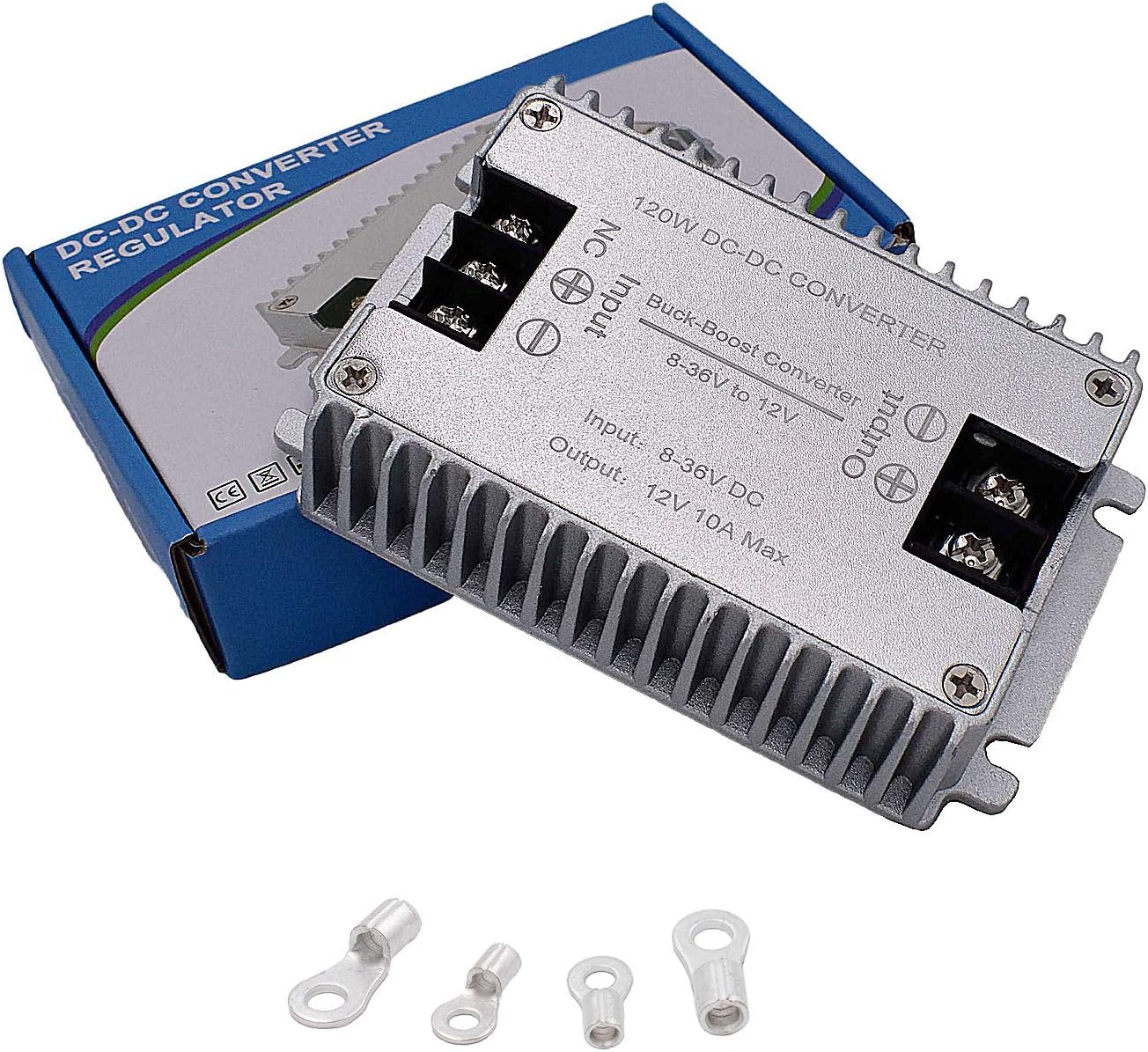
Image: The Valefod DC to DC Buck-Boost Converter shown with its packaging and the four included M-threaded wiring terminals.
6. Setup and Installation
Follow these steps for proper installation of the DC to DC Buck-Boost Converter:
- Prepare Wiring: Ensure all power sources are disconnected before beginning installation. Use appropriate gauge wires for your application. If wire length exceeds 19.68 inches, consider using a thicker wire diameter to minimize voltage drop.
- Identify Terminals: The converter has clearly marked input and output terminals. "Input" is for the power source, and "Output" is for the load device. There are positive (+) and negative (-) terminals for both input and output. An "NC" terminal is also present but typically not used for standard operation.
- Connect Input: Connect the positive (+) terminal of your power supply to the "Input +" terminal on the converter. Connect the negative (-) terminal of your power supply to the "Input -" terminal on the converter.
- Connect Output: Connect the positive (+) terminal of your load device to the "Output +" terminal on the converter. Connect the negative (-) terminal of your load device to the "Output -" terminal on the converter.
- Secure Connections: Use the provided M-threaded wiring terminals or other suitable connectors to ensure secure and stable electrical connections. Tighten all terminal screws firmly.
- Verify Wiring: Double-check all connections to ensure correct polarity and secure attachment. Incorrect polarity will damage the device.
- Mounting: Mount the converter in a location that allows for adequate airflow around its aluminum housing for optimal heat dissipation. The chassis mount design allows for secure fastening.
- Power On: Once all connections are verified and secure, connect the power source.

Image: Wiring diagram illustrating how to connect the converter to a power supply and a load device. Note the recommendation for thicker wires if the length exceeds 19.68 inches.

Image: Top view of the converter, highlighting the clearly labeled Input, Output, and NC terminals for wiring.
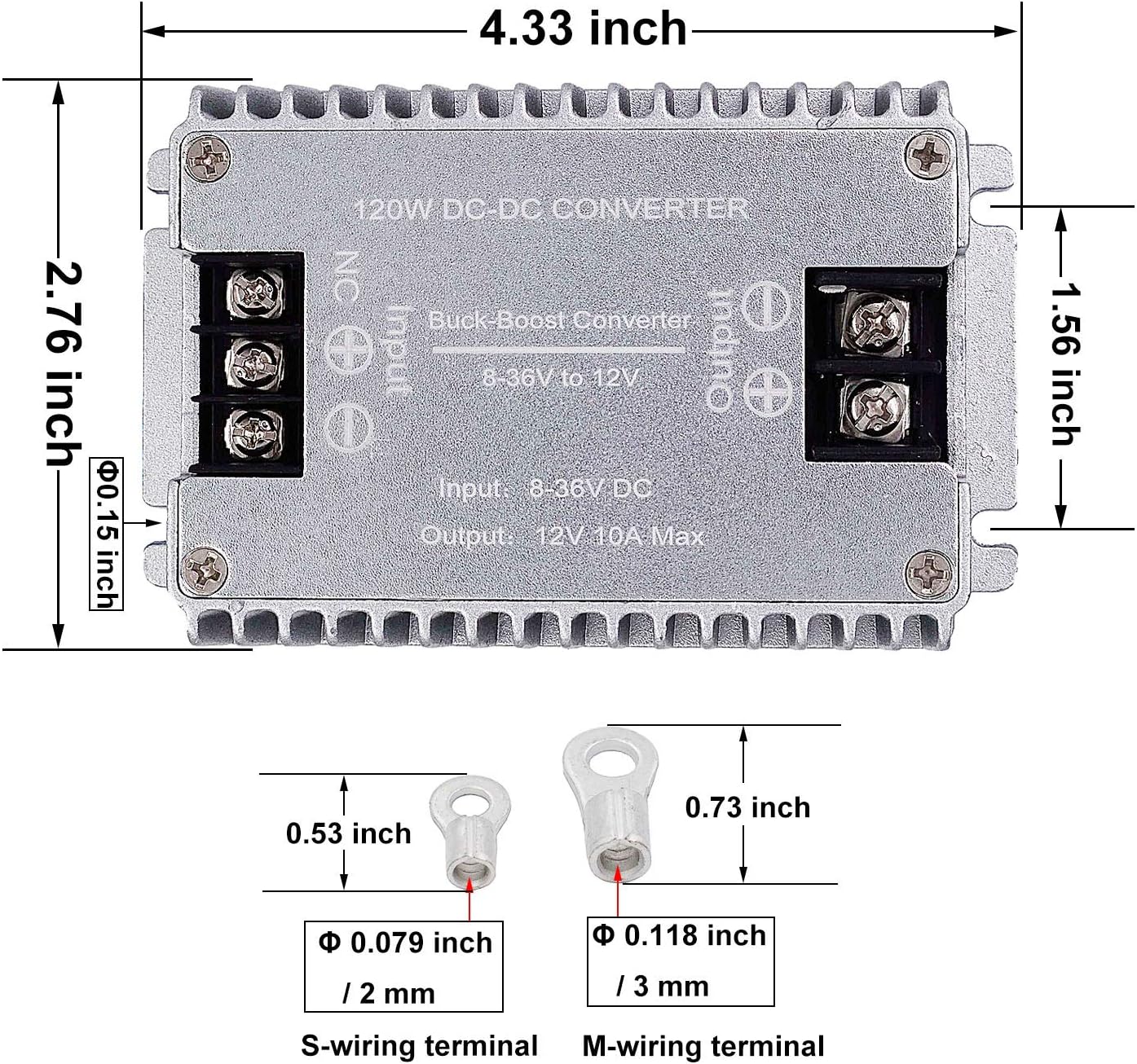
Image: Detailed view of the converter's dimensions (4.33 x 2.76 x 0.91 inches) and the specifications for the S-wiring and M-wiring terminals.
7. Operating Instructions
Once properly installed and wired, the Valefod DC to DC Buck-Boost Converter operates automatically. It will regulate the input voltage within its specified range (8V-36V) to a stable 12V DC output for your connected devices.
- Ensure the total current draw of your connected load devices does not exceed 10A to prevent overloading.
- The converter features built-in protections (over-temperature, over-current, over-voltage, short-circuit). If a fault occurs, the converter may temporarily shut down and automatically recover once the fault condition is removed.
8. Maintenance
The Valefod DC to DC Buck-Boost Converter is designed for low maintenance. Follow these guidelines to ensure its longevity:
- Cleaning: Periodically inspect the converter for dust or debris accumulation, especially on the heat sink fins. Clean with a soft, dry cloth. Do not use liquid cleaners.
- Connections: Occasionally check wiring connections to ensure they remain tight and free from corrosion.
- Environment: Ensure the operating environment remains within the specified temperature range and is free from excessive moisture.
9. Troubleshooting
| Problem | Possible Cause | Solution |
|---|---|---|
| No output voltage |
|
|
| Output voltage unstable or incorrect |
|
|
| Converter is hot to the touch |
|
|
10. Warranty and Support
For warranty information or technical support, please contact your retailer or the manufacturer directly. Keep your purchase receipt for warranty claims.