
Product Overview
The Comimark E18-D80NK is an infrared photoelectric switch sensor designed for obstacle avoidance and object detection applications. This sensor integrates both an infrared emitter and receiver into a single unit, allowing for adjustable detection distances.
Key features include a long detection range, minimal interference from visible light, and straightforward installation, making it suitable for various automation projects such as robotic obstacle avoidance and assembly line counting.
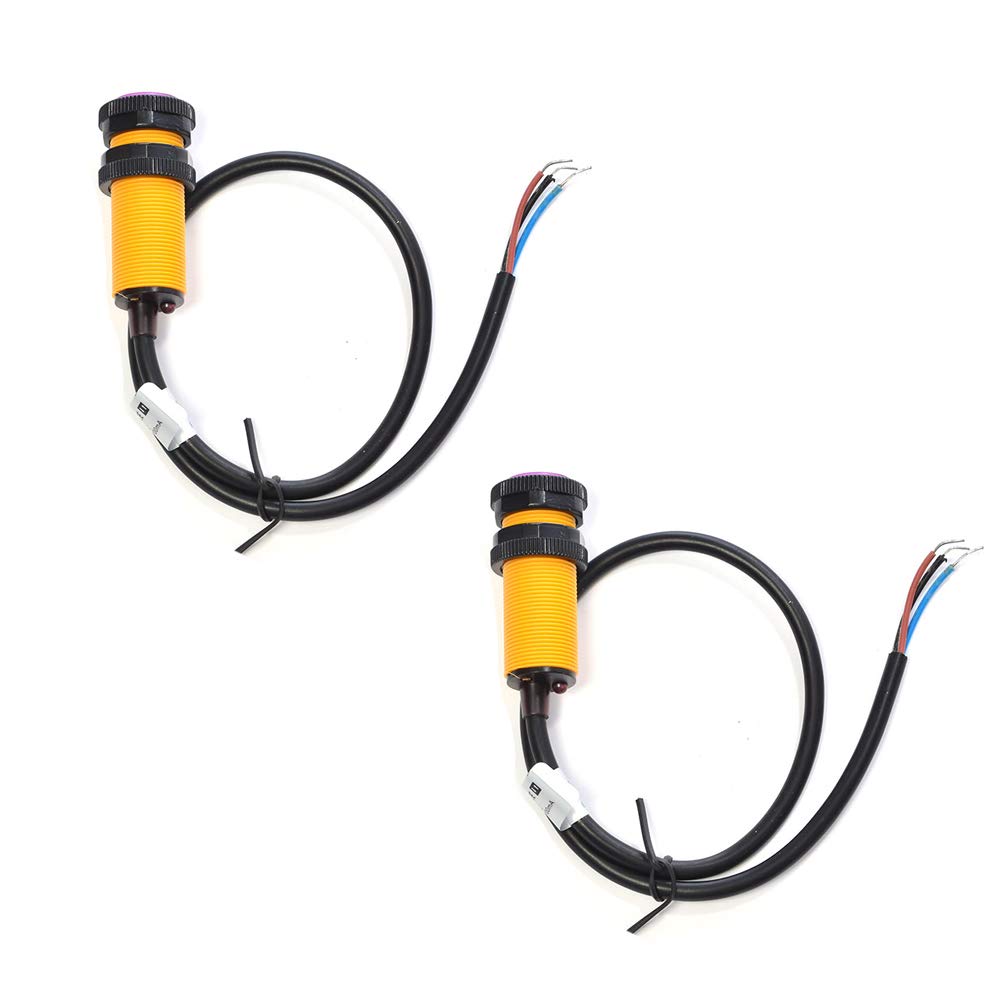
Figure 1: Comimark E18-D80NK Infrared Photoelectric Switch Sensor.
Specifications
| Parameter | Value |
|---|---|
| Model | E18-D80NK (Item Model Number: LY480) |
| Operating Voltage (U) | 5V DC |
| Output Current (I) | 100mA |
| Detection Range (Sn) | 3 - 80 cm (adjustable) |
| Sensor Dimensions | Diameter: 17mm, Length: 45mm |
| Lead Length | 45cm |
| Output Type | NPN Normally Open (NO) |
| Consumption Current | <25mA |
| Response Time | <2ms |
| Pointing Angle | ≤ 15° |
| Detectable Objects | Transparent or opaque bodies |
| Operating Temperature | -25°C to +55°C |
| Light Immunity | Incandescent lamp <10000LX, Sunlight <3000LX |
| Shell Material | Plastic |
Setup and Installation
Follow these steps for proper setup and installation of the E18-D80NK sensor:
- Mounting: Securely mount the sensor in the desired location using appropriate fasteners. Ensure the sensor's detection head is unobstructed and pointed towards the area where objects will be detected.
- Wiring: Connect the sensor to your power supply and control circuit according to the wiring diagram below. The sensor typically has three wires:
- Brown Wire: +5V DC Power Supply
- Blue Wire: Ground (GND)
- Black Wire: Signal Output (NPN Normally Open)
- Power Connection: Connect the brown wire to the positive terminal of a 5V DC power supply and the blue wire to the negative (ground) terminal.
- Signal Connection: Connect the black wire to the input of your microcontroller or control circuit. Since it's an NPN normally open output, it will typically pull the signal line low when an object is detected. A pull-up resistor may be required on the microcontroller input.

Figure 2: The E18-D80NK sensor showing its three-wire connection (brown, blue, black).
Operating Instructions
The E18-D80NK sensor operates by emitting an infrared beam and detecting its reflection. When an object enters the detection range, the reflected infrared light is sensed, triggering the output.
- Power On: Apply 5V DC power to the sensor. An indicator LED (if present) may illuminate to show power is supplied.
- Detection Range Adjustment: The sensor features a potentiometer (adjustment screw) to fine-tune the detection distance from 3cm to 80cm.
- Rotate the adjustment screw clockwise to increase the detection range.
- Rotate the adjustment screw counter-clockwise to decrease the detection range.
- Testing: Place an object within the adjusted detection range. The sensor's output (black wire) should change state (typically go low for NPN NO) and an indicator LED on the sensor (if present) may change color or illuminate.
- Environmental Considerations: Ensure the sensor is not exposed to direct strong light sources (e.g., direct sunlight or powerful incandescent lamps) that exceed its light immunity specifications, as this can affect performance.

Figure 3: Close-up view of the sensor head, showing the infrared emitter/receiver and the detection range adjustment screw.
Maintenance
The E18-D80NK sensor is designed for low maintenance. However, periodic checks can ensure optimal performance:
- Cleaning: Keep the sensor's lens free from dust, dirt, or debris. Use a soft, dry cloth to gently wipe the lens if necessary. Avoid abrasive cleaners or solvents.
- Cable Inspection: Periodically check the connecting wires for any signs of damage, fraying, or loose connections.
- Mounting Security: Ensure the sensor remains securely mounted and has not shifted, which could affect its detection accuracy.
Troubleshooting
| Problem | Possible Cause | Solution |
|---|---|---|
| Sensor not detecting objects |
|
|
| False detections or erratic behavior |
|
|
| Output signal always ON/OFF |
|
|
Warranty and Support
Comimark products are designed for reliability. For specific warranty information or technical support, please refer to the retailer where the product was purchased or visit the official Comimark support channels.
Always ensure to provide your product model number (E18-D80NK or LY480) when seeking support.


