
1. Introduction
This manual provides essential information for the safe and effective use of the Garosa TPA3116D2 XH M641 Audio Amplifier Board. This Class D digital power amplifier board features a TPA3116D2 chip, offering dual-channel stereo output with 150W per channel. It is designed for various audio applications, including mobile phones, computers, and home theater systems. Please read this manual thoroughly before installation and operation.
2. Safety Information
- Power Supply: Ensure the power supply voltage is within the specified range of DC 12V-24V. Using an incorrect voltage can damage the board.
- Polarity: Always observe correct polarity when connecting the power supply. Incorrect polarity will cause damage.
- Speaker Impedance: Connect speakers with appropriate impedance ratings to prevent damage to the amplifier or speakers.
- Ventilation: Ensure adequate ventilation around the amplifier board to prevent overheating, especially during prolonged operation at high power.
- Handling: Avoid touching components on the board while it is powered on. Static electricity can damage sensitive electronic components.
- Environment: Do not expose the board to moisture, dust, or extreme temperatures.
3. Product Overview
The Garosa TPA3116D2 XH M641 is a high-efficiency Class D digital amplifier board. It features a TPA3116D2 chip, providing robust stereo audio output. The board includes pre-amplifier and bass frequency processing, with dedicated bass volume control.
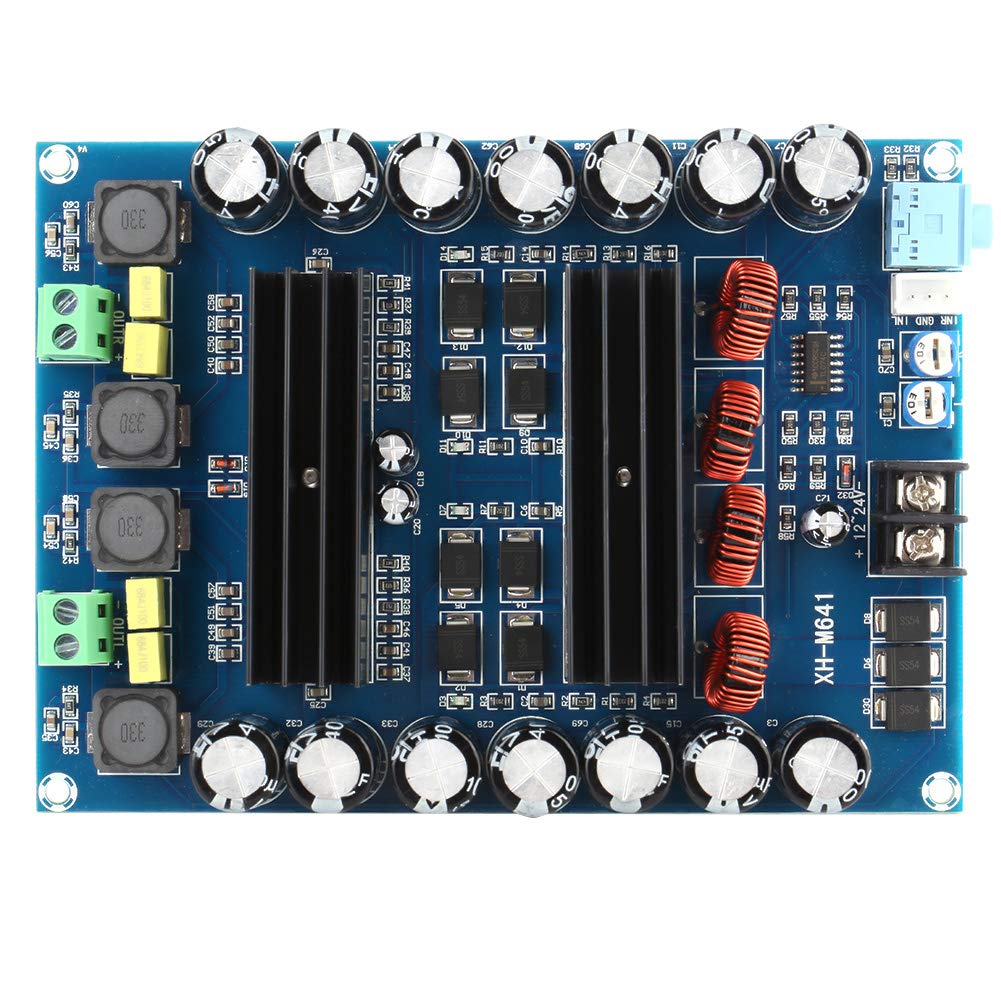
Figure 3.1: Top view of the Garosa TPA3116D2 XH M641 amplifier board, showing main components including heat sinks, capacitors, and input/output terminals.
Key Features:
- Amplifier Chip: TPA3116D2
- Channels: Dual Channel Stereo
- Output Power: 150W + 150W
- Input Voltage: DC 12V-24V
- Efficiency: Up to 96%
- Protection: Short-circuit and over-heat protection
- Material: Double-sided PCB for enhanced reliability

Figure 3.2: Bottom view of the amplifier board, illustrating the double-sided PCB construction for improved quality and reliability.
4. Setup Instructions
Follow these steps to set up your amplifier board:
4.1. Power Connection
- Identify the DC power input terminals on the board, typically marked '+12-24V' and 'GND'.
- Connect a DC power supply (12V-24V) to these terminals. Ensure correct polarity: positive to '+12-24V' and negative to 'GND'.
- It is recommended to use a power supply capable of delivering sufficient current (e.g., 13.02 Amps as per specifications) for optimal performance, especially at higher volumes.
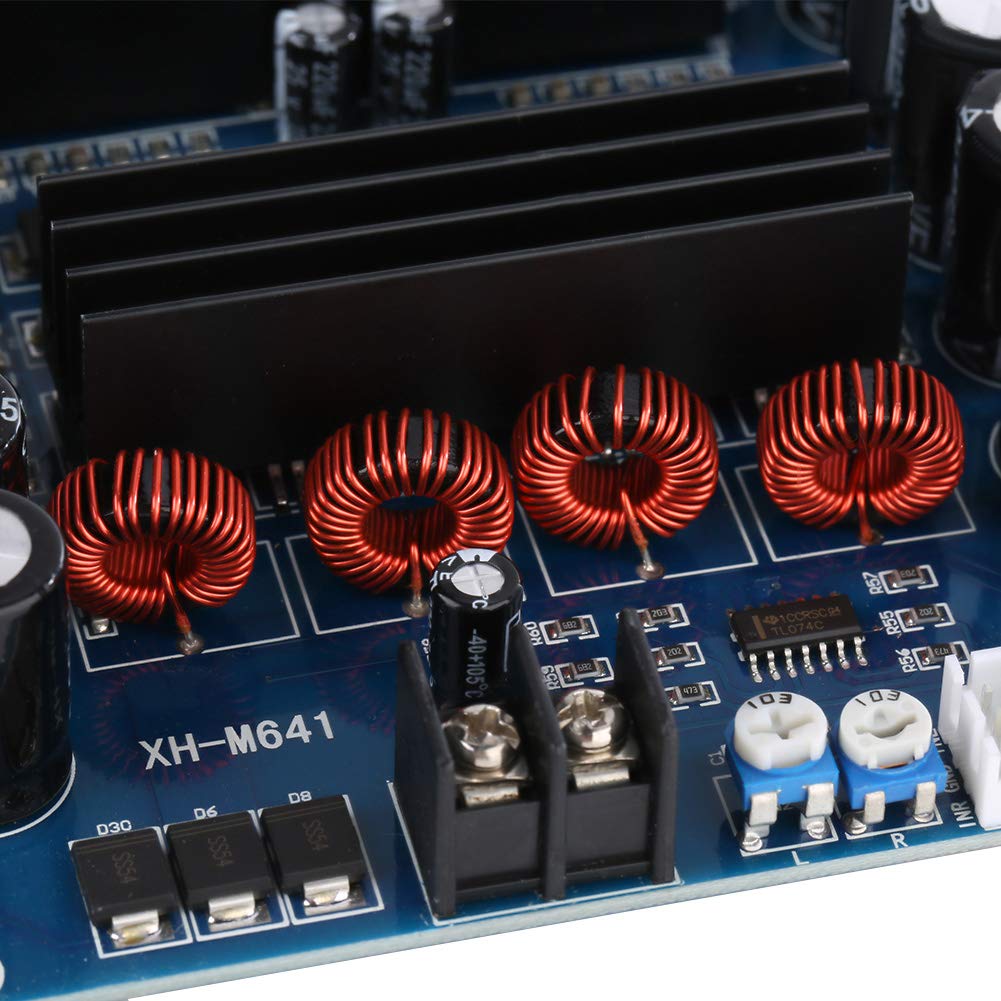
Figure 4.1: Close-up view of the DC power input terminals, showing where to connect the 12V-24V power supply.
4.2. Audio Input Connection
- Locate the audio input jack (typically a 3.5mm stereo jack or screw terminals for L/R/GND).
- Connect your audio source (e.g., mobile phone, computer, MP3 player) to the audio input using an appropriate cable.

Figure 4.2: Detail of the audio input jack and the bass and volume potentiometers.
4.3. Speaker Output Connection
- Identify the speaker output terminals, usually marked 'OUT L+' 'OUT L-' for the left channel and 'OUT R+' 'OUT R-' for the right channel.
- Connect your passive speakers to these terminals. Ensure correct polarity for each speaker (positive to '+' and negative to '-').
- Verify that speaker impedance is compatible with the amplifier (typically 4-8 ohms).
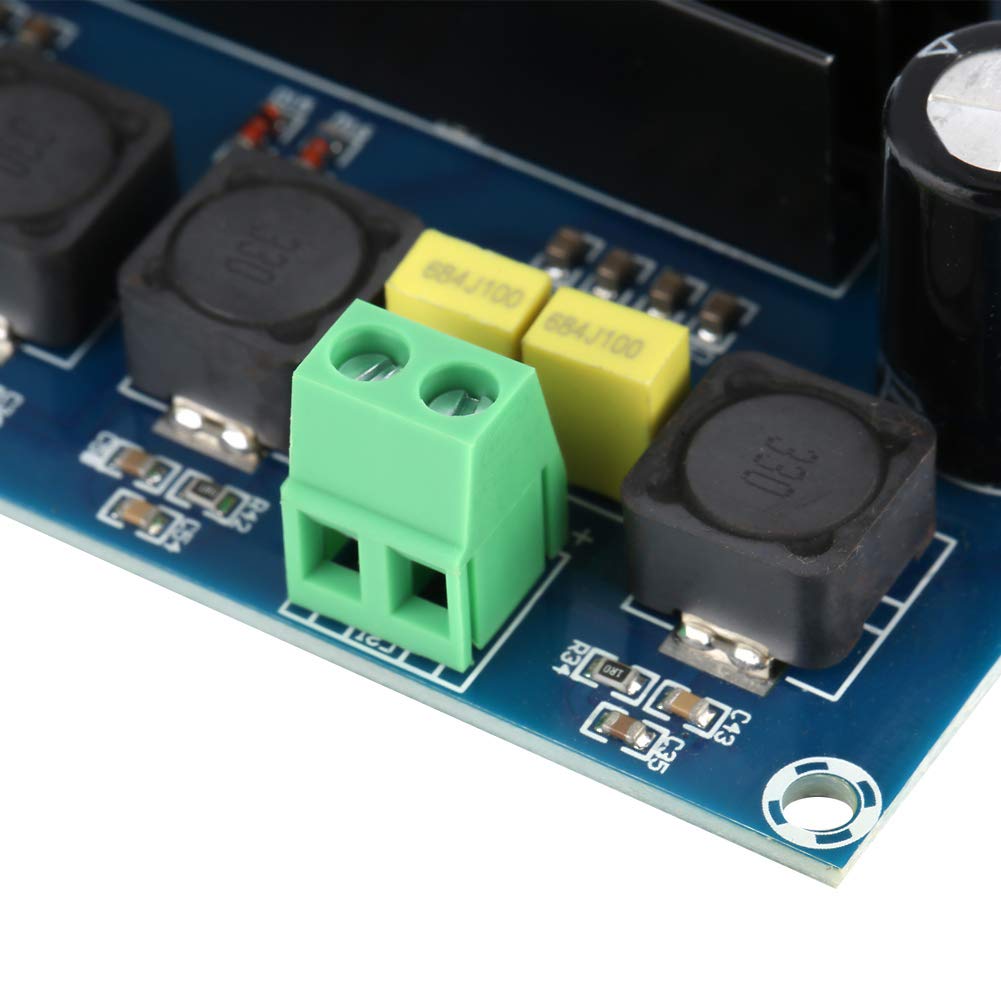
Figure 4.3: Detail of the speaker output terminals for connecting left and right channel speakers.
5. Operating Instructions
Once all connections are securely made:
- Power On: Apply power to the amplifier board. An indicator LED may illuminate to confirm power.
- Volume Control: Adjust the main volume potentiometer to your desired listening level.
- Bass Control: Use the bass volume potentiometer to adjust the low-frequency output according to your preference.
- Audio Playback: Start playing audio from your connected source.
- Power Off: Disconnect the power supply when not in use.
6. Maintenance
To ensure the longevity and optimal performance of your amplifier board:
- Cleaning: Keep the board clean and free from dust. Use a soft, dry brush or compressed air to remove dust. Do not use liquid cleaners.
- Inspection: Periodically inspect all connections for looseness or corrosion.
- Storage: If storing the board for an extended period, keep it in a dry, cool environment, away from direct sunlight and extreme temperatures.
- Avoid Overloading: Do not continuously operate the amplifier at maximum volume, especially with inadequate power supply, as this can lead to overheating and premature component failure.
7. Troubleshooting
If you encounter issues with your amplifier board, refer to the following table:
| Problem | Possible Cause | Solution |
|---|---|---|
| No sound output |
|
|
| Distorted sound |
|
|
| Amplifier overheats |
|
|
| Power indicator off |
|
|
8. Specifications
| Feature | Specification |
|---|---|
| Model | XH M641 |
| Amplifier Chip | TPA3116D2 |
| Input Voltage | DC 12V-24V |
| Output Power | 150W + 150W (Dual Channel) |
| Number of Channels | 2 |
| Efficiency | Up to 96% |
| Supply Current (Max) | 13.02 Amps |
| Item Dimensions (L x W x H) | 0.39 x 0.39 x 0.39 inches (approximate, based on provided data) |
| Item Weight | 0.19 Kilograms |
| Mounting Type | Surface Mount |
9. Warranty and Support
This product is manufactured by Garosa. For specific warranty information or technical support, please refer to the retailer or manufacturer's official website. Keep your purchase receipt as proof of purchase.