
Greenworks STF309
Greenworks 40V 12-Inch Cordless String Trimmer User Manual
Model: STF309
Brand: Greenworks
Introduction
This user manual provides essential information for the safe and efficient operation, maintenance, and troubleshooting of your Greenworks 40V 12-Inch Cordless String Trimmer, Model STF309. Please read this manual thoroughly before using the product to ensure proper handling and to maximize its lifespan.
Safety Information
Your safety and the safety of others are extremely important. Always follow basic safety precautions to reduce the risk of fire, electric shock, and personal injury.
- Always wear eye protection and gloves.
- Keep children and pets away from the operating area.
- Do not trim near flammable materials.
- Keep the trimmer away from your body while operating.
- Ensure the battery is fully charged before use and removed when not in use or during maintenance.
- Inspect the trimmer for any damage before each use.
Product Features
- High-Performance Variable Speed: Equipped with a responsive variable speed trigger, this trimmer provides speeds up to 9200 RPM. Easily control cutting speed on the go, maneuvering effortlessly around plants and obstacles.
- Efficient Auto Feed System: The adjustable 10 or 12-inch cutting path completes tasks quickly. The automatic 0.065" single line feed system ensures continuous cutting, simply stop and start the trimmer to extend the line length.
- Versatile Edging Capability: Features a 90-degree rotating shaft for convenient edging mode. The telescopic design allows you to customize the shaft length, ensuring the best user experience for precise and easy edging.
- Ergonomic Lightweight Design: The lightweight design, superior ergonomics, and adjustable handle reduce user fatigue and provide ultimate comfort during extended use. Ideal for big jobs, making yard work less tiring.
- Long-Lasting Performance: Perfect for 1/3 acre yards, this trimmer offers up to 30 minutes of run time per charge. With a charge time of only 60 minutes, you can efficiently manage your yard work without long downtimes.
Setup and Assembly
Follow these steps to assemble your Greenworks 40V String Trimmer:
- Attach the Guard: Secure the cutting guard to the trimmer head using the provided screws. Ensure it is firmly attached to protect against debris.
- Install the Auxiliary Handle: Slide the auxiliary handle onto the shaft and adjust it to a comfortable working position. Tighten the knob to secure it.
- Adjust Shaft Length: Loosen the collar on the telescopic shaft and extend or retract the shaft to your desired length. Tighten the collar to lock it in place.
- Insert Battery: Ensure the battery is fully charged. Align the battery with the battery port on the trimmer and slide it in until it clicks into place.

Figure 1: Fully assembled Greenworks 40V String Trimmer with battery and charger.
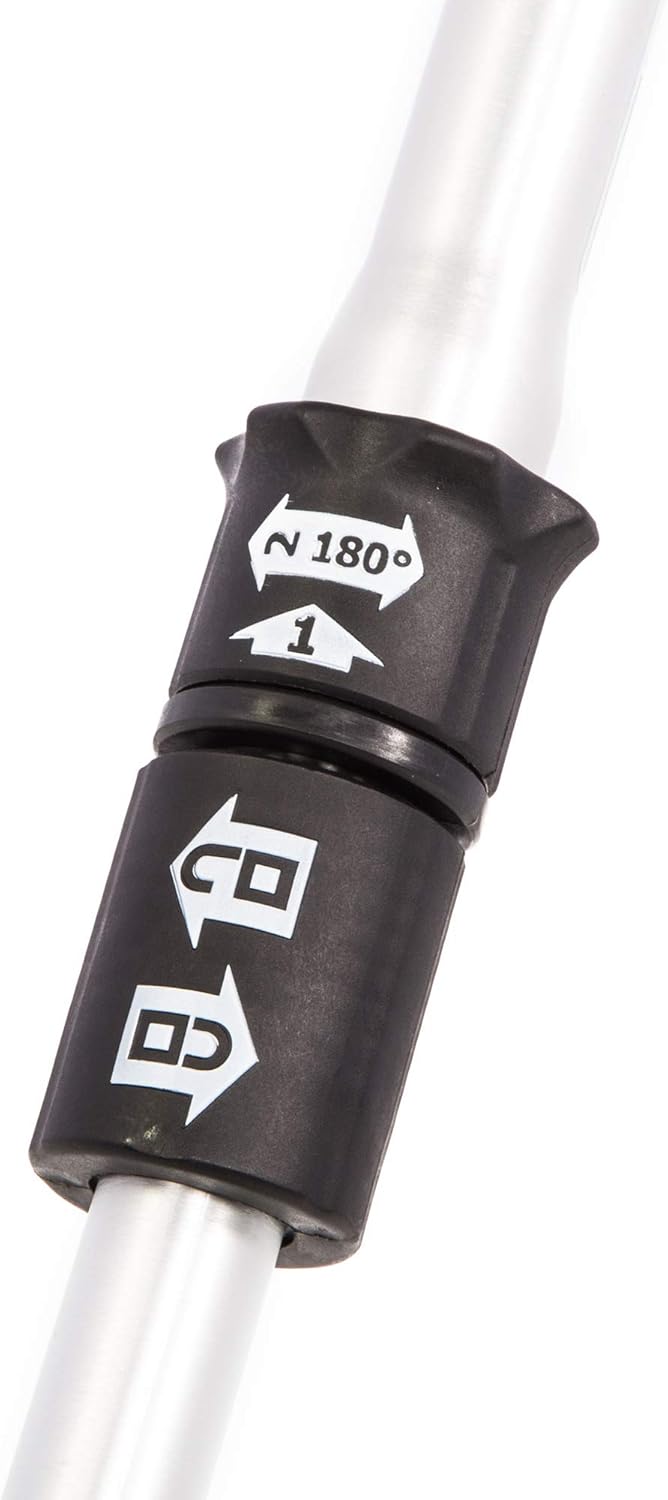
Figure 2: Detail of the telescopic shaft adjustment mechanism.
Operating Instructions
Before operating, ensure you have read and understood all safety information.
Starting the Trimmer
- Ensure the battery is securely inserted.
- Hold the trimmer firmly with both hands, maintaining a balanced stance.
- Press the safety lock-out button (if present) and then squeeze the trigger to start the motor. The variable speed trigger allows for precise control.
Trimming Operation
- Move the trimmer slowly and steadily across the area to be trimmed.
- Keep the cutting head parallel to the ground for an even cut.
- Avoid hitting hard objects like rocks, fences, or concrete, as this can damage the line and the trimmer.
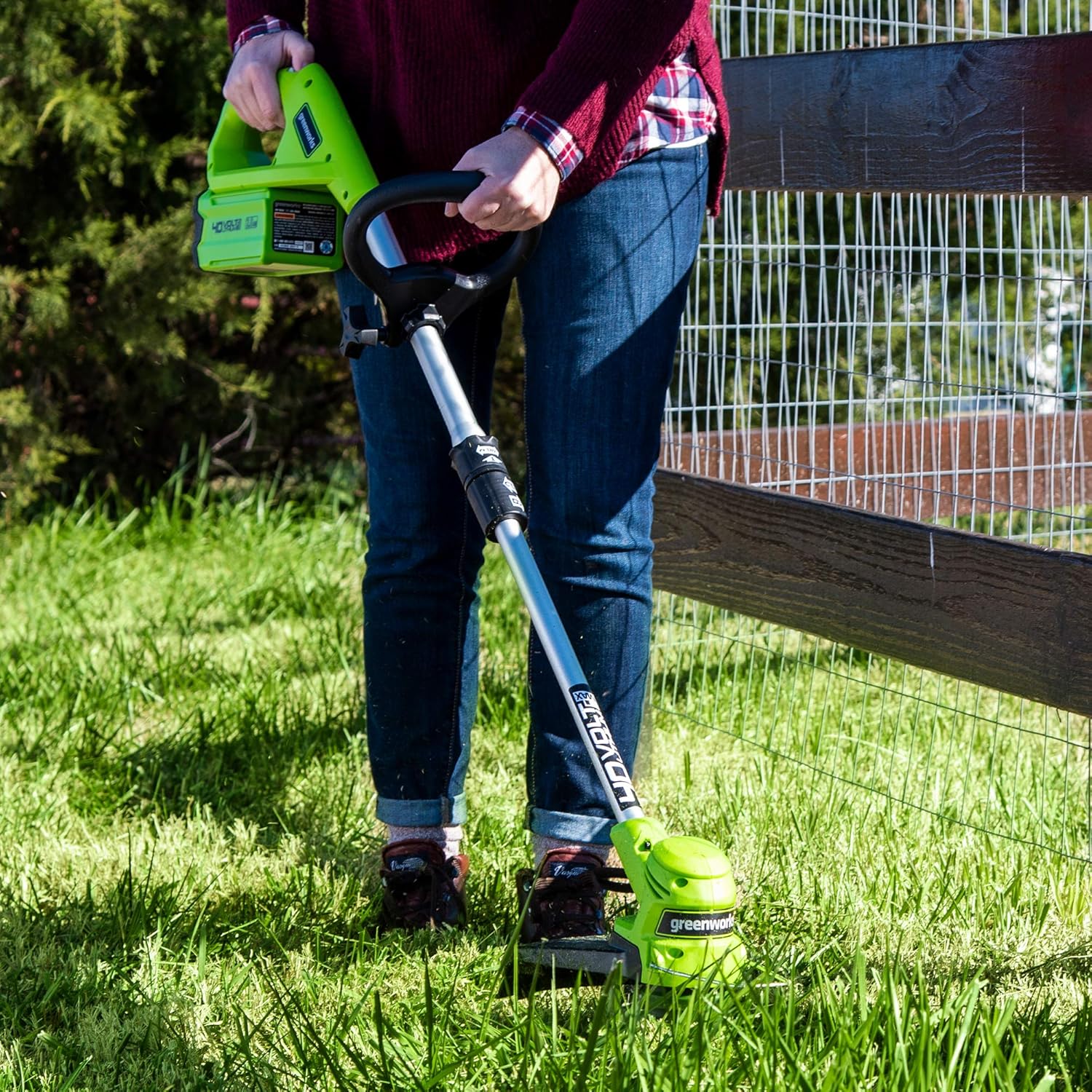
Figure 3: Proper technique for trimming near obstacles.
Edging Operation
To switch to edging mode:
- Remove the battery for safety.
- Rotate the trimmer head 90 degrees by twisting the shaft at the designated pivot point.
- Reinsert the battery.
- Hold the trimmer so the cutting line is perpendicular to the ground and guide it along the edge of your lawn or pathway.

Figure 4: Trimmer head rotated for edging functionality.

Figure 5: Demonstrating edging along a fence line.
Maintenance
Regular maintenance ensures optimal performance and extends the life of your trimmer.
- Cleaning: After each use, remove the battery and clean the trimmer head and guard of any grass clippings or debris. Use a damp cloth; do not use harsh chemicals.
- Line Replacement: When the cutting line is depleted, replace it with 0.065" diameter monofilament line. Refer to the product diagram for proper spooling.
- Battery Care: Store the battery in a cool, dry place away from direct sunlight. Do not store the battery fully discharged for extended periods.
- Storage: Store the trimmer in a dry, secure location, out of reach of children.

Figure 6: Inspecting the trimmer head and cutting line.
Troubleshooting
| Problem | Possible Cause | Solution |
|---|---|---|
| Trimmer does not start | Battery not charged or not inserted correctly. | Ensure battery is fully charged and properly seated. |
| Cutting line does not advance | Line is tangled or too short; spool is empty. | Tap the trimmer head on the ground while running to advance line. If still stuck, remove battery, remove spool, untangle or replace line. |
| Motor runs but line does not spin | Trimmer head is jammed with debris. | Remove battery, clear any debris from the trimmer head and guard. |
| Reduced cutting performance | Dull or worn cutting line; low battery charge. | Replace cutting line; recharge battery. |
Specifications
| Attribute | Value |
|---|---|
| Brand | Greenworks |
| Model Number | STF309 |
| Power Source | Battery Powered (40V) |
| Cutting Width | 12 inches |
| Item Weight | 1.27 kg |
| Product Dimensions | 307.85 x 51.82 x 12.7 cm |
| Speed | Up to 9200 RPM |
| Assembly Required | No (minor assembly for guard/handle) |
| Batteries Required | 1 Lithium Ion (included) |
Warranty and Support
Greenworks products are built to last and come with a manufacturer's warranty. For specific warranty details, registration, or technical support, please refer to the warranty card included with your product or visit the official Greenworks website. Keep your purchase receipt as proof of purchase.
For customer service inquiries, please contact Greenworks support directly. Contact information can typically be found on the product packaging or the official brand website.
Ask a question about this manual
Ask about setup, troubleshooting, compatibility, parts, safety, or missing instructions. Manuals+ will review the question and use this page’s manual context to help answer it.