
SEAPHY KB10
SEAPHY Karaoke Machine User Manual
Model: KB10 | Brand: SEAPHY
Introduction
The SEAPHY Karaoke Machine is a versatile and portable PA system designed for both adults and kids, offering a powerful audio experience with integrated DJ lights. It features Bluetooth connectivity, audio recording capabilities, and comes with multiple microphones for an engaging karaoke experience. This manual provides essential information for setting up, operating, maintaining, and troubleshooting your device.

Figure 1: SEAPHY Karaoke Machine with included accessories.
What's in the Box
Upon unboxing your SEAPHY Karaoke Machine, please verify that all the following components are included:
- SEAPHY Karaoke Machine (Main Unit)
- Two (2) UHF Wireless Microphones
- One (1) Wired Microphone
- iPad/Tablet Stand
- Remote Control
- Speaker Charger
- 3.5mm to 3.5mm Audio Cable
- 3.5mm to RCA Cable
- User Manual (this document)

Figure 2: Visual representation of all included accessories.
Key Features
- Vocal Removal Function: Easily remove vocals from songs to enjoy instrumental accompaniment for your solo performances.
- Powerful Audio Output: Equipped with a 10-inch woofer, delivering clear and powerful sound suitable for audiences up to 150 people indoors (10763 sq. ft) or 4300 sq. ft outdoors.
- Multi-Functional PA System: Supports various audio sources including Bluetooth, Micro TF card, Flash USB, and external devices like smartphones, tablets, PCs, DVD/CD players, and TVs. Includes FM radio and recording functions.
- Intuitive Controls: Simple button presses for switching between LINE, Bluetooth, and FM modes. Dedicated knobs for adjusting ECHO, BASS (woofer), TREBLE (tweeter), MIC volume, and Speaker volume.
- Multiple Microphones: Comes with two UHF wireless microphones and one wired microphone for versatile use and group performances. UHF microphones ensure stable connection.
- Dynamic DJ Lights: Built-in colorful DJ LED lights that follow musical beats, enhancing the party atmosphere.
- Portability: Designed for easy transport with two wheels and a pull handle, weighing approximately 30 lbs.

Figure 3: The accompany function allows vocal removal for solo performances.
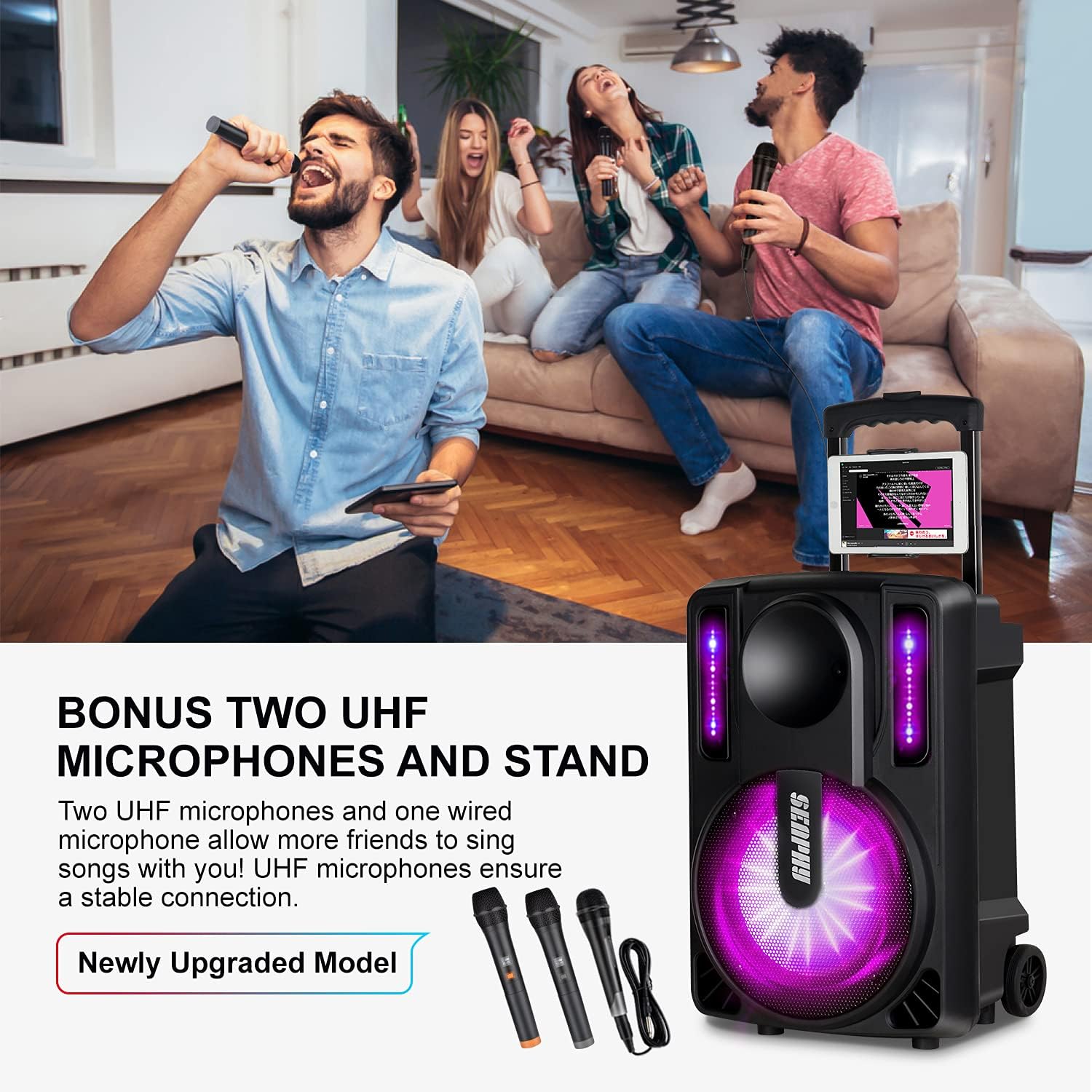
Figure 4: The karaoke machine includes two wireless and one wired microphone.

Figure 5: The 10-inch woofer provides powerful sound, and the unit offers up to 6 hours of battery life.

Figure 6: Integrated DJ LED lights enhance the visual experience.

Figure 7: The machine's dimensions are approximately 21.06 inches (H) x 14.17 inches (W) x 12.40 inches (D), and it weighs about 30 lbs.
Setup
- Charging the Unit: Before first use, fully charge the karaoke machine using the provided speaker charger. The unit is battery-powered and includes a 9V battery.
- Microphone Batteries: Insert the required batteries (AAA for wireless mics, AA for remote - not specified in product data, but common for such devices) into the wireless microphones and remote control.
- Placement: Place the karaoke machine on a stable, flat surface. Ensure adequate space around the unit for ventilation and sound projection.
- Connecting Devices:
- Bluetooth: Turn on the karaoke machine and activate Bluetooth mode. Enable Bluetooth on your mobile phone, iPad, or other smart device and select "SEAPHY KB10" (or similar name) from the available devices to pair.
- Wired Connection (AUX): Use the provided 3.5mm to 3.5mm audio cable or 3.5mm to RCA cable to connect external audio sources like PCs, DVD players, or non-Bluetooth TVs to the AUX input.
- USB/TF Card: Insert a USB flash drive or Micro TF card into the respective slots for direct media playback.
- Microphones: Plug in the wired microphone to the designated MIC input. The wireless microphones will automatically connect when powered on and within range.
- Tablet Stand: Attach the iPad/tablet stand to the designated slot on the karaoke machine to hold your device for lyrics display.

Figure 8: Connection options for smart TVs (Bluetooth) and normal TVs (TV cable).
Operating Instructions
- Power On/Off: Press and hold the power button to turn the unit on or off.
- Mode Selection: Use the "MODE" button on the control panel or remote to switch between LINE (AUX), BT (Bluetooth), and FM radio modes.
- Volume Control:
- Master Volume: Adjust the main volume knob for overall sound output.
- Microphone Volume: Use the dedicated MIC volume knob to control the microphone input level.
- Echo Control: Adjust the ECHO knob to add reverberation to the microphone sound.
- Bass/Treble: Fine-tune the sound with BASS (woofer) and TREBLE (tweeter) adjustment knobs.
- Vocal Removal (Accompany Function): Press the dedicated button (often labeled "Accompany" or similar) to reduce or remove the vocal track from playing music, allowing you to sing along with the instrumental version.
- Audio Recording: Insert a USB drive or TF card. When playing music or using a microphone, press the "RECORD" button to begin recording. Press again to stop.
- DJ Lights: The DJ LED lights will automatically activate and synchronize with the music. There may be a button to cycle through light modes or turn them off (refer to specific button labels on your unit).
- FM Radio: In FM mode, use the scan function to find available radio stations.
Maintenance
- Cleaning: Use a soft, dry cloth to clean the exterior of the unit. Do not use liquid cleaners or abrasive materials.
- Storage: Store the karaoke machine in a cool, dry place away from direct sunlight and extreme temperatures when not in use.
- Battery Care: To prolong battery life, avoid fully discharging the unit frequently. Charge the battery regularly, even if the unit is not in constant use.
- Microphone Care: Store microphones in a safe place to prevent damage. Replace batteries as needed.
Troubleshooting
| Problem | Possible Cause | Solution |
|---|---|---|
| No power/Unit won't turn on | Battery is depleted; Power cable not connected properly. | Connect the charger and allow the unit to charge. Ensure the power cable is securely plugged into both the unit and a working power outlet. |
| No sound output | Volume too low; Incorrect input mode selected; Device not paired (Bluetooth); Cables loose. | Increase master volume. Ensure the correct input mode (BT, AUX, USB, TF) is selected. Re-pair Bluetooth device. Check all audio cable connections. |
| Microphone not working | Microphone volume too low; Microphone batteries dead/incorrectly inserted; Wireless mic not paired/on; Wired mic not fully plugged in. | Increase MIC volume. Replace microphone batteries. Ensure wireless mics are powered on and paired. Securely plug in the wired microphone. |
| Poor sound quality/Distortion | Volume too high; Source audio quality poor; Obstructions for wireless signal. | Reduce volume. Try a different audio source. Ensure clear line of sight for wireless microphones. Adjust BASS/TREBLE knobs. |
| Unit shuts off unexpectedly | Low battery; Overheating. | Recharge the unit. Ensure proper ventilation around the unit to prevent overheating. |
Specifications
| Feature | Detail |
|---|---|
| Model Number | KB10 |
| Brand | SEAPHY |
| Woofer Size | 10 inches |
| Peak Power Output | 500 Watts (Peak) / 300 Watts (Output) |
| Connectivity Technology | Bluetooth, AUX, USB, Micro TF Card |
| Microphone Type | UHF Wireless, Wired |
| Power Source | Battery Powered (Lead Acid, 1 x 9V included) |
| Product Dimensions (L x W x H) | 12.5 x 14 x 24.4 inches |
| Item Weight | Approximately 30 lbs (Note: Data discrepancy in source, 0.16 ounces is incorrect) |
| Color | Black |
Note: The listed item weight of 0.16 ounces in some data sources appears to be a discrepancy. Based on product images and typical PA system weights, the unit is approximately 30 lbs.
Warranty and Support
SEAPHY offers customer support for any inquiries or issues you may encounter with your karaoke machine. Please refer to the contact information provided on the product packaging or the official SEAPHY website for assistance.
The product feature bullets mention "24/7 customer service" for the best solution to any problems. For specific warranty details, including duration and coverage, please consult the warranty card included with your purchase or contact SEAPHY customer service directly.
Ask a question about this manual
Ask about setup, troubleshooting, compatibility, parts, safety, or missing instructions. Manuals+ will review the question and use this page’s manual context to help answer it.