
1. Introduction and Overview
Thank you for choosing the ZXU Electric Heating Pad. This manual provides essential information for the safe and effective use of your heating pad, designed to offer soothing heat therapy for various body parts. Please read all instructions carefully before use and retain this manual for future reference.

Image: The ZXU Electric Heating Pad, a large 12x24 inch brown microplush pad, designed for versatile body relief.
2. Safety Information
Your safety is paramount. Adhere to the following guidelines:
- Always place the heating pad on top of, not under, your body.
- Never place it between yourself and any furniture or pillows.
- Always supervise the pad while in use and do not leave it unattended.
- Keep out of reach of children.
- Do not use if damaged.
- Always follow the manufacturer's instructions for use and care.
3. Product Features
- Full Body Relief: King size 12" x 24" pad provides coverage for back, shoulders, neck, legs, and knees.
- Soft & Comfortable: Made of high-quality super soft microplush for maximum comfort and efficient heat retention.
- Adjustable Heat: 3 adjustable temperature settings with a maximum temperature of 160°F for efficient soreness relief.
- Moist & Dry Heat Therapy: Offers optional moist heat therapy for deeper penetration and more effective muscle pain relief.
- Automatic Shut-Off: Automatically turns off after two hours of use to save energy and ensure safe operation.
- Long Power Cord: An 11ft long cord provides flexibility for use in various locations, such as on a couch or at an office desk.
4. Setup
- Unpack the heating pad and controller from its packaging.
- Ensure the heating pad and its cord are free from any damage or kinks.
- Connect the controller cord securely to the heating pad.
- Plug the power cord into a standard electrical outlet.
5. Operating Instructions
Follow these steps to operate your ZXU Electric Heating Pad:
- Power On: Press the power button on the controller to turn on the heating pad.
- Adjust Temperature: Use the temperature setting buttons (High, Medium, Low) on the controller to select your desired heat level. The indicator lights will show the current setting.
- Placement: Place the heating pad directly on the area of your body requiring heat therapy, such as your back, shoulders, neck, or legs.
- Automatic Shut-Off: The heating pad is equipped with a 2-hour automatic shut-off feature for safety and energy conservation. It will power off automatically after two hours of continuous use.
- Power Off: To manually turn off the heating pad, press and hold the power button for 3 seconds or unplug it from the electrical outlet.

Image: The heating pad's controller with clear buttons for adjusting heat levels (High, Medium, Low) and a power indicator.

Image: A woman comfortably using the heating pad on her lap while seated on a couch, highlighting the auto shut-off for extended relaxation.
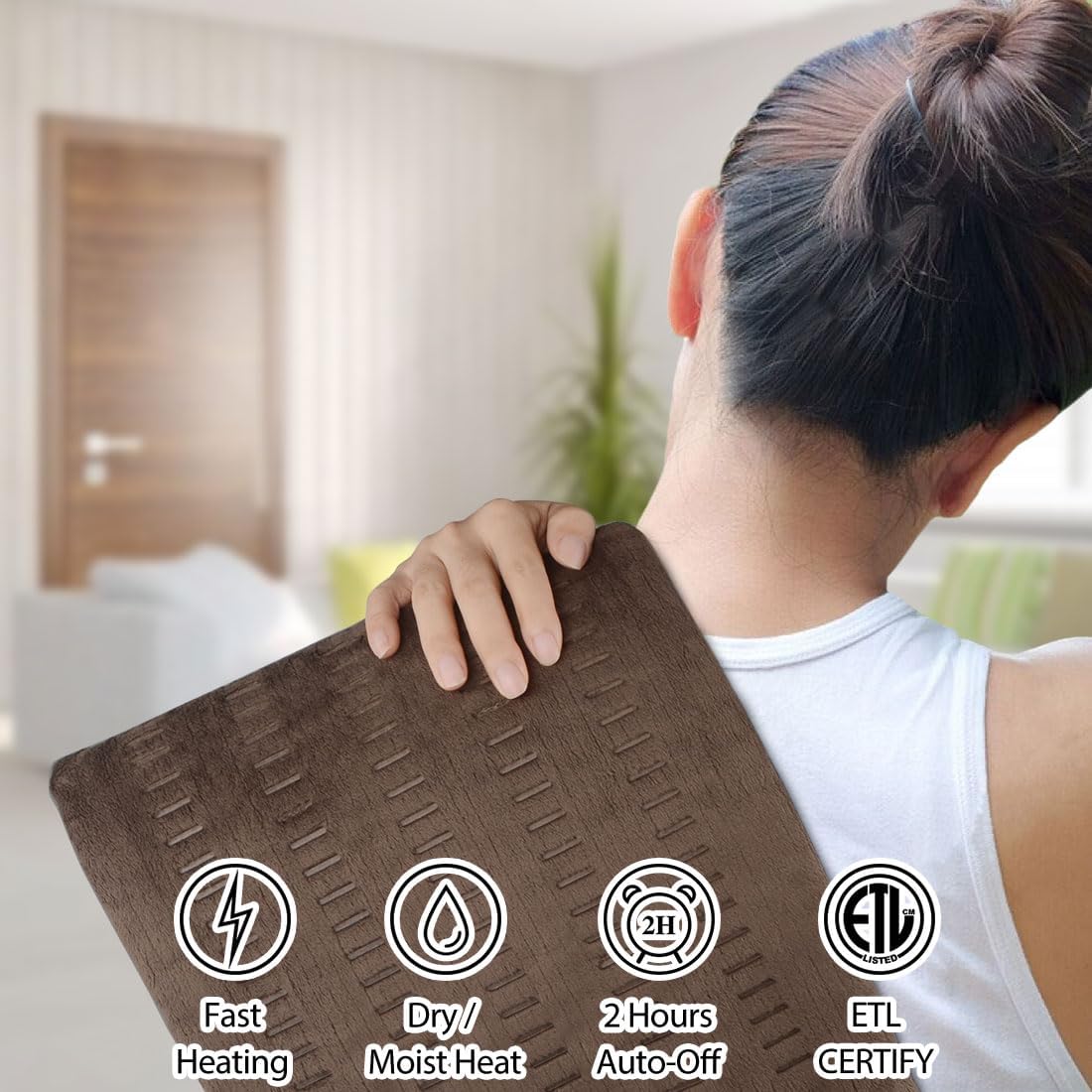
Image: A woman gently placing the heating pad on her shoulder, demonstrating its use for upper body pain.

Image: A woman holding the heating pad against her lower back, illustrating its application for lumbar support and relief.
6. Moist Heat Therapy
For deeper heat penetration and enhanced muscle pain relief, you can use the heating pad with moist heat:
- Dampen one side of the heating pad with a wet sponge or cloth.
- Alternatively, use a spray bottle to lightly mist one side of the pad.
- Ensure the pad is damp, not soaking wet.
- Proceed with normal operation as described in Section 5.

Image: A hand lightly misting the heating pad with water, preparing it for moist heat application.
7. Maintenance (Cleaning)
To maintain hygiene and prolong the life of your heating pad:
- Always unplug the heating pad from the electrical outlet and disconnect the controller before cleaning.
- The heating pad is machine washable. Wash on a gentle cycle with cold water.
- Do not bleach, iron, or dry clean.
- Tumble dry on low heat or air dry. Ensure the pad is completely dry before re-connecting and using.
8. Troubleshooting
If you encounter any issues with your heating pad, please consider the following:
- No Heat: Ensure the power cord is securely plugged into a working outlet and the controller is firmly connected to the pad. Press the power button to turn it on.
- Inconsistent Heat: Check that the pad is laid flat and not bunched up, which can affect heat distribution.
- Automatic Shut-Off: The pad is designed to turn off after 2 hours. If it turns off sooner, ensure it is not folded or covered in a way that could cause overheating.
- For further assistance, please contact ZXU customer support.
9. Specifications
| Feature | Detail |
|---|---|
| Model | B07WTBT7H3 |
| Dimensions | 12" x 24" |
| Material | Microplush |
| Heat Settings | 3 (Low, Medium, High) |
| Max Temperature | Up to 160°F |
| Therapy Options | Moist & Dry Heat |
| Auto Shut-Off | 2 Hours |
| Cord Length | 11ft |
| Washable | Machine Washable |
| Manufacturer | ZXU |
10. Warranty and Support
For warranty information or customer support, please refer to the product packaging or contact ZXU directly through their official website or customer service channels. Keep your purchase receipt as proof of purchase.
11. Legal Disclaimer
Statements regarding dietary supplements have not been evaluated by the FDA and are not intended to diagnose, treat, cure, or prevent any disease or health condition. This product is intended for personal comfort and temporary relief of minor aches and pains. Consult a healthcare professional for persistent pain or medical conditions.