
Goplus SP36921
Goplus Electric Folding Treadmill User Manual
Model: SP36921
1. Introduction
This manual provides essential information for the safe and effective operation, assembly, and maintenance of your Goplus Electric Folding Treadmill. Please read this manual thoroughly before initial use and retain it for future reference. This compact and foldable treadmill is designed for walking, jogging, and light running, featuring an LCD display, adjustable incline, and a shock-absorbing deck for a comfortable workout experience.

Figure 1: Goplus Electric Folding Treadmill overview.
2. Important Safety Information
To reduce the risk of serious injury, read all important precautions and instructions in this manual before using the treadmill. Goplus assumes no responsibility for personal injury or property damage sustained by or through the use of this product.
- Always attach the safety key clip to your clothing before beginning your workout.
- Keep children and pets away from the treadmill at all times.
- Place the treadmill on a level surface with at least 6 feet of clear space behind it and 2 feet on each side.
- Do not operate the treadmill if the power cord or plug is damaged.
- Do not use the treadmill outdoors or in damp environments.
- Consult a physician before starting any exercise program.
- The maximum user weight capacity for this treadmill is 220 pounds.
3. Assembly Instructions
Assembly is required for this treadmill. Please follow these general steps. Refer to the included assembly diagram for detailed visual instructions.
- Unpack all components and verify against the parts list.
- Attach the uprights to the base frame using the provided hardware.
- Secure the console to the top of the uprights.
- Connect all internal wiring as indicated in the assembly diagram.
- Install any remaining covers or accessories.
- Ensure all bolts and nuts are securely tightened before use.

Figure 2: Treadmill dimensions for space planning during assembly.
4. Setup and Initial Use
- Placement: Position the treadmill on a flat, stable surface away from direct sunlight and heat sources.
- Power Connection: Plug the power cord into a grounded electrical outlet.
- Safety Key: Before starting, ensure the safety key is properly inserted into the console and the clip is attached to your clothing. The treadmill will not operate without the safety key.
- Folding/Unfolding: The treadmill features a convenient folding design for storage. To fold, lift the running deck until it locks into the upright position. To unfold, gently release the locking mechanism and lower the deck to the floor. Transport wheels are integrated for easy movement when folded.

Figure 3: Illustration of the treadmill's convenient folding design and transport wheels.
Video 1: Official Goplus Electric Folding Treadmill demonstration, showing setup and folding.
5. Operating Instructions
5.1 Control Panel and Display
The treadmill features an easy-to-operate control panel with an HD LCD display. The display shows key workout metrics including scan, time, speed, and calories burned.

Figure 4: Detailed view of the LCD display, control buttons, and heart rate sensors.
5.2 Starting a Workout
- Step onto the treadmill belt, ensuring the safety key is attached.
- Press the START button on the console. The belt will begin to move at a low speed.
- Adjust the speed using the + and - buttons. The speed range is 0.5 to 6.5 Miles per Hour.

Figure 5: Visual representation of different speed selections for various workout intensities.
5.3 Adjustable Incline
The treadmill offers 3 levels of manual incline adjustment to simulate outdoor running conditions and enhance calorie burn. To adjust the incline, stop the treadmill, lift the rear of the running deck, and adjust the support mechanism to the desired level.

Figure 6: Close-up of the three-incline selection mechanism.
5.4 Preset Programs
Utilize the 12 preset varied speed programs (P1-P12) for structured workouts. Press the MODE button to cycle through the available programs.
5.5 Heart Rate Sensor
Grasp the heart rate sensors on the handlebars to monitor your pulse during your workout. This feature helps you stay within your target heart rate zone for effective training.
5.6 Stopping the Treadmill
To stop the treadmill, press the STOP button. In case of an emergency, pull the safety key from the console; the treadmill will immediately stop.
6. Maintenance
Regular maintenance ensures the longevity and optimal performance of your treadmill.
- Cleaning: Wipe down the treadmill with a damp cloth after each use to remove sweat and dust. Do not use abrasive cleaners.
- Belt Lubrication: The running belt requires periodic lubrication to reduce friction and extend its lifespan. Refer to the specific instructions provided with your treadmill's lubricant for frequency and application.
- Belt Adjustment: Periodically check the tension and alignment of the running belt. Adjust as necessary according to the instructions in the full product manual.
- Storage: When not in use, fold the treadmill and store it in a dry, cool place away from direct sunlight.
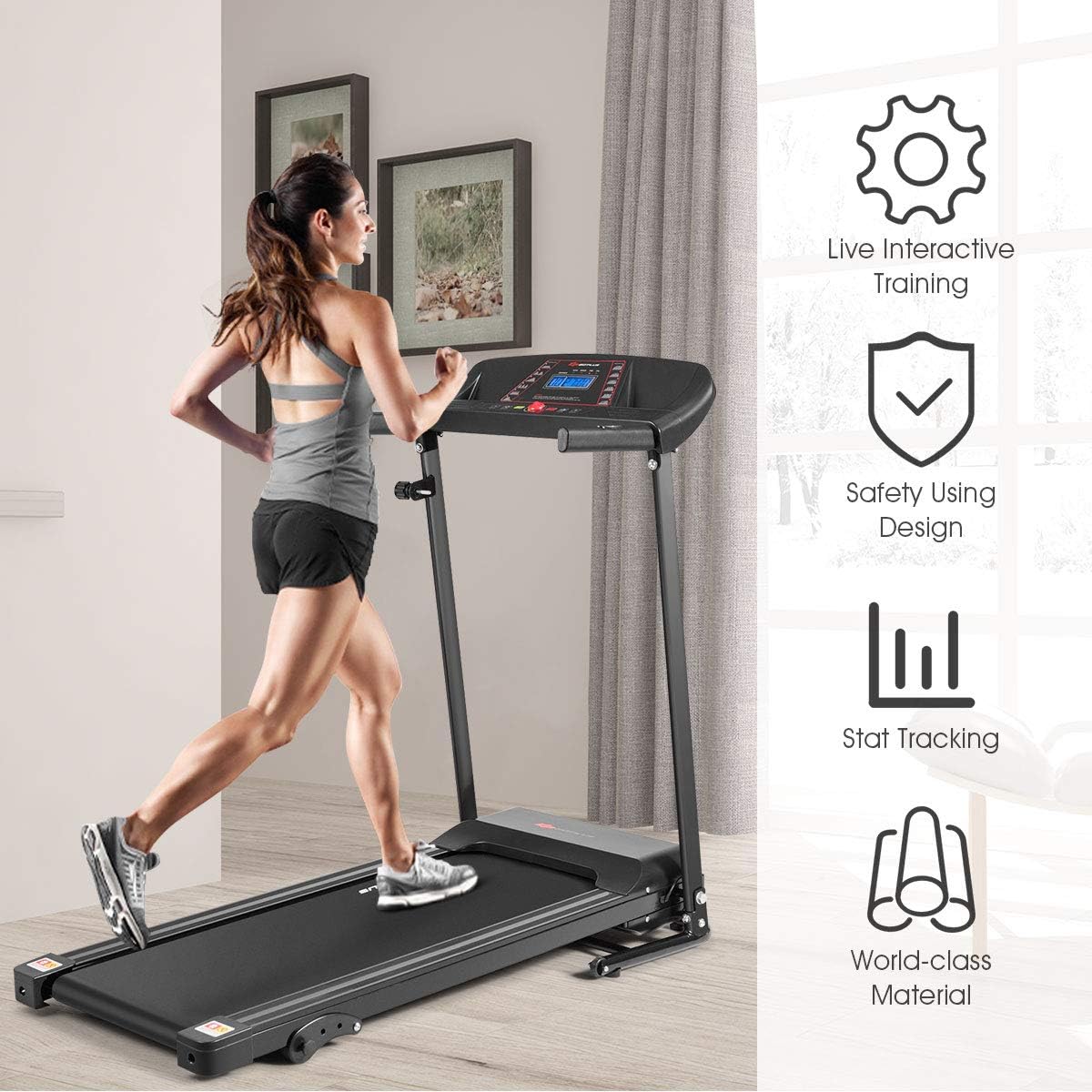
Figure 7: The treadmill's design supports interactive training, safety, stat tracking, and uses world-class materials.
7. Troubleshooting
| Problem | Possible Cause | Solution |
|---|---|---|
| Treadmill does not start. | Power cord not plugged in; Safety key not inserted; Circuit breaker tripped. | Ensure power cord is securely plugged in; Insert safety key fully; Check and reset circuit breaker. |
| Belt slips or hesitates. | Belt too loose; Belt needs lubrication. | Adjust belt tension (refer to full manual); Lubricate the running belt. |
| Unusual noise during operation. | Loose components; Motor issue. | Check all visible bolts and tighten if loose; If noise persists, contact customer support. |
| Speed control is erratic. | Sensor issue; Motor control board issue. | Ensure no obstructions near sensors; Contact customer support for advanced diagnostics. |
8. Specifications
- Brand: Goplus
- Model Name: SP36921
- Color: Black
- Product Dimensions: 50"D x 25"W x 44"H
- Folded Size: 22" x 25" x 51"
- Item Weight: 61 Pounds
- Material: Alloy Steel
- Maximum Speed: 6.5 Miles per Hour
- Minimum Speed: 0.5 Miles per Hour
- Maximum Incline Percentage: 15% (3-level manual incline)
- Maximum Horsepower: 1.5 Horsepower
- Maximum Weight Recommendation: 220 Pounds
- Deck Length: 40 Inches
- Deck Width: 15 Inches
- Display Type: LCD
- Power Source: Electric (Input Power: 220 Watts)
- UPC: 798470375758
9. Warranty and Support
This Goplus Electric Folding Treadmill comes with a 3-month warranty from the date of purchase. Please retain your proof of purchase for warranty claims.
For technical assistance, troubleshooting not covered in this manual, or warranty inquiries, please contact Goplus customer support through the retailer where the product was purchased or visit the official Goplus website for contact information.
Ask a question about this manual
Ask about setup, troubleshooting, compatibility, parts, safety, or missing instructions. Manuals+ will review the question and use this page’s manual context to help answer it.