
Introduction
The Fisher-Price Twinkle & Cuddle Cloud Soother is designed to provide a comforting and soothing environment for your baby. This plush cloud features gentle music, soft white noise, and a multicolor light show to help your little one relax and fall asleep. Its versatile design allows it to be attached to most cribs and also serves as a comforting take-along friend as your child grows.
What's Included
- 1 x Fisher-Price Twinkle & Cuddle Cloud Soother
- 4 x AA Batteries (included)
Key Features
- Plush cloud soother that can attach to a crib then becomes a take-along friend as your baby grows from infant to toddler.
- Soothing multi-color lights and Sleep expert-approved Ready, Settle, Sleep playlist of music and sounds, designed to help your baby fall asleep faster and stay asleep longer.
- Customize your baby’s bedtime with a selection of songs, 5 soothing nature sounds, volume, and light color choices.
- Soft, machine-washable fabrics and colorful, textured "rain" ribbons.
- Suitable for newborn babies from birth and up.
Setup
Battery Installation
The Twinkle & Cuddle Cloud Soother requires 4 AA batteries, which are included. Locate the battery compartment on the back of the soother, open it, insert the batteries according to the polarity indicators (+/-), and securely close the compartment.
Crib Attachment
The soother features two sets of ties for easy attachment to most cribs. Position the cloud soother on the inside or outside of the crib rails at a safe distance from the baby, and securely tie it in place using the provided ribbons. Ensure it is firmly attached and cannot fall into the crib.

Image: The cloud soother securely attached to a crib rail, providing a soothing glow for a baby.
Operating Instructions
Power On/Off
Press the main power button located on the soother's control panel to turn the unit on or off.
Music and Sounds
Cycle through the Ready, Settle, Sleep playlist of gentle music and 5 soothing nature sounds (including white noise) by pressing the music/sound selection button. The soother is designed to play for a set duration to aid sleep.
Light Modes
The soother features multicolor lights that sync with the music and sounds. Use the light mode button to select different light colors or to turn the lights off while keeping the sound on.
Volume Control
Adjust the volume level using the dedicated volume control buttons to find the optimal soothing level for your baby.

Image: The cloud soother displaying its light and sound capabilities.

Image: The cloud soother being used as a comforting take-along friend by a child.
Maintenance
Cleaning
The plush fabric of the Twinkle & Cuddle Cloud Soother is machine-washable. Before washing, ensure you remove the electronic sound and light unit from inside the cloud. Wash on a gentle cycle with cold water and air dry. Do not bleach or tumble dry.
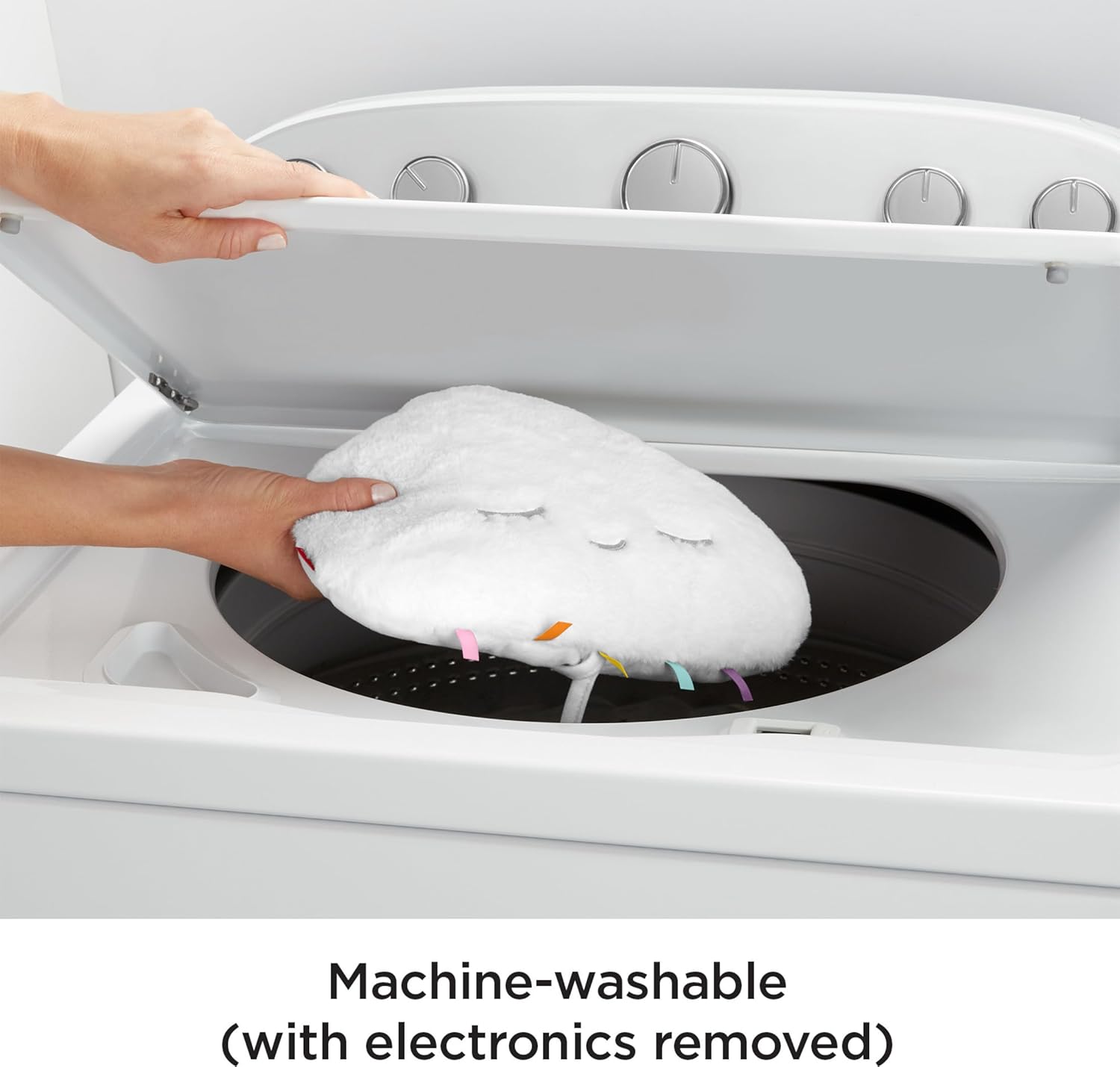
Image: Demonstrating how to place the cloud soother into a washing machine for cleaning.
Troubleshooting
| Problem | Possible Cause | Solution |
|---|---|---|
| Soother does not turn on. | Batteries are low or incorrectly installed. | Replace batteries with new AA batteries. Ensure they are inserted with correct polarity. |
| Lights are not working. | Light mode is off or a specific color is selected. | Press the light mode button to cycle through options or ensure batteries are fresh. |
| Sound is distorted or too low. | Volume is set too low or batteries are weak. | Increase the volume using the volume control buttons. Replace batteries if necessary. |
| Buttons are unresponsive. | Temporary electronic glitch or low batteries. | Remove and reinsert batteries to reset the unit. If issue persists, replace batteries. |
Product Specifications
- Model Number: GJD44
- Product Dimensions: 12 x 3.38 x 11 inches
- Item Weight: 1.32 pounds
- Power Source: Battery Powered (4 AA batteries required, included)
- Target Gender: Unisex
- Minimum Weight Recommendation: 2 Kilograms
Warranty and Support
For additional information, support, or to view the official user manual in PDF format, please visit the Fisher-Price Brand Store or refer to the official documentation provided with your product. A PDF user manual is available here.


