
Product Overview
The WORX Off Limits Digital Fencing system is designed to keep your Landroid robotic mower away from specific areas within your lawn. Unlike permanent boundary wires, Off Limits Digital Fencing provides a flexible solution for temporary or movable obstacles, such as seasonal furniture, flower beds, or play areas. This system allows you to easily define no-mow zones without the need for complex wire burial.
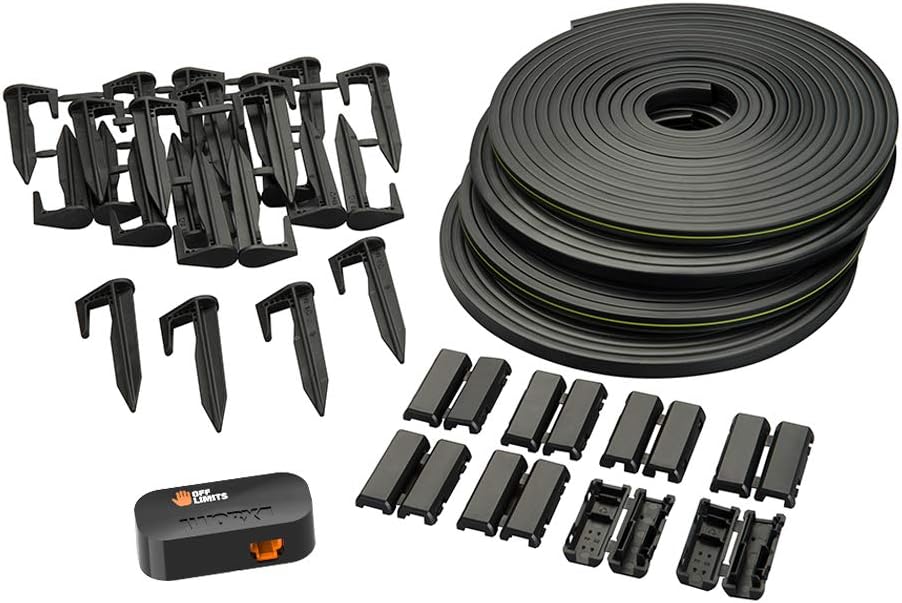
Figure 1: Complete WORX Off Limits Digital Fencing Kit.
Key Features:
- Create No-Mow Zones: Section off parts of your lawn that you would like Landroid to stay away from, such as flower beds in the middle of the yard.
- Great for Seasonal Items: The regular boundary wire is permanent, but Off Limits Digital Fencing is meant to be picked up and used in other places, like around a trampoline in the summer.
- Quick Install: The sensor snaps into the bottom of your Landroid, and you simply place the wire down on the ground; it is not meant to be buried.
- 66 Feet of Wire: Includes 4 strips of 16.5 ft each, plus 24 pegs and 8 strip connectors, providing ample wire to encircle multiple landmarks around your yard.
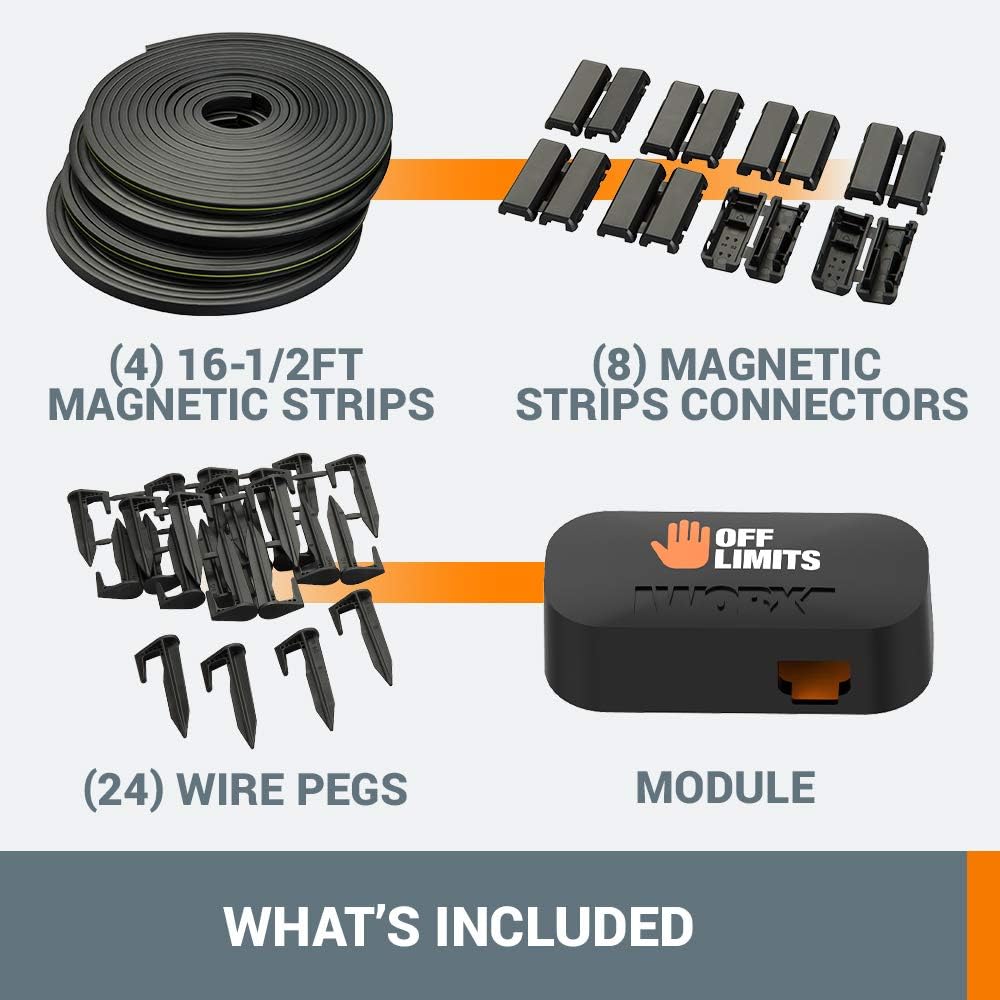
Figure 2: Components included in the Off Limits Digital Fencing package.
Safety Information
This product is not a toy and should be kept out of reach of children. Users must exercise caution when handling and using the robotic mower to avoid injury. Always lay Off Limits wire on grass; never bury it.
Setup
1. Installing the Off Limits Module
The Off Limits module is designed for quick installation into your Landroid robotic mower.
- Ensure your Landroid is powered off and in a safe, stable position.
- Locate the designated slot for the Off Limits module on the underside of your Landroid.
- Gently snap the Off Limits module into place. It should fit securely.
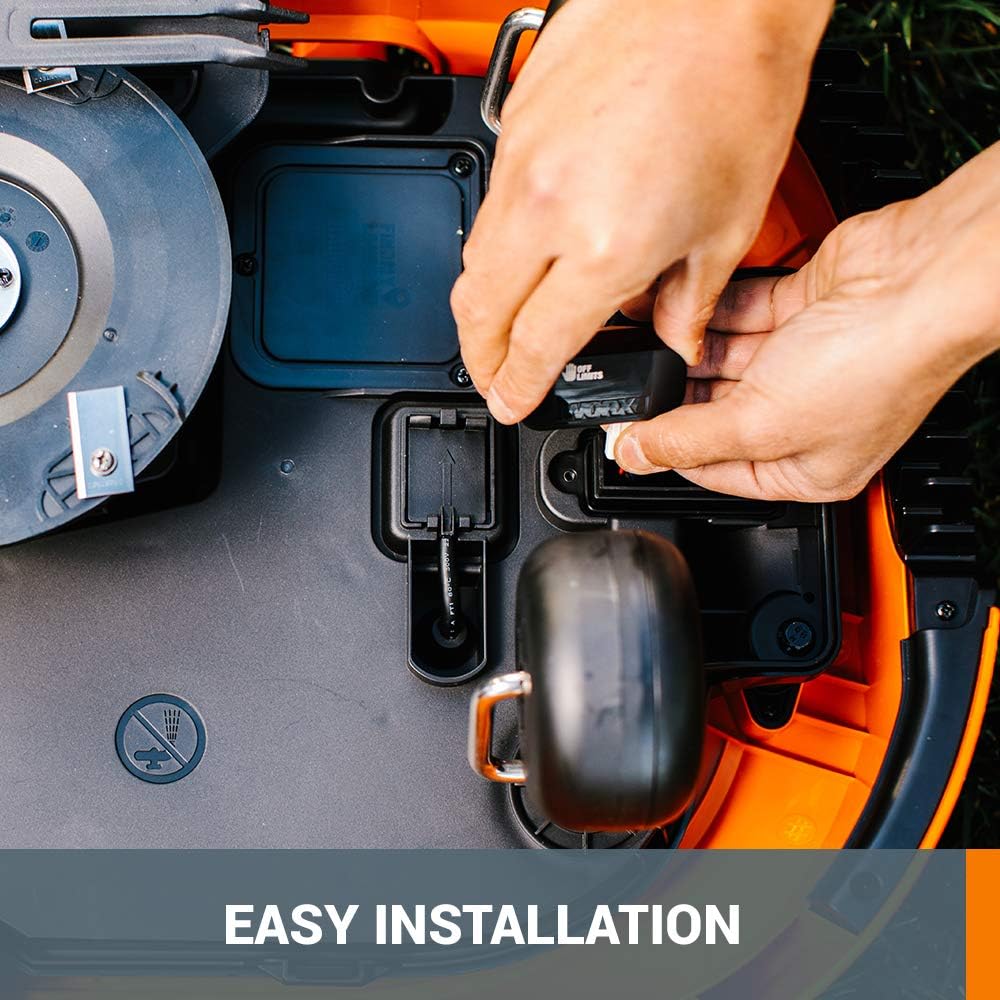
Figure 3: Installing the Off Limits module into the Landroid.
2. Laying the Magnetic Strips
The magnetic strips create the digital fence. They are designed to be laid directly on the grass and do not require burying.
- Identify the areas you wish to make "off limits" for your Landroid, such as flower beds, temporary fixtures, or play areas.
- Lay the magnetic strips around the perimeter of these areas. Ensure the strips form a continuous loop to create a complete boundary.
- Use the provided wire pegs to secure the magnetic strips to the ground, preventing them from shifting.
- If longer lengths are needed, use the included connectors to join multiple magnetic strips.

Figure 4: Laying the magnetic strip around a temporary obstacle.

Figure 5: Protecting plants with the Off Limits digital fence.

Figure 6: Protecting play equipment with the Off Limits digital fence.
Operating Instructions
Once the Off Limits module is installed and the magnetic strips are laid, your Landroid will automatically detect these boundaries during its operation.
- The Landroid will steer away from any area enclosed by the Off Limits magnetic strips, preventing it from entering these zones.
- This system is ideal for temporary exclusions or areas where permanent boundary wire installation is impractical.
Video Demonstration:
Video 1: Demonstration of the Landroid Off Limits Digital Fence in action, showing how the robotic mower avoids designated areas.
Maintenance
- Regularly inspect the magnetic strips and pegs for any damage or displacement. Replace or re-secure as needed to maintain effective boundaries.
- Keep the magnetic strips clear of excessive debris or thick grass that might obscure them from the Landroid's sensor.
- When not in use, store the magnetic strips and module in a dry, protected area to prolong their lifespan.
Troubleshooting
| Problem | Possible Cause | Solution |
|---|---|---|
| Landroid enters "Off Limits" area. | Module not installed correctly or not detected. Magnetic strip is broken or not forming a continuous loop. Strip is covered by debris. | Ensure the Off Limits module is securely snapped into the Landroid. Check the Landroid app to confirm the module is recognized and activated. Inspect the entire length of the magnetic strip for breaks or disconnections. Clear any grass clippings or leaves covering the strip. |
| Magnetic strips are moving. | Insufficient pegs used. Ground is too soft or uneven. | Use more wire pegs to secure the strips, especially on curves or uneven terrain. Ensure pegs are fully inserted into the ground. |
| Difficulty connecting strips. | Connectors not properly aligned or closed. | Ensure the ends of the magnetic strips are clean and fully inserted into the connectors before closing them firmly. |
Specifications
- Model Number: WA0863
- UPC: 845534019193
- Product Dimensions: 8.66 x 8.66 x 1.57 inches
- Item Weight: 5.07 pounds
- Material: Metal (for module components), Magnetic material (for strips)
- Wire Length: 66 feet total (4 strips of 16.5 ft each)
- Included Accessories: 8 Magnetic Strip Connectors, 24 Wire Pegs
- Compatibility: Landroid models WR140, WR143, WR150, WR153. (Note: Check your specific Landroid model for compatibility.)
Warranty and Support
WORX products are engineered for durability and performance. For specific warranty details and support, please refer to the official WORX website or your product's original documentation.
For additional assistance, visit the WORX Store on Amazon or consult the Installation Manual (PDF).
Important Note: This product is not a toy and should be kept out of reach of children. Users should exercise caution when handling and using the robotic mower to avoid injury. Always lay Off Limits wire on grass; never bury it.


