
1. Introduction
The OMRON BCM-500 Body Composition Monitor and Scale with Bluetooth Connectivity provides comprehensive tracking of six vital health metrics. This advanced scale utilizes bioelectrical impedance technology to deliver accurate body composition analysis. It features an easy-to-read LCD display and supports up to four personalized user profiles, storing 30 readings per user (120 total). A convenient Guest Mode is also included for one-time use without saving data. The device syncs with the free OMRON Connect app for unlimited data storage and detailed health insights.
Key Features
- Comprehensive Health Insights: Accurately measures 6 key fitness indicators: body fat percentage, skeletal muscle mass, BMI, resting metabolism, visceral fat, and weight (up to 330 lbs).
- Track Muscle Mass: Uses bioelectrical impedance technology to provide detailed skeletal muscle data, important for monitoring strength, stamina, and metabolic health.
- Wireless Bluetooth Connectivity: Syncs seamlessly with the free OMRON mobile app for unlimited storage and health metric tracking.
- Multi-User Personalization: Stores up to 120 readings for 4 user profiles (30 per user) on the device, with unlimited storage available through the OMRON Connect app.
- Guest Mode: Allows for one-time use without saving data to a user profile.
2. Important Safety Information
WARNING: Do not use this device if you or others have a pacemaker, implanted defibrillator, or other metallic or electronic medical devices. Use may cause malfunction and serious health risks.
Always consult with a healthcare professional before making any significant changes to your diet, exercise routine, or health management plan based on the readings from this device.
3. Package Contents
Your OMRON BCM-500 Body Composition Monitor and Scale package includes the following items:
- OMRON BCM-500 Body Composition Monitor and Scale
- Instruction Manual
- 4 AAA Batteries (included)
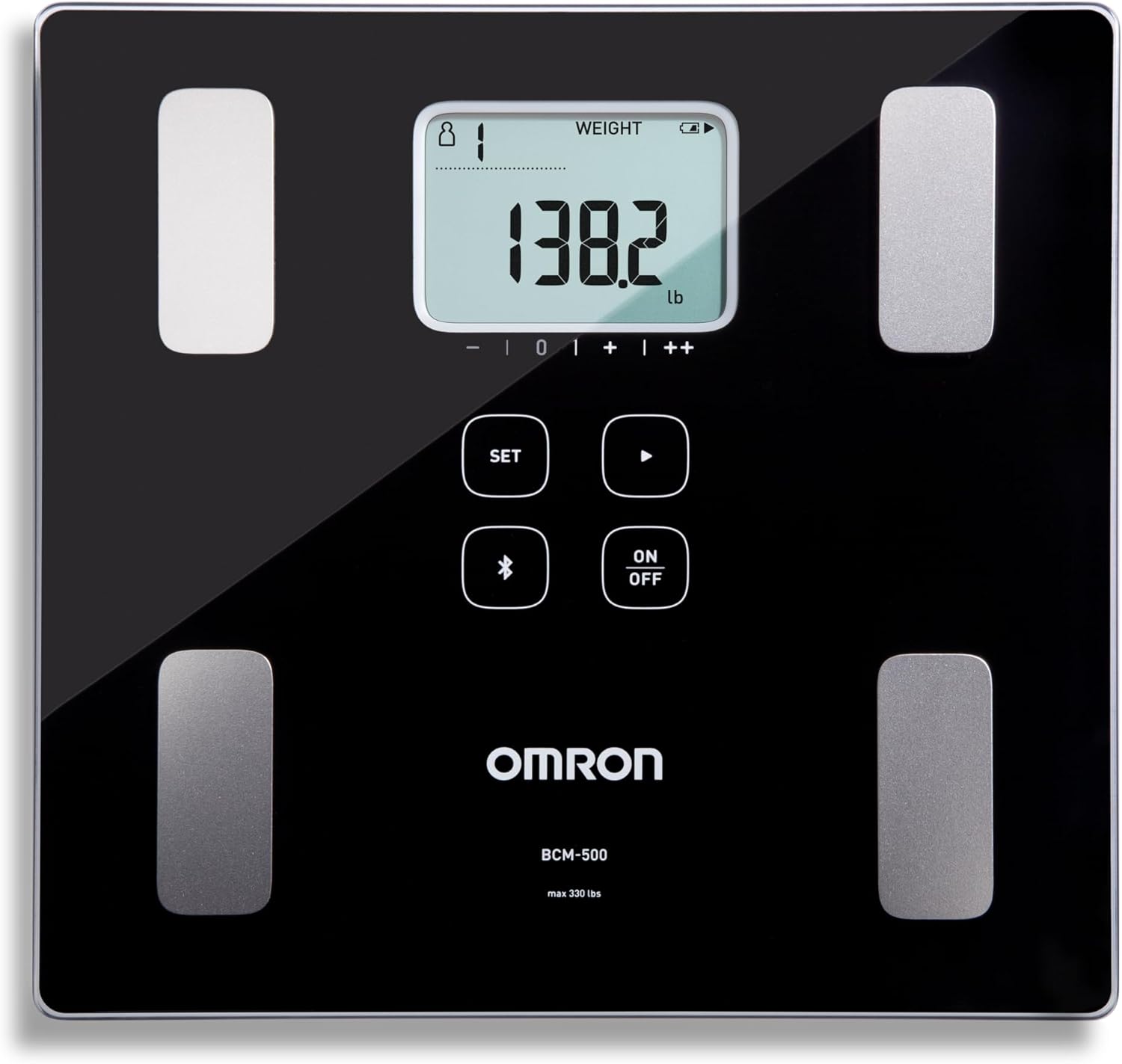
Image: OMRON BCM-500 Body Composition Monitor and Scale in its retail packaging.

Image: OMRON BCM-500 Body Composition Monitor and Scale unboxed, next to its packaging.
4. Setup
4.1 Battery Installation
- Locate the battery compartment on the underside of the scale.
- Open the battery compartment cover.
- Insert the 4 AAA batteries, ensuring correct polarity (+/-).
- Close the battery compartment cover securely.

Image: Underside of the OMRON BCM-500 scale showing the battery compartment.
4.2 Initial User Profile Setup
The scale supports up to 4 user profiles. Follow the on-screen prompts to enter your personal data (height, age, gender) for accurate body composition analysis.
- Press the 'SET' button to begin profile setup.
- Use the arrow buttons to select a user profile (P1, P2, P3, P4).
- Press 'SET' to confirm your selection.
- Follow the prompts to enter your height, age, and gender using the arrow buttons and 'SET' to confirm each entry.
Video: An overview of the OMRON Body Composition Monitor and Scale, demonstrating its features and ease of use.
5. Operating Instructions
5.1 Taking a Measurement
- Place the scale on a hard, flat surface. Avoid carpets or uneven flooring.
- Step onto the scale barefoot. Ensure your feet are positioned on the metal electrodes.
- Stand still until your weight and body composition metrics are displayed.
- The scale will automatically identify your user profile based on your weight. If multiple profiles are similar, you may need to select your profile using the arrow buttons.

Image: A person standing barefoot on the OMRON BCM-500 scale to take a measurement.
5.2 Guest Mode
To take a measurement without saving it to a user profile, select 'GUEST' during the profile selection step. This is useful for temporary users or for taking a quick weight measurement without affecting your personal data history.
5.3 Bluetooth Connectivity and App Syncing
The OMRON BCM-500 connects wirelessly via Bluetooth to the OMRON Connect app on your iOS or Android device. This allows for unlimited data storage and detailed tracking of your health trends.
- Download the free OMRON Connect app from your device's app store.
- Enable Bluetooth on your smartphone or tablet.
- Open the OMRON Connect app and follow the on-screen instructions to pair your BCM-500 scale.
- After taking a measurement, the data will automatically sync to the app.
The OMRON Connect app is also compatible with Samsung Health, allowing for direct synchronization of weight and body fat percentage data. This eliminates the need for intermediary apps for these specific metrics.

Image: OMRON BCM-500 scale next to a smartphone displaying the OMRON Connect app interface.
Video: Demonstrates how to track health metrics using the OMRON BCM-500 and its smartphone app.
Video: A user review highlighting the direct compatibility of the OMRON BCM-500 scale with Samsung Health.
6. Understanding Your Measurements
The OMRON BCM-500 provides insights into the following body composition metrics:
- Body Weight: Your total body mass.
- Body Fat Percentage: The proportion of fat to your total body weight.
- Visceral Fat: Fat surrounding your internal organs. High levels can indicate increased health risks.
- Skeletal Muscle Percentage: The proportion of muscle attached to your bones. Important for strength and metabolism.
- Resting Metabolism: The number of calories your body burns at rest.
- Body Mass Index (BMI): A measure that uses your height and weight to determine if your weight is healthy.
Recommended Measurement Times
For consistent and comparable results, it is recommended to take measurements at similar times each day. Avoid measuring immediately after eating or bathing.

Image: Diagram showing recommended daily activities and corresponding measurement times for body composition analysis.
7. Maintenance
7.1 Cleaning and Care
To ensure the longevity and accuracy of your scale:
- Wipe the surface with a soft, damp cloth. Do not use abrasive cleaners or immerse the device in water.
- Keep the electrodes clean and dry for accurate readings.
7.2 Storage
Store the scale in a cool, dry place away from direct sunlight and extreme temperatures. Avoid placing heavy objects on the scale when not in use.
8. Troubleshooting
If you encounter issues with your OMRON BCM-500, try the following:
- No Display/Power: Check if the batteries are correctly installed and have sufficient charge. Replace batteries if necessary.
- Inaccurate Readings: Ensure the scale is on a hard, flat surface. Make sure your feet are clean, dry, and properly positioned on the electrodes.
- Bluetooth Pairing Issues: Ensure Bluetooth is enabled on your device and the OMRON Connect app is open. Try restarting both the scale and your device.
- App Syncing Problems: Verify that the scale is paired with the app and that your device has an active internet connection.
For persistent issues, refer to the full instruction manual or contact OMRON customer support.
9. Specifications
| Feature | Detail |
|---|---|
| Product Dimensions | 11 x 11.2 x 1.1 inches |
| Item Model Number | BCM-500 |
| Batteries | 4 AAA batteries (included) |
| Weight Capacity Maximum | 330 Pounds |
| Readout Accuracy | 0.2 pounds |
| Display Type | LCD |
| Connectivity | Bluetooth |
10. Warranty and Support
10.1 Warranty Information
This OMRON product is covered by a manufacturer's warranty. Please refer to the warranty card included in your package or visit the official OMRON website for detailed terms and conditions.
10.2 Customer Support
For any questions, technical assistance, or service requests, please contact OMRON customer support through their official website or the contact information provided in your product documentation.


