
Introduction
This manual provides detailed instructions for the setup, operation, and maintenance of your XIAOYA W5 Outdoor Projector. Please read thoroughly before use to ensure optimal performance and longevity of your device.
Key Features
- Native 720P resolution with 4000 lumens LED light for clear outdoor viewing.
- Built-in HiFi stereo speakers for powerful, clear sound.
- Multiple digital connection options: 2 HDMI, VGA, AV, SD card, and USB.
- Compatible with PC, laptop, TV stick, Chromecast, X-box, and more.
- Support for ceiling mount and tripod installation.
Package Contents
Ensure all items listed below are present in your package:
- Projector body
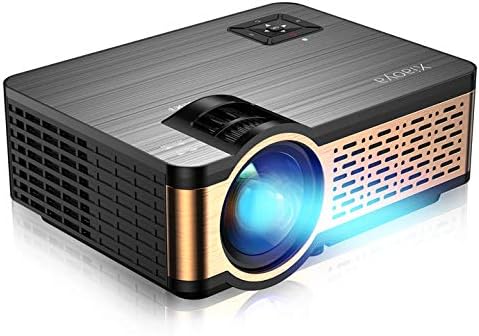
Product Overview
Projector Components


Setup
Initial Setup
- Place the projector on a stable, flat surface or mount it using the reserved screw holes.
- Connect the power cord to the projector and a power outlet.
- Remove the lens cap.
- Power on the projector using the power button on the device or the remote control.
- Adjust focus and keystone correction using the dials on the projector until the image is clear and rectangular.
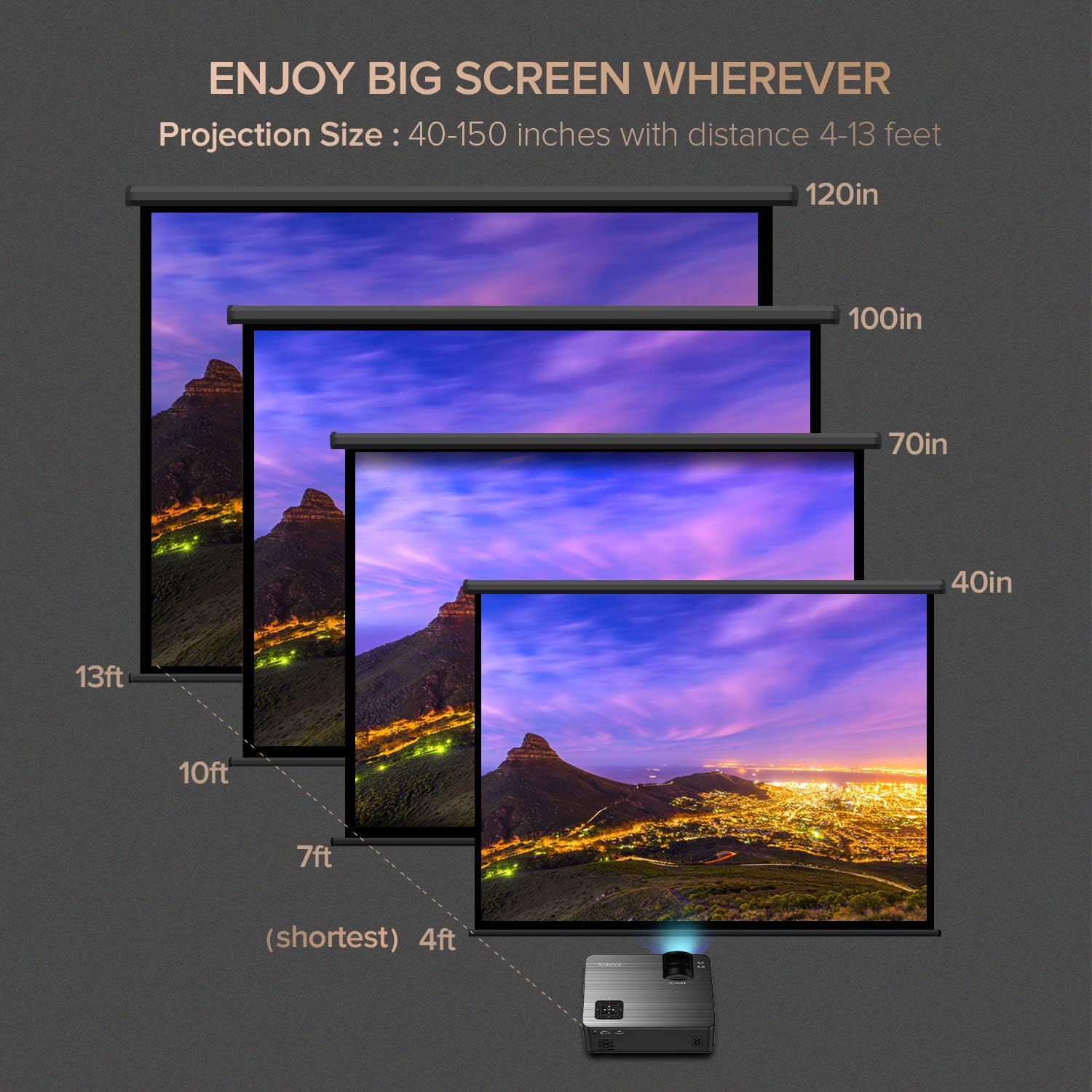
Projection Distance and Screen Size
The optimal projection size ranges from 40 to 150 inches with a distance of 4 to 13 feet.

Operating Instructions
Connecting Devices
The XIAOYA W5 projector offers multiple digital connection options: 2 HDMI ports, VGA, AV, SD card slot, and USB.

Connecting to Smartphones/Tablets
- For iPhone/iPad: An extra Lightning to HDMI adapter (not included) is required.
- For Android phones: A Micro USB/Type C to HDMI adapter (not included) is required.
Bluetooth Audio
The projector features built-in HiFi stereo speakers. For external audio, connect Bluetooth speakers via the Bluetooth settings.
Note: Bluetooth and wireless connection for video mirroring are not supported directly. An adapter is needed for phone mirroring.
Maintenance
Cleaning and Care
- Keep the lens clean by gently wiping with a soft, lint-free cloth.
- Ensure proper ventilation by not blocking the air vents.
- Store the projector in a dry, dust-free environment when not in use.
- Regularly check and clean the dust filters if accessible.
Troubleshooting
Common Issues and Solutions
- No Audio with Apple TV/Fire Stick: The projector may not decode Dolby audio. Change audio settings on your device (e.g., Apple TV Settings > Dolby Digital to 'OFF') to Stereo.
- Blurry Image: Adjust the focus and keystone correction dials on the projector. Ensure the projection surface is flat.
- No Signal: Verify that the correct input source (HDMI, VGA, AV, USB) is selected on the projector and that the cables are securely connected to both the projector and the source device.
- White Spots on Screen: This can sometimes occur with projectors over time. If persistent, contact customer support.
Specifications
Technical Specifications
- Brand: Xiaoya
- Item Weight: 3 pounds
- Package Dimensions: 12.83 x 8.9 x 5.08 inches
- Item Model Number: W5
- Color Name: Black
- Special Features: Built-In Speaker
- Speaker Type: Built-In, Stereo
- Connectivity Technology: HDMI, IR, USB
- Display Resolution: 1280 x 720
- Display Resolution Maximum: 1980 x 1080 Pixels Per Inch
Warranty and Support
Warranty Information
Please refer to the product packaging or manufacturer's website for specific warranty details.
Customer Support
For further assistance, please contact Xiaoya customer support. Contact information can typically be found in the user manual included in the box or on the official Xiaoya website.


