
1. Introduction
Thank you for choosing the Pinkfong Baby Shark ABC Alphabet Bus Sound Pad. This interactive electronic toy is designed to provide an engaging and educational experience for toddlers and preschoolers, helping them learn letters, words, phonics, and songs through fun activities.
2. Product Features
- Interactive Learning: Features 37 circular buttons and 10 touch buttons on screen.
- Multiple Modes: Includes 6 learning modes: Letters, Words, Phonics, Quiz, Songs, and LED Light Play.
- Rich Audio Content: Plays 47 Pinkfong songs and over 300 sounds.
- Visual Engagement: Equipped with 38 LED lights for a vibrant learning experience.
- Portable Design: Features a round blue take-along handle for easy carrying.
- Adjustable Volume: Two-level volume control switch.
- Included: Comes with a colorful lyrics booklet.

Image: Overview of the Pinkfong Baby Shark ABC Alphabet Bus highlighting its key features and components.
3. Setup
3.1 Battery Installation
- Locate the battery compartment on the back of the bus.
- Using a screwdriver, open the battery compartment cover.
- Insert 3 AAA batteries, ensuring correct polarity (+/-).
- Replace the battery compartment cover and secure it with the screw.

Image: Battery compartment for AAA batteries.
3.2 Power On/Off and Volume Control
- To turn the toy ON or OFF, use the dedicated on-off button, typically located on the side or front panel.
- Adjust the volume using the two-level volume control switch to suit your environment.

Image: Close-up of the power button and volume control switch.
4. Operating Instructions
The Baby Shark ABC Alphabet Bus offers 6 different learning modes. Switch between modes using the selector on the left side of the bus.
4.1 Learning Modes
- Letters Mode: Press any letter button to hear the letter name.
- Words Mode: Press any letter button to hear a word starting with that letter.
- Phonics Mode: Press any letter button to hear the phonetic sound of the letter.
- Quiz Mode: The bus will ask a question, and you press the correct button to answer.
- Songs Mode: Press any button to play one of the 47 Pinkfong songs.
- Light Play Mode: Buttons will light up, encouraging interactive play with lights and sounds.
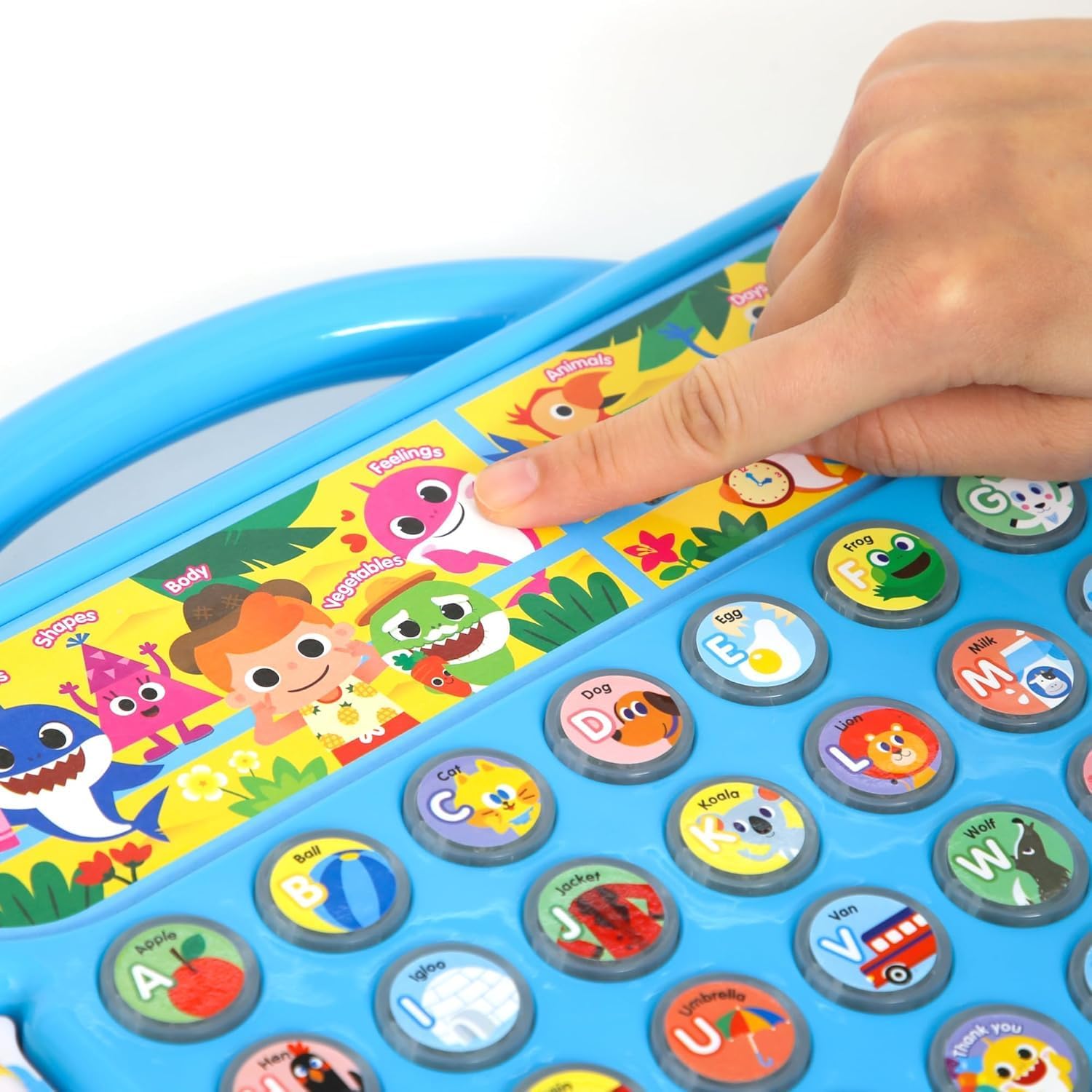
Image: A hand interacting with the letter buttons on the bus.
4.2 Using the Lyrics Booklet
The included colorful lyrics booklet contains the full lyrics to many Pinkfong songs, allowing children and parents to read and sing along. This enhances early literacy skills and makes learning more interactive.

Image: The lyrics booklet accompanying the Alphabet Bus.
4.3 Official Product Videos
Video: An official overview of the Baby Shark Alphabet Bus (2nd Edition), demonstrating its various features and learning modes.
Video: An official video showcasing the Baby Shark Bilingual Learning Songs, highlighting the educational content.
5. Maintenance
5.1 Cleaning
To clean the toy, wipe it with a soft, damp cloth. Do not immerse the toy in water or use harsh cleaning agents, as this may damage the electronic components.
5.2 Battery Care
- Remove batteries if the toy will not be used for an extended period to prevent leakage.
- Do not mix old and new batteries, or different types of batteries.
- Dispose of used batteries responsibly according to local regulations.
5.3 Storage
Store the toy in a cool, dry place away from direct sunlight and extreme temperatures.
6. Troubleshooting
- No Sound/Lights: Check if the batteries are correctly installed and not depleted. Replace with fresh batteries if necessary. Ensure the power switch is in the 'ON' position.
- Buttons Unresponsive: Try turning the toy off and then on again. If the issue persists, replace the batteries.
- Distorted Sound: This may indicate low battery power. Replace the batteries.
7. Specifications
| Feature | Detail |
|---|---|
| Brand | Pinkfong |
| Model Number | PTNSP010 |
| UPC | 190271001162 |
| Material Type | Plastic |
| Item Dimensions | 14.76 x 10.98 x 2.24 inches |
| Item Weight | 2.3 Pounds |
| Color | Blue |
| Power Source | Battery Powered |
| Battery Type | 3 AAA batteries (not included) |
| Recommended Age | 36 to 60 months (3-5 years) |

Image: Product dimensions of the Baby Shark ABC Alphabet Bus.
8. Warranty
This product comes with a 90-day warranty against manufacturer defects. Please retain your proof of purchase for warranty claims. For more details, refer to the official Pinkfong website or contact customer support.
9. Support
For further assistance, questions, or to report any issues with your Pinkfong Baby Shark ABC Alphabet Bus, please contact Pinkfong customer support through their official website or the retailer where the product was purchased.

Image: Customer support information.