
Firman WH02942
FIRMAN WH02942 Dual Fuel Inverter Portable Generator User Manual
Model: WH02942 | Brand: Firman
Introduction
Welcome to the user manual for your FIRMAN WH02942 Dual Fuel Inverter Portable Generator. This guide provides essential information for safe and efficient operation, maintenance, and troubleshooting of your generator. Please read this manual thoroughly before operating the unit to ensure proper use and longevity of your product.
The FIRMAN WH02942 is designed for versatility and portability, offering reliable power for various applications, from camping and tailgating to emergency home backup. Its dual-fuel capability allows operation on either gasoline or propane, providing flexibility and convenience.
Product Overview
Key Features
- Dual Fuel Capability: Runs on either gasoline or propane, offering flexibility to choose the most convenient and available fuel source for your needs.
- Electric and Recoil Start: Features a push-button electric start for effortless operation, with a recoil pull start as a dependable backup in case of battery failure.
- Quiet Operation: Operates at a low noise level of 58dB, meeting National Park requirements and providing quiet, unobtrusive power for camping, RVs, and residential use.
- Multiple Outlets: Includes an RV-Ready TT-30R 30A, two 120V 20A outlets, a USB port, and a 12V port for battery charging, ensuring compatibility with various electronics and appliances.
- Portable Design: Built for easy transport with heavy-duty wheels and a folding handle, allowing for effortless maneuvering and storage whether at home, on the job site, or on the road.
Components and Controls
Familiarize yourself with the main components and control panel of your FIRMAN WH02942 generator. The intuitive design ensures ease of use and access to all necessary functions.

Figure 1: Front view of the FIRMAN WH02942 generator, highlighting the control panel with various outlets and switches.
The control panel includes the fuel valve knob, LPG hose quick connect inlet, recoil starter, engine start switch, 3-in-1 data-minder (multi-meter), TT-30R 30A outlet, 120V 20A duplex outlets, USB DC outlet, and 12V DC output. Refer to the detailed diagram in your printed manual for specific labeling.

Figure 2: Detailed view of the control panel and its functions.
What's in the Box
Your FIRMAN WH02942 generator comes with the following accessories to get you started:
- 12 oz engine oil
- Oil funnel
- Spark plug wrench
- Quick start/stop guide
- Float charger to maintain battery life
- LP hose & regulator for propane connection
- 12V battery charging cord
- Wheels & folding handle (for assembly)

Figure 3: Contents included with your generator.
Setup
Unpacking and Initial Assembly
- Carefully remove the generator and all components from the packaging.
- Inspect the unit for any shipping damage. If damage is found, contact customer support immediately.
- Place the generator on a flat, level surface in a well-ventilated outdoor area, away from windows, doors, and vents.
Wheel Kit and Handle Installation
The FIRMAN WH02942 comes with a wheel kit and folding handle for enhanced portability. Follow these steps for assembly:
- Attach the wheels to the designated axles on the generator frame using the provided hardware. Ensure they are securely fastened.
- Install the folding handle onto the generator frame. Verify that the handle locks securely into both the extended and folded positions.
Adding Engine Oil
Your generator is shipped without engine oil. It is crucial to add the correct amount and type of oil before the first start-up.
- Place the generator on a level surface.
- Locate the oil fill cap/dipstick. Remove it.
- Using the provided oil funnel, slowly pour the 12 oz of 10W-30 engine oil (or recommended equivalent based on temperature) into the oil fill opening.
- Check the oil level using the dipstick. Do not screw in the dipstick when checking; simply insert it until it rests on the fill opening. The oil level should be at the top of the fill hole.
- Replace the oil fill cap/dipstick securely.
Important: Operating the generator without sufficient oil will cause severe engine damage and void the warranty.
Fueling the Generator (Gasoline or Propane)
The FIRMAN WH02942 is a dual-fuel generator, capable of running on either unleaded gasoline or liquid propane (LP) gas.
For Gasoline Operation:
- Ensure the generator is turned off and cooled down.
- Use only fresh, unleaded gasoline with an octane rating of 87 or higher.
- Open the fuel cap and carefully fill the fuel tank (1.8-gallon capacity) using a clean funnel. Do not overfill.
- Securely close the fuel cap.
For Propane (LP) Operation:
- Ensure the generator is turned off and cooled down.
- Connect the provided LP hose and regulator to a standard 20 lb (or larger) propane tank.
- Connect the other end of the LP hose to the quick connect inlet on the generator's control panel. Ensure a secure connection.
- Slowly open the valve on the propane tank.
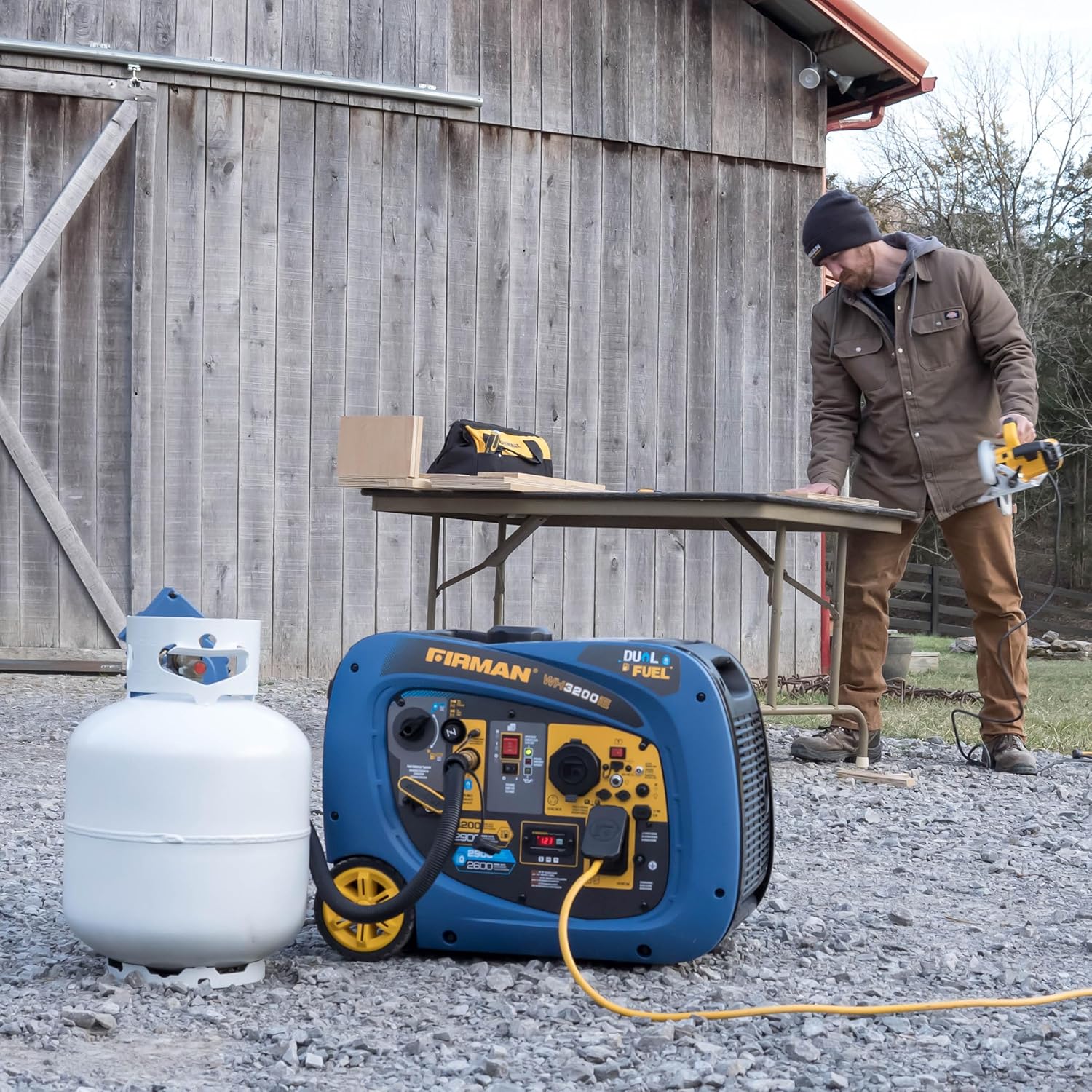
Figure 4: Generator set up for propane operation.
Operating Instructions
Starting the Generator (Gasoline)
- Ensure the generator is on a level surface and has sufficient oil and gasoline.
- Turn the fuel valve knob to the "GASOLINE" position.
- If the engine is cold, pull the choke lever to the "CHOKE" position.
- Press the electric start button or pull the recoil starter handle firmly until the engine starts.
- Once the engine starts, slowly push the choke lever back to the "RUN" position.
- Allow the generator to run for a few minutes to warm up before connecting electrical loads.
Starting the Generator (Propane)
- Ensure the generator is on a level surface and has sufficient oil. The propane tank should be connected and its valve open.
- Turn the fuel valve knob to the "LPG" position.
- If the engine is cold, pull the choke lever to the "CHOKE" position.
- Press the electric start button or pull the recoil starter handle firmly until the engine starts. Propane may require a few more cranks than gasoline.
- Once the engine starts, slowly push the choke lever back to the "RUN" position.
- Allow the generator to run for a few minutes to warm up before connecting electrical loads.
Connecting Electrical Devices
Once the generator is running smoothly, you can connect your electrical devices. Ensure the total wattage of connected devices does not exceed the generator's running wattage (2900W for gasoline, 2600W for LPG).
- Plug your devices into the appropriate outlets (120V 20A, TT-30R 30A, USB, 12V DC).
- For RV connections, use the TT-30R outlet.
- Avoid overloading the generator. If the overload indicator lights up, disconnect some devices.
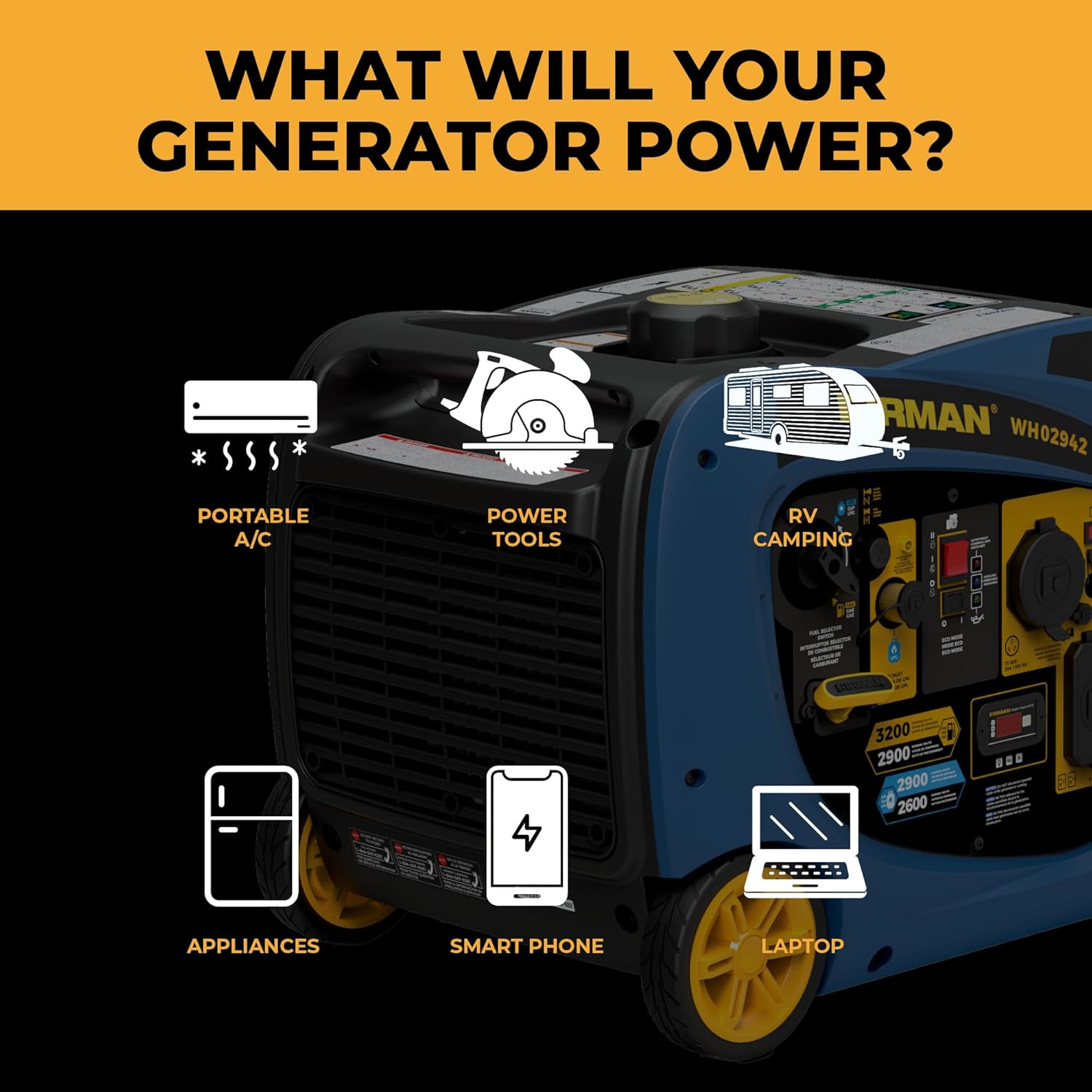
Figure 5: Examples of items the generator can power.
Eco-Mode Operation
The Eco-Mode switch allows the generator to automatically adjust engine speed to match the load, improving fuel efficiency and reducing noise levels when less power is required. To activate Eco-Mode, simply press the "ECO" button on the control panel.

Figure 6: Quiet operation of the generator.
Stopping the Generator
- Disconnect all electrical loads from the generator.
- Allow the generator to run for a few minutes without load to cool down.
- Turn the engine start switch to the "OFF" position.
- If operating on gasoline, turn the fuel valve knob to the "OFF" position.
- If operating on propane, close the valve on the propane tank.
Maintenance
Regular maintenance is essential to ensure the long life and reliable performance of your FIRMAN WH02942 generator. Always perform maintenance with the engine off and cooled.
Maintenance Schedule
| Item | Before Each Use | Every 25 Hours or Annually | Every 100 Hours or Annually |
|---|---|---|---|
| Check Engine Oil Level | ✓ | ||
| Clean Air Filter | ✓ | ||
| Inspect Spark Plug | ✓ | ||
| Change Engine Oil | (First 25 hours) | ✓ | |
| Check Fuel Filter | ✓ |
Engine Oil Change
- Run the engine for a few minutes to warm the oil, then turn it off.
- Place a drain pan under the oil drain plug.
- Remove the oil drain plug and the oil fill cap/dipstick to allow the oil to drain completely.
- Once drained, replace the oil drain plug securely.
- Refill with the recommended oil (10W-30) to the proper level.
- Dispose of used oil responsibly.
Spark Plug Inspection and Replacement
- Remove the spark plug cap and use the provided spark plug wrench to remove the spark plug.
- Inspect the spark plug for carbon buildup or wear. Clean or replace as necessary.
- Ensure the gap is correct (refer to your printed manual for exact specifications).
- Reinstall the spark plug and cap.
Air Filter Cleaning
- Locate and open the air filter housing.
- Remove the foam air filter element.
- Wash the foam element in warm, soapy water, rinse thoroughly, and allow it to air dry completely.
- Lightly oil the foam element with engine oil and squeeze out any excess.
- Reinstall the air filter and close the housing.
Storage Procedures
For long-term storage (over 30 days), proper preparation is crucial:
- Fuel: Drain the gasoline tank and carburetor, or add a fuel stabilizer. For propane, disconnect and store the tank separately.
- Oil: Change the engine oil.
- Spark Plug: Remove the spark plug and pour a tablespoon of engine oil into the cylinder. Crank the engine a few times to distribute the oil, then reinstall the spark plug.
- Cleaning: Clean the exterior of the generator.
- Storage Location: Store in a clean, dry, well-ventilated area, away from direct sunlight and extreme temperatures.
Troubleshooting
This section provides solutions to common issues you might encounter with your FIRMAN WH02942 generator. For problems not listed here, contact customer support.
| Problem | Possible Cause | Solution |
|---|---|---|
| Engine will not start | No fuel, old fuel, low oil, spark plug issue, choke position incorrect. | Check fuel level and type, add fresh fuel, check oil level, inspect spark plug, adjust choke. |
| Generator produces no power | Overload, circuit breaker tripped, Eco-Mode engaged with high load. | Reduce load, reset circuit breaker, disengage Eco-Mode for higher loads. |
| Engine runs rough or stalls | Stale fuel, clogged fuel filter, dirty air filter, incorrect choke. | Drain old fuel and add fresh, clean/replace fuel filter, clean air filter, adjust choke. |
| Excessive noise | Loose components, muffler issue, operating at high load without Eco-Mode. | Check for loose parts, inspect muffler, engage Eco-Mode if applicable. |
Specifications
Detailed technical specifications for the FIRMAN WH02942 Dual Fuel Inverter Portable Generator:
| Specification | Value |
|---|---|
| Model Name | Dual Fuel Inverter Portable Generator |
| Item Model Number | WH02942 |
| Starting Wattage (Gasoline) | 3200 Watts |
| Running Wattage (Gasoline) | 2900 Watts |
| Running Wattage (LPG) | 2600 Watts |
| Fuel Type | Gasoline, Propane (LPG) |
| Fuel Tank Capacity | 1.8 Gallons |
| Run Time (Gasoline, 25% load) | Up to 9 Hours |
| Noise Level | 58 dB |
| Engine Type | 4 Stroke, 171cc OHV Max-Pro Series |
| Voltage | 120 Volts |
| Frequency | 60 Hz |
| Start Type | Electric Start, Recoil Start |
| Outlets | TT-30R 30A (RV-Ready), 2x 120V 20A, USB Port, 12V Port |
| Item Weight | 90 Pounds |
| Product Dimensions (L x W x H) | 23.2" x 17.8" x 17.9" |
| Material | Iron & Cast Iron, Plastic |
| UPC | 840876129425 |

Figure 7: Generator dimensions and weight.
Warranty and Support
Warranty Information
FIRMAN generators are backed by a comprehensive warranty. The FIRMAN WH02942 typically includes a 3-year protection plan. This warranty covers defects in materials and workmanship under normal use and service. For specific terms and conditions, please refer to the warranty card included with your product or visit the official Firman website.
Extended protection plans may also be available for purchase, offering additional coverage beyond the standard warranty period.
Customer Support
Should you require assistance with your FIRMAN WH02942 generator, including technical support, parts, or warranty claims, please contact Firman Power Equipment customer service. Have your model number (WH02942) and serial number ready when contacting support to ensure efficient service.
For the most up-to-date contact information and resources, please visit the official Firman website or refer to the contact details provided in your product packaging.
Related documentsWH02942


Ask a question about this manual
Ask about setup, troubleshooting, compatibility, parts, safety, or missing instructions. Manuals+ will review the question and use this page’s manual context to help answer it.